Feature

Forms with buttons

Form buttons make it easy for users to choose between a few options.

What are form buttons?

Form buttons are exactly that – buttons on a form!

Buttons are a visual way to give users of your form a clear, visual choice between a few different options.

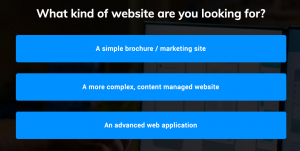
Here are some examples:
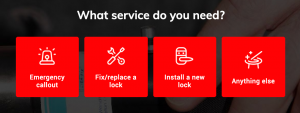
You might use form buttons to:

  • Ask a « yes » or « no » question
  • Get users to choose from a list of 3-4 answers
  • Ask an easy question up-front to make the form appear easy to fill in.

Why buttons are great for usability

Starting your form with buttons is a very engaging way to start your form.

By giving users only a few clear choices, you’ll cut down on the « paradox of choice » and get more users starting to fill in the form.

For this reason, we recommend asking simple, straightforward « button-powered » questions first – and then adding more personal questions towards the end of the form.

Button text and images

Buttons can either be text-only, or have images.

Button text should be relatively short and easy to understand – for example setting button text to options like, « Yes » or « No » will suffice.

You can configure text and images by simply selecting the buttons in the Growform editor once they’ve been created.

Button configuration

Buttons can be configured to appear 100% width or side-by-side.

For longer text, we recommend using 100% of width, whereas side by side buttons are best for shorter options.

To change these options, select the buttons in the Growform editor and edit « buttons per row ».

Setting a button to « 1 » per row will make it take up 100%, and any other option will set the buttons to appear side by side.

How to create a form with buttons

To create a form with buttons, first sign up to Growform and create a form.

90% of our templates have buttons on the first step, so it should be very straightforward. If you do need to create your own buttons, simply hit « Add field » and choose « Buttons’ from the list of field types.

Do all plans include buttons in forms?

Yes, good news! All plans let you add buttons to your forms - it's part of the standard feature set.

Hobbyist plan

  • Yes

Agency plan

  • Yes

It all starts here...

Start creating beautiful, multi-step forms that convert with a zero commitment free trial (no credit card required):