
We Review the Best Drag and Drop Form Builders for High-Converting Lead Capture
Quick Summary
This article reviews six top drag-and-drop form builders built for marketers and agencies, including Growform, Typeform, Jotform, and Google Forms. We compare their interfaces, lead-generation features, integrations, and pricing, so that you can find the right platform for building high-converting forms without code. For more insights on optimizing your forms, explore additional resources on our blog.
Looking for a Drag-and-Drop Form Builder That Actually Converts?
Most online forms collect data. Few capture high-quality leads or integrate seamlessly with your growth stack. Marketers and agencies often waste time waiting on developers, wrestling with clunky UIs, or using one-size-fits-all templates that underperform.
What if you could build a professional, multi-step form in minutes, embed it anywhere, and start capturing better leads immediately? That’s exactly what modern drag-and-drop form builders promise.
In this Growform guide, we’ll review the best drag-and-drop form builders available, helping you choose the right tool to capture more leads and grow your pipeline faster.
Why Listen to Us?
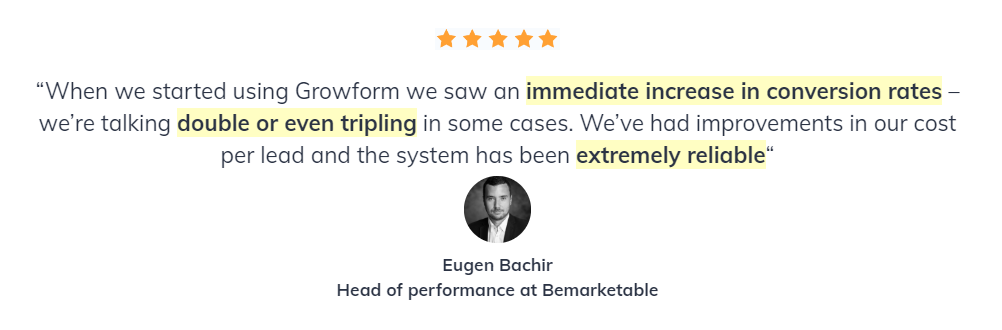
At Growform, we specialize in lead generation forms that convert. We’ve helped businesses optimize their form experiences, from simple contact forms to complex multi-step workflows. Our expertise in conversion-focused design and user experience means we know what separates a good form builder from a great one.
What are Drag-and-Drop Form Builders?
Drag-and-drop form builders are no-code tools that let you create custom forms by visually dragging field elements onto a canvas. Instead of writing HTML, CSS, or JavaScript, you simply select the fields you need, arrange them, and publish. Top builders offer conditional logic, CRM integrations, and responsive design, making lead capture simple and effective.
Why Drag-and-Drop Form Builders Matter
- Speed and Efficiency: Build and launch forms in minutes without waiting on developers or IT teams.
- No Technical Skills Required: Anyone on your team can create, edit, and manage forms with zero coding knowledge.
- Better Conversion Rates: Intuitive interfaces make it easy to implement best practices like multi-step flows and conditional logic.
- Cost-Effective: Eliminate development costs and reduce time-to-market for campaigns and landing pages.
- Seamless Integration: Connect forms directly to your existing tools like CRMs, email platforms, and marketing automation software.
Top 7 Drag-and-Drop Form Builders
- Growform
- Typeform
- Jotform
- Google Forms
- Cognito Forms
- WPForms
- LeadGen App
1. Growform
Growform is a drag-and-drop form builder built specifically for lead generation. It helps marketers and agencies capture higher-quality leads through multi-step, data-rich forms while minimizing reliance on developers or code. It combines ease of use with analytics and seamless integrations, making it ideal for B2B teams aiming to boost conversions.

Key Features
- Multi-Step Forms with Conditional Logic: Guide users through targeted questions that adapt based on their responses, improving qualification and engagement.
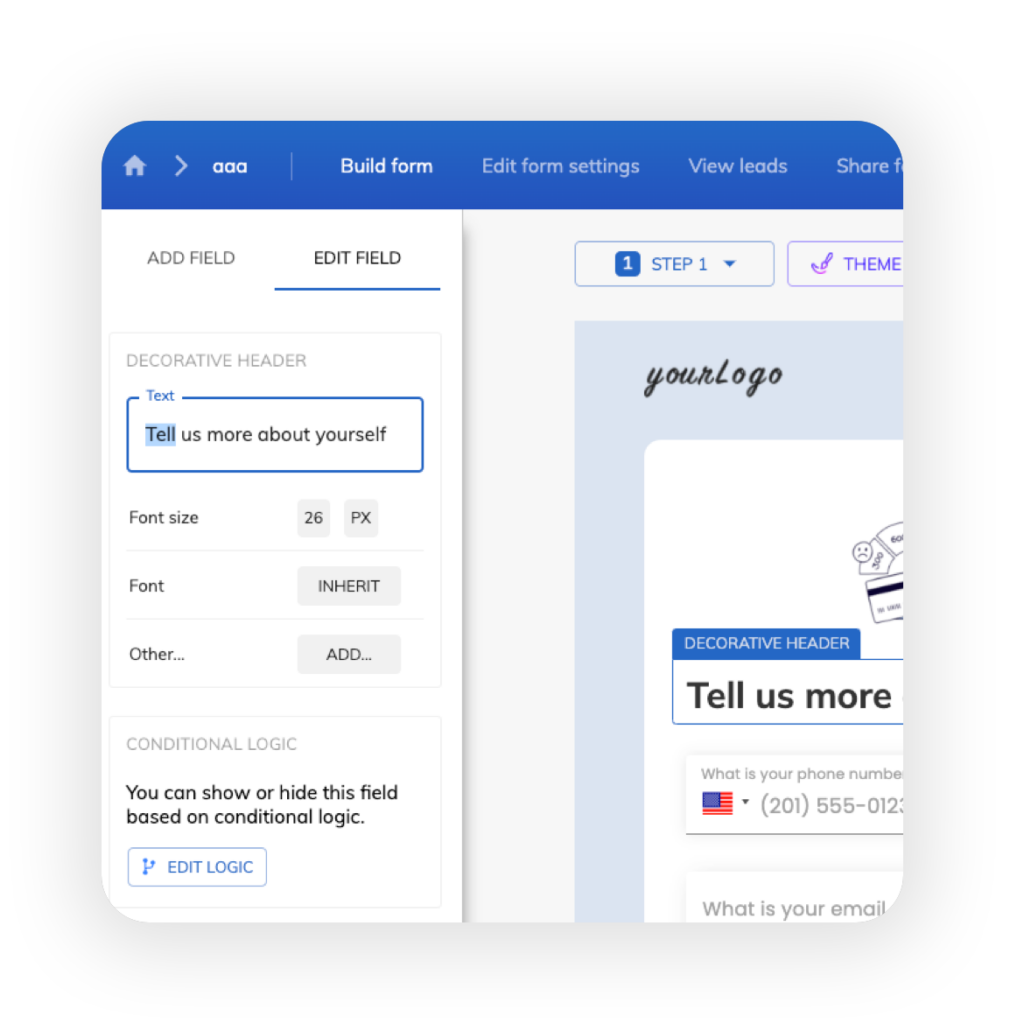
- Drag-and-Drop Builder: Create complex, high-performing forms quickly using an intuitive interface with no coding required.
- 300+ Integrations via Zapier: Connect seamlessly to CRMs, email platforms, spreadsheets, and marketing tools to automate lead management.
- Advanced Form Analytics: Track which fields users complete or abandon to identify drop-off points and optimize performance.
- Real-Time Data Validation: Catch errors and typos instantly to ensure every lead submitted is accurate and ready for follow-up.
- Custom Styling & Branding: Match forms to your brand with full control over colors, buttons, and progress bars.
- Hidden Fields & Tracking: Capture source data like keywords, ad groups, or campaign info for smarter lead segmentation.
Pricing
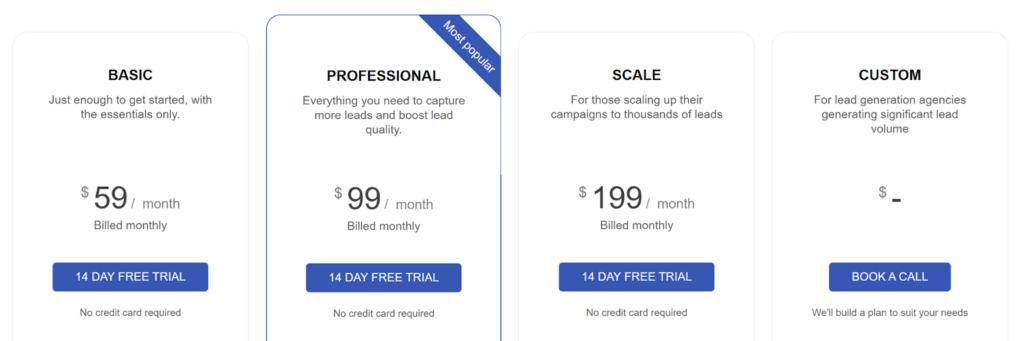
- Basic ($59/month): 300 leads, 1 domain, unlimited forms.
- Professional ($99/month): 1,000 leads, unlimited domains, validation, and priority support.
- Scale ($199/month): 3,000 leads, advanced marketing tools, and GTM integration.
- Custom: Agency-level SLAs and integrations (contact for pricing).
All plans include the drag and drop builder, multi-step forms, and a 14-day free trial.
Pros
- Helps marketers guide leads through logical steps to increase form completion
- Lets teams capture higher-quality leads from the same traffic
- Simplifies form management for agencies without developers
- Provides actionable insights to improve form performance
- Enables fully branded forms that fit seamlessly into any site
Cons
- Advanced customization beyond templates requires custom CSS
2. Typeform
Typeform is known for its conversational, one-question-at-a-time interface that creates an engaging user experience. Its visually engaging design and customization options make it a go-to tool for marketers and creators who want to build forms that feel more like conversations than surveys.

Key Features
- Conversational Interface: Display one question at a time to reduce cognitive overload and improve completion rates.
- Custom Branding: Add logos, custom colors, fonts, and header images to match your brand identity.
- Rich Media Support: Embed images, videos, and GIFs to make forms more engaging and interactive.
- Integration Library: Connect to 300+ tools, including HubSpot, Google Sheets, Mailchimp, and Salesforce.
- Built-in Analytics: Track response rates, completion times, and drop-off points directly in the platform.
Pricing
- Free: Unlimited forms, 10 responses/month
- Basic ($29/month): 100 responses, removes Typeform branding
- Plus ($59/month): 1,000 responses, payment collection
- Business ($99/month): 10,000 responses, advanced analytics
- Enterprise (Custom pricing): SSO and HIPAA compliance

Pros
- Creates highly engaging, interactive forms that hold user attention
- Reduces form fatigue with a one-question-at-a-time flow
- Lets teams customize the look to maintain brand consistency
- Mobile-optimized and fully responsive
Cons
- Limited free plan makes it difficult for teams with higher traffic
- Advanced features like bot protection require higher-tier plans
- Response limits can get restrictive for high-traffic campaigns
3. Jotform
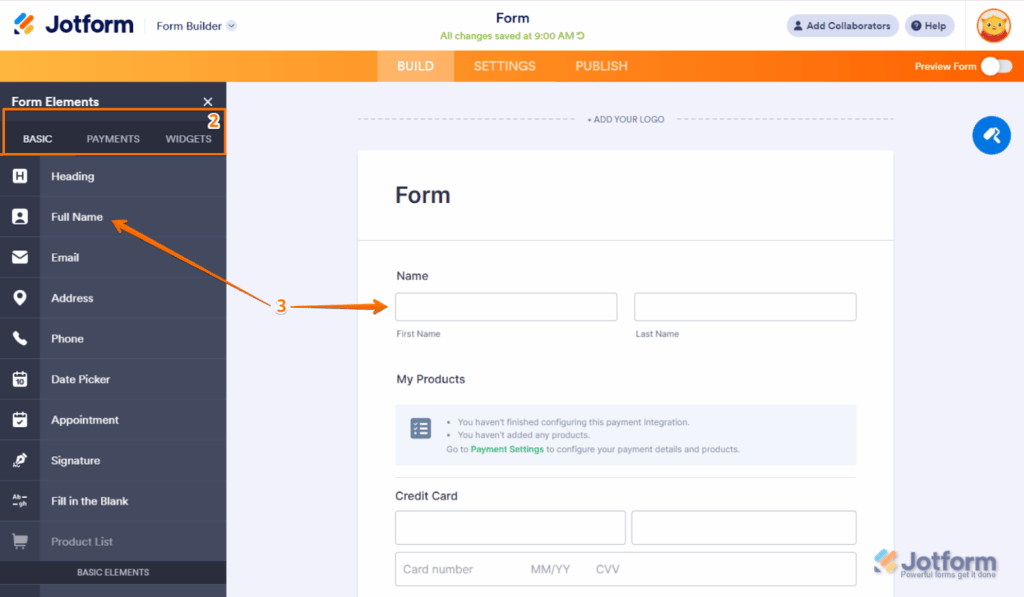
Jotform is a flexible drag-and-drop form builder designed for teams that value variety and control. With thousands of templates and built-in payment options, it is well-suited for businesses managing event registrations, client onboarding, or complex internal workflows.
Key Features
- 10,000+ Templates: Access pre-built forms for every industry and use case to speed up form creation.
- Conditional Logic: Show or hide fields dynamically based on user responses to create personalized experiences.
- Payment Integration: Accept payments directly through forms via Stripe, PayPal, Square, and other processors.
- Mobile Forms App: Receive push notifications for new submissions and manage forms on the go.
- 150+ Integrations: Connect to CRMs, email tools, cloud storage, and project management platforms.
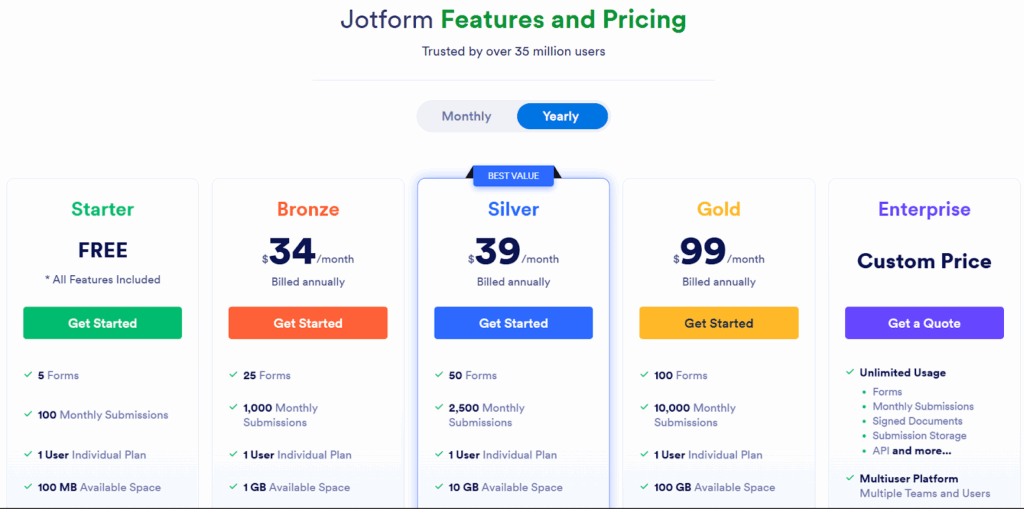
Pricing
- Free: 5 forms, 100 submissions/month
- Bronze ($34/month): 25 forms, 1,000 submissions
- Silver ($39/month): 50 forms, higher limits
- Gold ($99/month): HIPAA compliance, priority support
- Enterprise: Custom pricing for large teams.
Pros
- Helps teams launch forms quickly without starting from scratch
- Payment collection built into forms
- Mobile app for managing submissions anywhere
- Flexible customization fits various industries
Cons
- Interface can feel cluttered with so many features
- Some advanced features are only available in higher-tier plans
- Submission limits may restrict high-traffic campaigns
4. Google Forms
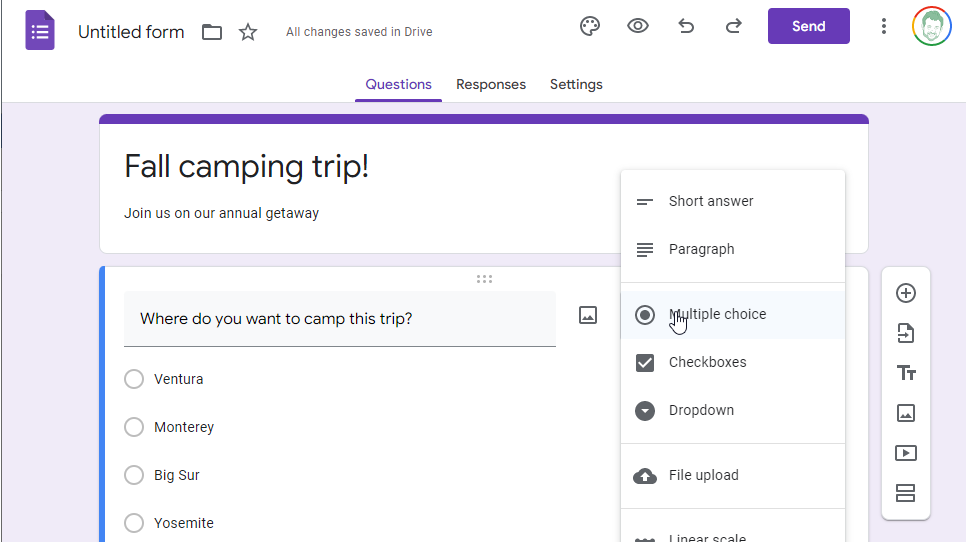
Google Forms is a free drag-and-drop form builder included with Google Workspace. It allows organizations to create surveys, registrations, and feedback forms quickly and collaboratively without any cost, making it ideal for budget-conscious teams or small businesses.
Key Features
- Completely Free: Unlimited forms, unlimited responses, no cost for individual or business use.
- Google Workspace Integration: Responses automatically save to Google Sheets for easy analysis and reporting.
- Real-Time Collaboration: Multiple team members can edit forms simultaneously, similar to Google Docs.
- Basic Conditional Logic: Show or hide sections based on dropdown or multiple-choice responses.
- Template Gallery: Access pre-designed templates for common form types like event registration and feedback surveys.
Pricing
Completely free for all users.
Pros
- Completely free with no submission limits
- Simple, intuitive interface anyone can use
- Seamless Google Workspace integration
- Real-time collaboration supports team editing
Cons
- Very basic design and customization options
- Limited conditional logic capabilities
- No advanced features like calculations or payment collection
5. Cognito Forms
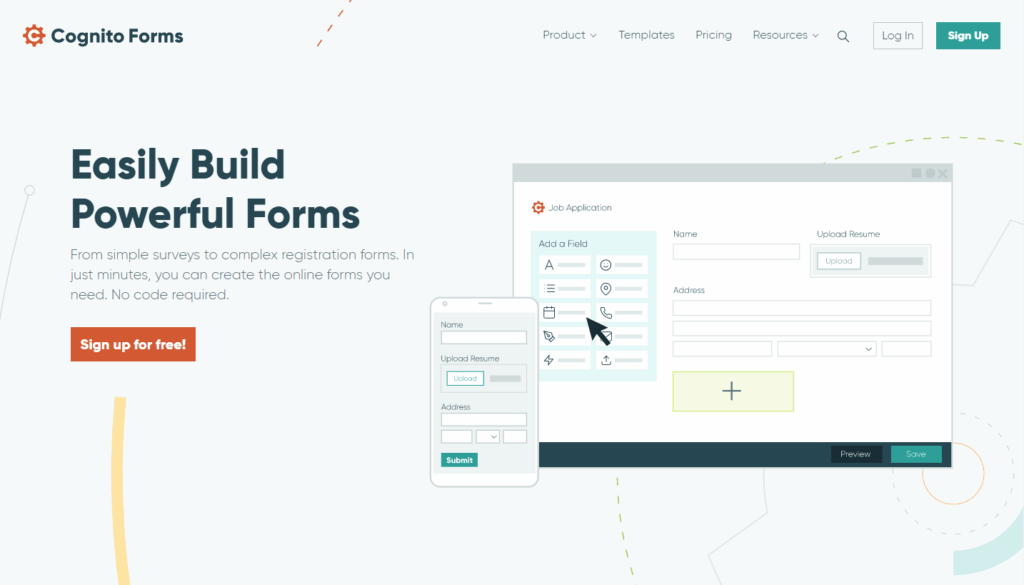
Cognito Forms is a powerful builder that lets organizations create complex, structured forms. Its flexible workflows and strong data handling make it ideal for teams that need advanced forms with approval processes or secure data collection.
Key Features
- Advanced Calculations: Perform complex calculations, including cost totals, date comparisons, and custom formulas.
- Repeating Sections: Allow users to add multiple entries for items like family members or product orders.
- Workflow Automation: Route forms through approval processes with conditional logic and task assignments.
- Client Portal: Provide users with secure access to view, edit, and track their previous submissions.
- Data Encryption: Protect sensitive information with encryption at rest and HIPAA compliance options.
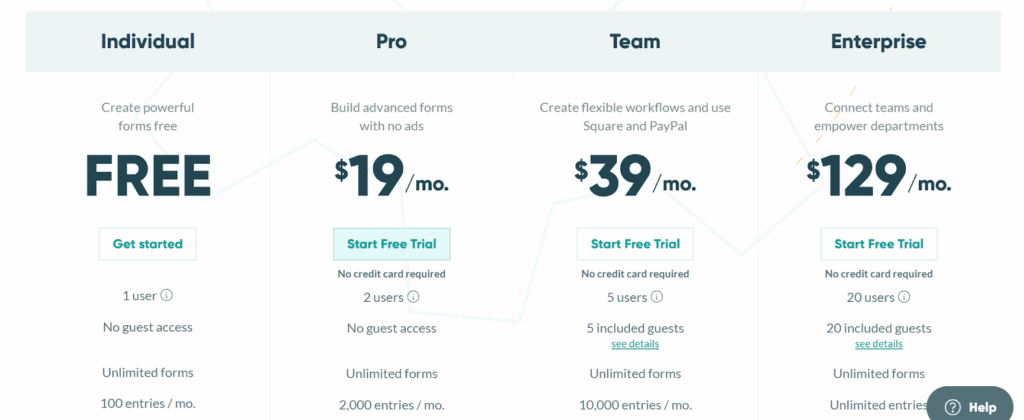
Pricing
- Free: Unlimited forms, 500 entries/month with branding
- Individual ($19/month): removes branding, adds advanced features
- Pro ($39/month): 2,000 entries, payments, file uploads
- Team ($129/month): 10,000 entries, workflow automation, user roles
Pros
- Free plan lets small teams create functional forms without paying
- Advanced calculations help finance or operations teams manage totals automatically
- Workflow automation reduces manual task management for admins
- Client portal allows organizations to give users secure access to their submissions
Cons
- Limited design options can frustrate teams wanting highly polished forms
- Certain features require higher-tier plans, which can affect growing teams
- New users may find navigation slower due to outdated interface design
6. WPForms
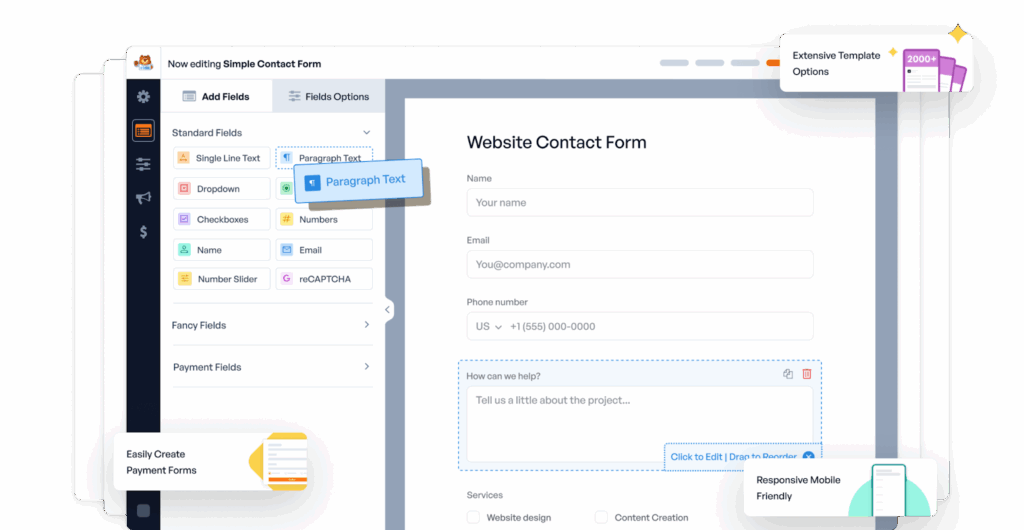
WPForms is tailored for WordPress site owners who need professional forms with native integration. It enables teams to manage forms, accept payments, and collect submissions efficiently while staying fully embedded in the WordPress environment.
Key Features
- WordPress-Native: Built specifically for WordPress with seamless integration into the WordPress admin panel.
- Pre-Built Templates: Access hundreds of form templates, including contact forms, order forms, and registration forms.
- Smart Conditional Logic: Show or hide fields dynamically based on user selections to create personalized experiences.
- Payment Integration: Accept payments via Stripe, PayPal, Square, and Authorize.net directly through forms.
- Spam Protection: Built-in honeypot, reCAPTCHA, and custom CAPTCHA options to block spam submissions.
Pricing
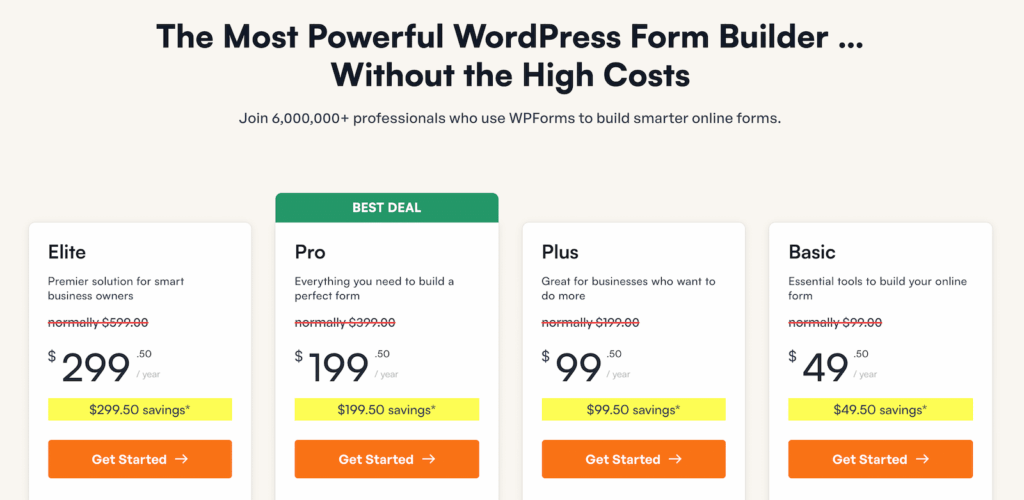
- Basic ($49.50/year): one site, essential add-ons, one year of support
- Plus ($99.50/year): three sites, payment forms, surveys, polls
- Pro ($199.50/year): five sites, advanced features, user registration
- Elite ($299.50/year): unlimited sites, all features, priority support
Pros
- Native WordPress integration makes form management effortless for admins
- Pre-built templates let teams launch forms quickly
- Payment integration streamlines online transactions without extra plugins
- Frequent updates and support help teams stay up to date and troubleshoot easily
Cons
- WordPress-only, not available for other platforms
- Annual payment may not suit teams wanting monthly flexibility
- Limited design flexibility without custom CSS knowledge
7. LeadGen App
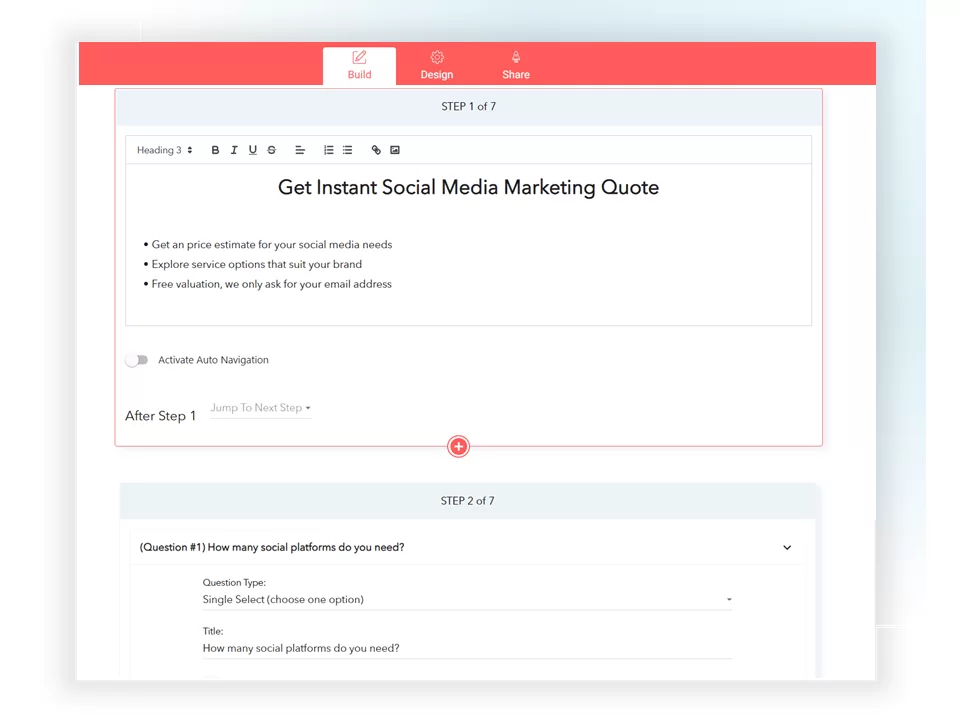
LeadGen App is a conversion-focused drag-and-drop form builder tailored for marketers, agencies, and lead-generation professionals. It helps users design multi-step forms and quizzes that improve engagement and qualify prospects more effectively. Built with optimization in mind, it offers detailed analytics, lead tracking, and A/B testing tools to ensure every submission counts.
Key Features
- Drag and Drop Form Builder: Drag-and-drop interface for building high-converting, multi-step forms without coding.
- Advanced Conditional Logic & Hidden Fields: Conditional logic and hidden fields for personalized and trackable user flows.
- Built-In Analytics Dashboard: Built-in analytics dashboard to monitor drop-off rates and completion metrics.
- Deep Integrations: Integrations with CRMs, Google Sheets, and 1,000+ apps via Zapier.
- A/B Testing & Instant Lead Notifications: A/B testing and lead notifications for data-driven optimization.
Pricing
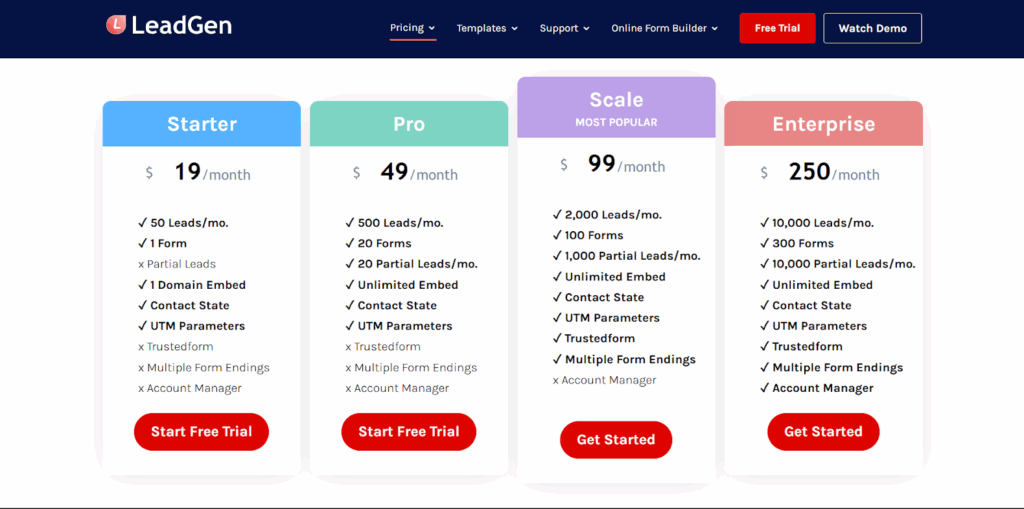
- Starter: $19/month for 50 leads and 1 form.
- Pro: $49/month for 500 leads and up to 20 forms.
- Scale: $99/month for 2,000 leads and up to 100 forms.
- Enterprise: $250/month (or $200/month billed yearly) for 10,000 leads and up to 300 forms.
Pros
- Easy drag-and-drop creation of complex, logic-based multi-step forms.
- Integrated analytics and A/B testing make optimization straightforward.
- Seamless connections to CRMs and marketing tools.
- Affordable pricing relative to advanced functionality.
Cons
- Some advanced integrations require Zapier or API configuration.
- Interfaces can feel less polished than enterprise-grade tools.
- Free tier lacks analytics and automation features.
Build Better Lead Capture Forms With Growform
Drag and drop form builders have transformed how businesses collect leads and customer data. From simple contact forms to complex multi-step workflows, these tools make it possible to create professional forms without developers or coding knowledge.
If your primary goal is lead generation and conversion optimization, Growform is purpose-built for exactly that. Our multi-step forms, conversion-focused templates, and advanced analytics help B2B businesses capture more leads from the same traffic.Ready to improve your lead capture rates? Start your free 14-day Growform trial today!