
We Review 7 Best Dynamic Form Builders to Transform Your Data Collection
Quick Summary
This guide reviews the top seven dynamic form builders, Growform, Formsort, Typeform, Jotform, Formstack, ConvertFlow, and TeamDynamix, highlighting their conditional logic, adaptive workflows, and integrations. We cover how these tools create personalized, multi-step forms that improve completion rates, capture accurate data, and streamline lead collection for businesses of all sizes. For more strategies on optimizing your data collection, explore our blog.
Struggling With Low Form Completion Rates?
Static forms treat every user the same way, asking identical questions regardless of who’s filling them out or what they need. This often frustrates users, slows completion, and leads to incomplete or inaccurate data.
Dynamic form builders solve this by adapting in real time. They hide irrelevant fields, personalize questions, and adjust logic based on user input, creating smoother, faster, and more engaging experiences.
In this Growform guide, we review 7 top dynamic form builders to help you collect higher-quality data, reduce drop-offs, and improve lead conversion rates.
Why Listen to Us?
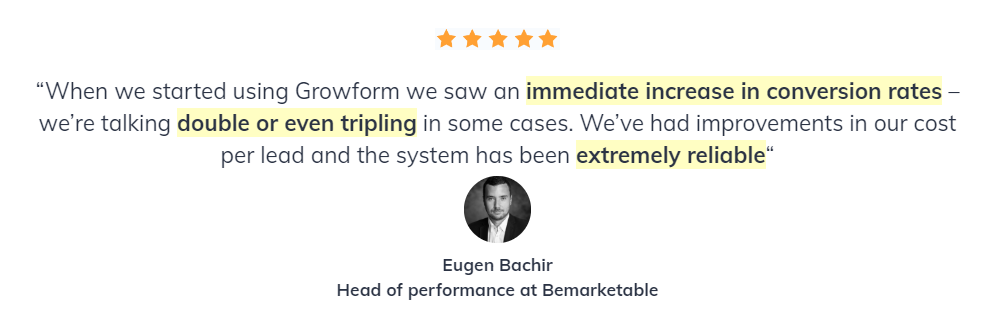
At Growform, we’ve helped hundreds of businesses improve their lead capture and data collection through high-converting, dynamic forms. Our experience building and optimizing multi-step forms for diverse industries gives us deep insight into what truly drives engagement. That’s why we’re uniquely positioned to guide you in choosing the most effective tools for smarter, more responsive data collection.
What Are Dynamic Form Builders?
Dynamic form builders are tools that create forms whose behavior can change based on user input or external conditions. Unlike static forms with fixed fields, dynamic forms:
- Show or hide fields using conditional logic
- Prefill or calculate data automatically
- Branch to different paths depending on responses
Most include visual editors for rules like “If the user selects Option A, show Field B.” Advanced tools also integrate with CRMs, databases, and automation platforms to streamline lead collection and workflow.
Why Are Dynamic Form Builders Important?
- Personalized User Experience: Show only relevant questions to each user, reducing friction and improving engagement.
- Higher Completion Rates: Shorter, more focused forms that adapt to user needs see significantly better completion rates.
- Better Data Quality: Conditional validation and smart logic reduce errors and ensure you collect accurate, usable information.
- Time Savings: Automated calculations, data prefilling, and skip logic eliminate manual work for both users and administrators.
- Improved Conversion: Relevant, personalized forms convert casual visitors into qualified leads more effectively than one-size-fits-all approaches.
Top 7 Dynamic Form Builders
- Growform
- Formsort
- Typeform
- Jotform
- Formstack
- ConvertFlow
- TeamDynamix
1. Growform
Growform is a dynamic form builder purpose-built for B2B lead generation. Its multi-step forms with conditional logic guide users through personalized question sequences that adapt based on their responses.
While other platforms offer dynamic capabilities as one feature among many, Growform focuses specifically on conversion optimization to help teams capture higher-quality leads.
Key Features
- CRM and Marketing Integrations: Seamlessly connect Growform to tools like HubSpot, Pipedrive, and Google Sheets, or integrate via Zapier and webhooks to automate lead flow.
- Multi-Step Forms with Conditional Logic: Create intelligent forms that show different questions based on previous answers to improve qualification and user experience.
- Drag-and-Drop Builder: Build sophisticated, dynamic forms quickly using an intuitive visual interface with no coding required.
- 100+ Conversion-Optimized Templates: Start with proven templates designed for lead generation and customize them with dynamic logic.
- Built-In Validation and Spam Protection: Validate emails, phone numbers, and inputs instantly while keeping spam submissions out through reCAPTCHA and logic-based filters.
- Responsive, Mobile-First Design: Every form automatically adjusts to screen size, ensuring a smooth experience for users on mobile, tablet, or desktop.
Pricing
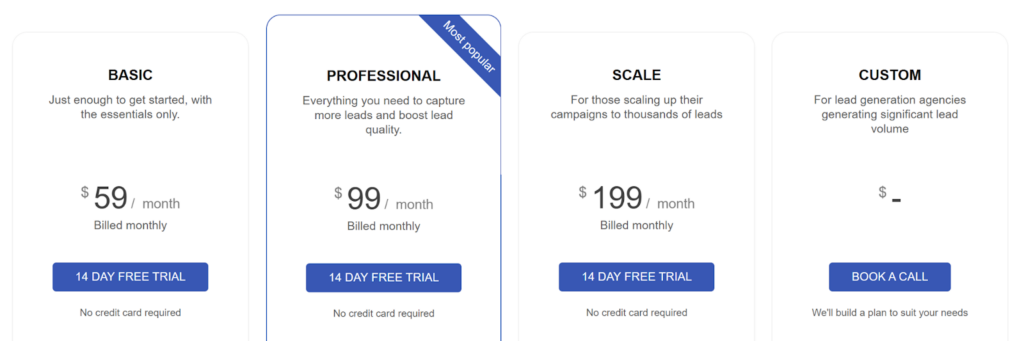
- Basic plan: $59/month for 300 leads.
- Professional: $99/month for 1,000 leads, unlimited domains, built-in validation, and priority support
- Scale: $199/month for 3000 leads, increasing lead limits and adding validation, marketing tools, and GTM integration.
- Custom: Offers agency-level features and all include multi-step forms, drag-and-drop building, and a 14-day free trial.
Pros
- Highly intuitive drag-and-drop interface that lets marketers build forms independently without developer support.
- Multi-step forms guide users seamlessly, improving form completion and lead quality.
- Seamless CRM and analytics integrations for automated lead management.
- Provides clear insights with built-in analytics to optimize performance continuously
- Easy for teams to maintain and update forms as campaigns evolve
Cons
- Lacks built-in eCommerce or payment form features.
2. Formsort
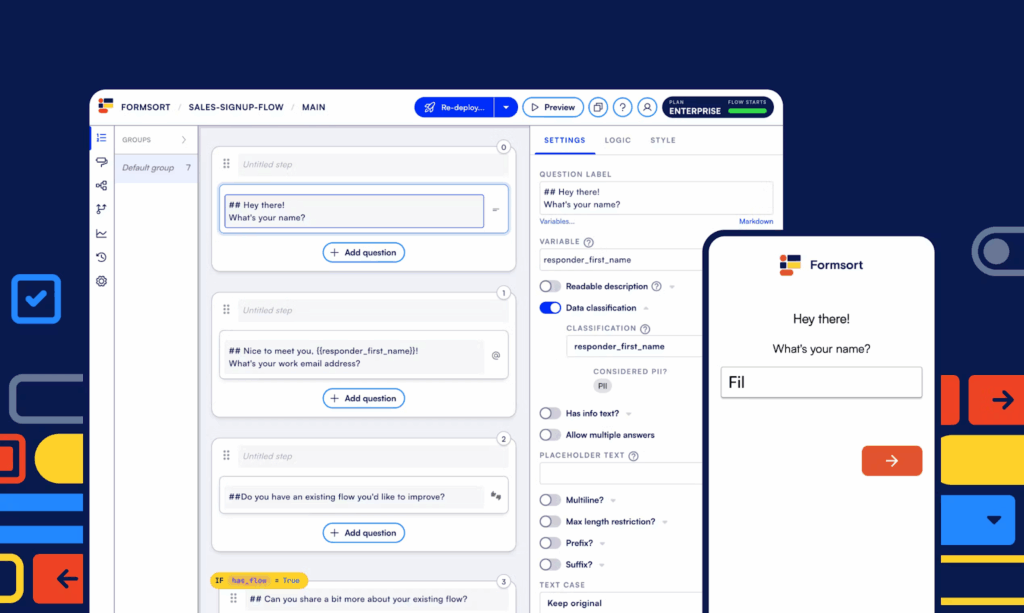
Formsort is a high-performance dynamic form builder designed for teams that need data-driven personalization at scale. It focuses on modular, step-based experiences and gives teams full control over branching workflows, enabling precise customization and consistent user experiences across multiple touchpoints.
Key Features
- Dynamic Logic Engine: Create branching flows that adjust instantly based on user responses.
- Prefilled and Context-Aware Fields: Reduce completion time and duplicate entries by automatically filling known data from cookies, APIs, or CRM records.
- Version Control and Collaboration: Manage multiple versions of a form simultaneously, enabling seamless team collaboration and testing.
- API-First Architecture: Push and pull data seamlessly between Formsort and your tech stack in real time, enabling truly dynamic, data-backed form experiences.
- Custom UI Components: Embed React components for full design flexibility without coding limitations.
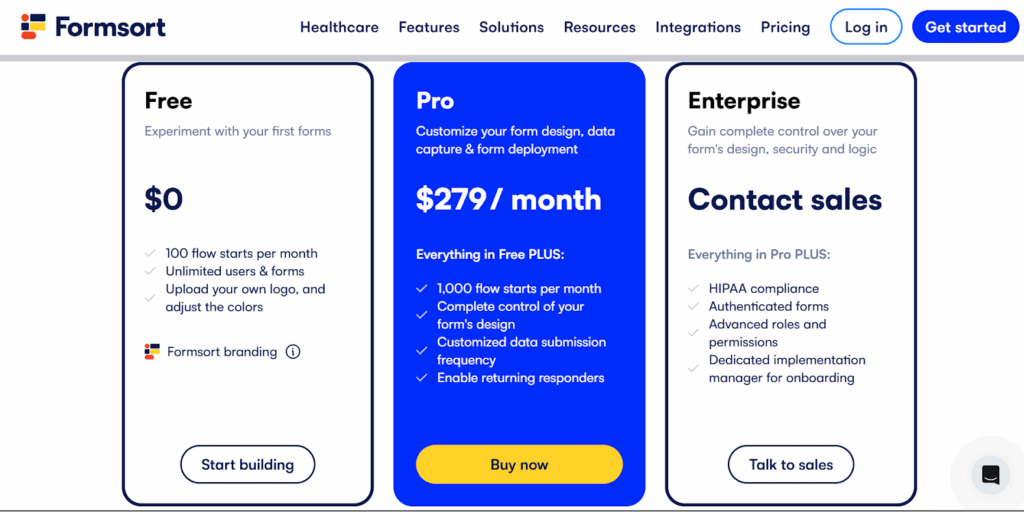
Pricing
- Free: Basic functionality for testing and small-scale forms.
- Pro: $279/month, includes advanced integrations, team collaboration, and dynamic personalization.
- Enterprise: Custom pricing, SLA-backed uptime, dedicated support, and enhanced analytics.
Pros
- Streamlines collaboration and testing across multiple form versions.
- Real-time personalization through API integrations and prefilled fields.
- Reduces manual data entry and errors with prefilled and context-aware fields.
- Offers advanced customization with custom UI components.
Cons
- Limited pre-built templates compared to mainstream form tools.
- Can be complex for smaller teams or simple campaigns.
3. Typeform
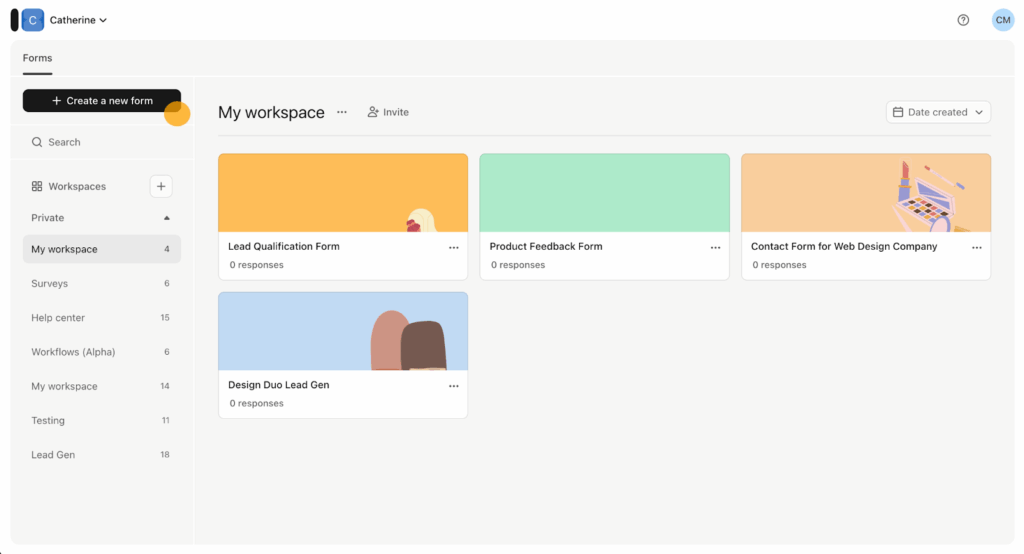
Typeform lets you build dynamic, conversational forms that feel more like guided conversations than traditional surveys. With its one-question-at-a-time interface and logic jumps, teams can deliver personalized form experiences that keep users engaged and increase completion rates.
Key Features
- Conversational Interface: Display one question at a time to maintain focus and reduce drop-offs.
- Logic Jumps: Create branching paths that show different questions based on previous answers for personalized experiences.
- Custom Branding: Add logos, custom colors, fonts, header images, and background media to match your brand identity.
- Rich Media Support: Embed images, videos, and GIFs dynamically based on user responses to create interactive experiences.
- Calculator Logic: Perform calculations and assign scores based on user selections for quizzes, assessments, and pricing tools.
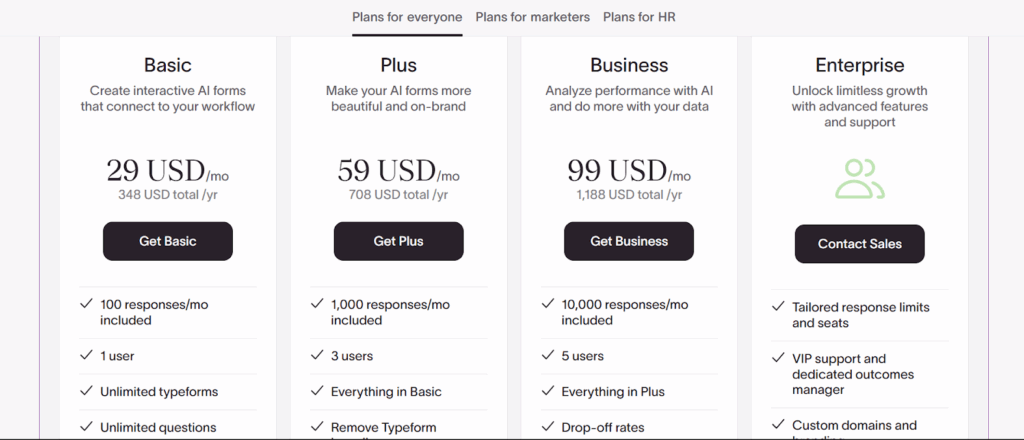
Pricing
- Free: Unlimited forms with 10 responses/month.
- Basic: $29/month, removes Typeform branding.
- Plus: $59/month, includes up to 1,000 responses and payment collection.
- Business: $99/month, 10,000 responses, and advanced analytics.
- Enterprise: Custom pricing, with SSO and HIPAA compliance.
Pros
- Exceptional user experience that feels conversational and engaging.
- Dynamic logic and hidden fields make forms feel intelligent and personalized.
- Allows marketing teams to create personalized paths without developer input.
- Flexible media options enhance storytelling and brand presentation.
Cons
- Branding removal and payments are only available from paid plans.
- Complex branching logic can slow performance on large forms.
4. Jotform
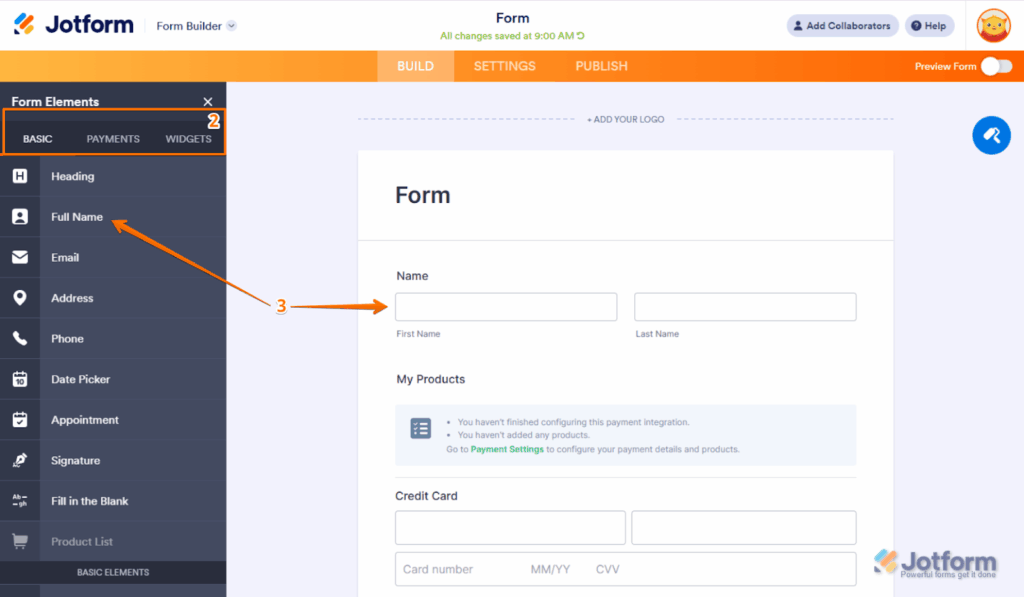
Jotform provides versatile dynamic forms suitable for complex workflows. With thousands of templates and a visual logic editor, it helps teams collect, validate, and process data efficiently across multiple departments while maintaining consistency and accuracy.
Key Features
- Conditional Logic: Show or hide fields, pages, and buttons based on responses using a visual logic builder.
- Form Calculations: Perform price calculations, date math, and custom formulas that update dynamically as users fill forms.
- Smart PDF Forms: Generate dynamic PDFs that change content based on form responses and conditional rules.
- Approval Workflows: Route submissions to managers or teams using multi-step conditional approvals.
- Prefill Data: Populate forms with previous submissions, URL parameters, or CRM data for faster completion.
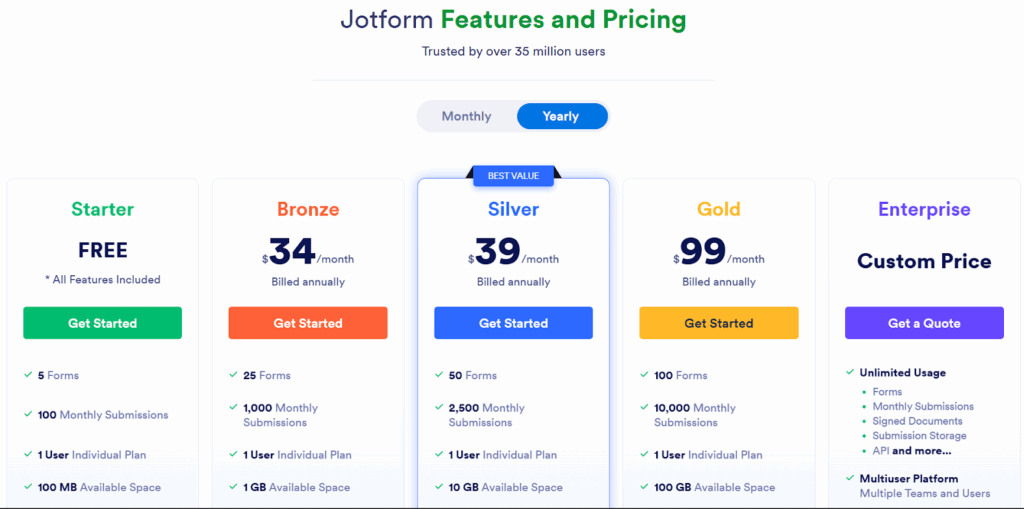
Pricing
- Free: 5 forms and 100 monthly submissions.
- Bronze: $34/month with expanded limits.
- Silver: $39/month with up to 50 forms and higher storage.
- Gold: $99/month with HIPAA compliance and unlimited views.
- Enterprise: Custom pricing for larger organizations and advanced security needs.
Pros
- Huge template library saves time for users who need to launch forms quickly.
- Logic editor reduces errors and speeds up multi-step processes.
- Strong integrations streamline tasks for marketing, operations, and finance teams.
- Offline mode helps field teams or remote workers collect data reliably.
Cons
- Advanced design customization may require CSS knowledge.
- Lower plans include branding and tight submission caps that limit scalability.
5. Formstack
Formstack is built for teams managing complex data collection, approvals, and compliance-heavy workflows. Its advanced conditional routing and automation tools make it a strong fit for organizations that need forms to adapt intelligently across multiple steps, departments, and systems.
Key Features
- Advanced Conditional Logic: Apply multi-layered rules using multiple variables and operators to control fields, sections, and paths.
- Smart Lists: Create dynamic dropdown lists that pull from external sources and update automatically based on conditions.
- Data Routing: Automatically route form submissions to different recipients, systems, or workflows based on conditional rules.
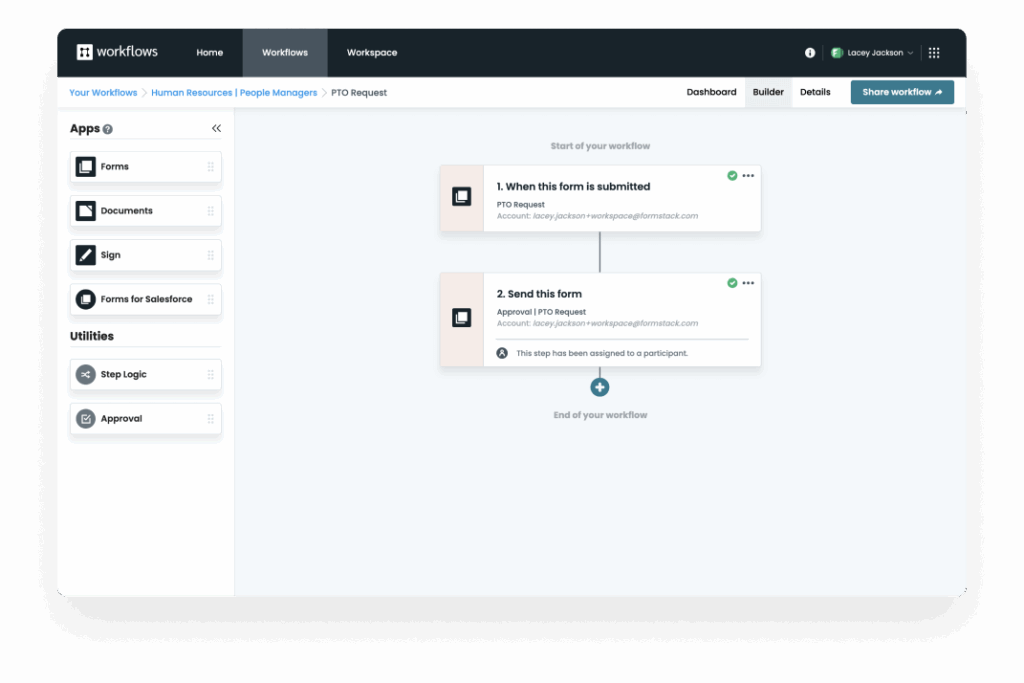
- Workflow Automation: Build multi-step processes with conditional approvals, notifications, and document generation.
- A/B Testing: Test different versions of conditional logic and form paths to identify which performs better.
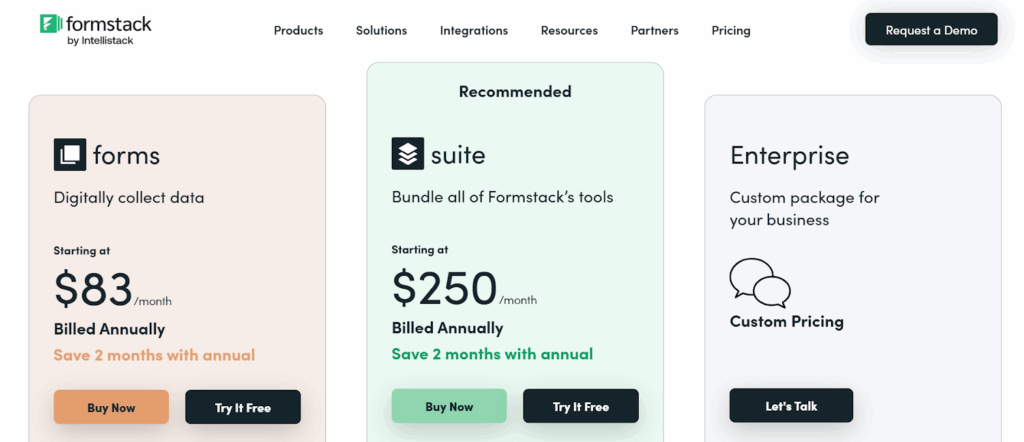
Pricing
- Forms Plan: Starts at $83/month (annual billing) for 1 builder user, 25 forms, 1,000 submissions per form, and workflow access.
- Suite Plan: Starts at $250/month (annual billing) with 3 builder users, 100 forms, 5,000 submissions per form, 10 GB storage, and unlimited document signatures.
- Enterprise: Custom pricing with enhanced security, higher limits, and advanced admin controls. All plans include drag-and-drop building, conditional logic, and integrations.
Pros
- Built for professional teams with automation and compliance needs.
- Prefill and dynamic logic reduce manual data entry and errors.
- Seamless Salesforce and HubSpot integrations streamline enterprise data flow.
- Strong compliance and security features for regulated industries.
Cons
- Visual customization tools are less flexible than design-focused builders.
- Advanced features may require onboarding to use effectively.
6. ConvertFlow
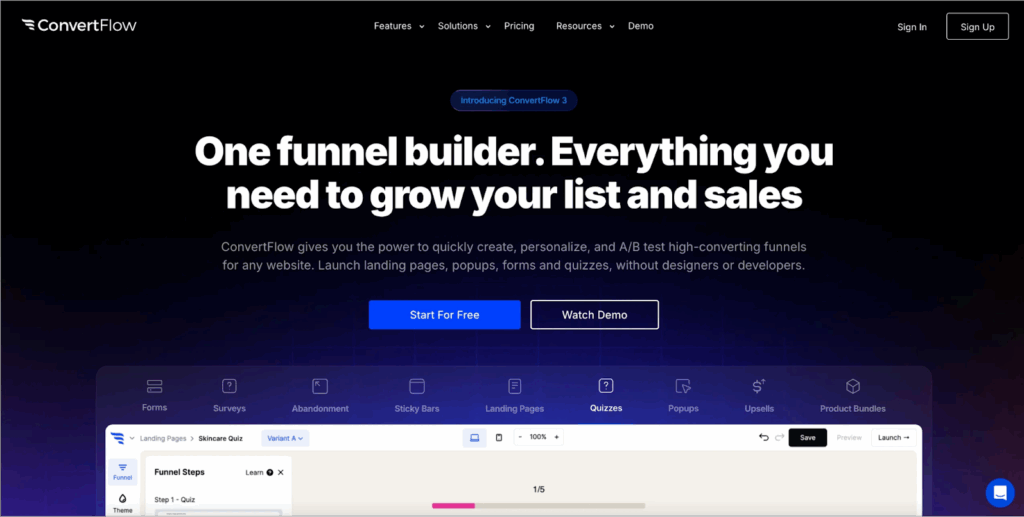
ConvertFlow is a dynamic form and funnel builder designed for marketers who want forms based on user behavior. Instead of static fields, ConvertFlow lets you create adaptive forms, pop-ups, and landing pages that adapt to a user’s actions, campaign source, or segment, making it a strong choice for teams focused on real-time conversion optimization.
Key Features
- Adaptive Form Logic: Personalize each form based on behavior, page views, past actions, or campaign source.
- Drag-and-Drop Funnel Builder: Build entire marketing funnels, combining pop-ups, quizzes, multi-step forms, and calls-to-action into a single visual editor.
- Conditional Redirects: Redirect users to specific thank-you pages or offers depending on their responses or campaign origin.
- A/B Testing and Analytics: Test multiple form versions, compare performance metrics, and optimize conversion rates with actionable insights.
- Smart Targeting and Personalization: Show unique forms or messages to returning visitors, enhancing retention and upselling opportunities.
Pricing
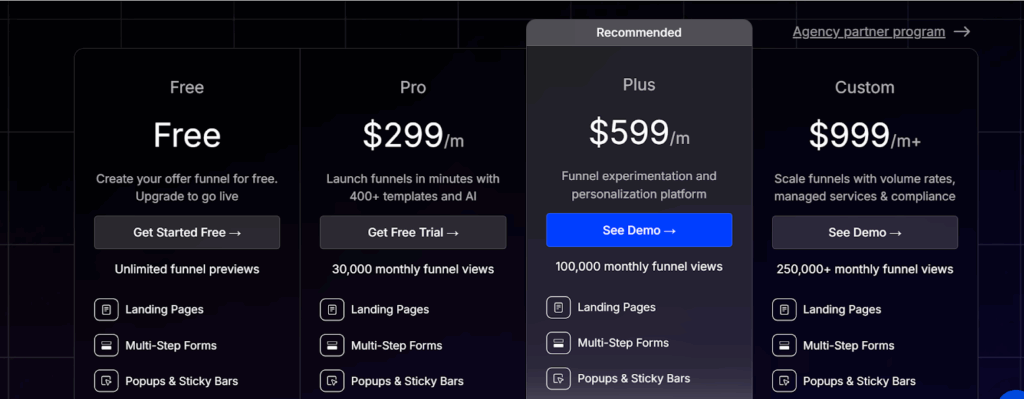
- Free Plan: Create up to 5 funnel campaigns and test for free.
- Pro Plan: $299/month (or $2,990/year) for 30,000 monthly funnel views.
- Plus Plan: $599/month (or $5,990/year) for 100,000 monthly funnel views with advanced features.
- Enterprise: Custom pricing for unlimited views, dedicated support, and full-stack features.
Pros
- Behavior-based personalization helps marketers deliver the right message at the right moment.
- Strong CRM and automation integrations streamline lead nurturing.
- Built-in A/B testing makes optimization easier without extra tools.
- Funnels, forms, and pop-ups can all be managed in one place, reducing tool clutter.
Cons
- Can feel overwhelming for new users due to advanced automation options.
- Free plan is limited, restricting testing and site coverage
7. TeamDynamix
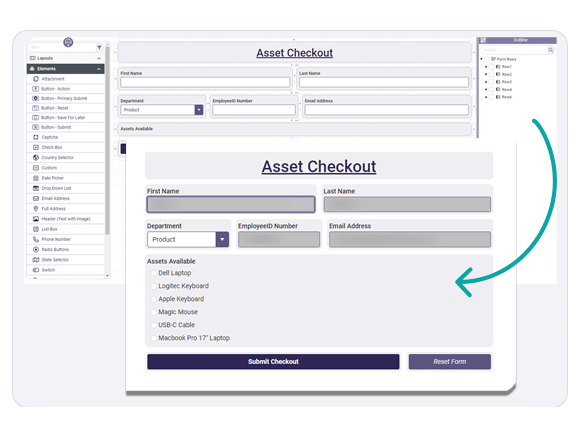
TeamDynamix is a dynamic form builder built for organizations that need workflow automation alongside secure, adaptable form creation. It’s widely adopted in higher education, healthcare, and public sector environments where forms must trigger structured processes, route requests accurately, and support strict access controls.
Key Features
- Dynamic Field Logic: Show or hide questions based on user input, ensuring forms remain relevant and concise for every respondent.
- Workflow Automation: Automatically route submissions to departments, trigger service requests, or notify key stakeholders in real time.
- Form Templates and Cloning: Reuse existing templates or clone forms to maintain consistency across departments and projects.
- Role-Based Permissions: Control who can view, edit, and approve submissions, maintaining data integrity and security.
- Drag-and-Drop Form Design: Build forms visually using an intuitive interface; ideal for teams without coding experience.
Pricing
TeamDynamix offers custom pricing based on organizational size, required modules, and workflow complexity.
Pros
- Helps large teams streamline intake processes by combining dynamic forms with automated workflows.
- Strong security and permission controls support regulated environments like healthcare and education.
- Native iPaaS integrations simplify connecting forms to other enterprise systems.
- Consistent templating makes it easier to maintain standardized processes across departments.
Cons
- No free tier to test form capabilities before implementation
- Requires onboarding and training to use its advanced automation features.
Build Smarter Forms That Adapt to Your Users With Growform
Dynamic form builders are transforming how businesses capture data by adapting each interaction to the user. From basic conditional logic to advanced multi-step workflows, they create personalized, engaging, and efficient experiences that generate cleaner, more actionable data.
Growform takes this a step further. With multi-step forms, smart conditional logic, and conversion-focused templates, it guides users through personalized paths that improve completion rates and lead quality, all without coding or complex setups.
If what you want is efficiency, build smarter forms that adapt to your users, starting with our free 14-day trial today.