

A static form asks everyone the same questions in the same order. A homeowner who rents, a company with two staff and a hospital network all see the same twelve fields, and most of them leave before the end.
A dynamic form builder is a tool for creating forms whose fields, steps and endings change while the form is being filled in, based on the answers already given or on data about the visitor, so that each respondent sees only the questions that apply to them. The behavior is set with visual rules rather than code.
Update (October 2026): Prices for all seven tools were re-read on October 9, 2026. Growform's plans now start at $79 a month, ConvertFlow has reshaped its plans around funnel views, and Formsort now meters flow starts. The seven tools are unchanged.
This guide explains what dynamic forms are and how they are built, then compares seven dynamic form builders with their current prices. If you want the product detail on Growform's rules, the conditional logic feature page covers every rule type and how to set one up.
What are dynamic forms?
Dynamic forms are forms that change as they are answered. The three behaviors that make a form dynamic are hiding or showing fields based on an answer, branching to a different step or ending, and filling or calculating values automatically.
Most builders express the first two as conditional logic, written as a rule such as "if the respondent selects Option A, show Field B". The third covers prefilling a field from the URL or a CRM record, running a calculation on earlier answers, and personalizing copy for the campaign a visitor came from.
Dynamic form generation goes a step further and builds the form itself from data, for example a questionnaire whose questions come from a database rather than from the editor. That is developer territory, and only one of the tools below is built for it.
Why are dynamic form builders important?
The practical case for a dynamic form is a shorter form for every respondent without a shorter form for you.
A lead form for a solar installer needs to know whether the roof is owned or rented, and only an owner should be asked about roof age and a monthly bill. A dynamic questionnaire asks the ownership question first and shows the rest to owners only. Renters finish in two steps, owners give you the detail your sales team needs, and nobody answers a question written for someone else.
The same mechanism improves data quality. A field that only appears when it applies is more likely to be answered correctly, and a disqualifying answer can end the form early rather than producing a lead nobody can serve. Baymard Institute's checkout research found that the number of form fields affects usability more than the number of steps, which is why removing irrelevant fields matters more than squeezing a form onto one page.
The seven dynamic form builders compared
- Growform
- Formsort
- Typeform
- Jotform
- Formstack
- ConvertFlow
- TeamDynamix
1. Growform
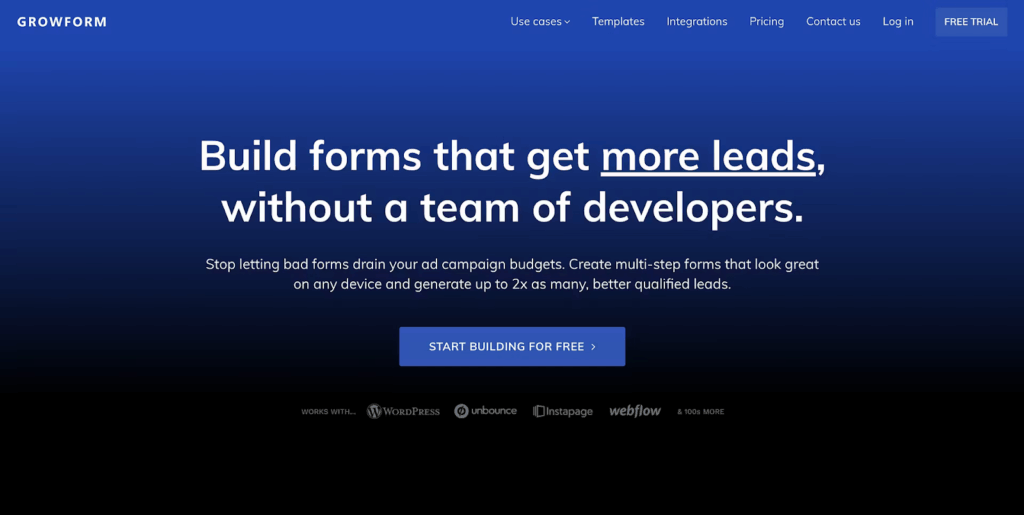
Growform is a dynamic form builder built for lead generation. Its multi-step forms use conditional logic on fields, steps and endings, so each lead follows a path shaped by their own answers, and the lead arrives in your CRM with the campaign that produced it attached.
Where other platforms treat dynamic behavior as one feature among many, Growform is built around the lead form, with the qualification, tracking and delivery that paid traffic needs.
Key features
- Conditional logic on fields, steps and endings: Rules test an earlier answer and show or hide a field, skip a whole step or send the lead to a different thank-you page. Conditions combine with AND and OR, and a rule can also disqualify a lead who does not fit.
- Dynamic form builder drag and drop: 25+ field types are dropped onto a step and configured in the settings pane, with no code.
- 250+ templates: Templates for solar, roofing, insurance, legal and other lead generation verticals, each editable in the same editor.
- Prefill and hidden fields: Visible fields can be prefilled from the URL, and hidden fields keep UTM parameters and click IDs with the lead.
- Real-time validation: Phone numbers are checked through Twilio Lookup and email addresses through ZeroBounce while the lead is on the form, on Professional and above.
- Delivery: Webhooks and 7,000+ apps through Zapier send each lead to HubSpot, Pipedrive, Google Sheets, GoHighLevel or a lead distribution platform as it is submitted.
- Mobile-first design: Every form adjusts to the screen, and single-choice buttons move the lead to the next step with one tap.
Pricing
- Basic ($79/month, or $63/month billed yearly): 300 leads a month and 3 active forms.
- Professional ($139/month, or $109/month billed yearly): 1,000 leads a month, 15 active forms, unlimited domains, validation, TrustedForm and Jornaya, Google Tag Manager and priority support.
- Scale ($249/month, or $199/month billed yearly): 3,000 leads a month and 50 active forms.
- Custom: Thousands of leads a month, unlimited forms and an uptime SLA, priced on a call.
Conditional logic, hidden fields and multi-step forms are on every plan, and each starts with a 14-day free trial.

Pros
- Marketers build and change branching forms themselves, without developer time
- Step-level rules keep the form short for every lead
- Leads arrive in the CRM with their source and qualification answers attached
- Plans count leads, not visitors, so paid traffic does not inflate the bill
2. Formsort
Formsort is a dynamic form builder for teams that need data-driven personalization at scale. It is built around modular, step-based flows with full control over branching, and it leans on APIs more than the other tools here.

Key features
- Dynamic logic engine: Branching flows adjust as the respondent answers.
- Prefilled and context-aware fields: Known data from cookies, APIs or CRM records fills fields in advance.
- Version control: Several versions of a flow can run at once for testing and collaboration.
- API-first architecture: Data moves between Formsort and your systems in real time, which suits dynamic form generation from your own data.
- Custom UI components: React components can be embedded for full design control.
Pricing
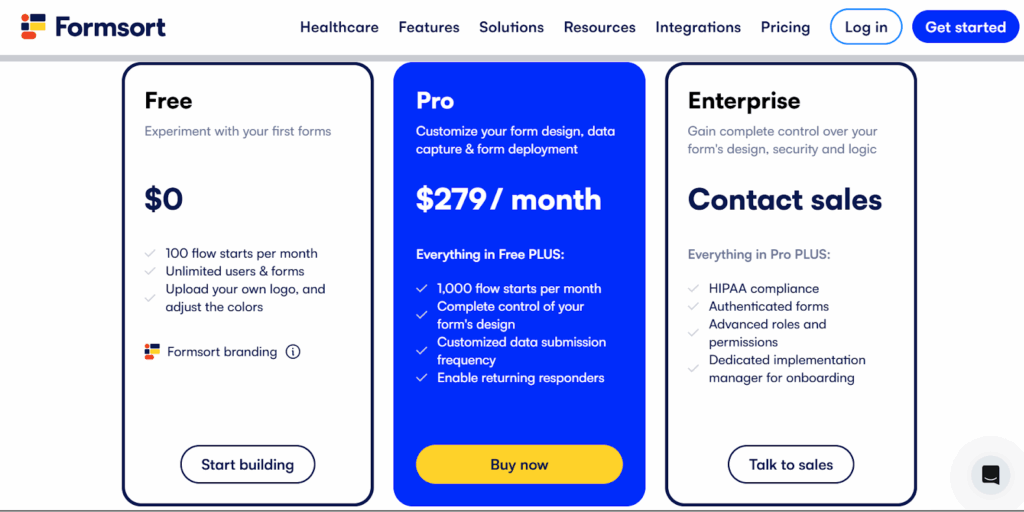
- Free: 100 flow starts a month, unlimited users and forms, with Formsort branding.
- Pro ($279/month): 1,000 flow starts a month, with extra starts at $239 per 1,000, full design control and returning responders.
- Enterprise (custom pricing): HIPAA compliance, multiple environments, advanced roles and a dedicated implementation manager.
Pros
- Real-time personalization through API integrations and prefilled fields
- Several flow versions can be tested side by side
- Custom components for teams with design and engineering resources
Cons
- Pro meters flow starts, so a form that many people open and few finish is paid for in full
- A smaller template library than the mainstream tools
- Built for teams with engineers, which is more than a simple campaign needs
3. Typeform
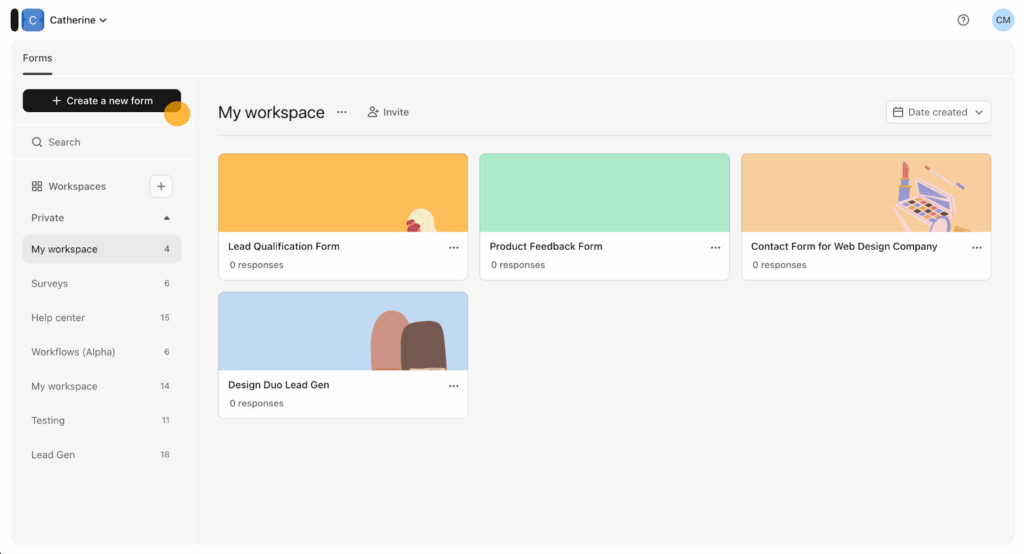
Typeform builds conversational forms that feel more like a guided conversation than a questionnaire. Its one-question-at-a-time interface and logic jumps deliver a personalized path that keeps respondents engaged.
Key features
- Conversational interface: One question per screen by default, with an option to group questions on a page.
- Logic jumps: Branching paths show different questions based on earlier answers.
- Custom branding: Logos, colors, fonts, header images and background media.
- Rich media: Images, videos and GIFs inside the form.
- Calculator logic: Scores and calculations based on selections, for quizzes and pricing tools.
Pricing
- Free: A limited number of responses a month, which the pricing page does not print.
- Basic ($39/month, or $28/month billed yearly): 100 responses a month and 1 user.
- Plus ($79/month, or $56/month billed yearly): 1,000 responses a month, 3 users and no Typeform branding.
- Business ($129/month, or $91/month billed yearly): 10,000 responses a month, 5 users and drop-off analysis.
- Enterprise (custom pricing): SSO, HIPAA and a choice of US or EU data center.

Pros
- An engaging, conversational experience
- Logic jumps and hidden fields make a form feel personal
- Marketing teams build personalized paths without developer input
Cons
- Branding removal starts on Plus, and Google Tag Manager and the Meta pixel need Business
- Response limits count across every form in the account, and auto-upgrade is on by default when a limit is reached
4. Jotform
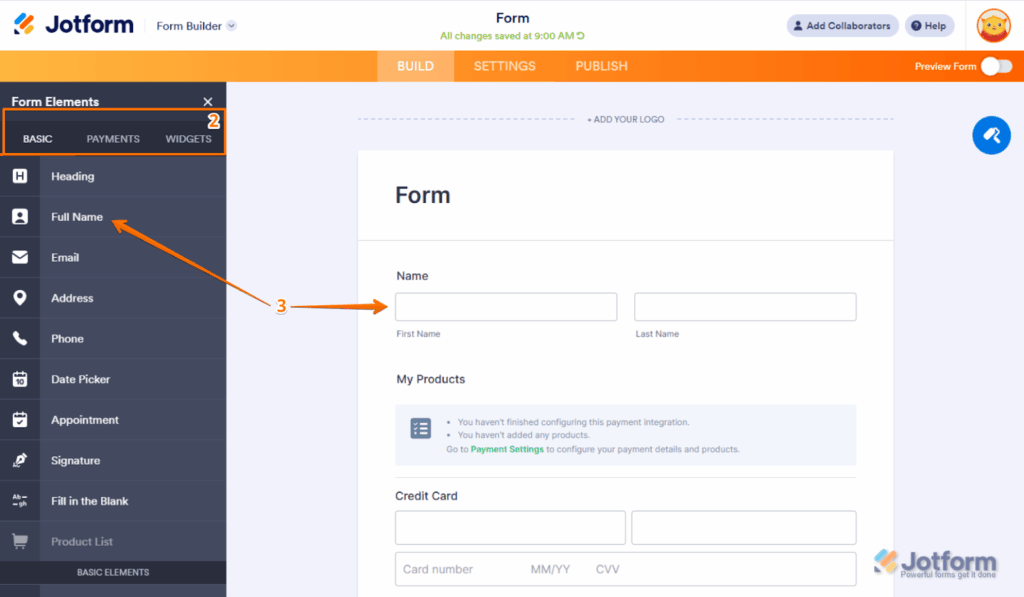
Jotform offers versatile dynamic forms for complex workflows. With a visual logic editor and more than 20,000 templates, it helps teams collect, validate and process data across departments.
Key features
- Conditional logic: Fields, pages and buttons show or hide through a visual logic builder.
- Form calculations: Price calculations, date math and custom formulas update as the form is filled in.
- Smart PDF forms: PDFs whose content changes with the responses.
- Approval workflows: Submissions route to managers or teams through conditional approvals.
- Prefill: Forms fill from previous submissions, URL parameters or CRM data.
Pricing
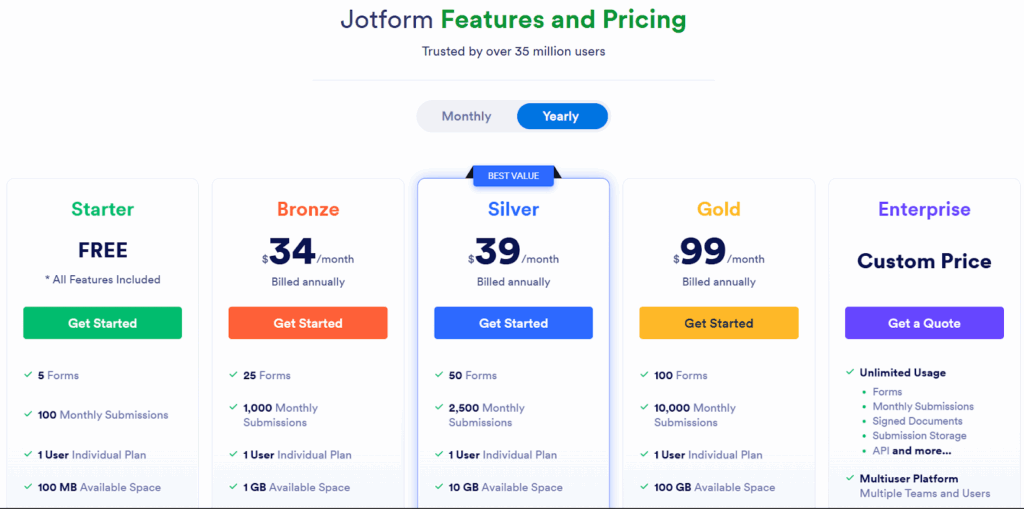
- Starter (free): 5 forms, 100 submissions and 10,000 form views a month.
- Bronze ($39/month, or $34/month billed yearly): 25 forms and 1,000 submissions a month.
- Silver ($49/month, or $39/month billed yearly): 50 forms and 2,500 submissions a month.
- Gold ($129/month, or $99/month billed yearly): 100 forms, 10,000 submissions a month and HIPAA features.
- Enterprise: Custom pricing for larger organizations.
Pros
- A large template library for teams that need to launch quickly
- The logic editor handles multi-page processes well
- Strong integrations for marketing, operations and finance teams
Cons
- Paid plans remove the badge, but the Jotform name stays in form URLs
- Submissions and form views are both metered, and forms show "Form over quota" when a monthly limit is reached
5. Formstack
Formstack is built for teams managing complex data collection, approvals and compliance-heavy workflows. Its conditional routing and automation tools suit organizations whose forms have to adapt across departments and systems.
Key features
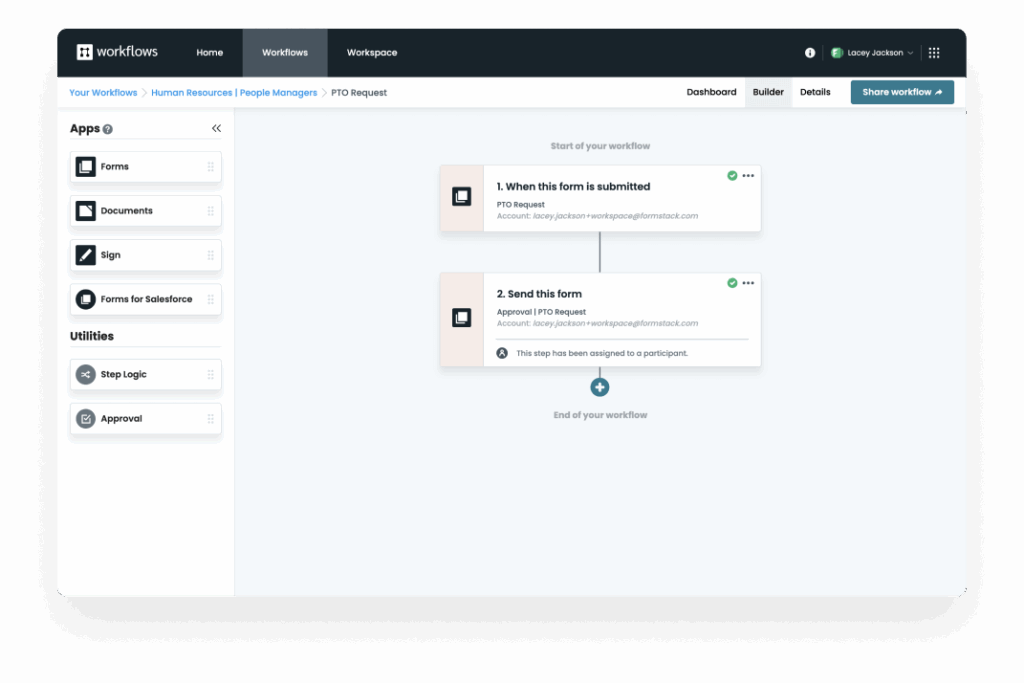
- Advanced conditional logic: Multi-layered rules using several variables and operators control fields, sections and paths.
- Smart lists: Dropdowns pull from external sources and update based on conditions.
- Data routing: Submissions go to different recipients, systems or workflows based on rules.
- Workflow automation: Multi-step processes with conditional approvals, notifications and document generation.
- A/B testing: Different versions of the logic and form paths can be tested against each other.
Pricing
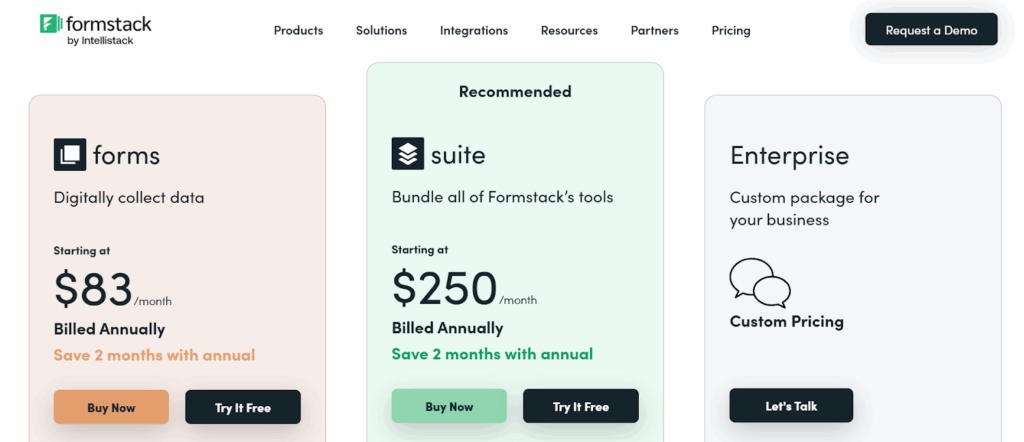
- Forms ($83/month billed annually, or $99/month): 1 builder user, 25 forms, 1,000 submissions per form and 2 GB of storage.
- Suite ($250/month billed annually, or $299/month): 3 builder users, 100 forms, 5,000 submissions per form and 10 GB of storage.
- Enterprise (custom pricing): Unlimited users and submissions, with enhanced security and admin controls.
Pros
- Built for teams with automation and compliance needs
- Prefill and dynamic logic reduce manual data entry
- Salesforce and HubSpot integrations for enterprise data flow
Cons
- Visual customization is less flexible than design-led builders
- The price of the Forms plan covers a single builder user
6. ConvertFlow
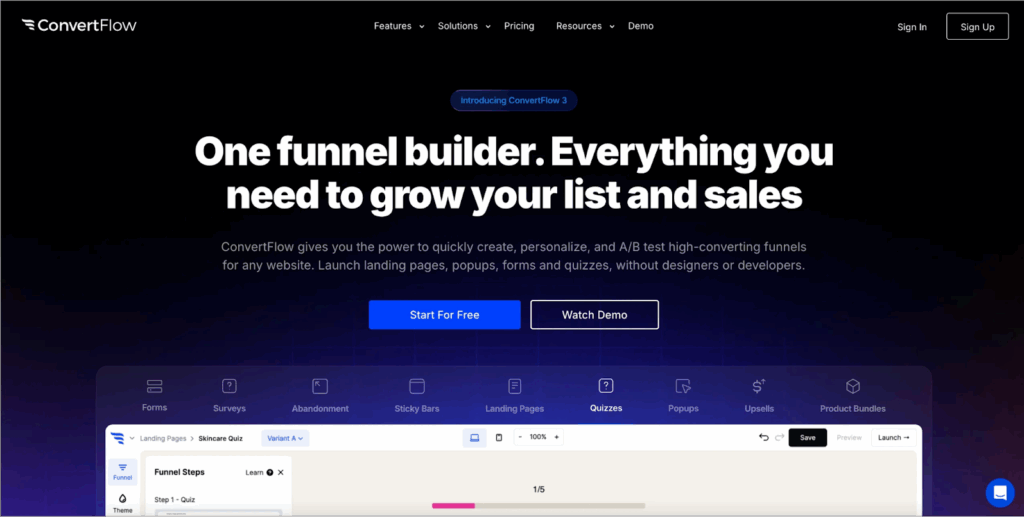
ConvertFlow is a form and funnel builder for marketers who want forms that respond to visitor behavior. Forms, pop-ups and landing pages adapt to a visitor's actions, campaign source or segment, which suits teams focused on on-site conversion.
Key features
- Adaptive form logic: Forms change based on behavior, page views, past actions or campaign source.
- Funnel builder: Pop-ups, quizzes, multi-step forms and calls to action are combined in one visual editor.
- Conditional redirects: Visitors go to different thank-you pages or offers depending on their answers.
- A/B testing and analytics: Form versions are tested against each other and reported inside the platform.
- Smart targeting: Returning visitors see different forms or messages.
Pricing

- Free: Build and preview up to 5 funnel campaigns, with an upgrade needed to go live.
- Personal ($29/month, or $25/month billed annually): Up to 10,000 monthly funnel views.
- Prime ($99/month, or $83/month billed annually): Up to 30,000 monthly funnel views, with Zapier, webhooks and CRM integrations.
- Pro ($299/month, or $250/month billed annually): Up to 100,000 monthly funnel views, with conditional logic and A/B testing.
- Custom (from $999/month, or $833/month billed annually): Up to 1 million monthly funnel views.
Pros
- Behavior-based personalization for the right message at the right moment
- Funnels, forms and pop-ups managed in one place
- Built-in A/B testing without extra tools
Cons
- Conditional logic arrives with the Pro plan at $299 a month
- Plans are metered by funnel views, which paid traffic uses up whether or not a visitor converts
- The traffic limit is upgraded automatically when usage reaches 100%
7. TeamDynamix
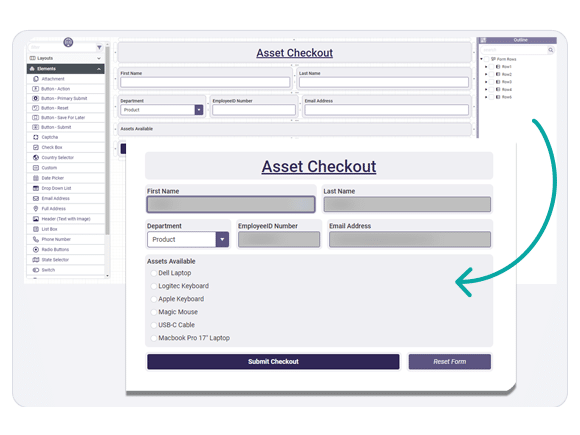
TeamDynamix is a dynamic form builder sold as part of an iPaaS and service management platform. It is widely used in higher education, healthcare and the public sector, where a form has to trigger a structured process, route a request and respect strict access controls.
Key features
- Dynamic field logic: Questions show or hide based on earlier input, including cascading fields.
- Workflow automation: Submissions route to departments, trigger service requests or notify stakeholders.
- Enterprise data: Forms use data from enterprise systems for validation and modification.
- Role-based permissions: Control over who can view, edit and approve submissions.
- Visual designer: Custom forms are built in a visual designer without code.
Pricing
TeamDynamix does not publish prices. The product page offers a demo and a brochure, and pricing is agreed with sales.
Pros
- Combines dynamic forms with automated intake workflows for large teams
- Security and permission controls built for regulated environments
- iPaaS integrations connect forms to other enterprise systems
Cons
- No free tier or public price to test against
- Onboarding and training are needed to use the automation well
Which dynamic form builder fits your job?
For internal requests, approvals and compliance-heavy intake, Formstack and TeamDynamix are built for that work. For surveys, quizzes and payments, Jotform and Typeform cover the most ground. Formsort suits a product team with engineers who want to generate flows from their own data.
For a lead form behind paid traffic, the two tools built for the job are Growform and ConvertFlow, and they take different approaches. On ConvertFlow, conditional logic arrives with the Pro plan and every plan is metered by funnel views. Growform includes conditional logic on fields, steps and endings on every plan and counts the leads you keep. If branching is the main thing you need, our guide to form builders with conditional logic compares twelve tools on that feature alone.
Frequently asked questions
What are dynamic forms?
Dynamic forms are forms whose fields, steps or endings change while they are being filled in, based on the answers given so far or on data about the visitor. A static form shows every question to everyone. A dynamic form shows each respondent only the questions that apply to them.
What is the difference between a dynamic form and conditional logic?
Conditional logic is the set of rules, and a dynamic form is the result. Most dynamic forms are built from conditional logic rules such as show this field when that answer is given. Some tools add other dynamic behavior, such as prefilled fields, calculations and personalization based on the campaign a visitor came from.
Does a dynamic form builder need a developer?
Not for the tools in this guide. Each one has a visual rule editor in which you pick a field, a comparison and a value. Developer work comes in when you want to pull data from your own systems into the form, which is where API-first tools such as Formsort fit.
Do dynamic forms improve completion rates?
They remove the questions that do not apply to a respondent, so each person sees a shorter form. Baymard Institute's checkout research found that the number of form fields affects usability more than the number of steps, which is the reason conditional logic helps. Measure the effect on your own form rather than assuming a figure.
Build forms that adapt to each lead with Growform
A dynamic form earns its place by asking fewer questions of each person and better questions of the people who matter. Growform does that with multi-step forms, conditional logic on every plan and templates built for lead generation, and it delivers each lead with its source attached.
Every plan starts with a 14-day free trial and no credit card. Start free trial.
Related articles

7 best form builders with TrustedForm integrations
October 21, 2026

6 best form builders for Meta CAPI lead tracking stacks
October 20, 2026

7 best ping post form builders for lead routing teams
October 19, 2026