
The Ultimate Guide to Conversational Form Builders for Higher Engagement
Quick Summary
This guide explores the top seven conversational form builders, including Growform, Typeform, Tally, and Jotform Cards, and how they create one-question-at-a-time, chat-style forms. We cover their features, pricing, conditional logic capabilities, and user experience benefits, helping you choose the best tool to increase form completion rates, capture higher-quality leads, and boost engagement. Explore more form optimization strategies on our blog.
Struggling to Get Users to Complete Your Forms?
Filling out traditional online forms can be frustrating for users, and most abandon them before finishing. Only 38% of users complete contact forms, leaving countless leads on the table. Long, cluttered forms overwhelm visitors, especially on mobile devices, causing frustration and drop-offs.
In this Growform guide, we’ll explore how conversational form builders solve this problem by guiding users through one-question-at-a-time flows. You’ll learn how these tools increase engagement, capture cleaner data, and turn ordinary forms into high-converting experiences for your business.
But first…
Why Listen to Us?
At Growform, we’ve helped many businesses implement multi-step, conversational flows that improve lead quality and completion rates. Our experience with B2B lead generation shows what separates forms that convert from frustrating ones. This gives us the insight to guide you in creating forms that truly engage users and capture more qualified leads.

What Are Conversational Form Builders?
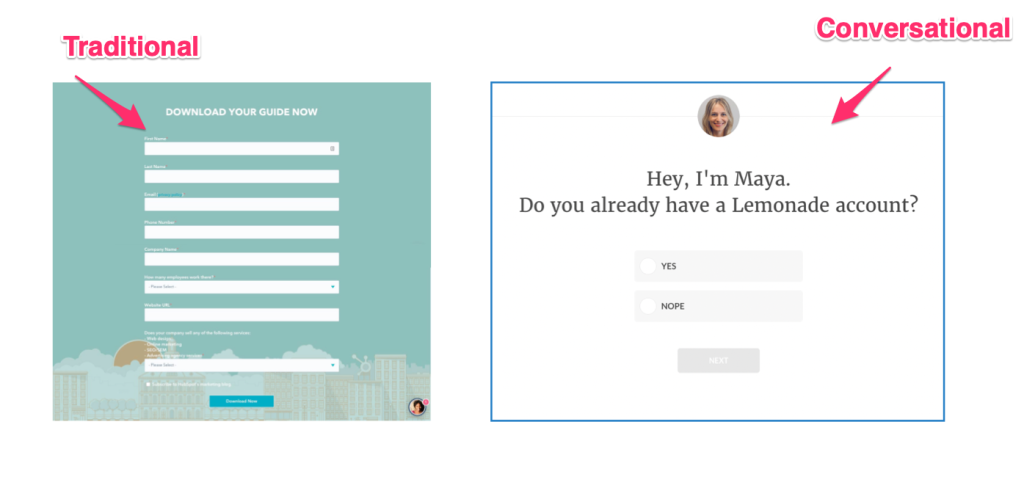
Conversational form builders are tools that create forms displaying one question at a time in a chat-like interface. Instead of showing all fields on a single page, they progressively reveal questions as users answer, mimicking the natural flow of a face-to-face conversation.
Many include conditional logic, branching, and data prefill, allowing the form to adapt seamlessly to the user’s journey. Clean, mobile-friendly designs keep users focused and engaged from start to finish.
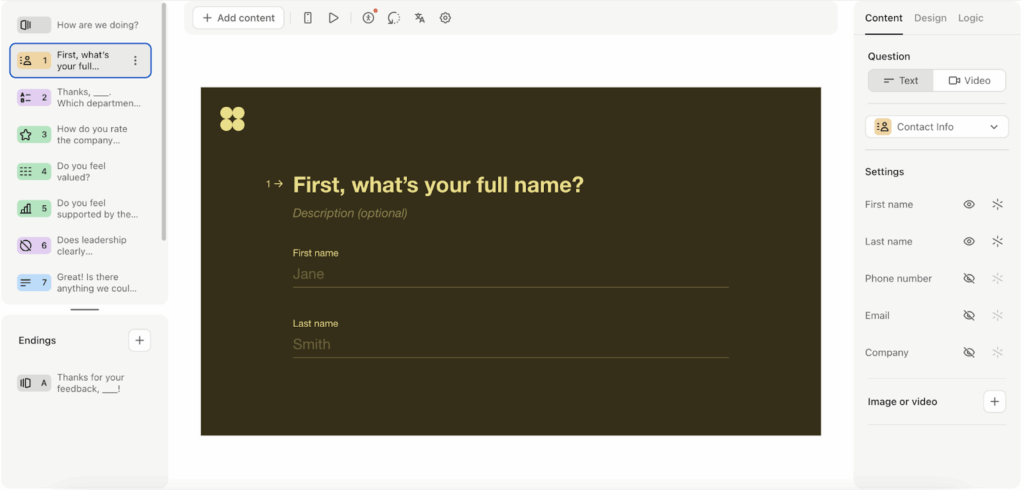
In short, conversational form builders turn standard forms into interactive, user-focused experiences that feel personal and effortless.
Why Are Conversational Form Builders Important?
- Higher Completion Rates: Multi-step forms convert up to 86% better by breaking information into digestible chunks.
- Better User Experience: A natural conversation flow is less intimidating than long, static forms, encouraging thoughtful responses.
- Improved Data Quality: Engaged users provide more accurate, complete information, reducing errors and follow-up work.
- Mobile-Friendly Design: Simple, vertical layouts perform well on small screens, speeding up form completion.
- Increased Engagement: Personalized, interactive forms hold attention and make data collection feel seamless rather than a chore.
Top 7 Conversational Form Builders
- Growform
- Typeform
- Tally Forms
- Jotform Cards
- Paperform
- Landbot
- WPForms
1. Growform
Growform creates multi-step forms specifically designed for B2B lead generation. Unlike other platforms that treat conversation features as add-ons, Growform builds every form around progressive disclosure and logical question sequences.
Our platform focuses on conversion rates above all else, with templates and features tested to maximize completion rates.

Key Features
- Multi-Step Forms with Conditional Logic: Show only relevant questions to each user, guiding them through logical qualification paths.
- Drag-and-Drop Builder: Quickly design conversational forms without coding, ideal for marketing teams and non-technical users.
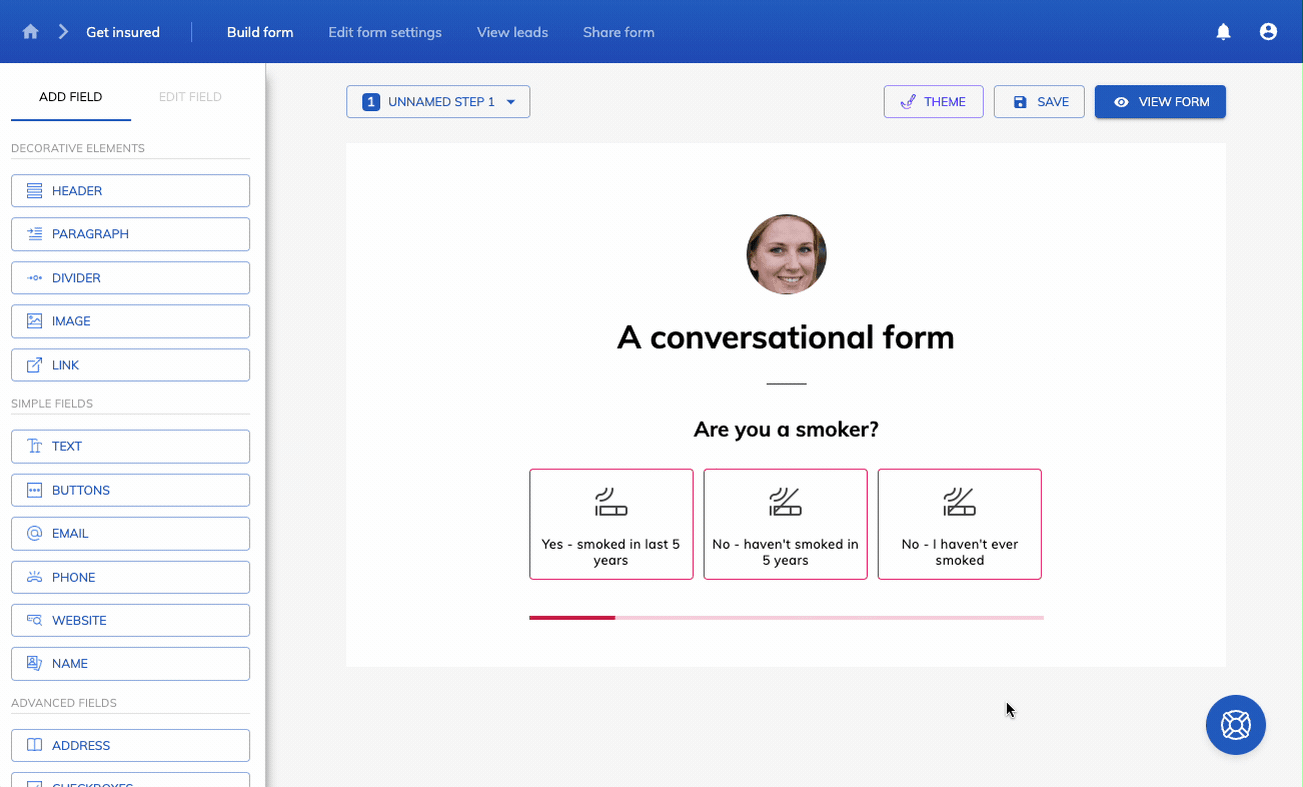
- Zapier Integration: Automate lead routing to CRMs, email platforms, or other tools seamlessly.
- Conversion-Optimized Templates: Start with professionally designed templates built using conversion principles and customize them with your branding, questions, and conditional logic.
- Built-In A/B Testing: Test variations of steps, wording, and layouts to improve conversion rates over time.
- Custom Branding & Embeds: Match your brand identity and seamlessly embed forms into landing pages, pop-ups, or website sections.
Pricing
- Basic: $59/month – 300 leads, one domain, unlimited forms
- Professional: $99/month – 1,000 leads, unlimited domains, validation, priority support
- Scale: $199/month – 3,000 leads, advanced marketing tools, GTM integration
- Custom: Enterprise-level features, SLAs, and integrations
All tiers feature drag-and-drop builders, multi-step forms, and a 14-day free trial.

Pros
- One-question flow feels easy to navigate and reduces overwhelm
- Multi-step format proven to increase conversion rates substantially
- Conditional logic removes irrelevant steps, keeping the interaction streamlined
- Validation prevents frustrating errors that normally force users to restart
- Mobile-optimized with a responsive design that works on all devices
Cons
- Limited native integrations beyond Zapier connectivity
2. Typeform
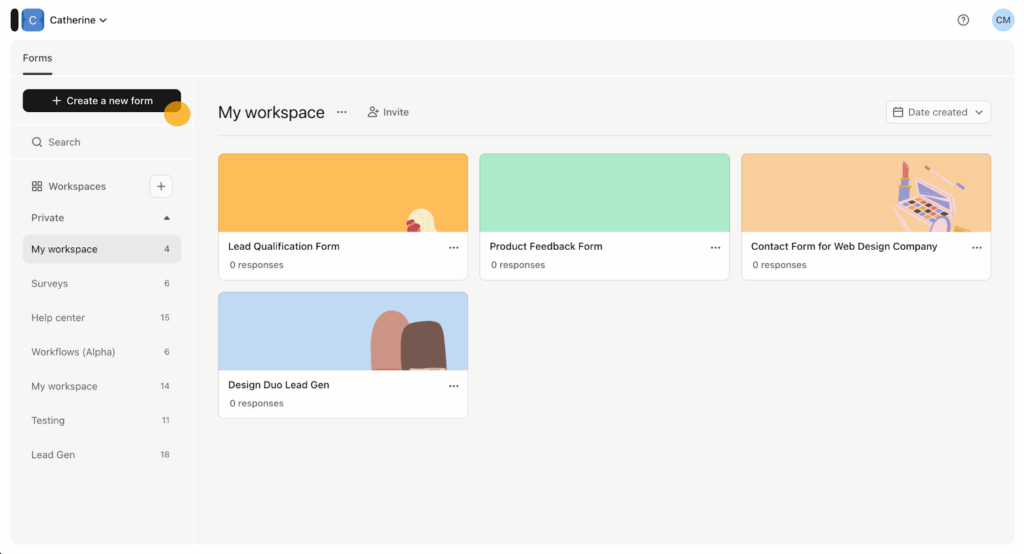
Typeform provides a one-question-at-a-time experience with a visually clean interface. It is widely used for surveys, quizzes, lead capture, and customer feedback. It is best for small teams or projects that need simple, visually organized forms without advanced lead qualification features.
Key Features
- One-Question Interface: Smooth transitions and a distraction-free layout keep people moving without feeling overwhelmed.
- Logic Jumps: Build tailored paths that adjust automatically to each response.
- Rich Media Support: Add images, videos, and GIFs to explain ideas or create branded, interactive moments.
- Brand Customization: Add logos, custom colors, fonts, header images, and background media to match your brand identity.
- Hidden Fields: Carry over data for attribution, personalization, and downstream marketing workflows.
Pricing
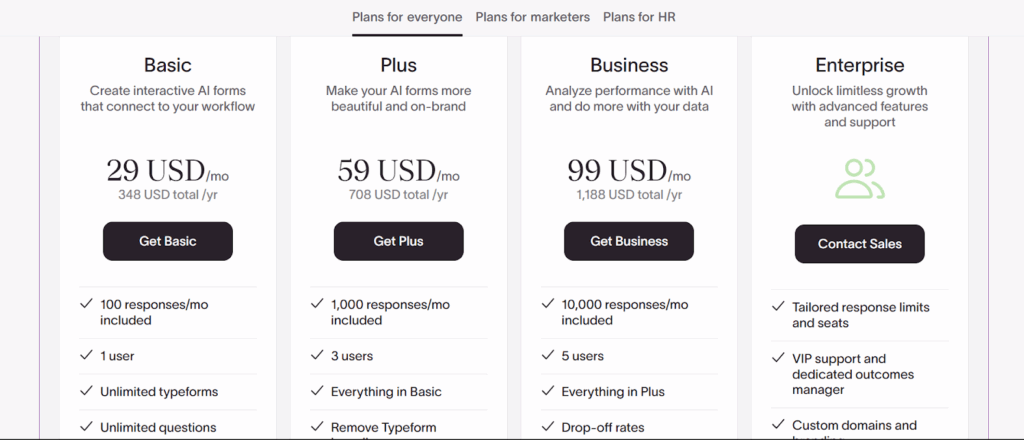
- Free: Unlimited forms; 10 responses/month.
- Basic: $29/month with 100 responses; Typeform branding removed.
- Plus: $59/month with payment fields, 1,000 responses.
- Business: $99/month with 10,000 responses and analytics tools.
- Enterprise: Custom SSO, HIPAA compliance, advanced governance.
Pros
- Beautiful, modern interface that encourages people to keep answering
- One-question rhythm feels effortless, especially on mobile
- Strong template library for surveys, feedback, and lead capture
- Mobile-optimized with flawless responsive design
Cons
- The free plan is severely limited, with only 10 monthly responses
- Bot protection (reCAPTCHA) is only available on expensive Growth plans.
3. Tally Forms
Tally provides a simple form builder with unlimited forms and submissions on its free plan. Its interface is straightforward, and it includes basic conditional logic, payment collection, and integrations. This makes it a practical option for teams that need core form functionality without advanced features.

Key Features
- Unlimited Forms and Submissions Free: Create as many forms as needed and collect unlimited responses at zero cost.
- Conditional Logic: Show or hide fields based on previous responses to guide users through relevant paths.
- Payment Collection: Accept payments through Stripe for donations, registrations, or e-commerce.
- File Uploads: Users can submit files, documents, or images (10MB limit on free plan, higher on Pro).
- Integrations: Connect to Notion, Airtable, Google Sheets, Zapier, and other tools to automate workflows.
Pricing
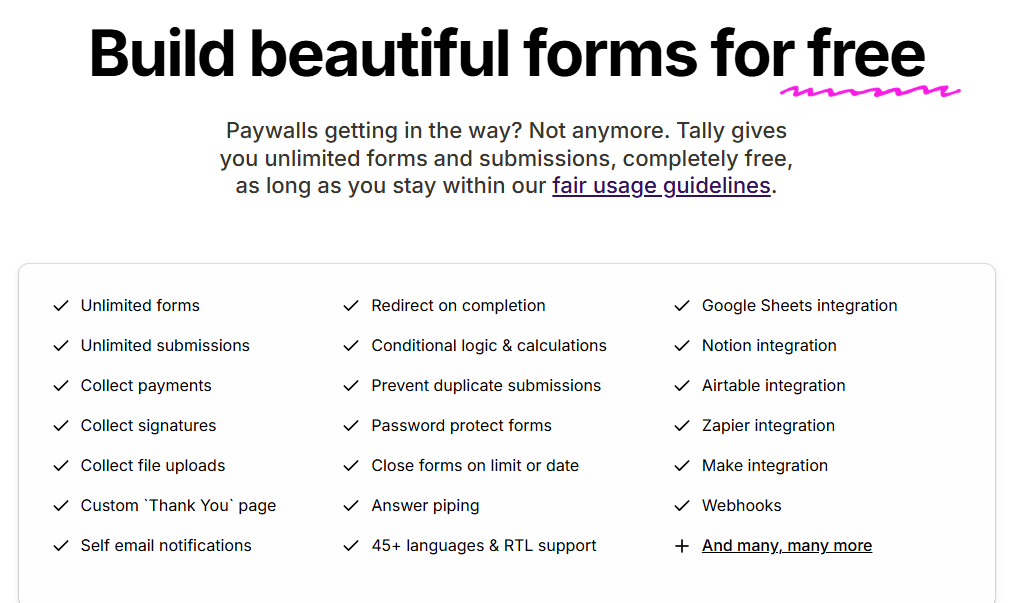
- Free: Unlimited forms and submissions within fair usage guidelines.
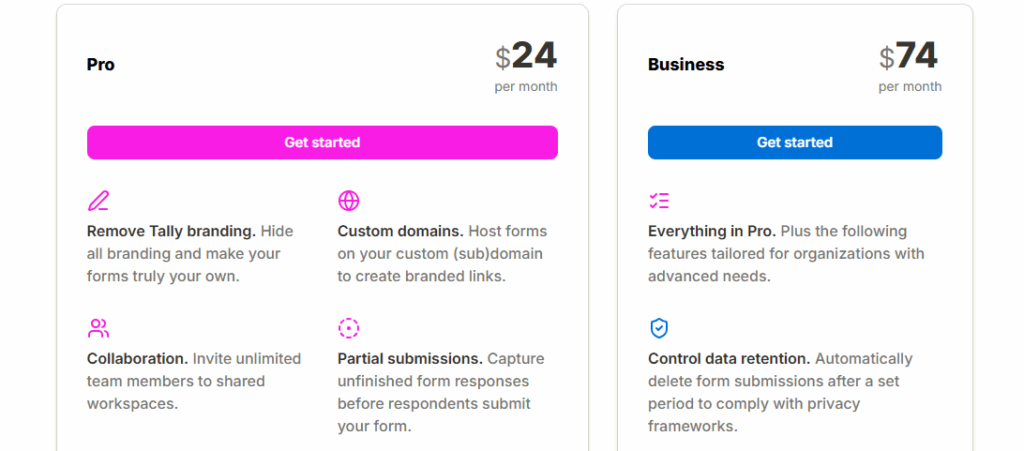
- Pro: $24/month with branding removal, custom domains, partial submissions, and team collaboration.
- Business: $74/month with advanced features, including data retention control and email verification.
Pros
- Generous free plan with unlimited forms and submissions
- Notion-like interface is extremely intuitive and fast to learn
- No credit card required to start using the platform
- Conditional logic is included in the free plan, unlike competitors
Cons
- Interface and design options are limited compared to more advanced tools.
- Logic setup is not visual, making complex conditions harder to troubleshoot
4. Jotform Cards
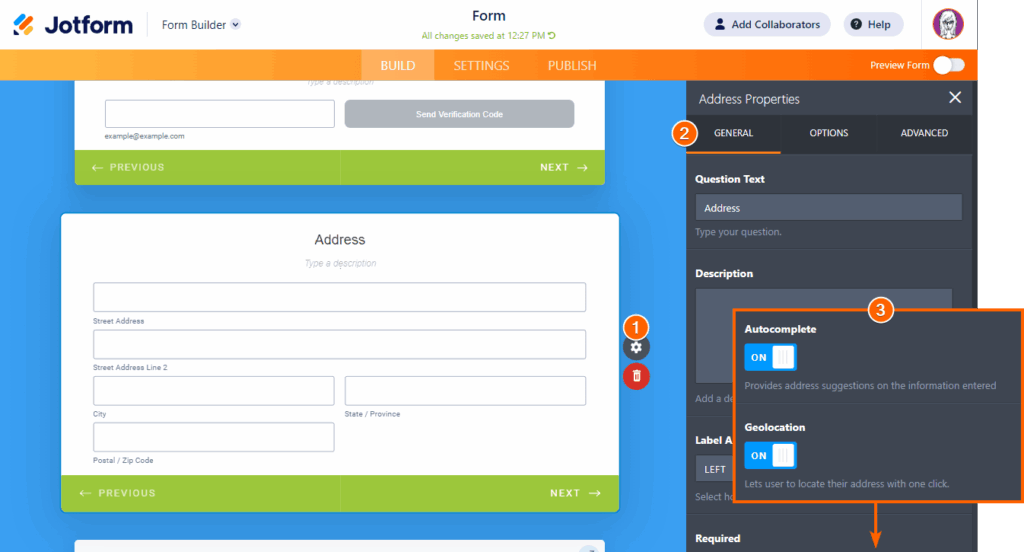
Jotform Cards is Jotform’s conversational form mode that transforms traditional forms into one-question-at-a-time experiences. It includes templates, conditional logic, and integrations to support a variety of use cases.
Forms can include payments, answer piping, and offline mobile capture, making it suitable for teams needing structured, multi-use forms.
Key Features
- Card-Based Interface: Present questions one at a time in a card format with smooth transitions for a clear, step-by-step experience.
- Conditional Logic: Adapt which questions appear based on prior responses using a visual logic builder.
- Payment Integration: Accept payments directly through forms via Stripe, PayPal, Square, and other processors with conditional pricing.
- Answer Piping: Insert previous answers into later questions to create personalized, natural-feeling conversations that reference what users already told you.
- Mobile Forms App: Collect responses offline and automatically sync when reconnected, perfect for fieldwork, events, and areas with poor connectivity.
Pricing
- Free: 5 forms, 100 submissions per month, 1,000 views
- Bronze: $39/month ($34/month annually) for 25 forms, 1,000 submissions
- Silver: $49/month ($39/month annually) for 50 forms, 2,500 submissions
- Gold: $129/month ($99/month annually) for 100 forms, 10,000 submissions, HIPAA compliance
- Enterprise: Custom pricing with unlimited forms and submissions

Pros
- Wide range of templates suitable for multiple use cases
- Conditional logic allows flexible form paths
- Strong mobile experience with a dedicated offline app
- Payment processing is included in all paid plans
Cons
- Interface can feel cluttered with overwhelming feature options
- Card mode is not as polished as Typeform’s conversational interface
5. Paperform
Paperform is a versatile form builder that blends rich design and advanced logic to deliver engagement-focused data collection experiences. Its media-rich, mobile-friendly forms work well for projects that need visually immersive experiences, particularly for WordPress site owners or teams managing branded campaigns.
Key Features
- Guided Conversational Flow: Activate a streamlined, one-question-at-a-time mode for deeper user engagement and higher completion rates.
- Conditional Logic & Calculations: Use branching logic, answer piping, and real-time calculations to adapt each user’s path and surface relevant questions only.
- Payments, Subscriptions & eCommerce: Collect payments, donations, or subscriptions via Stripe, Square, or PayPal directly within forms.
- Design Freedom & Branding: Full control over fonts, layouts, and custom CSS/HTML (in higher tiers), so forms match your brand seamlessly.
- Mobile-First & Media-Rich Experience: Embed videos and images, ensuring form looks and feels conversational on any device.
Pricing
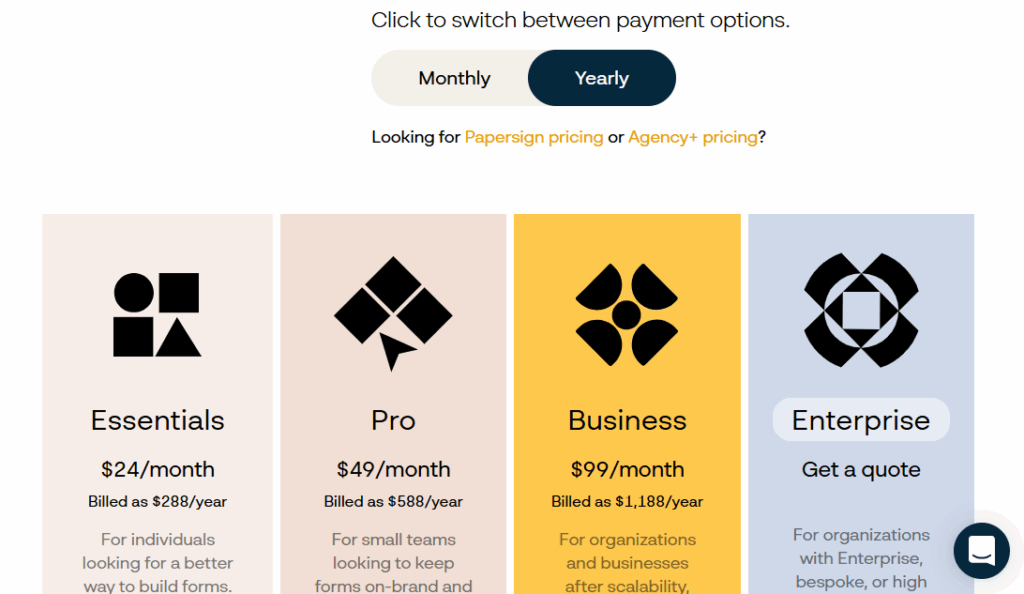
- Essentials: $24/month with unlimited forms and up to 1,000 submissions per month.
- Pro: $49/month increases to 12,000 submissions/year, unlimited views, and removes branding.
- Business: $99/month supports up to 120,000 submissions/year.
- Enterprise: Offers unlimited submissions and full customization.
Pros
- Conversational, media-rich form experiences are ideal for branding and engagement.
- Built-in commerce and subscription features remove the need for separate tools.
- Customizable design ensures forms integrate smoothly with websites.
- Strong design customization so forms look like part of your site, not a third-party embed.
Cons
- Submission limits in lower tiers may restrict high-traffic or enterprise use.
- Conversational mode may require more design/UX thought than standard forms.
6. Landbot
Landbot is a conversational form and chatbot builder that converts static forms into interactive chat-style experiences. Its visual flow builder allows teams to create logic-driven experiences with minimal coding. This makes it suitable for marketing campaigns, lead capture, or support workflows across web and messaging channels.

Key Features
- Visual Flow Builder: Build conversational paths with drag-and-drop blocks, variables, conditions, and branching logic to guide users step-by-step.
- Multichannel Support: Deploy the same conversational experience on web, Facebook Messenger, and WhatsApp, enabling lead capture and engagement across platforms.
- Integration Ecosystem: Connect natively or via Webhooks/Zapier to CRMs, Google Sheets, Airtable, Stripe, and other tools for seamless data flow and automation.
- Dynamic Variables & Scoring: Track user responses and behavior in real time, apply lead-scoring logic, and customize follow-up flows accordingly.
- Analytics & Reporting: Monitor chat volumes, drop-off points, and completion rates, and use built-in dashboards to improve conversational paths.
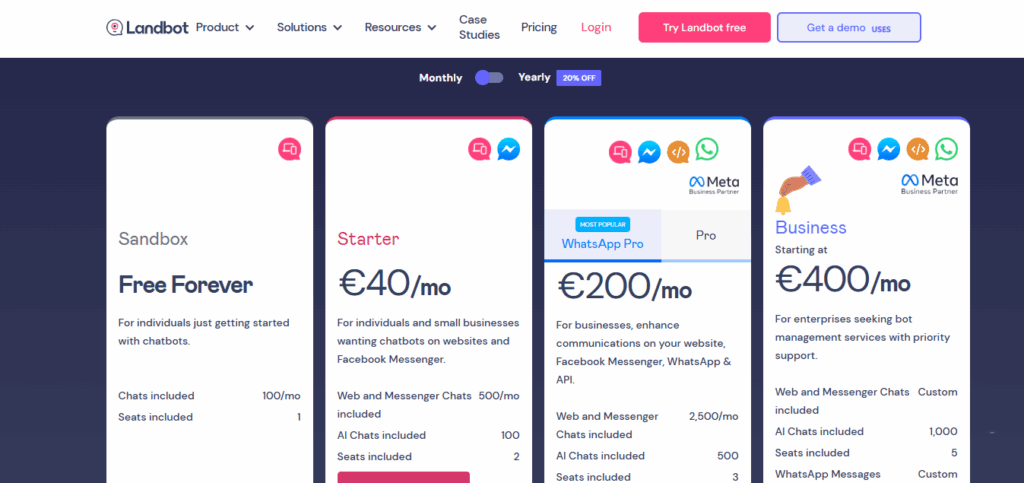
- Sandbox (Free Forever): 100 chats/month and basic integrations.
- Starter: €40/month (approx. US $40) for 500 chats/month and extended features.
- Pro: €200/month (≈ US $200) for 2,500 chats/month, advanced logic, and integrations.
- Business: Offers custom chat quotas, premium support, and onboarding starting at ~€400/month.
Pros
- Maximizes user engagement with chat-style forms rather than static fields.
- Multi-channel support ensures consistent experiences across web and messaging apps.
- Excellent integration options and data-flow capabilities for marketing workflows.
- Visual builder makes setup simple for teams without developer support.
Cons
- Pricing escalates quickly as chat/usage volume grows.
- The free tier is restrictive in chat volume and channels.
7. WPForms
WPForms Conversational Forms is an add-on for WPForms, the widely used WordPress form plugin with over 6 million installations. It transforms any WPForms form into an interactive, conversational experience with one click, making it practical for WordPress site owners.

Key Features
- WordPress-Native Integration: Built specifically for WordPress with seamless integration into the admin panel and themes.
- One-Click Conversion: Transform any existing WPForms form into a conversational experience with a single checkbox.
- Full-Page Layout: Create distraction-free conversational form pages that display one question at a time.
- Keyboard Navigation: Users complete entire forms using only the keyboard, improving accessibility.
- Custom Branding: Add header logos, choose color schemes, and customize welcome screens to match your brand.
Pricing
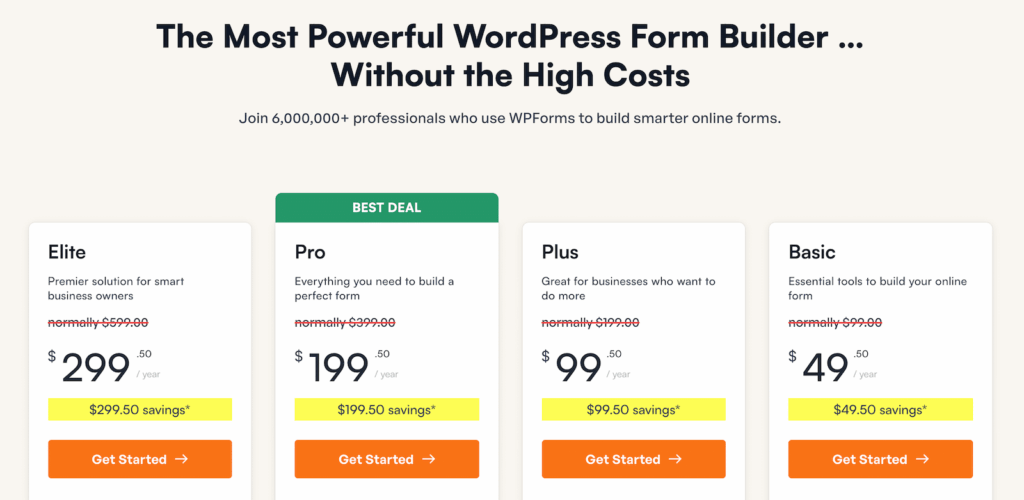
Conversational Forms addon requires WPForms Pro or higher:
- Pro Plan ($199.40/year): 5 sites, conversational forms, form pages, conditional logic, payment collection.
- Elite Plan ($299.50/year): Unlimited sites, all addons and integrations, priority support, and form abandonment tracking.
Annual billing only, no monthly plans.
Pros
- Seamless experience for WordPress users who want forms managed inside their dashboard.
- Transform existing forms instantly without rebuilding from scratch
- Reliable performance thanks to WPForms’ mature plugin ecosystem
- Excellent documentation and support resources
Cons
- WordPress-only, not available for other platforms or static sites
- Requires a WordPress site; not suitable for non-WordPress users
Start Creating Conversational Forms That Convert With Growform
Conversational forms have revolutionized online data collection by presenting questions one at a time in a natural, engaging flow. Multi-step forms with single-question displays convert 86% higher than traditional layouts, dramatically improving completion rates and data quality for businesses serious about lead generation and customer engagement.
Choosing the right builder comes down to your goals—and Growform is purpose-built for high-converting, multi-step flows that reduce drop-offs and qualify leads efficiently. Every feature is designed to convert visitors into high-intent leads.
Ready to double your lead capture? Start your free 14-day Growform trial today.