
Lead Management Software: A Complete Guide for 2026

You're probably dealing with some version of the same mess most paid acquisition teams hit once volume starts to climb.
Ads are producing form fills. The dashboard says leads are coming in. Sales says half of them are junk, the other half arrived too late, and nobody can agree on which campaign drove revenue. Marketing thinks follow-up is broken. Sales thinks targeting is broken. Operations is stuck exporting CSVs and patching fields after the fact.
That's the leaky bucket problem. You don't just need more leads. You need a system that captures the right data, qualifies people before they hit the CRM, routes them instantly, and preserves attribution all the way to close.
Teams are investing accordingly. One market analysis cited by 6Wresearch reports a projection from ReAnIn that the lead management software market could grow from USD 5.03 billion in 2025 to USD 10.18 billion by 2032. That matters because it reflects a real operating shift. Companies aren't treating lead handling as admin work anymore. They're treating it like revenue infrastructure.
If your funnel still relies on a basic form, a CRM notification, and a rep remembering to follow up, you don't have lead management. You have lead collection with hope layered on top. Tightening the front end is usually where the turnaround starts, especially if your current flow ignores the basics covered in these lead generation best practices.
Table of Contents
Table of Contents
- Introduction The Leaky Bucket of Lead Generation
- What Is Lead Management Software Really
- The Five Stages of the Lead Management Lifecycle
- Software vs CRM vs Lead Distribution Platforms
- How to Choose the Right Lead Management Tools
- The Critical Capture and Qualification Layer
- Your Implementation Checklist for Success
Introduction The Leaky Bucket of Lead Generation
A familiar pattern plays out in growth teams every quarter. Media buyers hit volume targets, forms keep converting, and the CRM fills up. Then the complaints start. Reps respond too slowly. Buyers reject leads for missing consent data. Attribution falls apart when someone tries to trace booked revenue back to paid traffic.
The root issue usually isn't demand. It's handoff quality.
A lead can break at several points before anyone gets a chance to close it. The form captures too much friction on mobile. Hidden fields don't persist. A high-intent submission sits unassigned. The CRM record arrives without the click ID or source details that prove what worked. Each leak seems small on its own. Together, they wreck return on ad spend and create endless blame loops between marketing and sales.
Practical rule: If you can't explain exactly how a lead moved from click to salesperson, your system is already leaking money.
Lead management software is supposed to fix that. But the useful way to think about it isn't as another app category. It's the operating system for the lead journey. It creates rules for capture, qualification, ownership, timing, and tracking so leads don't disappear into manual workarounds.
That distinction matters because a lot of teams buy software expecting a reporting improvement and get disappointed. Reporting comes later. The first win is process control. When the system is built properly, sales gets cleaner leads, marketing keeps source data intact, and operations stops babysitting transfers between tools.
What Is Lead Management Software Really
Most descriptions make lead management software sound like a lighter CRM. That's not quite right.
A better analogy is a digital assembly line. Raw inquiries come in from paid ads, landing pages, organic traffic, referral partners, call flows, and embedded forms. The software's job is to process that inbound traffic before it becomes a sales opportunity. It captures the record, checks whether the lead fits your criteria, decides where it should go, and makes sure the downstream system receives something usable.
A CRM stores customer and pipeline data. Lead management software decides whether the incoming record deserves space in that pipeline in the first place.
The factory floor, not the warehouse
If you run solar, insurance, legal intake, mortgage, home services, or B2B demand gen, you already know the pain of pushing unfiltered leads straight into Salesforce, HubSpot, Zoho, or GoHighLevel. Reps waste time. Duplicate records pile up. “Bad lead” becomes a catch-all diagnosis even when the actual problem is missing qualification logic.
That's why the front end matters. Teams looking at lead management software for small businesses often benefit from starting with process questions first. Who should receive this lead? Which fields are mandatory? What disqualifies it immediately? Which source and consent fields must survive the handoff?
Those questions determine whether software will help.
What good lead management software actually does
Useful lead management software should handle work that humans are bad at doing consistently.
- Capture cleanly: It should collect data in a format your CRM and sales process can use.
- Apply logic: It should qualify or disqualify leads based on rules, not hunches.
- Route fast: It should assign ownership without waiting for someone in Slack to notice a new submission.
- Protect context: It should carry source, campaign, and consent details into downstream systems.
- Create accountability: It should make delays and breakdowns visible.
The biggest difference between a decent funnel and a scalable one is whether the system enforces the process or merely suggests it.
That's why simple form builders often hit a wall. They can collect names and phone numbers, but they don't reliably act as an intake layer for a revenue team. Once you're buying traffic at scale, every field, rule, and handoff starts to matter.
The Five Stages of the Lead Management Lifecycle
The easiest way to understand lead management is to follow one lead from ad click to sales contact. At each step, the system either preserves value or destroys it.
A useful mental model has five stages: capture, qualification, routing, verification, and attribution.
A quick visual makes the sequence easier to see.
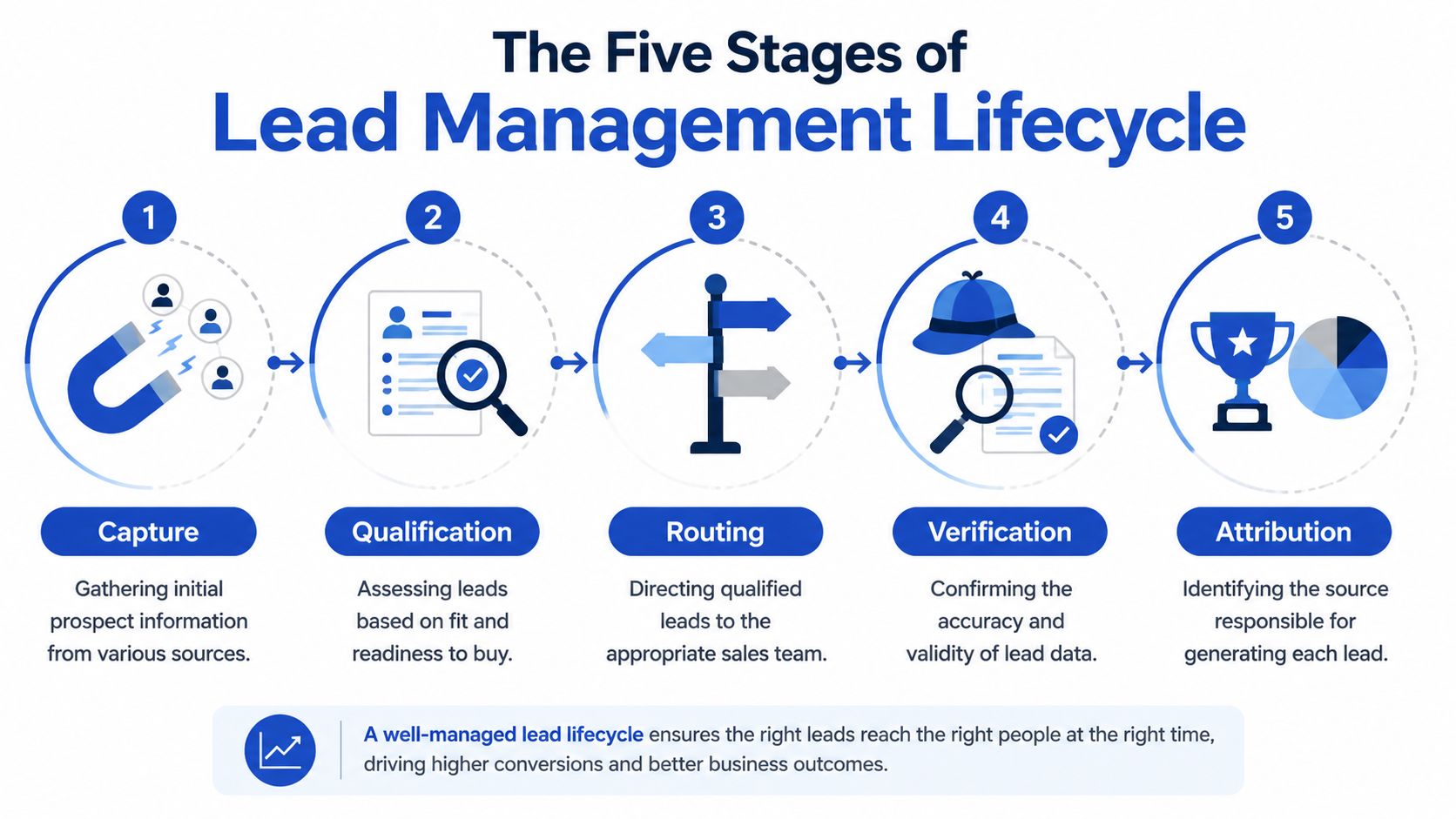
Capture is the front door
Capture is where the lead enters your system. This sounds basic, but it's where many funnels underperform. A form can collect too much too early, break on mobile, or fail to pass through key hidden fields.
Good capture doesn't just ask for contact information. It controls the order of questions, reduces friction, and sets up everything downstream. If the first touchpoint is clumsy, the rest of your workflow never gets a chance.
Common capture failures include:
- Static long forms: These overwhelm mobile users and bury the first useful question under too much effort.
- Generic embeds: These often collect data but don't carry it forward in a clean structure.
- Missing hidden fields: Source and click data vanish before the CRM record is even created.
Later in the stack, these failures get mislabeled as “poor lead quality” when the root issue started at the form.
The video below gives a practical overview of how lead handling flows across systems.
Qualification and routing decide whether speed matters
Qualification is your first quality-control gate. It allows you to separate a real prospect from someone who clicked impulsively, entered bad information, or doesn't fit the offer.
Routing comes immediately after. And when routing is slow, all the careful targeting work you paid for starts to decay.
According to Digital Applied's speed-to-lead benchmark write-up, automating routing to enforce response in under five minutes can increase lead conversion probability by as much as 350% for high-intent prospects. That's the difference between a system that reacts while intent is still fresh and one that lets the lead cool off in an inbox.
A practical routing setup usually includes:
- Ownership rules: Assign by geography, product, shift, buyer, or account tier.
- Fallback logic: Reassign unclaimed leads instead of letting them age.
- Immediate notifications: Email, SMS, webhook, or CRM task creation.
- Clear SLAs: Reps know what “fast” means, and managers can see when it isn't happening.
Verification and attribution protect the economics
Verification sounds operational, but it has direct revenue impact. If the email is fake, the phone is unreachable, or the consent evidence is missing, sales and buyers waste time chasing records they can't use.
Attribution is the last stage because it tells you whether the whole machine is working. Not just whether a lead came in, but where it came from and whether that source produced accepted opportunities.
A lead without source data is expensive twice. You paid to acquire it, then lost the ability to learn from it.
When attribution is intact, you can compare channels accurately. When it breaks, weak campaigns look stronger than they are, and strong campaigns get cut because the CRM can't connect the dots.
Software vs CRM vs Lead Distribution Platforms
A lot of buying mistakes happen because teams lump three different tools into the same bucket.
They're related, but they don't do the same job. If you treat them as interchangeable, you'll end up overloading one system and blaming it for work it was never designed to handle.
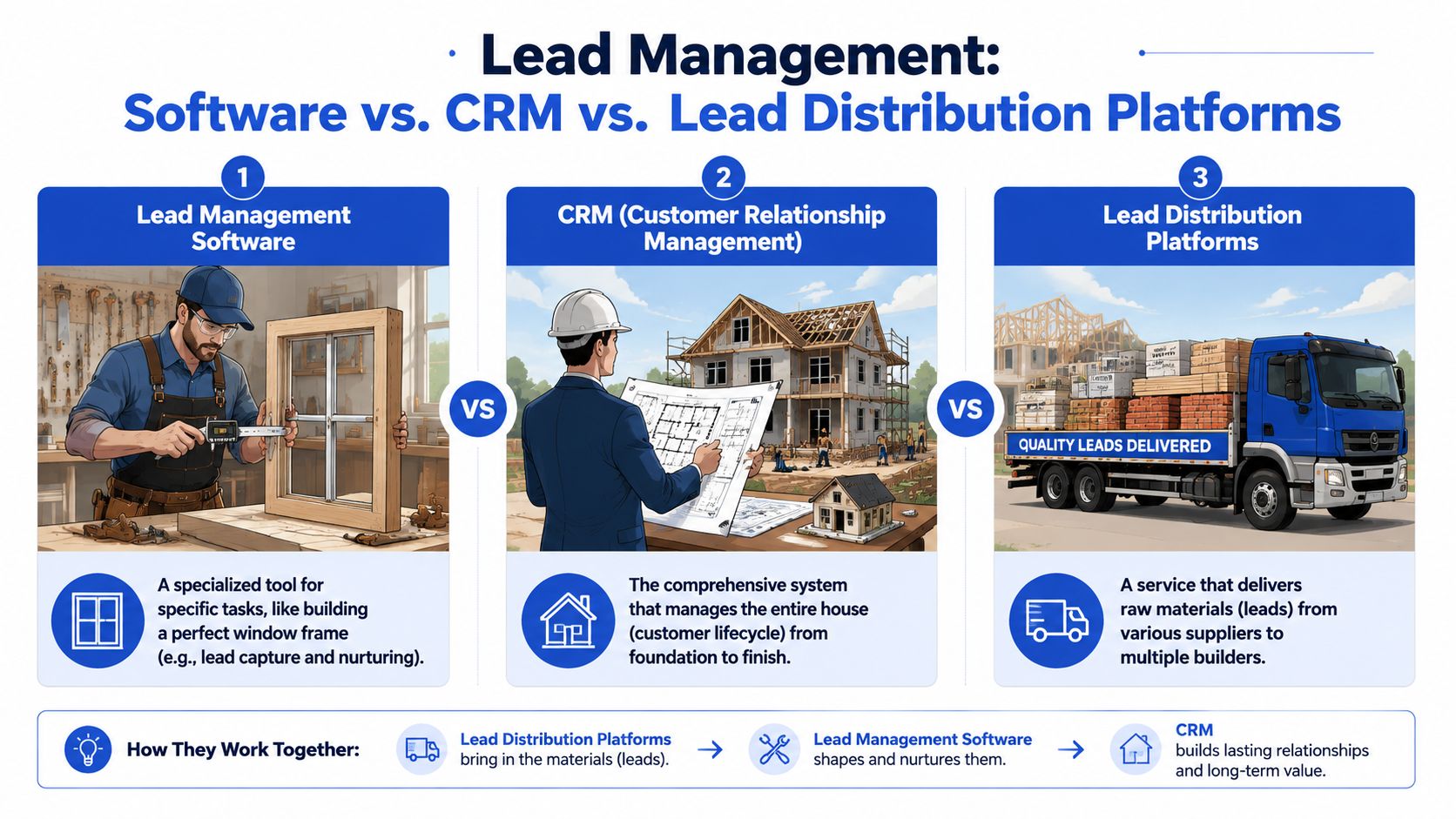
What each system is built to do
Think of your stack like a construction site.
| System | Core job | Typical examples | When it breaks |
|---|---|---|---|
| Lead management software | Handles intake, qualification, and front-end processing | Form tools, routing logic, verification layers | Junk reaches sales, fields go missing, attribution dies early |
| CRM | Stores records and manages sales activity across the customer lifecycle | Salesforce, HubSpot, Microsoft, Zoho | Reps can't trust data, pipeline becomes cluttered, reporting gets messy |
| Lead distribution platform | Sends leads to buyers, branches, reps, or partners based on rules | LeadsPedia, Phonexa, Boberdoo, Databowl | Buyers receive the wrong payload, routing logic gets inconsistent, delivery slows |
This is why the market has specialized. The broader CRM ecosystem is huge. Coherent Market Insights projects the global CRM market could grow from USD 73.40 billion in 2024 to USD 163.16 billion by 2030. As CRM infrastructure expands, teams need more specialized intake layers to make sure the data entering those systems is qualified, usable, and attributed correctly.
If you manage client pipelines, this distinction becomes even more important. Agency teams comparing systems often start with something like a guide to CRM for agencies because they need to separate pipeline management from capture and reporting responsibilities.
Where teams get confused
The usual confusion looks like this:
- A team expects the CRM to fix mobile form conversion.
- A team expects a form builder to handle buyer delivery rules.
- A lead seller expects a lead distribution platform to improve on-page qualification.
Those are stack problems, not vendor problems.
Field note: Don't ask one tool to solve a problem that belongs to another layer. It creates fragile workarounds and ugly reporting.
If you sell or route leads, a dedicated intake layer often works best alongside a routing engine and CRM. If you're sorting out that architecture, this breakdown of lead distribution software helps clarify where distribution starts and where capture should stop.
The strongest setups aren't built around one giant tool. They're built around clean handoffs between specialized tools.
How to Choose the Right Lead Management Tools
Most software comparisons focus on feature checklists. That's not how experienced operators buy.
They buy for failure prevention. They ask which tool stops expensive mistakes from happening repeatedly. If your paid traffic is expensive and your sales team is stretched, the right purchase isn't the platform with the longest list of tabs. It's the one that preserves intent, context, and data quality from the first click forward.
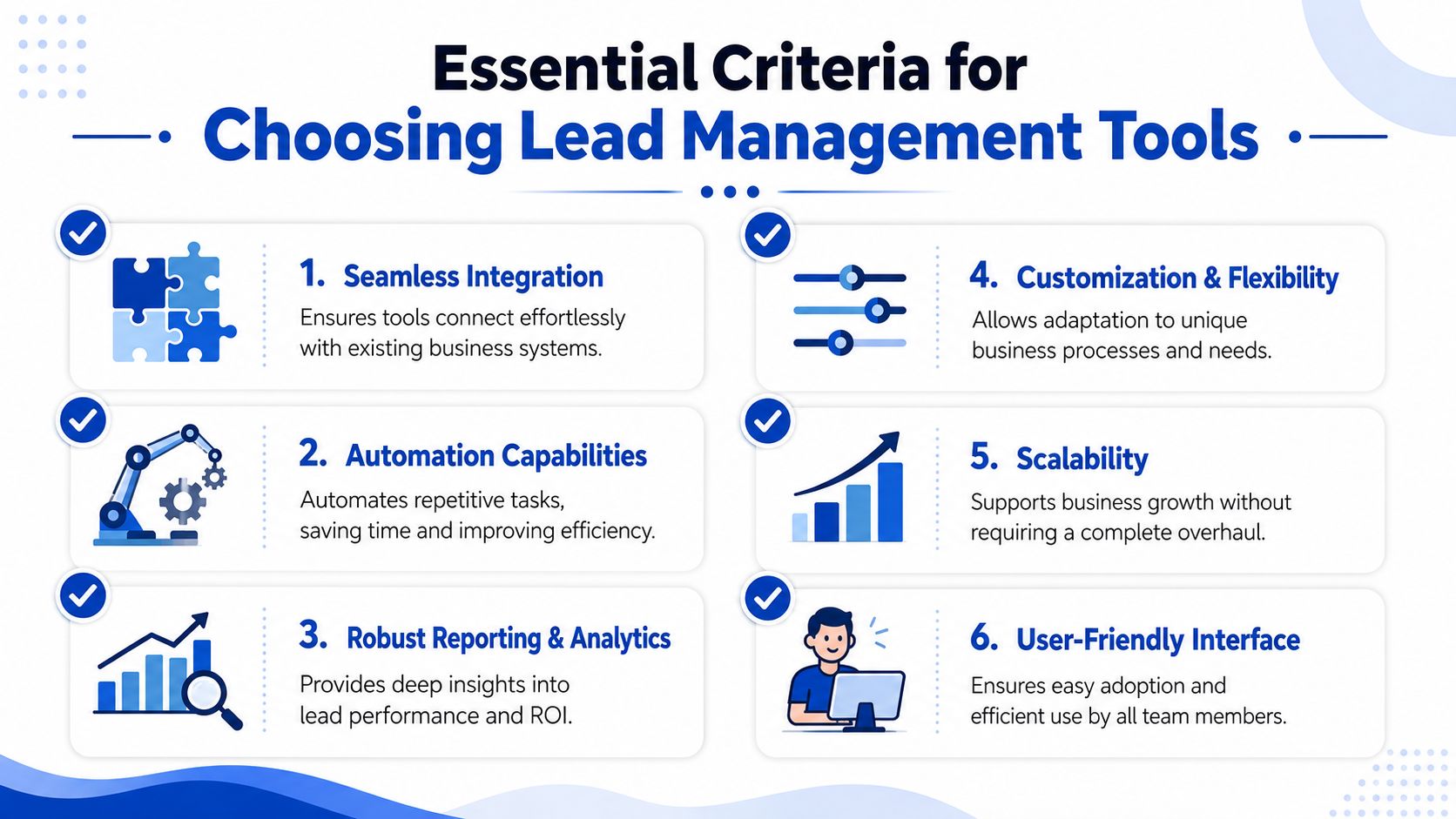
Buy for failure prevention
One of the costliest hidden problems is attribution loss between the form and the CRM. Integrate notes that many guides ignore the attribution breakdown gap, where 30-50% of conversion data such as UTMs and click IDs can be lost between capture and CRM. That happens when the form layer doesn't persist hidden fields properly or when the handoff relies on brittle client-side logic.
If you can't trust campaign attribution, you can't trust CPL by source, buyer payout analysis, or revenue reporting. Everything downstream gets fuzzier.
That's why nice-looking form builders often disappoint high-volume teams. They solve the cosmetic problem while leaving the plumbing untouched.
A practical evaluation lens
When evaluating lead management software, these are the criteria that matter most in practice:
- Hidden field integrity: Your tool should preserve UTMs, click IDs, source tags, and related metadata across the full submission flow.
- Qualification logic: Conditional paths should let you ask different questions based on previous answers and disqualify poor fits before they hit sales.
- Verification support: Phone, email, and consent checks should happen at or near capture, not three systems later.
- Flexible routing options: The software should work with your routing rules, whether that means a CRM, webhook, or a lead distribution platform.
- Fast integration setup: If every field change needs developer intervention, the marketing team loses speed.
- Usable reporting inputs: The tool doesn't need to be your final analytics destination, but it should produce data your reporting stack can trust.
A short litmus test helps.
| Question | Why it matters |
|---|---|
| Can this tool pass all required source fields downstream? | Without this, attribution becomes guesswork |
| Can it reject or segment bad-fit leads before handoff? | This protects sales capacity and buyer trust |
| Can ops change logic without engineering help? | Funnel speed drops when every iteration becomes a ticket |
| Does it fit our existing CRM and delivery stack? | Point tools fail when integrations are an afterthought |
A strong buying decision comes from tracing your current leaks backward. Don't ask, “Which software has the most features?” Ask, “Where are we losing value, and which tool closes that gap cleanly?”
The Critical Capture and Qualification Layer
Capture and qualification deserve their own layer because these stages determine the funnel's economics. If the form is clumsy, the audience drops. If the logic is weak, junk gets through. If the handoff strips source data, nobody can prove what worked.
That front end isn't just visual. It's operational.
Why the front end deserves its own tool
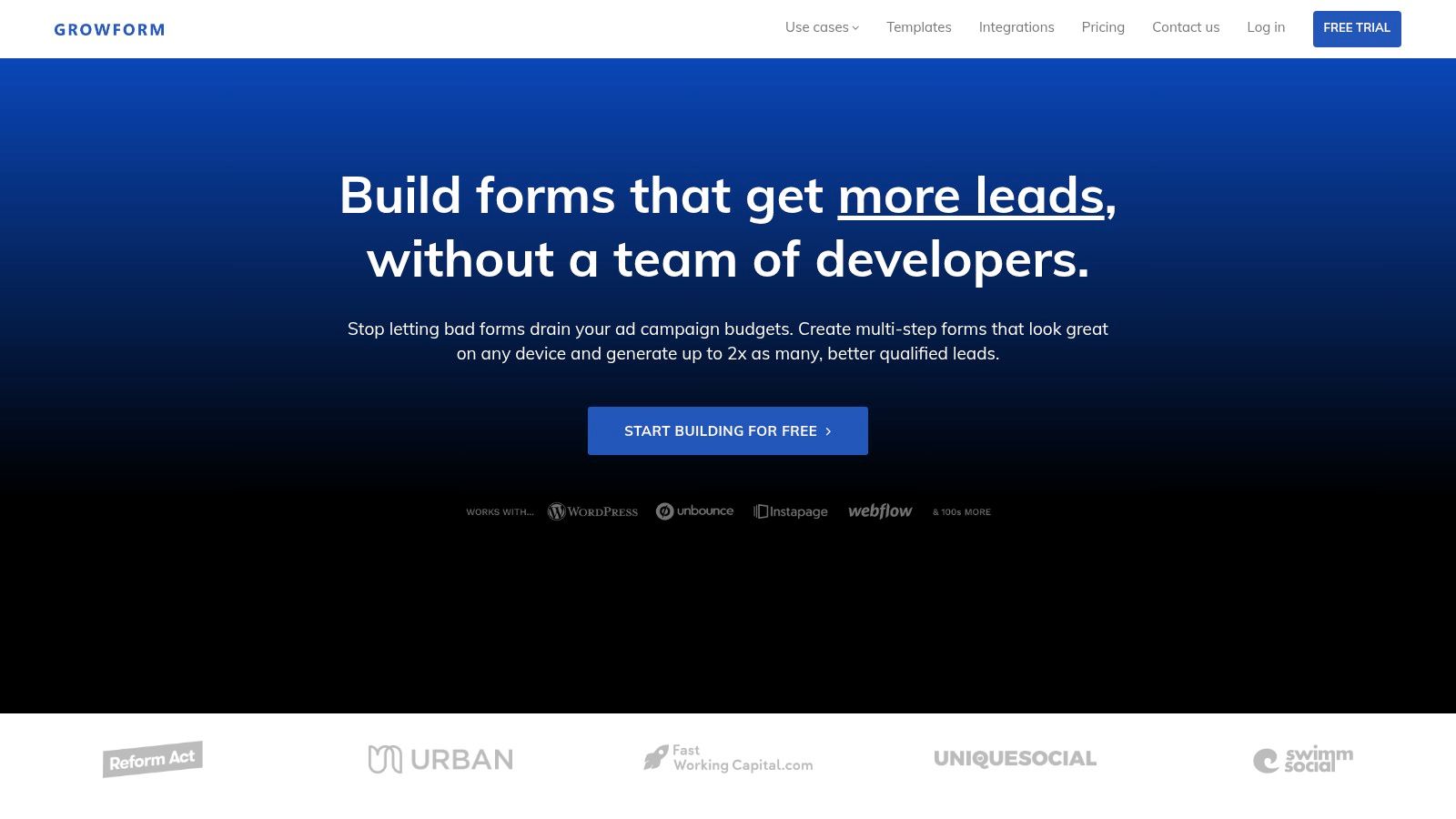
A specialized tool like Growform is well-suited. It's a no-code, multi-step lead capture layer built for qualification rather than generic data collection. In practice, that means marketers can build quiz-style flows, apply conditional logic, disqualify poor-fit submissions, and pass data to CRMs or lead distribution platforms without waiting on engineering.
That matters on mobile. Salesforce notes that multi-step forms with conditional logic can reduce mobile abandonment rates by 40-60% compared to static long forms. The reason is straightforward. Breaking the flow into smaller steps lowers perceived effort while still collecting the qualification detail that serious sales teams need.
Here's what that looks like in the interface.
What good implementation looks like
A strong capture layer should do three jobs at once:
- Increase completion quality: Ask easy questions first, then branch based on real buying intent.
- Filter bad submissions early: Add logic, verification, and required qualifiers before the CRM ever sees the lead.
- Preserve delivery context: Pass source data, consent evidence, and key identifiers into the systems that will score, route, or buy the lead.
If phone quality is a recurring issue, adding phone verification at the form level is often cleaner than trying to scrub records after submission. Post-capture cleanup helps, but pre-capture friction for obvious bad inputs is usually cheaper than handing those records to reps.
The best lead ops teams don't rely on sales to identify junk manually. They stop junk at the door.
That's the role of the capture layer. It doesn't replace the CRM or the distribution engine. It makes both of them more useful.
Your Implementation Checklist for Success
Many teams don't need a grand rebuild. They need a disciplined first pass.
Start by mapping the current lead path from ad click to closed deal. Write down every system involved, every field transferred, and every point where a human has to notice, copy, assign, or fix something. That map will show you where the leak is.
Use a simple rollout sequence:
- Audit the current flow: Identify where capture breaks, where attribution drops, and where handoff slows.
- Define qualification rules: Agree on what counts as an MQL, what should be disqualified, and which fields are mandatory.
- Tighten routing: Set ownership logic, fallback rules, and response expectations for sales or buyers.
- Test field pass-through: Verify that source data, consent details, and core lead fields arrive intact downstream.
- Train the revenue team: Reps need to know what changed, what's now enforced, and how fast they're expected to act.
- Review actual outcomes: Don't just check lead volume. Review quality feedback, acceptance patterns, and where records still stall.
The first win usually isn't dramatic. It's clarity. You stop arguing about where the problem is because the system makes it visible. Once that happens, optimization gets much easier.
If your current funnel still leaks leads between the click, the form, and the CRM, Growform is worth a look as the capture and qualification layer. It's built for multi-step lead gen forms, conditional logic, verification, and clean downstream delivery, which makes it a practical fit for teams that need better lead quality without adding more developer work.