
Leadgen Form Phone Verification: Boost Lead Quality
You're probably in the same spot a lot of leadgen teams hit sooner or later. Volume looks fine in the dashboard, CPL looks acceptable, and the media buyer says the campaign is working. Then sales starts feeding back a different story: wrong numbers, dead numbers, bots, disposable entries, and “leads” nobody can reach.
That gap is where margin disappears. You paid to acquire the click, paid again to process the lead, and then handed your sales team or buyer inventory they can't monetize. The result isn't just a quality complaint. It's EPC compression, return-rate headaches, lower buyer trust, and a distorted view of channel performance.
Leadgen form phone verification fixes that problem when it's deployed with discipline. The mistake is treating it like a simple toggle. It isn't. It changes who gets through the funnel, how mobile users experience your form, how cleanly consent is captured, and whether your downstream systems receive leads that can be worked. Teams evaluating lead validation software usually aren't looking for another feature. They're trying to stop buying junk and start shipping reachable leads.
The trade-off exists, but it's often smaller than marketers fear. Verified leads can have a contact rate exceeding 65%, compared to 40 to 50% for unvalidated leads, which materially improves the odds of a productive sales conversation, according to this leadgen analysis on OTP verification. The main challenge isn't whether to verify. It's how to do it without wrecking mobile conversion or creating TCPA risk.
Table of Contents
Table of Contents
- Introduction Why Your Best Leads Are Getting Lost
- The Hard Economics of Phone Verification
- Choosing Your Phone Verification Method
- How to Implement Verification Without Hurting Conversions
- Navigating TCPA and FCC Compliance Rules
- Connecting Verified Leads to Your Sales Pipeline
Introduction Why Your Best Leads Are Getting Lost
Most lead quality problems don't start in the call center. They start in the form.
A user mistypes a digit. A bot pushes through a fake number. A low-intent visitor enters something just to access the next page or claim an offer. By the time that record lands in HubSpot, Salesforce, GoHighLevel, Boberdoo, or Phonexa, the damage is already done. Sales sees “bad leads.” The marketer sees rising CPL and worse buyer acceptance. Finance sees spend that didn't turn into revenue.
That's why leadgen form phone verification holds greater importance than commonly acknowledged. It isn't just a hygiene layer. It's a filter for intent and reachability. Done well, it screens out numbers that will never connect without pushing away the people who want to talk.
The best form stack doesn't maximize raw submissions. It maximizes sellable and workable submissions.
The trap is adding friction in the wrong place. If you force a heavy verification step too early, especially on mobile, you'll lose real users before they've committed. If you skip verification entirely, you'll preserve top-line volume and flood the funnel with inventory nobody can use.
The strongest operators balance three things at once:
- Conversion rate: Keep the form easy enough to finish on a phone.
- Lead quality: Make sure the number is real, reachable, and worth routing.
- Operational fit: Pass verified status, consent evidence, and lookup data downstream so buyers and sales teams can act immediately.
That balance is where advanced leadgen teams separate themselves from basic form builders and checkbox-level implementations.
The Hard Economics of Phone Verification
The easiest way to misread leadgen performance is to book value at form submit. Revenue does not come from submissions. It comes from leads sales can dial, buyers can accept, and compliance can defend.
Cheap checks protect expensive media spend
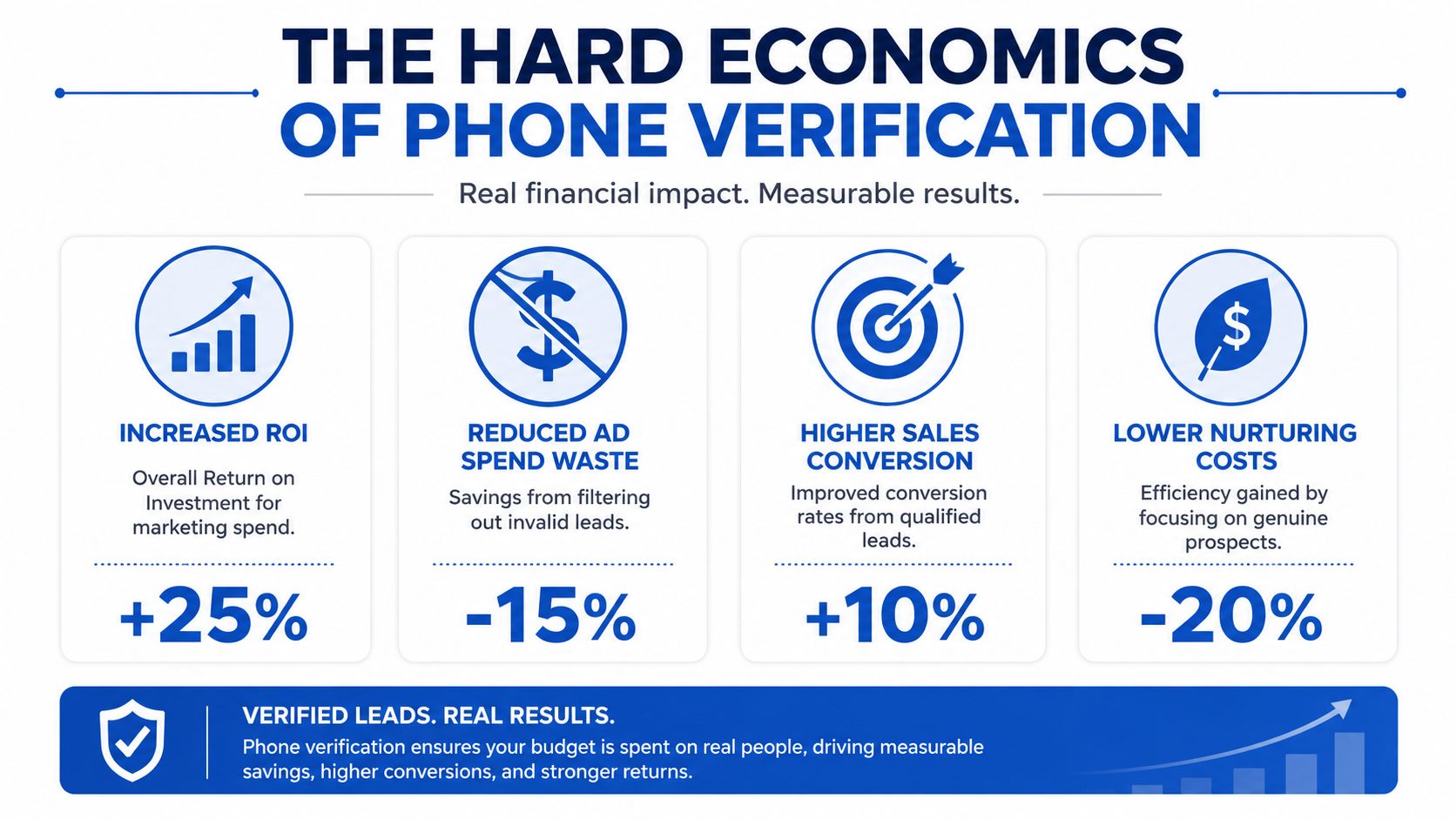
Phone verification is one of the lowest-cost controls in the funnel, and one of the easiest to justify if you measure the right outputs. Phone line type and carrier lookup costs about $0.015 per lead, while total validation can average $0.086 per lead, according to LeadGen Economy's breakdown of validation economics. Against paid traffic costs on Meta, Google, Taboola, or Outbrain, that is a small tax on media to avoid much larger waste later.
The core decision is not validation cost. It is whether the extra spend improves contact rate, buyer acceptance, and downstream revenue per lead. LeadGen Economy found that validated leads need to exceed a 65% contact rate to be profitable, while unvalidated leads sit at 40 to 50%. For any team selling calls, appointments, or accepted data leads, that gap changes EPC fast.
A lead that never connects still hits your P&L. Sales burns time on bad dials. Buyers issue rejects or push pricing down. Optimization gets polluted because the platform sees conversions that never had a fair chance to monetize.
Where the spreadsheet usually breaks
A lot of media buyers still compare an unverified form to a verified form on CVR alone. That misses the operating math. If verification adds friction and drops submit rate by a few points, but raises contactability enough to improve buyer acceptance and lower returns, the verified path can still produce more gross profit at a higher CPL.
That is the trade-off advanced teams manage every day. They are not trying to maximize raw lead count. They are trying to maximize accepted, reachable, TCPA-defensible leads without crushing mobile completion rate.
There is also a diagnostic angle. A healthy verification pass rate usually sits in a band that helps you spot source quality problems early. If pass rate falls too low, traffic quality, affiliate behavior, or form abuse is probably getting worse. If pass rate is suspiciously high, your logic may be too loose to catch junk before it reaches the buyer.
Practical rule: Put verification cost into CAC or CPL, but judge the program on contact rate, acceptance rate, return rate, and contribution margin after sales touch.
The expensive mistake is sloppy sequencing. If you put a hard OTP wall too early, mobile users abandon before they have enough intent to finish. If you wait until after the lead is sold or routed, compliance and buyer operations inherit the mess. Strong operators sequence consent and verification so the user sees a clear value exchange, the buyer gets a workable record, and the sales team gets proof that the number is real enough to call with confidence.
Phone verification is not a yes-or-no feature decision. It is a margin control.
Choosing Your Phone Verification Method
Not every campaign needs the same level of verification. A mass tort campaign sold to strict buyers won't tolerate the same setup as a lightweight quote funnel or a retargeting form. The right method depends on how aggressively you need to prove ownership, how sensitive the funnel is to friction, and what your buyers require.
SMS OTP verification
SMS OTP is the most direct way to prove the user controls the number they entered. The form sends a code, the user enters it, and the record gets a strong ownership signal. In high-volume leadgen, that's often the cleanest way to reduce fake submissions and prove the number can receive messages, as discussed in this leadgen discussion of SMS verification.
Its main strength is certainty. If a user successfully completes the code entry, the number is much more likely to belong to a real, reachable person than a number that merely passed format checks.
Its main weakness is obvious. It adds friction. That friction can be acceptable when buyer requirements are strict, when sales velocity matters, or when the cost of junk is high. It can be too aggressive for colder mobile traffic if the UX is clumsy.
Voice call verification and fallback flows
Voice verification is usually best as a backup path, not the default. Some users won't receive SMS because of handset issues, temporary delivery failures, carrier filtering, or local network conditions. A voice call fallback gives legitimate users another route to complete verification instead of getting stuck.
This matters for accessibility and for preserving good leads that would otherwise drop due to SMS delivery problems. It's especially useful on campaigns that see broad device variation or international traffic.
A voice flow usually has more perceived weight than SMS. Users may hesitate to answer an unknown call. That's why it works better as a recovery mechanism than as the first verification step.
Real-time carrier and line type validation
Carrier and line type validation runs in the background. It checks whether the number is active, what type of line it is, and whether it fits the rules you've set for the campaign. This is the low-friction option. The user may never notice it happened.
For many funnels, this is the best first line of defense. You can reject obvious garbage, identify VoIP or disposable patterns, and enrich the lead record without interrupting the submission experience. Teams that want to boost data quality with phone verification often start here because it improves database quality without immediately forcing an OTP gate on every lead.
The trade-off is that background validation doesn't prove ownership. A real number can still belong to someone else. That's why many operators use carrier checks as a screening layer and reserve OTP for stricter buyers, suspicious patterns, or later-stage workflows.
Phone Verification Method Comparison
| Method | User Friction | Best For | Primary Weakness |
|---|---|---|---|
| SMS OTP | Medium to high | High-intent funnels, strict buyers, campaigns where ownership proof matters | Can suppress completion if introduced too early or designed poorly |
| Voice call verification | Medium to high | Fallback for users who can't receive SMS, accessibility recovery | Feels heavier than SMS and is weaker as a default path |
| Real-time carrier and line type validation | Low | Top-of-funnel screening, background filtering, CRM enrichment | Doesn't prove the user owns the number |
A practical setup for many teams is layered. Start with silent background validation, then decide whether all users, only high-risk users, or only certain buyer flows need OTP. That gives you more control than treating verification as all-or-nothing.
How to Implement Verification Without Hurting Conversions
Most form failures happen because teams obsess over the verification vendor and ignore the on-page flow. UX decisions do more damage than API decisions.
Get the field placement right first
One of the most common mistakes is forcing the phone field onto page one of a multi-step form. That creates early resistance, especially on mobile, where users haven't built enough momentum yet. A better approach is to move the phone field to page 2 or 3 and keep it optional unless direct phone contact is essential, as recommended in TruConversion's lead form optimization guidance.
That advice lines up with what experienced performance teams already see in the field. Don't spend trust too early. Let the user answer easier questions first, feel progress, and then ask for the number when intent is clearer.
LinkedIn's own lead form guidance also warns against unnecessary manual input and recommends keeping forms lean, generally using three or four fields where possible in its best-practices overview for lead gen forms. If your funnel needs more qualification than that, multi-step structure matters even more.
A strong implementation usually follows this logic:
- Open with low-friction questions that build momentum.
- Collect phone later after the user has already invested effort.
- Trigger verification only when the payoff is clear to the user.
- Avoid mandatory hard gates on the first screen unless the campaign economics absolutely demand it.
For teams testing layouts and friction changes, Otter A/B's insights on CRO are worth reviewing because the actual win is often sequencing and presentation, not just fewer fields.
Make the mobile verification step easy to finish
Once you ask for verification, the mechanics matter. Use 4-digit codes, enable the one-time-code autocomplete attribute for iOS autofill, and allow resends after 30 to 60 seconds. Voice call verification should be available as a fallback for users who can't receive SMS, based on mobile-first lead capture recommendations from LeadGen Economy.
Those details look minor in a requirements doc. They aren't minor in production. A short code is easier to enter with one hand. iOS autofill reduces manual effort. Resend timing prevents frustration without inviting rapid abuse. Voice fallback saves real users who would otherwise abandon.
If the verification step feels like a login flow, conversion drops. If it feels like a quick confirmation, users usually finish it.
There's also a simple prompt that many teams skip. After form submission, show an on-screen confirmation asking the user to confirm the number before they hit the thank-you page. That lightweight check can catch obvious mistakes before the message even goes out, as shown in this walkthrough on phone verification flow design.
Here's the point where implementation discipline matters more than feature lists:
- Error states: Tell users what went wrong and let them correct it in place.
- Resend path: Don't leave users trapped on a dead verification screen.
- Delivery fallback: Offer voice if SMS fails.
- Device testing: Test on iPhone and Android, across Chrome, Safari, Firefox, and Edge, and verify CRM record creation during the first 48 to 72 hours, following Monday.com's testing checklist for lead forms.
A broader technical overview of real-time or bulk lead verification workflows is useful when you're deciding which checks should happen live and which should happen downstream.
Build a recovery path for failed verification
Don't assume every failed verification is a fraudulent lead. Some are typos. Some are carrier delays. Some are legitimate users with flaky SMS delivery.
Teams will need to apply judgment. In strict buyer scenarios, you may require successful verification before routing the lead. In in-house funnels, it can make sense to accept the lead with a pending or unverified flag and route it into a secondary follow-up flow.
A useful split looks like this:
- Hard fail: Block clearly invalid, malformed, or disallowed numbers.
- Soft fail: Allow submission when the number looks structurally valid but OTP failed, then mark it for re-verification.
- Escalated review: Route suspicious carrier types or risky patterns to a lower-priority queue.
A short demo helps visualize how a smoother verification flow should feel in practice.
That split preserves funnel efficiency without pretending every verification failure means fraud.
Navigating TCPA and FCC Compliance Rules
The ugly version of this problem shows up after the lead is sold. The buyer asks for consent proof, the call center starts dialing, and now your team is trying to reconstruct whether the user agreed to be contacted before the OTP fired. If that sequence is unclear, lead quality is not your biggest problem anymore.
Phone verification and consent capture serve different purposes. Verification confirms the number can receive a message or call. Consent determines whether you can legally contact that person.
Consent has to come before verification
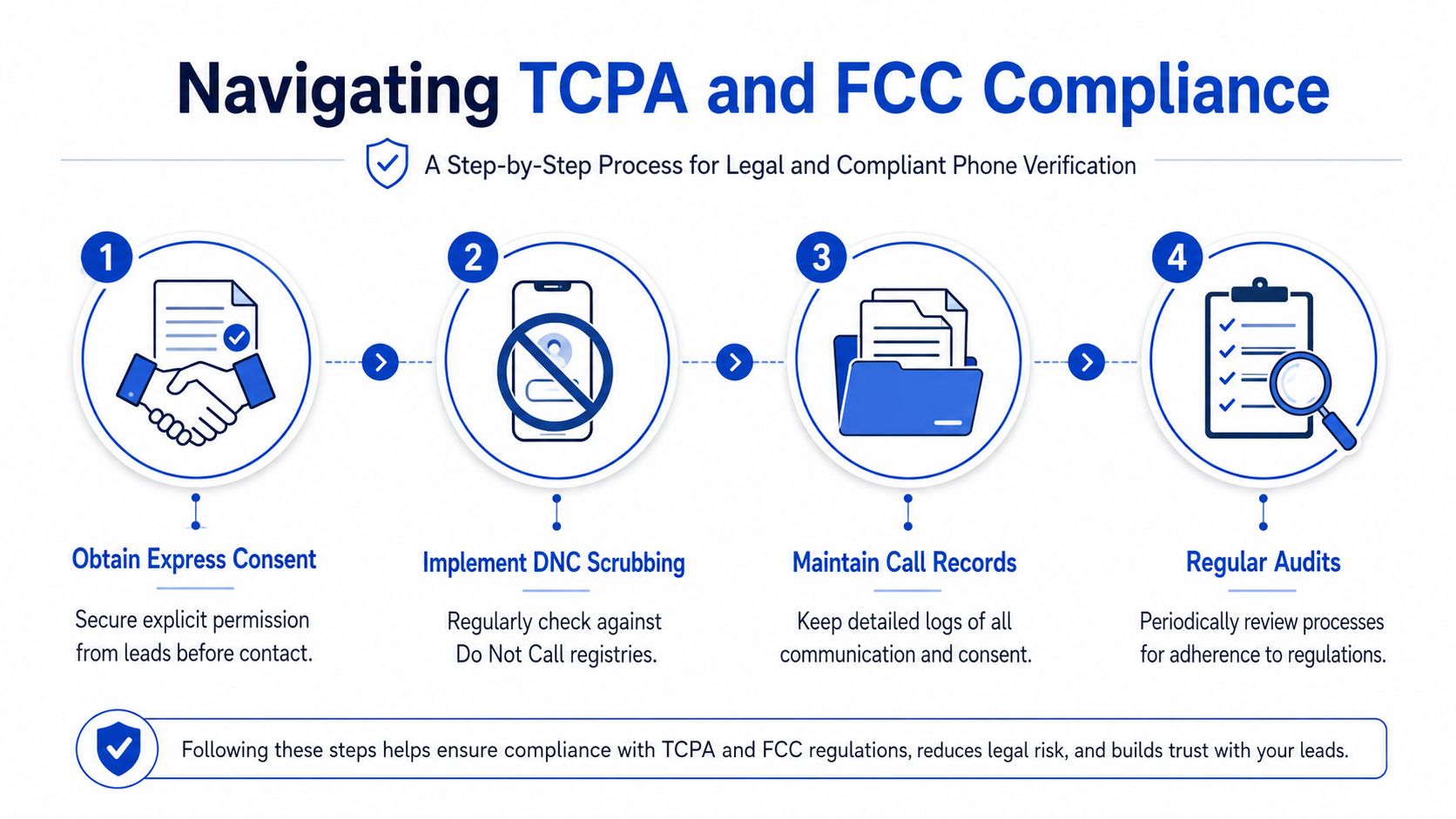
Order matters because buyers, litigators, and compliance teams all look at the event trail. Capture explicit one-to-one consent first. Then collect the phone number. Then trigger the OTP or verification check, as outlined in ActiveProspect's guidance on compliant lead verification sequencing.
That sequencing protects margin as much as it protects compliance. In insurance, solar, legal, mortgage, and debt, buyers often reject leads with weak documentation even when the phone number itself is valid. A lead that verifies cleanly but lacks defensible consent can still get scrubbed, charged back, or excluded from the buyer's approved source list.
The fix is operational. Separate and store three distinct events:
- Consent event: The user accepts the disclosure and the system records the language shown, timestamp, page URL, and source.
- Capture event: The phone number is submitted with the rest of the form data.
- Verification event: OTP, line check, or other phone validation runs only after the consent record exists.
High-risk programs also need the proof attached to the lead record, not buried in a separate tool. Growform's guide to FCC lead generation rules and one-to-one consent compliance is a practical reference if your buyers require artifacts such as TrustedForm or Jornaya tokens.
What regulated verticals need in the stack
Checkbox copy alone does not solve this. Teams also need DNC controls, clear retention of consent evidence, and a workflow that preserves exactly what happened at submission time.
I would treat the minimum standard like this:
- Use unambiguous consent language tied to the specific seller or buyer structure.
- Timestamp consent before any verification request is sent to an SMS or lookup vendor.
- Store consent proof with the lead payload so sales, compliance, and buyer ops can review the same record.
- Run DNC and related compliance checks before outreach so a verified number does not automatically become a callable number.
There is a trade-off here. More compliance checks can slow the path to submission and hurt mobile CVR. But skipping sequencing controls creates a more expensive failure mode. Buyers reject the lead, TCPA exposure rises, and internal teams waste hours reconciling records that should have been audit-ready from the start.
The practical goal is simple. Verify the phone in a way that supports buyer acceptance and keeps the funnel defensible under FCC and TCPA scrutiny.
Connecting Verified Leads to Your Sales Pipeline
Verification only pays off when the result changes what happens next. A lead that passes validation but sits unworked in a CRM queue is still lost revenue.
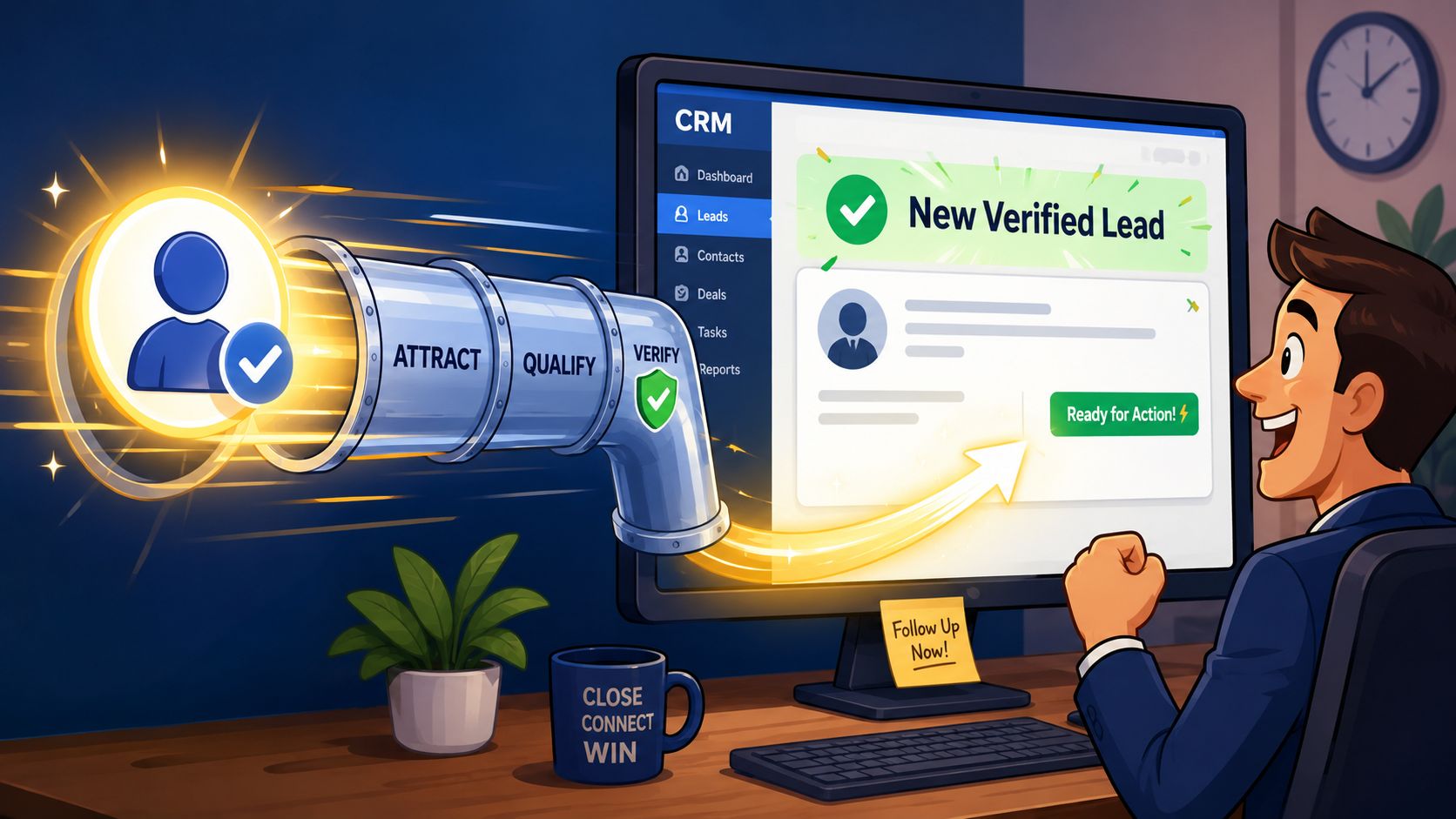
Route verified status in real time
Integrate phone validation APIs directly with your CRM or marketing tools so only valid numbers enter the database, then monitor response counts and bounces to refine the process, as recommended by SmallBizClub's guide to phone number validation in lead generation.
In practice, that means more than just passing a phone field into a record. Your payload should include status and context:
- Verification status: Verified, unverified, pending, failed.
- Line metadata: Carrier and line type when available.
- Consent evidence: Tokens or references needed by buyers and compliance teams.
- Routing flags: Which queue, buyer, or workflow should receive the lead.
For in-house teams, that usually means instant delivery into HubSpot, Salesforce, or GoHighLevel. For lead sellers and aggregators, it often means posting into Boberdoo, LeadsPedia, Databowl, or Phonexa with verification attributes attached so acceptance logic can act on them immediately.
Use delivery data to tune traffic quality
Post-verification reporting is where the compounding value shows up. If one traffic source sends structurally valid numbers that rarely respond, that source needs review. If one affiliate produces a suspicious cluster of failed OTP attempts or low-quality carrier patterns, you've found a leak. If bounce behavior rises after a landing page change, your UX likely introduced an entry problem.
That's also where call outcome data becomes useful. Teams trying to maximize ROI with call tracking can connect verified lead status to downstream call activity and see which sources are producing actual conversations, not just submissions.
A practical operating loop looks like this:
- Watch pass and fail patterns by source, campaign, device, and landing page.
- Review contact outcomes against verification status.
- Tighten or relax rules based on acceptance, return behavior, and sales feedback.
- Fix capture issues quickly when the data points to UX or technical friction.
When verification data flows cleanly into the pipeline, media buying, compliance, and sales stop arguing from anecdotes. They can work from the same record.
If your team needs multi-step lead forms that protect mobile conversion, capture consent cleanly, and pass verified leads into the rest of your stack without a dev sprint, take a look at Growform. It's built for performance marketers who care about CPL, lead quality, and clean delivery into CRMs and lead distribution systems.