
Add the Slider field
Place a “Slider” field on the step that asks for the amount.

Feature
The slider field lets your customer choose a number by dragging a handle along a range you define. You collect budgets, bill amounts and loan values as consistent numbers, with no typing on a phone keyboard.
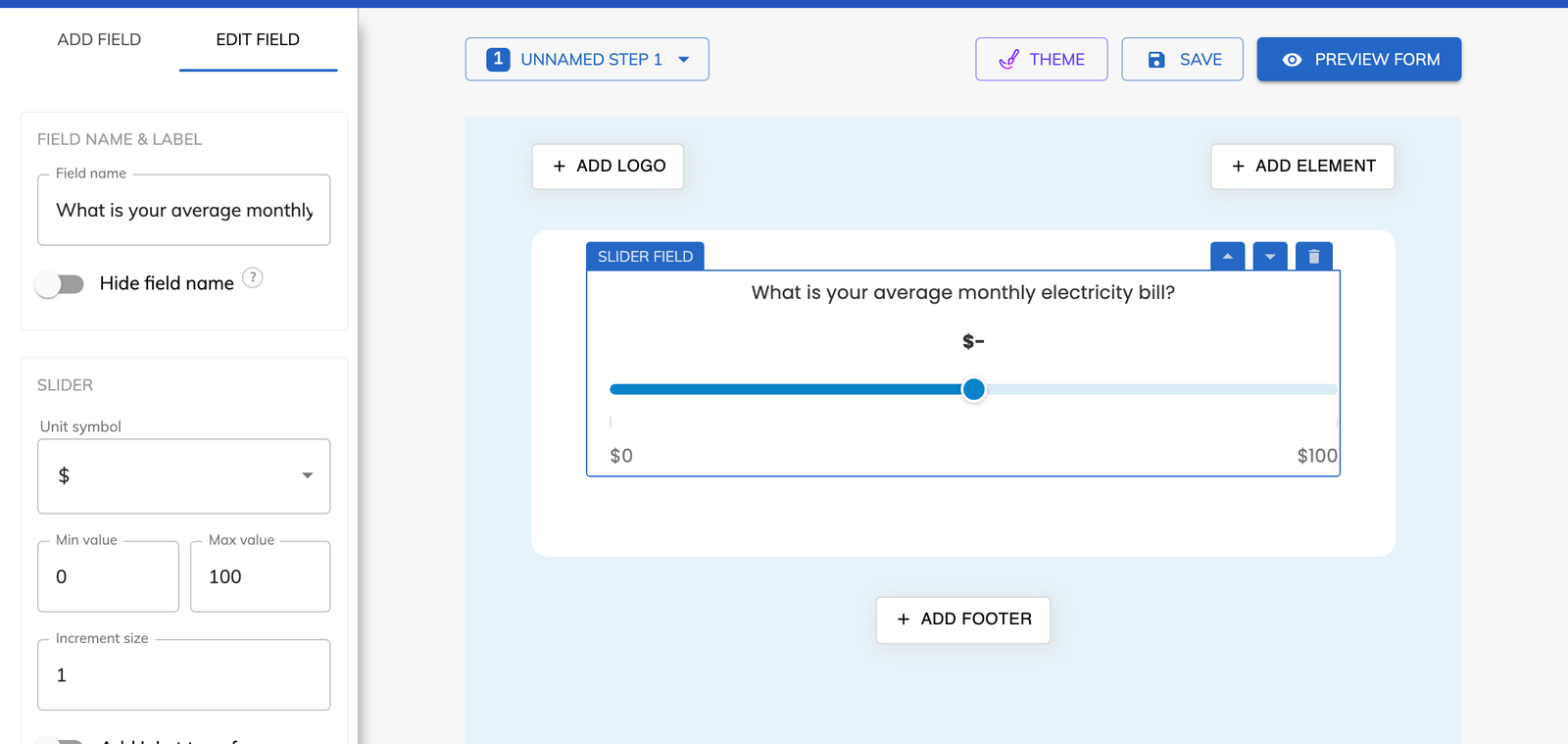
A slider field is a form field where the customer picks a number by dragging a handle along a track. You decide the lowest value, the highest value and the size of each increment, so every answer falls inside your range. Growform calls the field “Slider”, and it can be placed on any step of a multi-step form.
You set the minimum, the maximum and the increment of the range slider, and you choose the symbol shown with the number. The unit symbol can be a dollar, pound or euro sign, or no symbol at all, and it can sit before or after the value.
The “Show min/max labels” option prints the lowest and highest values on the slider, so the customer can see the range before moving the handle.
It adds a plus sign to the highest value, so the top of the slider reads as that amount or more. A renovation form with a budget slider from $5,000 to $100,000 can show its top value as $100,000+. Larger projects are covered, and the range stays narrow enough for the lower values to be selected accurately.
A form slider is better when an approximate figure is enough and the likely answers fall within a known range. A monthly energy bill on a solar form, a loan amount on a mortgage form and a total debt figure on a debt relief form all fit that description. A number field is the better choice when you need an exact figure.
Questions about money are easier to answer as an estimate. Dragging a handle to around $300 a month asks less of the customer than typing a precise amount, and an estimate is usually all a sales team needs to size the opportunity.
Place a “Slider” field on the step that asks for the amount.
Enter the minimum and maximum values, then the increment size that the handle moves by.
Pick a dollar, pound or euro symbol, or none, and choose whether it appears before or after the number.
Switch on “Add '+' at top of range” and “Show min/max labels” if you want them, then save the form.
The handle is dragged to a value, so the phone keyboard never opens on this step.
The minimum, maximum and increment decide which values can be chosen.
The answer is always a number from your range, never a phrase such as “about 300”.
The “+” at the top of the range stands for that amount or more.
You can add sliders to your forms on any plan, Basic included.
The slider can display a dollar, pound or euro sign. With the unit symbol set to none, it shows a plain number.
Yes. The Slider is one of the field types that can be prefilled by adding the field's ID and a value to the page URL.
Yes. A rule can test whether the value is greater than or smaller than a number you set. A debt relief form can disqualify anyone whose total is under your minimum.
Yes. Each slider is its own field with its own range, increment and symbol. A mortgage form can ask for the property value on one step and the deposit on another.
Create beautiful multi-step forms that convert, with a 14-day free trial. No credit card required.


