
Form Builder with Conditional Logic: A 2026 Guide
You're probably staring at a form that technically works, but the leads coming out of it don't. Sales says the answers are too vague, marketing sees drop-off on mobile, and nobody can quite explain why a “simple” form is breaking attribution once it hits the CRM. That's usually the moment a form builder with conditional logic stops being a nice UX upgrade and starts becoming a core part of the lead-gen stack.
The key value isn't just hiding a field when someone clicks a checkbox. It's making the form behave like a qualified conversation, while still preserving the plumbing that paid traffic depends on, such as source tracking, consent evidence, and clean handoff into downstream systems. The builders that matter now support multiple actions, not just show and hide, and that's a clear sign the category has moved from static forms to dynamic workflow engines inside the form itself. SurveyJS documents visible, require, and set value rules, while Tally includes actions like Jump to page and Redirect to different URLs.
Table of Contents
Table of Contents
- What Is Conditional Logic in a Form Builder
- Why Conditional Logic Is Essential for Lead Generation
- Real-World Conditional Logic Use Cases and Templates
- Best Practices for Designing High-Converting Logic Flows
- The Technical Plumbing Your Form Builder Must Have
- How to Test Measure and Optimize Your Logic Flows
What Is Conditional Logic in a Form Builder
A static form behaves like a paper checklist. Everyone sees the same questions, even when half of them do not apply. A form builder with conditional logic changes the next question based on the answer just given, which keeps the path relevant and shorter.
The core actions that matter
Conditional logic usually starts with show/hide behavior, but the useful systems go further. They can require a field only when a specific answer appears, set a value behind the scenes, or branch someone to a different step or destination altogether. That is why modern conditional logic feels less like a single if/then rule and more like a small decision engine.
The practical difference shows up quickly in lead generation. A prospect can be sent down one path if they are ready to speak with sales, and a different path if they need education first. The form is doing qualification, not just collection, so the routing stays aligned with lead quality and follow-up speed.
Practical rule: if a logic branch does not change the user's next best action, it is probably adding complexity without earning its place.
The broader market also reflects that shift. Mainstream builders now support actions such as Jump to page, Calculate a value, Make answers required, Show or hide blocks, and Redirect to different URLs. That is the kind of flexibility you need when a form is handling routing, disqualification, attribution, and follow-up all at once, not just field visibility. SurveyJS and Tally both show how conditional paths have moved from simple field toggles into more operational form behavior.
A simple way to think about it
Conditional logic works like a digital assistant that asks follow-up questions only when they are useful. If someone says they need plumbing help, the form should move into plumbing-specific questions. If they choose electrical, the plumbing questions should never appear in the first place.
That same approach shows up in structured builders too. Growform's guide on mastering conditional logic forms is a useful reference if you are mapping logic across multi-step funnels and want the decisions to feel intentional rather than bolted on.
The best forms do not feel smart to the user. They feel calm, short, and obvious. That is usually the sign the logic was designed around the conversation, and around the operational plumbing behind it, rather than around the tool alone.
Why Conditional Logic Is Essential for Lead Generation
Conditional logic matters because every irrelevant question adds friction, while every relevant question helps qualify the lead. In paid acquisition, that balance decides whether traffic becomes a lead or turns into a bounce. A form that changes as someone fills it out can improve conversion and data quality because it keeps the exchange aligned with what the visitor is trying to do.
Conversion and lead quality are linked
Performance marketers do not just want more submissions. They want the right submissions, from the right people, with enough context to route them correctly. Conditional logic helps by filtering out poor fits earlier and by keeping qualified prospects on a cleaner path to completion.
That matters even more when the form is tied to ad spend. If someone lands from a paid campaign and gets buried under irrelevant questions, you are paying for hesitation. If the form adapts to the answer they just gave, you reduce wasted clicks and give serious prospects a better reason to finish.
The market already prices this as a performance feature
Commercial comparison pages do not treat logic as a novelty. They position multi-step, branching forms as conversion-focused tools, which tells you how the market buys them. Growform, WPForms, and Jotform all sit in that conditional-logic conversation, which shows that buyers expect branching, routing, and qualification support, not just field hiding.
That matters for two reasons. First, teams need more than a visual trick that hides a field. Second, they are paying for a form setup that protects downstream data quality, supports routing, and keeps CRM handoff cleaner.
A logic flow that keeps unqualified users out early is usually cheaper than cleaning up junk leads later in the CRM.
There is also a mobile angle. On smaller screens, irrelevant fields cost more than annoyance, they create abandonment risk. A good logic flow shortens the path for the right person and gets out of the way for everyone else. That is why conditional logic is part of CPL economics, and why it also matters for attribution, CRM delivery, and compliance evidence when the form starts gathering different answers for different paths.
Real-World Conditional Logic Use Cases and Templates
The fastest way to understand conditional logic is to watch it solve a real intake problem. In home services, a ZIP code can separate serviceable prospects from dead leads before the sales team ever sees them. In mortgage, a loan amount can route applicants to the right loan officer or to a different qualification path.
Where branching pays off
A legal intake form can ask case-type questions only after someone selects the relevant practice area. That keeps the intake cleaner for the firm and avoids asking users to sift through questions that don't apply to them. In healthcare, a similar flow can separate routine requests from urgent symptom paths without forcing every user through the same sequence.
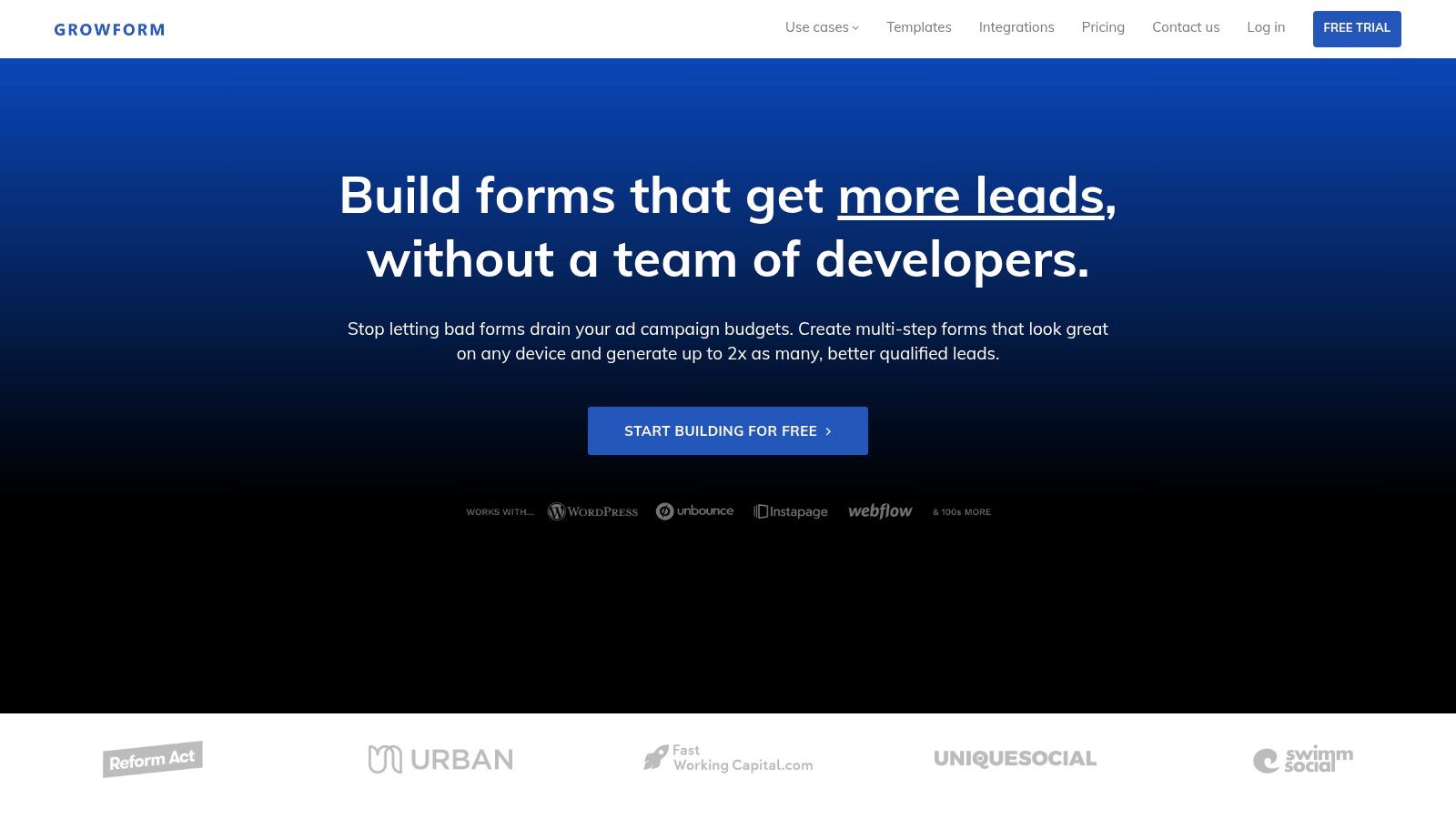
For agencies and in-house teams, template-driven builders speed that work up. A tool like Growform is built around multi-step, quiz-style lead funnels, so teams can launch a qualification flow without starting from scratch every time. That matters when the key problem isn't “can the form do branching,” it's “can we deploy the right branching quickly enough to support a campaign.”
The strongest use cases tend to share the same pattern. A user gives one high-signal answer, then the form either narrows the path or ends it. That's cleaner for the user and cleaner for the downstream team that has to work the lead.
Video walkthrough for form logic ideas
Conditional logic works best when every branch has a business purpose, such as qualification, routing, or disqualification. If a branch only exists because the builder makes it easy, it probably shouldn't exist.
If you're mapping the jump behavior itself, this internal guide on logic jumps is useful because it treats branching as a conversion decision, not just a visual rule. That's the right mindset for mortgage, solar, home services, and legal, where the form is part of the sales system.
The screenshot and the video together point to the same lesson. A good template doesn't just look organized. It removes design work from the team and removes unnecessary steps from the prospect.
Best Practices for Designing High-Converting Logic Flows
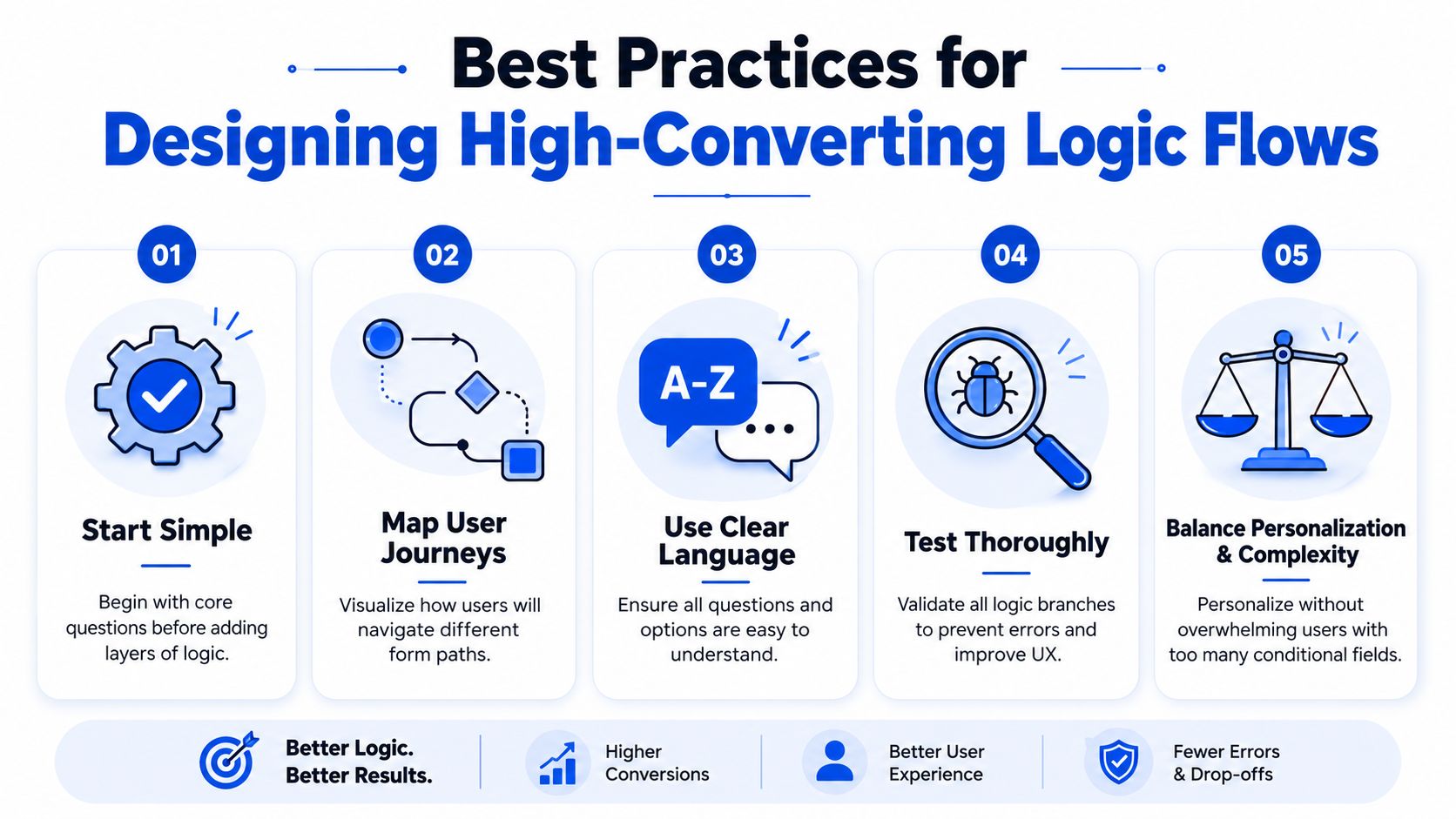
The best logic flows are simple enough that users don't notice the machinery. They just feel that the form is asking the right thing at the right time. The worst ones try to personalize everything and end up creating a maze, especially on mobile where every extra decision slows people down. That mobile trade-off is a known weakness in branching funnels, and the better answer is often fewer branches plus earlier disqualification.
Start with the shortest usable path
Don't design for every possible edge case first. Start with the path most high-intent users should take, then add branches only where they improve qualification or routing. If the form can still accomplish the goal with fewer questions, that usually wins.
Use a progress bar when the form has multiple steps, because users need to know there's an end in sight. That becomes even more important when branches create different paths behind the scenes. A user shouldn't feel like the interface is changing rules on them mid-stream.
Keep the language obvious
Every answer choice should be easy to read in one pass. Vague labels create hesitation, and hesitation kills momentum. If a branch exists because the answer is ambiguous, the branch may be solving the wrong problem.
The goal is a path that feels predictable. That doesn't mean boring, it means legible. High-performing forms usually sound like a competent intake rep, not like a product demo.
Test the branch depth, not just the page design
A logic flow can look clean and still fail in practice if it asks too much too soon. The question is whether the form still feels light once the second or third branch appears. If not, simplify the path or move the disqualification earlier.
For more on practical form sequencing, the conversion-rate optimization guidance from Keywordme on turning visitors into loyal customers is a useful companion piece because it keeps the discussion on actual behavior, not just interface design.
The final rule is simple. Personalization should remove friction, not create a new decision tree the user has to manage. If the logic makes the user think about the form, the form has probably gone too far.
The Technical Plumbing Your Form Builder Must Have
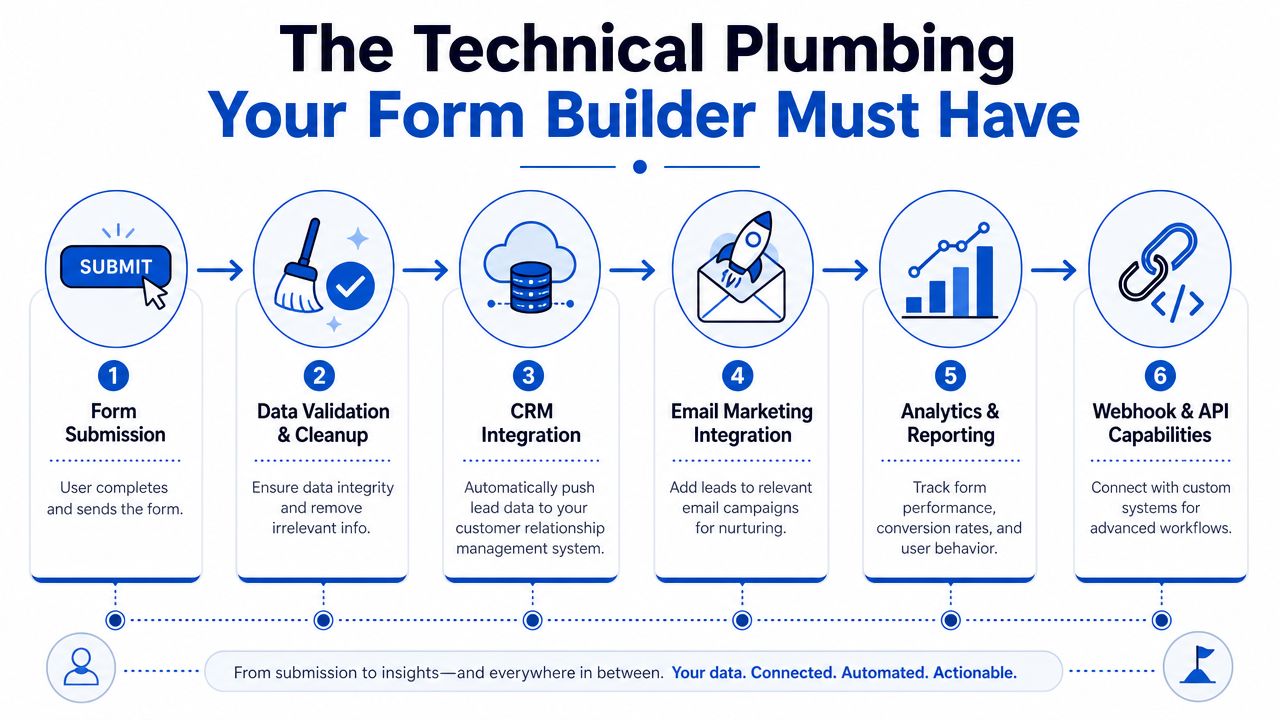
A form's job isn't done at submission. The submission has to arrive with the right source data, the right consent evidence, and the right destination logic, or the lead can become unusable the moment it leaves the page. That's why the operational side matters as much as the front-end experience.
Attribution has to survive branching
Hidden fields should persist across the full flow so UTMs and click IDs don't disappear just because the user moved through a different branch. That's especially important in paid acquisition, where source tracking has to survive from click to CRM record. If the logic tree breaks that chain, your reporting gets blurry and your optimization decisions get weaker.
The same logic applies to downstream routing. If a lead is disqualified or redirected, the system still has to preserve the original source context so you can measure which campaign created the lead in the first place. That's not a nice-to-have, it's the difference between actionable data and guesswork.
Compliance evidence can't be an afterthought
In regulated lead-gen markets, the form needs to preserve consent evidence at the point of capture. That includes tools and workflows buyers rely on for proof and handoff integrity. The operational risk is laid out clearly in Formester's conditional-forms guidance, which calls out consent evidence, UTMs, and source tracking across branching paths.
Generic form builders often fall short. They may let you create a clever branch, but they don't always treat that branch as part of a regulated delivery pipeline. If the builder isn't designed for lead distribution, a smart-looking form can create hidden operational risk.
Validation should happen before the bad lead spreads
Phone and email verification belong close to submission, not days later in a cleanup queue. That's true whether you're using Twilio for phone checks or Zerobounce for email validation, because a dead lead is still expensive once it enters the system. The point is to stop bad data before it pollutes the CRM or hits a buyer payload.
A form builder that understands this stack is easier to scale. It doesn't just collect answers, it helps preserve the integrity of the entire lead path. That's why technical plumbing is a business issue, not just an implementation detail.
How to Test Measure and Optimize Your Logic Flows
A logic flow is only good if it performs in production. The right setup may look elegant in the builder and still underperform if users stall on a specific branch or if sales can't work the leads it generates. You need a measurement loop that connects form behavior to what happens after submission.
Measure the branch, not just the final submit
Step-by-step drop-off tells you where the flow is losing people. If a certain branch consistently loses momentum, the issue may be the question order, the wording, or the fact that the branch asks too much before showing value. Don't assume the visible form is the only thing that matters.
Component-level logic is helpful. Form.io applies logic at the component level through a dedicated Logic tab, which makes it easier to test specific pieces of a flow without rebuilding the whole structure. That kind of granularity is useful when you're trying to isolate friction instead of guessing at it.
Tie form data to downstream outcomes
Submission counts don't tell you whether the logic improved lead quality. You need CRM feedback, such as lead status, appointment set, or sale outcome, to judge which branch paths are worth keeping. Without that loop, you can optimize for more form fills and accidentally worsen sales performance.
If you're looking at campaign reporting, DMpro campaign analytics is a useful comparison point for teams that want cleaner visibility into which branches and campaigns are producing useful leads. The important part is the discipline, not the dashboard brand. Good analytics should connect source, branch, and outcome.
Keep iterating one variable at a time
Test question order, branch wording, or default path, but don't change all three at once. If you rebuild everything together, you won't know what moved performance. That's especially true in multi-step forms, where small changes can affect both completion behavior and lead quality.
Best test rule: make one logic change, give it enough time to produce usable data, then compare downstream quality, not just submission volume.
If you want a reference point for reporting structure, Growform's form analytics page is worth reviewing because analytics only matter when they connect form behavior to lead performance. That's the standard to hold any logic flow to.
The right mindset is simple. A form builder with conditional logic should help you run a controlled experiment on your lead funnel, not just publish a prettier intake page.
If you're building paid-traffic funnels, qualification forms, or regulated lead intake paths, use conditional logic to remove friction without breaking attribution, CRM delivery, or compliance proof. Review your current form against the plumbing points above, then rebuild the branches that are costing you clean leads. A CTA for Growform.