
Door order form template (for lead generation)
Take door order submissions online with a multi-step form that is quick to complete on any device. Clone it, brand it and embed it in minutes.

How our door order form template works
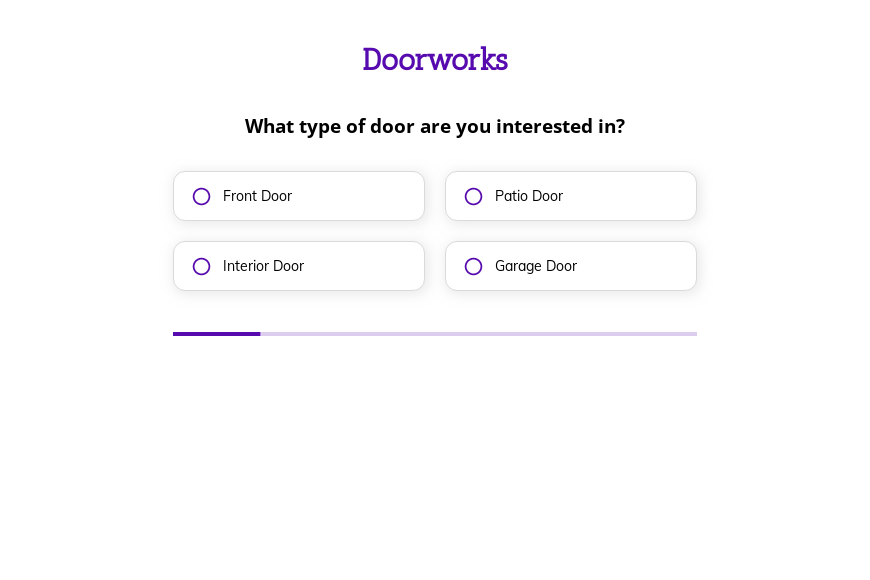
Our Door order form template collects everything you need in one short, guided form. It starts with the choices people find easiest to make, such as “What type of door are you interested in?” and “What material do you prefer for your door?” and leaves names, addresses and contact details until the end, so you get fewer half-finished submissions, fewer clarification calls and a complete record of what was requested.
Social proof next to the submit button. A short testimonial, a review score or a “trusted by” line sits beside the final step, where hesitation is highest. Reassurance at the moment of commitment lifts the number of customers who press submit.
Easy questions first, personal details last. The form opens with the questions a customer already knows the answers to and asks for a name, email and phone number only at the end. By then they have told you what they need and invested a minute of effort, so far fewer people abandon the form at the contact step.
Built for phones first. Most door order submissions now arrive from a mobile screen, so every step is large, tappable and readable without zooming. Buttons instead of dropdowns, a numeric keypad for phone numbers and no horizontal scrolling keep completion rates high on the go.
Every part of the template is editable in the Growform builder: questions, order, colors and fonts. Clone it, make it yours and start collecting better door order submissions today. The 14-day free trial needs no credit card.
What happens next?
-

Step 1: Clone this form template
Clone this template into your Growform account (create one first if you don’t already have one). -

Step 2: Edit your form
Get creative and adjust your form's theme options, questions or layout in the Growform form builder. -

Step 3: Share or embed your form
Share a link to your form, or embed it in your existing website. Receive new submissions by email or send them to 7,000+ apps via Zapier.
Start your free trial
Build multi-step forms just like this one. 14-day free trial, no credit card required.