Skip to content
Growform Multi Step Form Builder

Online course registration form template

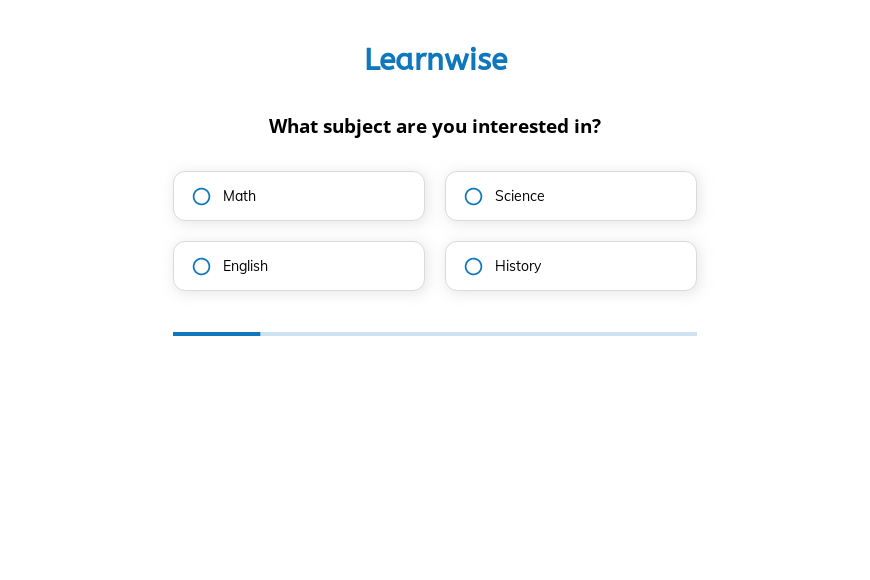
This five-step online course registration form asks the subject, the learning style, the education level and weekly study hours, followed by the contact details. Clone it into your Growform account and list your own subjects.

What the form asks, step by step

The form helps an online school recommend the right course before enrollment. Each question is about the learner rather than the course catalog.

  1. Step 1: “What subject are you interested in?”

    Math, science, English or history routes the learner to the right catalog.

  2. Step 2: “What is your preferred learning style?”

    Visual, auditory, reading or hands-on preferences suggest course formats.

  3. Step 3: “What is your current education level?”

    High school to graduate level sets the difficulty of the recommendation.

  4. Step 4: “How many hours can you dedicate per week?”

    Weekly hours show whether a self-paced or intensive course fits.

  5. Step 5: “How shall we contact you?”

    Name, email and phone come last.

  6. After submitting

    Rewrite the confirmation to say which course you recommend and how to enroll.

Who it’s for

Online schools, tutoring platforms and course creators use this template to register interest and recommend a course. A course registration form that asks about level and available time prevents learners from signing up for something too hard or too demanding. The learning style question helps you describe the format that suits them. In-person tutors may prefer the tutoring service template.

Why this structure converts

  • Questions about the learner come before any course details, which makes the form feel personal.
  • Weekly hours are banded, so learners estimate their time honestly.
  • The education level step keeps recommendations within reach of the learner.
Use this template

14-day free trial, no credit card

Make it yours

  • List your real subjects

    Replace the four subjects with your course categories, and make the step multi-select if learners often take several.

  • Add an age step

    If you teach younger learners, add an age question and a parent contact step.

  • Send learners to a course page

    Redirect each learner after submission to the page for the course that matches their subject and level.

Frequently asked questions

What should an online course registration form ask?

It should ask the subject, the learner’s level and the time they can commit, plus the contact details. Payment and account creation usually happen on your course platform.

Can registrations go to Thinkific or Kajabi?

Yes. Growform connects to Thinkific and Kajabi, as well as Mailchimp and ConvertKit for follow-up emails.

Does the learning style question matter?

It helps you describe the format of your recommendation, such as video lessons or reading-based modules.

What happens next?

  1. Step 1: Clone this form template

    Clone this template into your Growform account (create one first if you don’t already have one).
  2. Step 2: Edit your form

    Get creative and adjust your form's theme options, questions or layout in the Growform form builder.
  3. Step 3: Share or embed your form

    Share a link to your form, or embed it in your existing website. Receive new submissions by email or send them to 7,000+ apps via Zapier.

Start your free trial

Build multi-step forms just like this one. 14-day free trial, no credit card required.