Skip to content
Growform Multi Step Form Builder

Dog training intake form template

This six-step dog training intake form asks the dog’s age, any behavior issues, its energy level, the type of training wanted and notes, followed by the contact details. Clone it into your Growform account and add the dog’s breed.

What the form asks, step by step

A trainer needs to know the dog before recommending a program. Age, behavior and energy are answered with buttons, and the owner can add detail at the end.

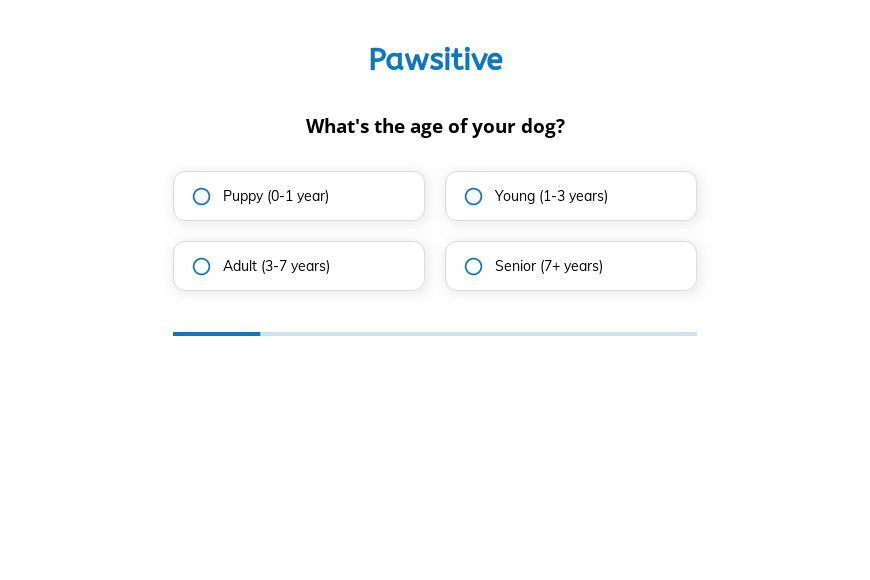
  1. Step 1: “What’s the age of your dog?”

    Puppy, young, adult or senior shapes the training approach and pace.

  2. Step 2: “What behavior issues does your dog have?”

    Barking, chewing, aggression or separation anxiety flags cases for a specialist.

  3. Step 3: “How would you describe your dog’s energy level?”

    High-energy dogs often do better with exercise built into the sessions.

  4. Step 4: “What type of training are you interested in?”

    Obedience, skills, behavior correction or socialization matches a program.

  5. Step 5: More information

    Owners can describe incidents, triggers or previous training here.

  6. Step 6: “How shall we contact you?”

    Name, email and phone come last.

  7. After submitting

    Trainers can change the thank-you screen to describe the first assessment session and what the owner should bring.

Who it’s for

Dog trainers, behaviorists and board-and-train facilities can use this template in place of a phone consultation. As a dog training questionnaire it records the dog’s age, behavior, energy and the owner’s goal, which is what a trainer asks first. Aggression cases are identified before the call, so they can go to the right trainer.

Why this structure converts

  • Owners enjoy describing their dog, so the form starts with questions they are happy to answer.
  • Behavior issues are offered as options, which makes a sensitive topic easier to raise.
  • The training type question links each inquiry to one of your programs.
Use this template

14-day free trial, no credit card

Make it yours

  • Allow several behavior issues

    The behavior step takes one answer. Make it multi-select, because many dogs show more than one issue.

  • Ask for the breed and name

    Add text fields for the dog’s name and breed so your reply can be personal.

  • Flag aggression cases

    Use conditional logic to show a short safety question when the owner chooses aggression.

Frequently asked questions

What should a dog training form ask?

The dog’s age, behavior issues, energy level and the training goal, followed by the owner’s contact details and any history.

Can I use it for group classes as well as private training?

Yes. Add a step asking whether the owner prefers group classes, private sessions or board and train.

Where do inquiries go?

Inquiries arrive by email and can be added to vcita, Mailchimp or a Google Sheet.

What happens next?

  1. Step 1: Clone this form template

    Clone this template into your Growform account (create one first if you don’t already have one).
  2. Step 2: Edit your form

    Get creative and adjust your form's theme options, questions or layout in the Growform form builder.
  3. Step 3: Share or embed your form

    Share a link to your form, or embed it in your existing website. Receive new submissions by email or send them to 7,000+ apps via Zapier.

Start your free trial

Build multi-step forms just like this one. 14-day free trial, no credit card required.