
Add the domain in Growform
Open the form and choose “Share form” in the top toolbar. Choose “Add a custom domain” and enter the address in subdomain format, for example form.example.com.

Feature
Growform serves your hosted form from an address you own, such as form.example.com. The link in your ads and emails then carries your brand's name instead of ours.
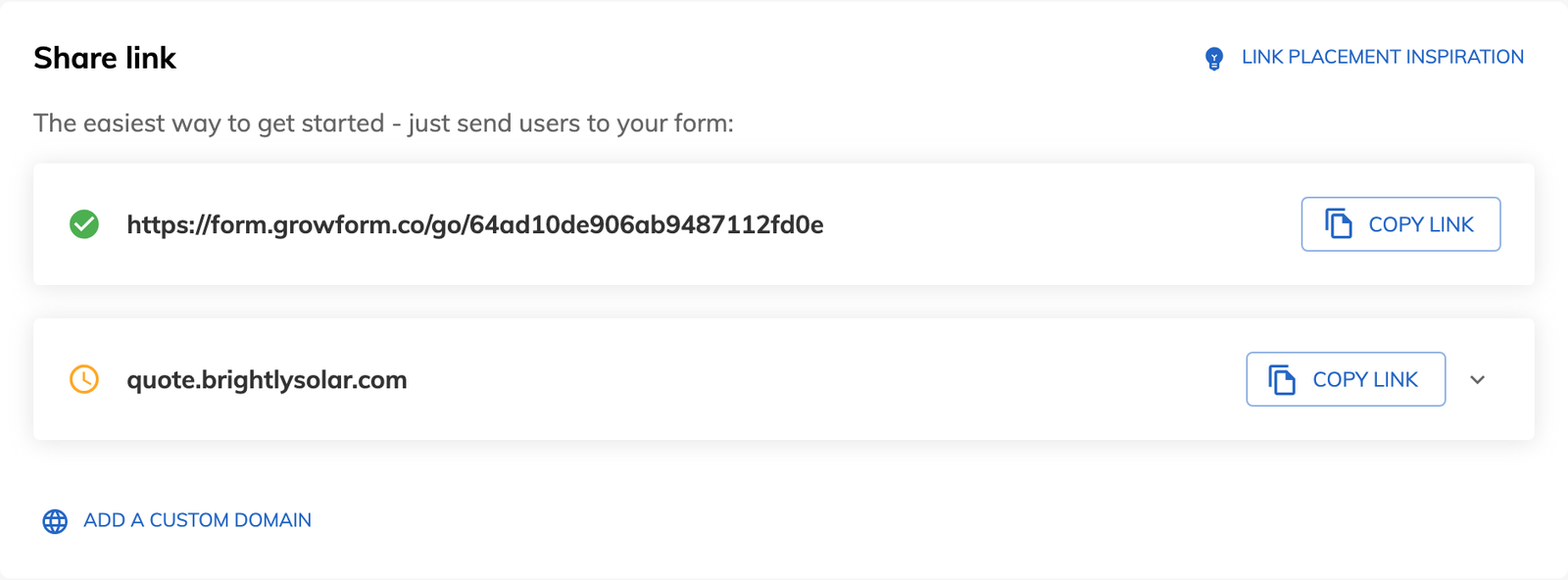
A custom domain form is a hosted form that people reach at a web address you own. Every active Growform form has a share link hosted by Growform. With a custom domain, the same form is served from your domain, so the address bar shows your brand.
Custom domains apply to forms you share as a link. A form embedded in your own page already sits on your domain.
Host the form on a subdomain. An address such as quote.example.com or apply.example.com leaves your main website where it is. Growform also accepts a full domain such as www.example.com. A subdomain keeps your website and your form at separate addresses.
Allow 24 to 48 hours after you create the CNAME record. DNS changes take time to spread, so the status in Growform may not show a match on the first day. Add the domain a couple of days before your campaign starts.
The address is one part of the page, and the design is the rest. A standalone form page carries your logo, footer and background. Your typeface comes from Google Fonts, and paid plans show no Growform banner.
Open the form and choose “Share form” in the top toolbar. Choose “Add a custom domain” and enter the address in subdomain format, for example form.example.com.
At your domain provider, create a CNAME record with the host set to the first part of your address, such as “form”. Set its value to custom.growform.co.
Return to “Share form”, where the status shows whether the CNAME matches. Give a new record 24 to 48 hours before you expect a match.
A homeowner who clicks a roofing ad lands on an address that contains the roofer's name, because the form is served from that company's domain.
Your form asks for a phone number and a home address, and your own domain in the address bar shows who will receive them.
A form built for a client can be served from that client's subdomain once the CNAME record is in place.
Custom domains start on the Professional plan and are not part of Basic.
Point it to custom.growform.co. Some domain providers add a dot after the value, which you can ignore.
The “Share form” page shows a status for the domain, which tells you whether the CNAME record matches.
No. An embedded form appears inside your own page, so people only ever see your page's address.
You can share the Growform-hosted link or embed the form in your own page. Both are included in Basic.
Create beautiful multi-step forms that convert, with a 14-day free trial. No credit card required.


