
Choose the standalone canvas
Open your form in the builder and choose “Theme”. Under canvas setup, select “As a standalone page”, which new forms use by default.

Feature
Growform hosts every active form on its own page and gives you a link to it. You can send traffic to a form with your logo and footer before any landing page exists.
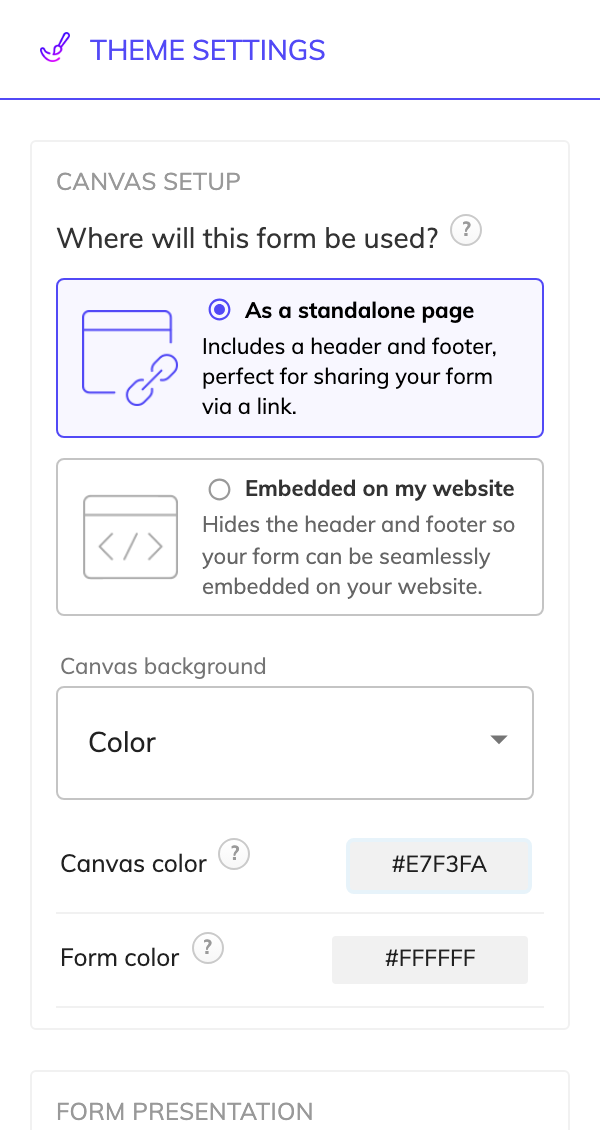
A standalone form page is a hosted form that lives on its own page and opens from a link. You do not build a website or paste any code. Growform hosts the page, and you share the form link in an email, an ad or a social post.
The standalone canvas setup adds the parts of a page that an embedded form leaves to your website. It gives you four things to work with.
The form inside the page follows your theme, including its colors, width, padding and Google Fonts. The other canvas setup is called “Embedded on my website”. It leaves out the header and footer so the form takes less room inside your own page.
Link to the form when you have no page to embed it in, or when the form is the whole purpose of the click. A mortgage broker emailing past clients about a remortgage review can link straight to the first question. A “Check eligibility” button can open the form in a new tab on a website you cannot edit freely.
You can also send ad traffic straight to the link. When you want full control of the page around the form, embed the form in a page of your own and use it as a landing page form.
Yes, on the Professional plan and above. A custom domain serves the same page from an address such as form.example.com. On Basic, the link is hosted on a Growform address.
Open your form in the builder and choose “Theme”. Under canvas setup, select “As a standalone page”, which new forms use by default.
Add your logo and footer, and set the canvas background. You can also add a side info panel if you want supporting copy beside the form.
A form has to be active before it can be shared. Your plan sets how many forms can be active at once.
Choose “Share form” and copy the link. Add your UTM parameters to it before you place it in an ad or an email.
An active form already has a share link, so a new offer does not wait for a landing page build.
A standalone page has a logo, a footer and the questions, with no menu or second offer to click.
Hidden fields read the UTM parameters and click IDs on the link and save them with the lead.
Your logo, background and footer surround the form, and paid plans show no Growform banner.
All plans include the share link and the standalone canvas, while a custom domain needs Professional or above.
No. Every active form has a link hosted by Growform, so you can collect leads without a website or a landing page tool.
Yes. The share link and the embed code both open the same form. The canvas setup is a theme setting, so choose the one that suits where most of your traffic will see the form.
The form is probably not active. Activate it first, and check that you have not reached your plan's limit on active forms.
Create beautiful multi-step forms that convert, with a 14-day free trial. No credit card required.


