
Add the ZIP code field
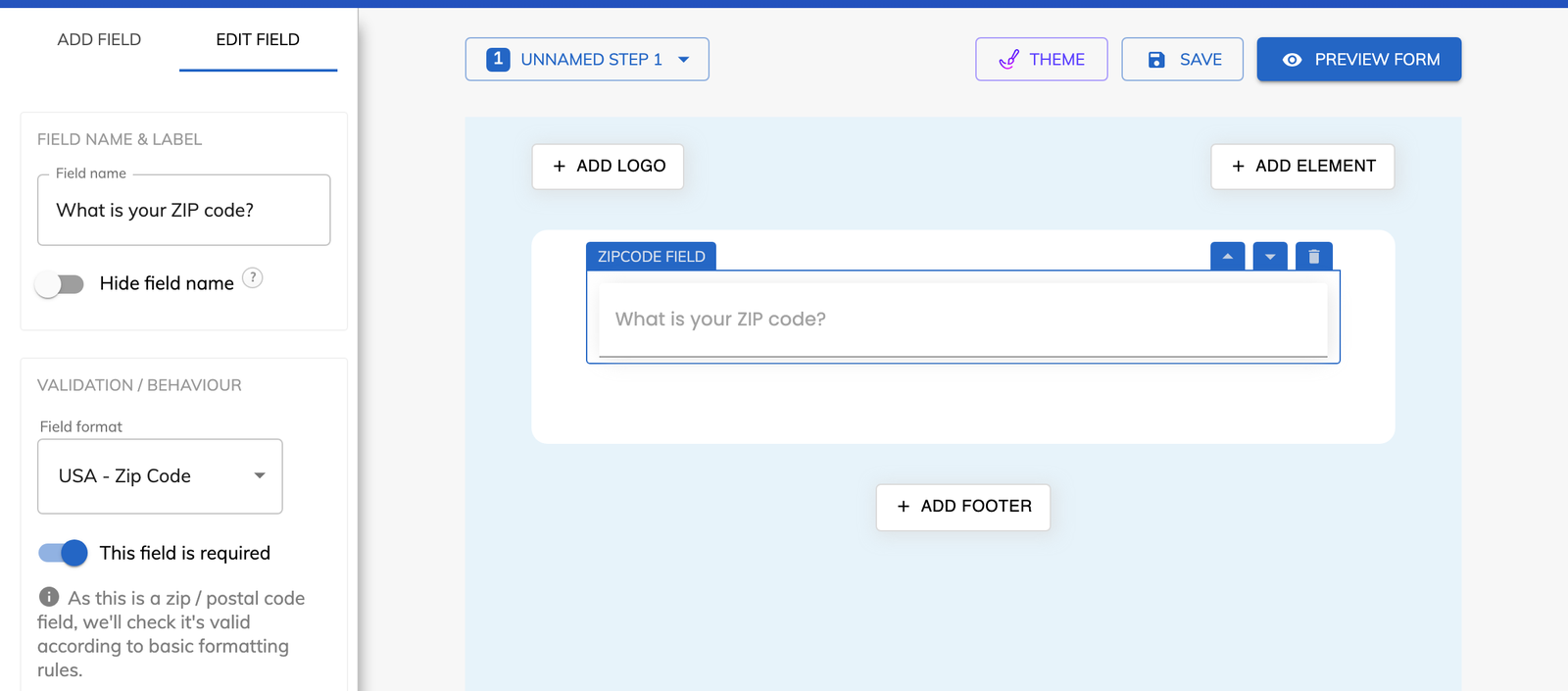
Open your form and add the “ZIP / postal code” field to the step where you ask for location.

Feature
Growform's ZIP code field accepts a code only when it matches the format of the country you choose. Every lead arrives with a code you can route, price and match to a service area.
ZIP code validation is a check that the code a lead types matches the format used in their country. Postal code validation is the same check for countries that use letters as well as numbers. In Growform both are handled by one field, called “ZIP / postal code”. You choose the country format once, and the field rejects anything that does not fit it.
The ZIP code field supports five country formats.
It does for the USA format. A homeowner on a phone sees the numeric keyboard as soon as they tap the field. That matters on an opening step, where the ZIP code is often the only question in a multi-step form.
You can, because a valid code is one your rules are able to measure. Location-based logic tests whether a ZIP code is within a set distance of a location you choose. An HVAC contractor can show the booking steps to homeowners inside the service radius and a different ending to everyone else. The same rule can power lead disqualification, which keeps out-of-area leads away from your sales team.
When you need the full address, address autocomplete returns the ZIP code as a separate value.
Open your form and add the “ZIP / postal code” field to the step where you ask for location.
Select the field and pick the format for the country you serve, for example “ZIP code (USA)”.
Keep “This field is required” switched on if every lead must give a code.
Save the form, then enter a code in the wrong format to see the field reject it.
A code in the correct format can be matched to an area by your lead distribution platform.
Distance rules read the validated code and decide which steps or ending the lead sees.
The USA format opens the numeric keyboard, so nobody has to switch keyboards to type a number.
The field blocks letters in a US ZIP code and accepts ZIP+4 when a lead knows theirs.
Basic, Professional, Scale and Custom all include the ZIP / postal code field and its format checks.
Yes. The USA format accepts either a standard ZIP code or a ZIP+4 code such as 90210-1234.
Yes. The field can be prefilled from a URL parameter, so a code collected on your page carries into the form.
Yes. The code is sent with the lead through webhooks and Zapier, so your CRM or lead distribution platform can route on it.
Create beautiful multi-step forms that convert, with a 14-day free trial. No credit card required.


