
Form builder with conditional logic: 12 tools compared

Updated Published 19 min read
This guide reviews 12 form builders with conditional logic, from lead generation tools to WordPress plugins and enterprise suites, with prices checked on October 9, 2026, so you can pick the one that fits the forms you run.
A form builder with conditional logic is a tool that lets you set rules so that a field, a step or an ending appears only when an earlier answer meets a condition, so that each person completes a form made of the questions that apply to them.
Lead gen forms are very common. Ruler Analytics reports that 84% of marketers use form submissions to generate leads. But despite this extensive use, lots of marketers struggle with low form completion rates, low-quality data, and poor lead qualification.
A potential solution? Conditional logic forms.
By using a form builder with conditional logic, you can maximize your forms’ impact while minimizing user friction. And in this Growform guide, we’re sharing our list of the top form builders with conditional logic.
What are conditional logic form builders?
Conditional logic refers to “if this, then that” functionality. In a form builder, conditional logic lets you show or hide certain form fields based on user input. Forms built this way are also called dynamic forms, and our dynamic form builder guide covers that wider category.
Say you’re creating a lead form that needs to target two separate ideal customer profiles (ICPs), small businesses and huge enterprises. The questions you need to ask these ICPs are completely different, and forcing both to answer all of them is a recipe for low conversions.
With a conditional form builder, you can open your form by asking users about the size of their business. Then, you can create “if…, then…” rules that display only questions relevant to that ICP. This simplifies the form and helps you get better leads and data.
Why find a form builder with conditional logic?
Enhanced user experience
Enhanced user experience (UX) is the biggest benefit of forms with conditional logic. For starters, users are filling in fewer fields when only the relevant ones appear. This saves them time and leads to much less frustration with the process.
Plus, you can use conditional logic to personalize the form. And users who feel their answers matter tend to be more satisfied.
Increased conversion rates
As a knock-on benefit of the enhanced UX, conditional logic forms also tend to increase conversion rates.
While it’s a myth that decreasing form fields will always increase form conversions, it’s certainly true that decreasing irrelevant form fields will increase conversions. Conditional logic lets you create forms that ask the absolute minimum number of questions. Baymard Institute’s checkout research makes the same point: the number of form fields affects usability more than the number of steps.
Higher quality leads
By asking targeted questions based on previous responses in your forms, you gather more precise and relevant information. You can also qualify your leads to ensure you end up with higher-quality leads that are easier to convert.
Top 12 form builders with conditional logic
| Form Builder | Best For | Starting Price | Conditional Logic Features | Key Strength |
|---|---|---|---|---|
| Growform | Conversion-focused multi-step forms | $79/month ($63/month billed yearly) | Field & step visibility, dynamic rules, disqualification | Built for lead generation |
| WPForms | WordPress users | $49.50 first year ($99/year after) | Field visibility, page skipping, and email routing | WordPress integration |
| Formidable Forms | Advanced WordPress users | $39.50 first year ($79/year after) | Calculations, smart field rules | Data-driven forms |
| Jotform | Versatile form building | Free (Bronze $39/month) | Multi-layered logic, calculations, actions | Template library (10,000+) |
| Zoho Forms | Zoho ecosystem users | $12/month ($10/month billed yearly) | Multi-level logic, workflows, and approvals | Integrated ecosystem |
| Gravity Forms | WordPress developers | $59/year | Advanced personalization, developer-friendly | Customization options |
| Typeform | Interactive, design-forward forms | Free (Basic $39/month) | Logic map, branching, calculations | Conversational UX |
| Cognito Forms | No-code automation | Free (Pro $19/month) | Show/hide fields, page branching, and payments | Role-based visibility |
| Ninja Forms | WordPress flexibility | Free (Plus $59.40 first year) | Dynamic fields, conditional values, actions | Affordable WordPress option |
| Formstack | Enterprise compliance | $83/month billed yearly | Section-level logic, automated workflows | HIPAA compliance |
| HubSpot Forms | CRM integration | Free | Lead scoring, nurturing, workflow automation | Native CRM integration |
| Microsoft Forms | Microsoft 365 users | Free | Basic branching logic, real-time collaboration | Microsoft ecosystem |
1. Growform
Growform is a multistep form builder that makes it easy to create complex, branching forms that maximize conversions. All our plans offer conditional logic in the form of “if…, then…” rules that show or hide fields, steps and endings based on user input, and a rule can disqualify a lead who does not fit.
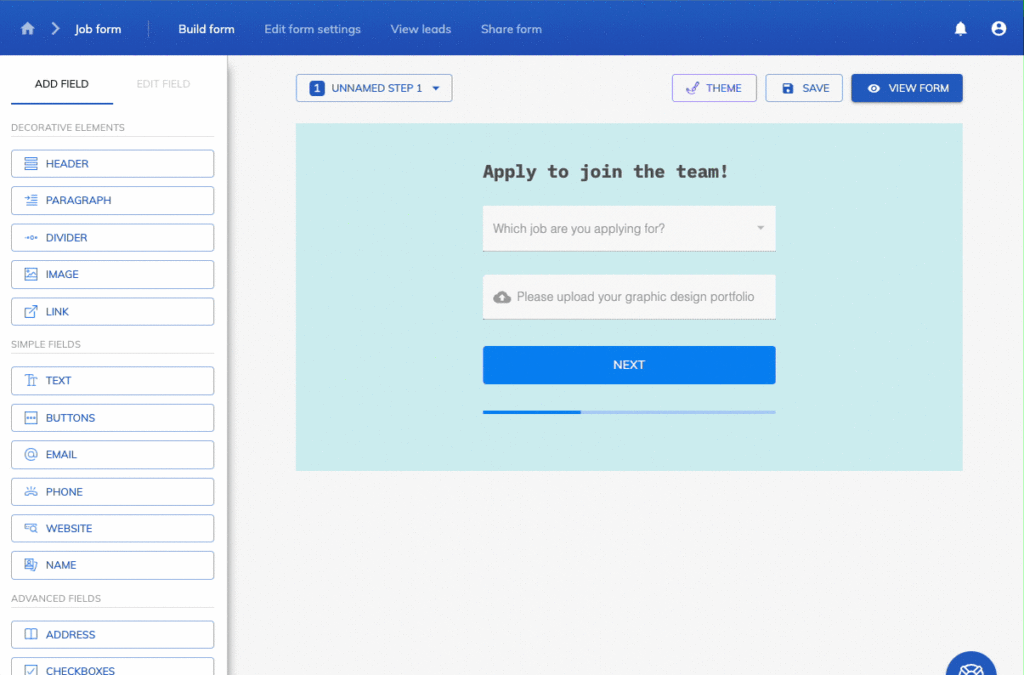
For example, say a lead selects “Marketing” from your industry dropdown. In that case, you set a conditional rule that displays a specific set of questions related to marketing rather than showing irrelevant questions about accounting or sales.
Growform is packed with features beyond conditional logic. Our builder is fully no-code, but we offer advanced customization, like custom CSS, if you feel like diving into code. You can also add images and videos and integrate with 7,000+ apps through Zapier.
Key features
- Conditional Logic: Show or hide form fields based on previous user inputs, creating more personalized and relevant forms.
- Multi-Step Forms: Control the flow of multi-step forms by showing or hiding entire steps based on user input.
- Easy Integration: Integrate with hundreds of databases, email marketing tools, and CRMs to simplify data management.
- Easy Embedding: Embed our forms using any of the three HTML embed methods for more reach.
- Branding: Tailor the look and feel of your forms with support for Google Fonts, custom CSS, and a range of no-code customization options.
- Phone & Email Validation: Validate phone numbers with Twilio and email addresses with ZeroBounce in real time to keep bad data out of your database.
- Templates: Access 250+ research-backed form templates spanning industries from solar to SaaS.
Pricing
Every plan starts with a 14-day free trial. After that, you can choose from four plans:
- Basic ($79/month, or $63/month billed yearly): for small businesses
- Professional ($139/month, or $109/month billed yearly): for agencies
- Scale ($249/month, or $199/month billed yearly): for teams scaling to thousands of leads
- Custom (built to customer’s need): for agencies generating significant lead volume
Pros
- Simple interface for creating complex conditional logic without coding.
- Higher conversion rates from personalized and streamlined form experiences.
- Extensive flexibility and customization options with a wide range of integrations.
2. WPForms
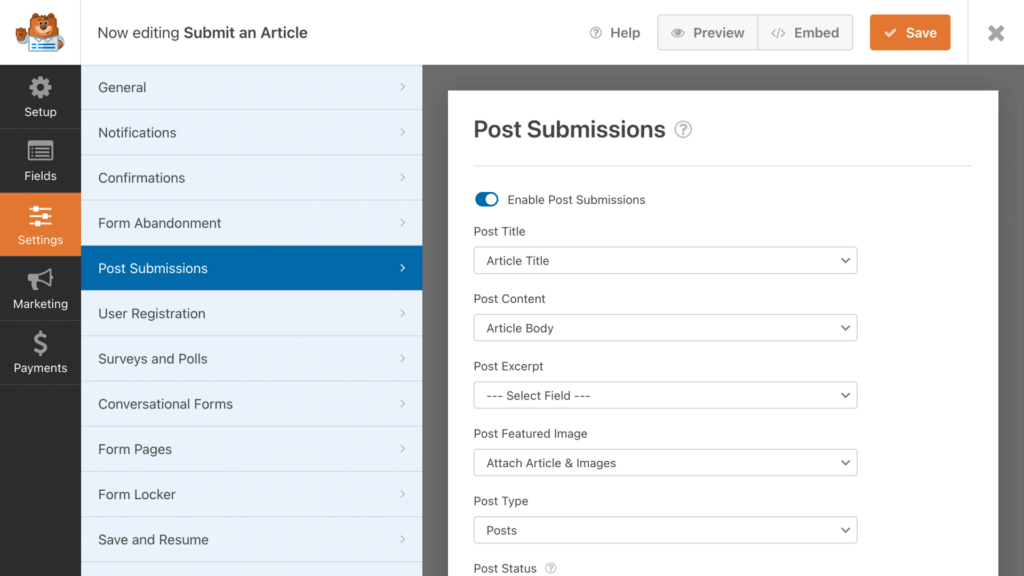
WPForms is a popular WordPress form builder known for its user-friendly drag-and-drop interface. It enables users to create various types of forms without any coding knowledge, making it ideal for creating engaging, dynamic, and conditional forms quickly.
Key features
- Built for WordPress: WPForms is specifically designed and optimized for WordPress sites, so you can be sure it’ll integrate smoothly.
- Multi-Step Forms: Break down long forms into multiple steps to make them more manageable and improve completion rates.
- Customizable Notifications: Set up automated email notifications to inform admins or users when a form is submitted.
Pricing
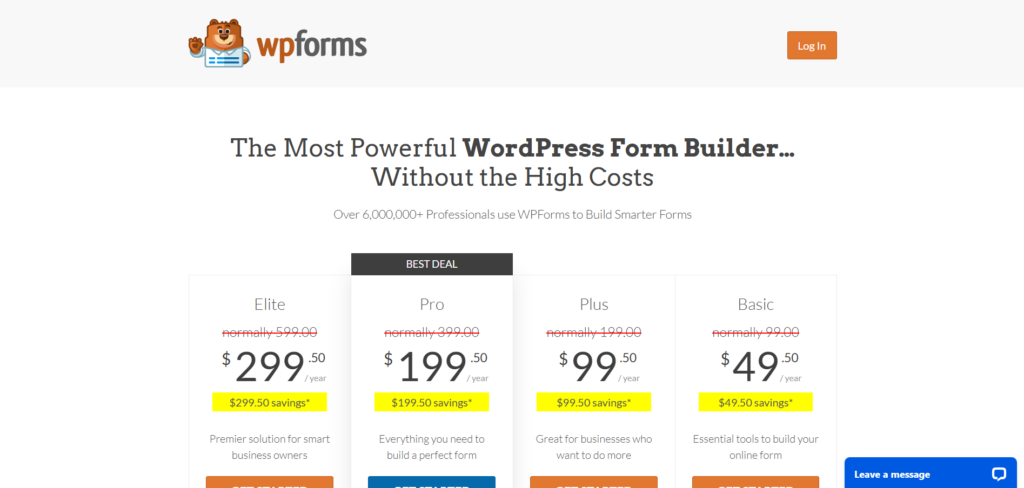
WPForms offers four pricing plans for different types of businesses. Prices range from $49.50 to $299.50 for the first year and renew at $99/year to $599/year. It currently offers a money-back guarantee.
Pros
- Easy to use drag-and-drop interface.
- Extensive integrations with email marketing and CRM tools.
- Over 1,100 customizable form templates.
Cons
- Some advanced features are only available in higher-tier plans.
- Limited styling options without custom CSS.
3. Formidable Forms
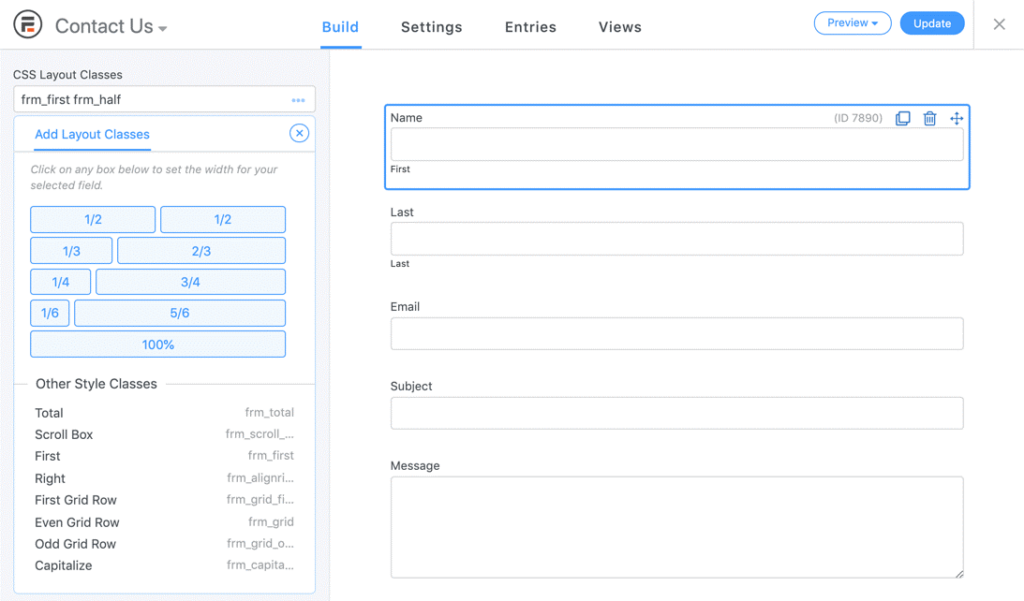
Formidable Forms is a powerful WordPress form builder designed to easily create complex, data-driven forms. It’s suitable for advanced users who need more than basic form functionality, offering features like conditional logic, calculations, and form templates.
Key features
- Calculations: Perform real-time calculations within your forms, which is ideal for applications like cost estimators or financial forms.
- Drag-and-Drop Builder: Easily build forms using a drag-and-drop interface, allowing for rapid form creation and customization.
- Payments: Accept payments via Stripe and Paypal, and add custom WooCommerce fields to get the info you need.
Pricing
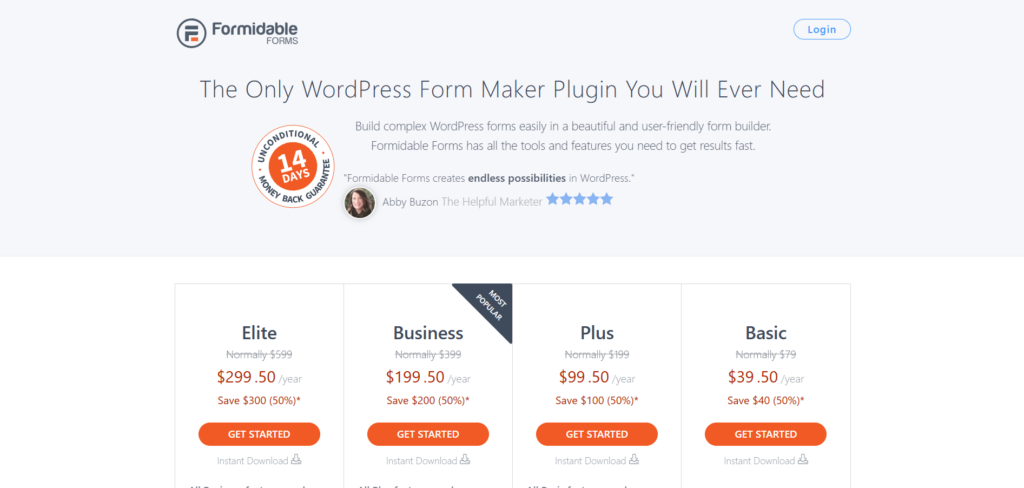
Formidable Forms offers several pricing tiers, starting at $39.50/year. The most comprehensive plan is $299.50/year. There is currently a 50% discount on all the available plans.
Pros
- Advanced features like calculations and conditional logic.
- Comprehensive form templates and customization options.
Cons
- Beginners may need time to understand how it works.
- Higher cost for advanced features.
4. Jotform
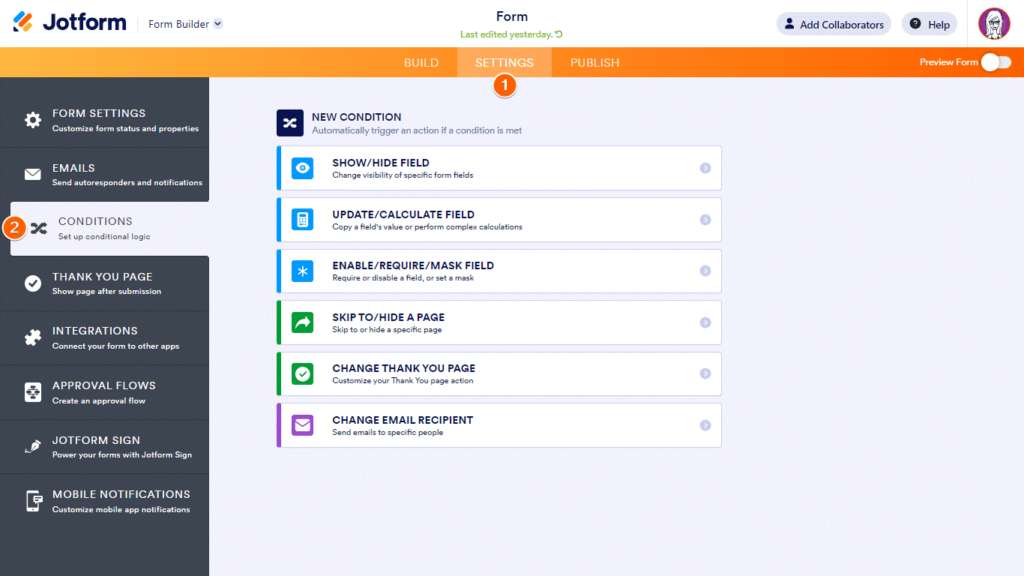
Jotform is an online form builder known for its ease of use and its absolutely massive template library. It supports a wide range of integrations and features (including conditional logic), making it a versatile choice for businesses.
Key features
- Templates: Access a massive library of form templates that can be customized to fit various needs, saving time on form creation.
- Integrations: Connect forms with various third-party applications, such as CRM systems, email marketing tools, and payment processors, so data flows without manual export.
- Photo Fields: Collect photos directly through your forms for use cases like reporting maintenance issues.
Pricing
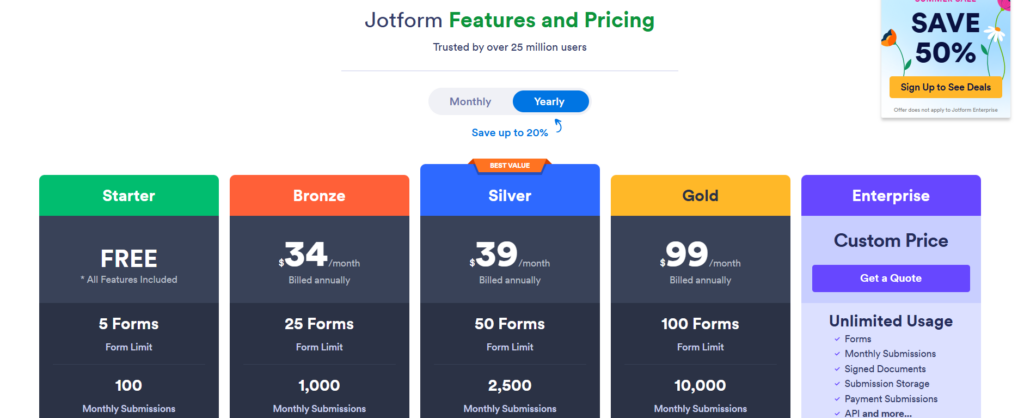
Users can choose from five different Jotform plans, including a free plan. The Gold plan costs $129/month, or $99/month billed yearly, and offers up to 100 forms monthly. You can also set up a custom Enterprise plan to meet high-volume needs.
Pros
- An extensive free tier with many features.
- Easy integration with a wide range of third-party tools.
Cons
- Limited submissions and storage on lower-tier plans.
- The interface can be overwhelming due to the number of options available.
5. Zoho Forms
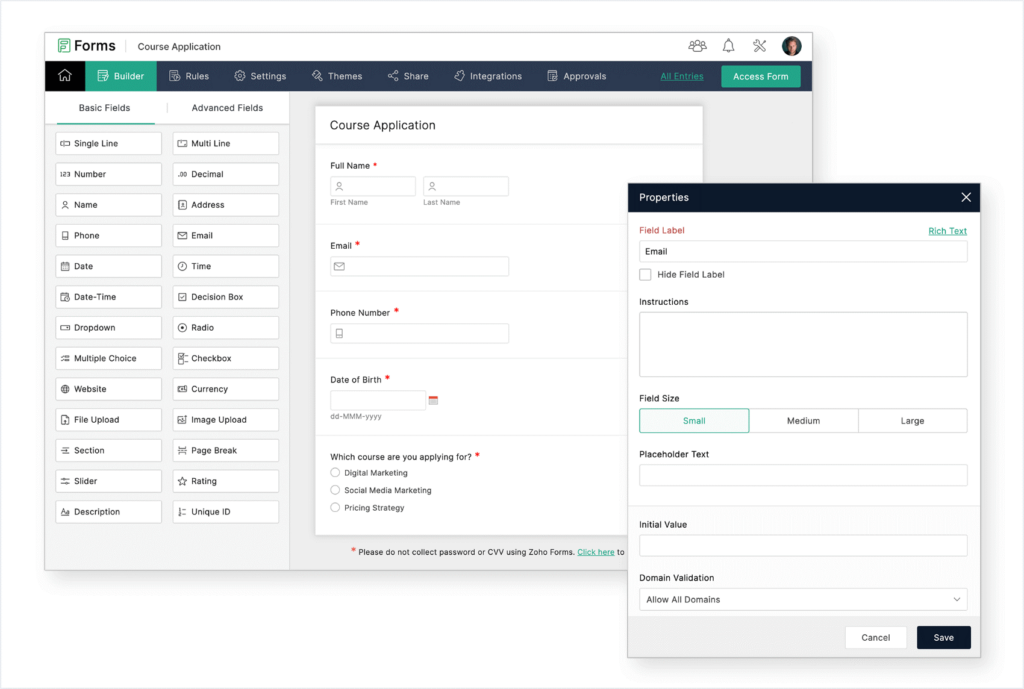
Zoho Forms is part of the Zoho product suite. The tool offers a form-building solution integrated with other Zoho applications like Sheets, CRM, Projects, and Desk. This option might be the most convenient if you’re already a Zoho user, or are considering a switch.
Key features
- Form Analytics: Track form performance with detailed analytics, helping to improve form effectiveness over time.
- Integrated Ecosystem: Access an integrated ecosystem of business apps with deep 2-way connections.
- Analytics: Dive into your data with built-in reports, dashboards, and charts for all your form responses.
Pricing
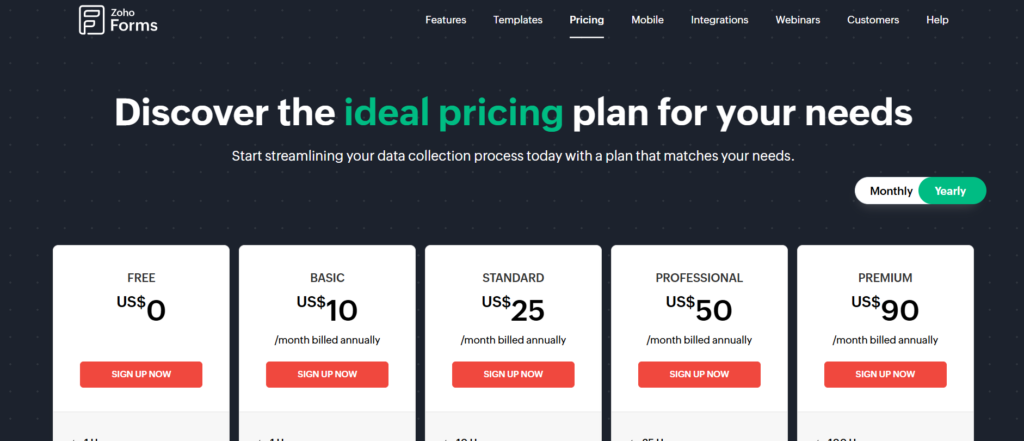
Besides the Free Plan, Zoho Forms provides other pricing plans, starting with the Basic Plan, which is $12/month, or $10/month billed yearly. You can subscribe to different add-ons for paid plans to get extra submissions, storage, or PDF credits.
Pros
- Strong integration with other Zoho applications.
- Detailed analytics and reporting features.
- It’s the cheapest option on the list.
Cons
- The interface may be less intuitive for new users.
6. Gravity Forms
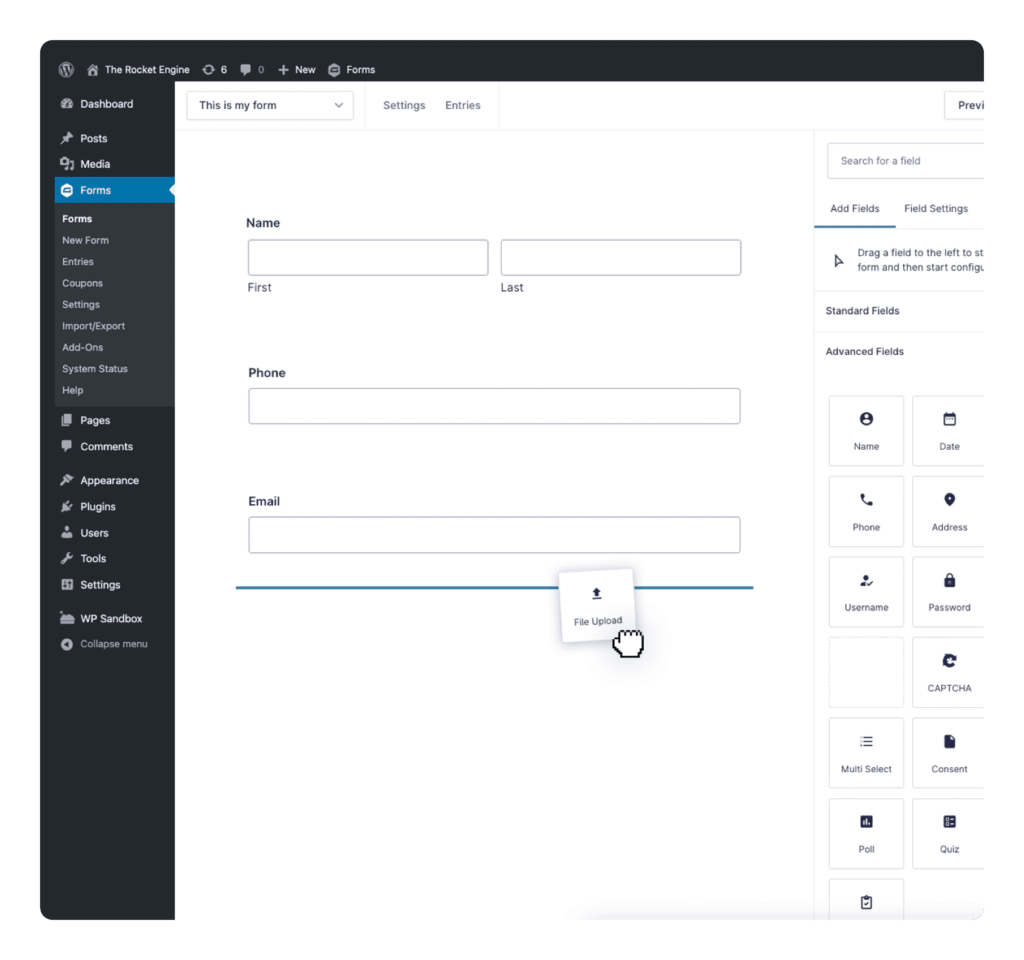
Gravity Forms is a WordPress plugin that allows users to create advanced forms without coding. It’s known for its flexibility and range of features, making it a top choice for businesses that use WordPress and seek forms with advanced capabilities.
Key features
- Personalization: Dynamically fill in form fields, tooltips, and more with information pulled from user profiles.
- Advanced Integrations: Integrate with numerous third-party services, including email marketing, CRM, and payment gateways.
- Developer Friendly: Offers extensive customization options through add-ons and custom coding capabilities.
Pricing
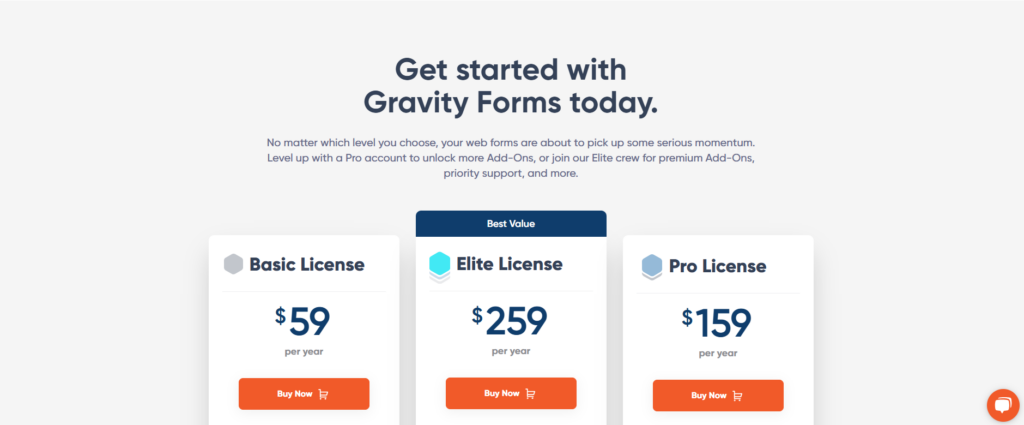
Gravity Forms offers three main pricing plans. The Basic Plan, the cheapest, costs $59/year, while the Elite Plan, the most expensive, costs $259/year.
Pros
- Highly customizable with numerous add-ons.
- Excellent support and documentation.
Cons
- Higher cost for premium features.
- Requires WordPress, limiting its use to WordPress websites.
7. Typeform
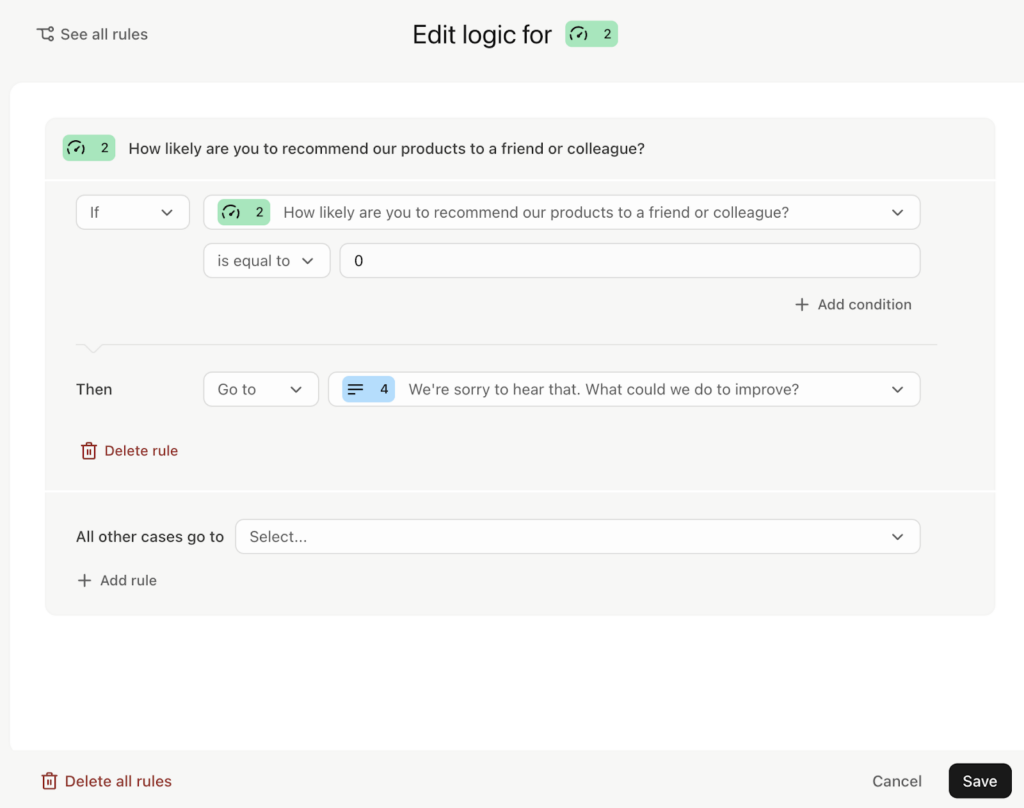
Typeform is an intuitive form builder designed for engaging, personalized data collection. Its conditional logic capabilities allow users to create interactive, dynamic forms that adapt to respondents’ answers, improving user experience and completion rates.
Key features
- Logic Map Visualization: Easily create and modify conditional paths using an interactive logic map.
- Branching & Calculations: Show relevant follow-up questions based on responses, ensuring a personalized experience.
- Customizable Design: Add branding elements like logos, colors, and styles so the form matches your site.
- Integrated Automation: Score leads, schedule meetings, and trigger automated follow-ups directly within the form.
- Extensive Integrations: Connect with essential apps to automate workflows and data collection.
Pricing
- Free: Very limited. Just to get a taste of the features.
- Basic: $39/month ($28/month billed yearly), includes 100 responses per month and one user seat.
- Plus: $79/month ($56/month billed yearly), offers 1,000 responses per month, three user seats, removal of Typeform branding, and a custom subdomain.
- Business: $129/month ($91/month billed yearly), provides 10,000 responses per month, five user seats, advanced features like drop-off rates analysis, conversion tracking, and priority support.
Pros
- Intuitive Logic Map for visualizing and modifying conditional flows easily
- Advanced Branching & Calculations to create highly personalized form experiences
- Multi-question logic ensures respondents see only relevant questions
- Automated Follow-Ups & Scoring enhance lead nurturing and engagement
- Strong Integrations with CRM, email, and automation tools for streamlined workflows
Cons
- Logic Features Not Available on Mobile Builder, requiring desktop use for setup
- Limited Direct Editing in Logic Map, needing manual adjustments in some cases
- Some users report that the platform does not save progress if a respondent exits before completing a form
8. Cognito Forms
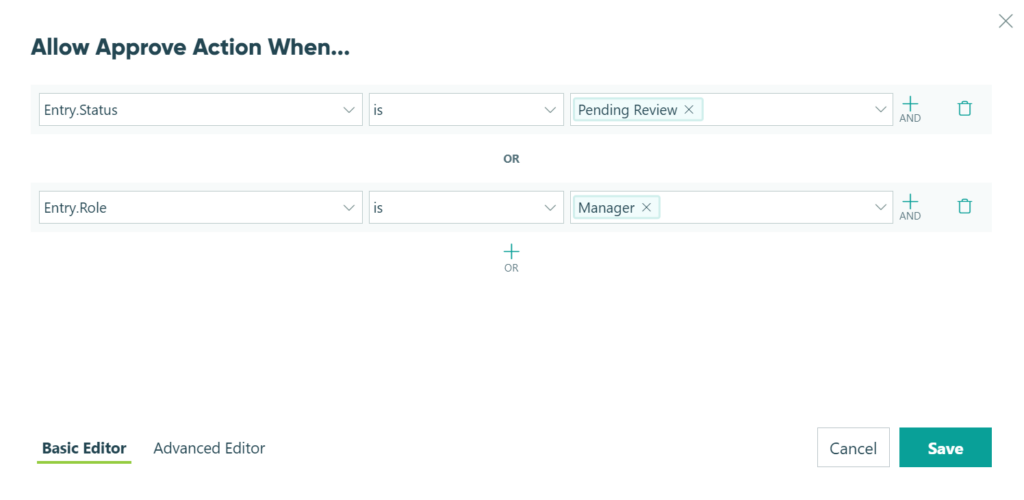
Cognito Forms is a powerful no-code form builder that excels in conditional logic, allowing users to create dynamic and responsive forms. With its intuitive logic builder, users can automate workflows, customize form behavior based on responses, and simplify data collection while keeping flexibility.
Key features
- Show/Hide Fields & Sections: Display only relevant fields based on user responses.
- Conditional Page Branching: Guide users through personalized multi-page form experiences.
- Automated Email Routing: Send notifications and confirmations based on user selections.
- Conditional Payment Requirements: Enable payment only under specific conditions.
- Role-Based Field Visibility: Control access to form sections based on user roles.
Pricing
- Free: for 1 user, 100 entries/month, and 100MB storage.
- Pro: $19/month billed yearly for 2 users, 2,000 entries/month, and 1 GB storage.
- Team: $39/month billed yearly for 5 users, 10,000 entries/month, and 10 GB storage.
- Enterprise: $129/month billed yearly for 20 users, unlimited entries, and 100 GB storage.
Additional users can be added for $5 per user per month.
Pros
- Easily show/hide fields, sections, and pages based on user responses
- Trigger actions, assign statuses, and control email routing dynamically
- Allow users to pay now or later based on their selections
- Display specific fields or sections based on user roles
- Set custom error messages and field requirements using conditional logic
Cons
- Advanced logic options require time to master
- Extensive logic rules may impact form performance
- Access management can be confusing, making it difficult to locate and share specific forms
9. Ninja Forms
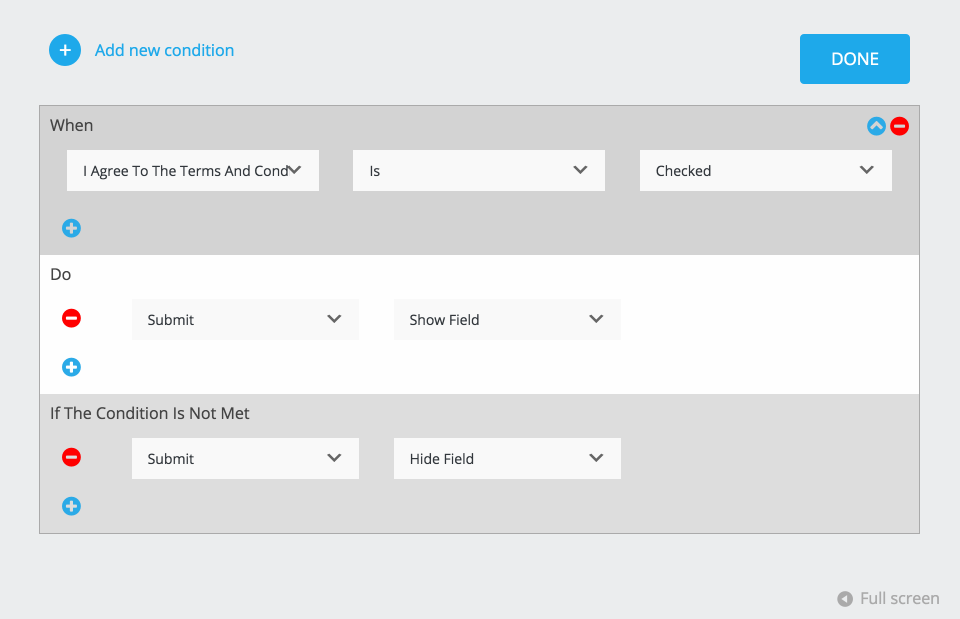
Ninja Forms is a powerful WordPress form builder designed for flexibility and ease of use. With its Conditional Logic add-on, users can create dynamic forms that adapt in real time based on user input, enhancing engagement and efficiency.
Key features
- Show/Hide Fields Dynamically: Display or remove fields based on user selections.
- Modify Field Values Automatically: Adjust values (e.g., discounts) based on conditions.
- Conditional List Options: Add/remove choices in dropdowns or checkboxes dynamically.
- Action-Based Logic: Control form actions like email notifications based on user responses.
- Date/Time-Based Conditions: Trigger form behavior depending on selected dates.
Pricing
- Free: Can be used on unlimited sites. Includes core form features
- Plus: $59.40 for the first year, then $99/year, suitable for up to 3 sites, includes advanced features like File Uploads, Conditional Logic, Layout & Styles, Multi-Step Forms, and PayPal integration.
- Pro: $119.40 for the first year, then $199/year, supports up to 20 sites, includes advanced datepicker, ability to save progress & user management
- Elite: $299.40 for the first year, then $499/year, for unlimited sites, includes all features and integrations, along with priority support and early access to new add-ons.
Pros
- Show or hide fields in real time based on user input
- Automatically change field values (e.g., discounts) using conditional logic
- Add or remove choices in dropdowns and checkboxes dynamically
- Control email notifications, redirects, and submissions based on responses
- Trigger actions and field visibility using specific date conditions
Cons
- Conditional logic is not included in the free version
- Setting up complex logic requires some trial and error
- Lacks precise time comparisons for scheduling actions
10. Formstack
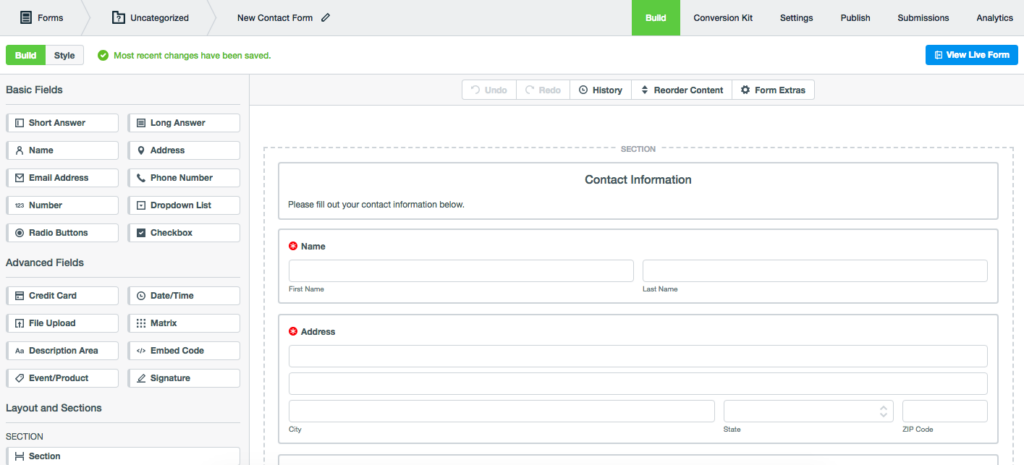
Formstack enables users to create dynamic, personalized forms that improve user experience and speed up workflows. Its no-code platform connects with other tools to automate processes, reduce IT dependency, and turn submissions into reports.
Key features
- Automatic Field Visibility: Show or hide fields based on user input.
- Personalized User Experience: Skip irrelevant questions to reduce form length.
- Easy Setup: Conditional logic is simple to implement with a no-code builder.
- Section-Level Logic: Apply logic to entire sections for more complex forms.
Pricing
- Forms Plan: Starts at $83/month (billed annually) for 1 user, including 25 forms and 1,000 submissions per form.
- Suite Plan: Begins at $250/month (billed annually) for 3 users, including 100 forms and 5,000 submissions per form.
Pros
- Easily create personalized forms with conditional logic to enhance user experience
- Automates form flow by showing or hiding fields based on previous responses
- Simple no-code builder that allows quick setup of complex conditional rules
- Supports logic at the section level, which shortens longer forms with multiple sections
Cons
- Logic may malfunction if form updates aren’t reviewed, causing display issues
- Limited to certain field types for conditional logic (e.g., dropdown, radio buttons)
- Requires attention to detail to avoid conflicts when adding or removing logic rules
11. HubSpot Forms
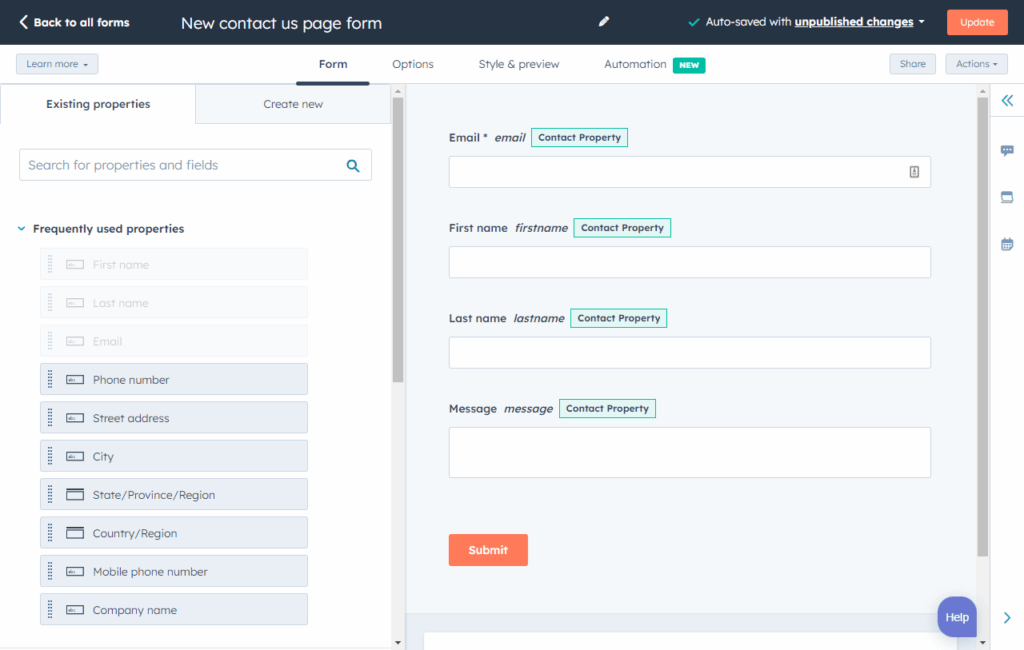
HubSpot Forms is part of the HubSpot CRM ecosystem, offering native integration with marketing automation, lead scoring, and sales tools. It’s ideal for businesses that want forms deeply integrated with their customer relationship management and marketing workflows.
Key features
- Native CRM Integration: Forms automatically sync with HubSpot CRM for instant lead tracking and management.
- Lead Scoring: Automatically score leads based on form responses and behavior.
- Marketing Automation: Trigger workflows, email sequences, and notifications based on form submissions.
- Pop-up Forms: Create customized pop-up forms that appear based on user behavior.
- Analytics & Reporting: Track form performance with detailed analytics integrated into HubSpot’s reporting dashboard.
Pricing

- Free: Available to anyone with a HubSpot account, includes basic form building and CRM integration
- Marketing Hub Starter: Starts at $7/month per seat, enhanced features and automation
- Marketing Hub Professional: Starts at $800/month, advanced automation, A/B testing, and reporting
- Marketing Hub Enterprise: From $3,600/month, full feature set for large organizations
Pros
- Progressive profiling reduces form fatigue
- Powerful automation and lead nurturing capabilities
- Free tier offers substantial functionality
- Excellent for businesses already using HubSpot
Cons
- Best features require expensive Professional or Enterprise plans
- Limited customization compared to standalone form builders
- Designed primarily for HubSpot ecosystem users
12. Microsoft Forms
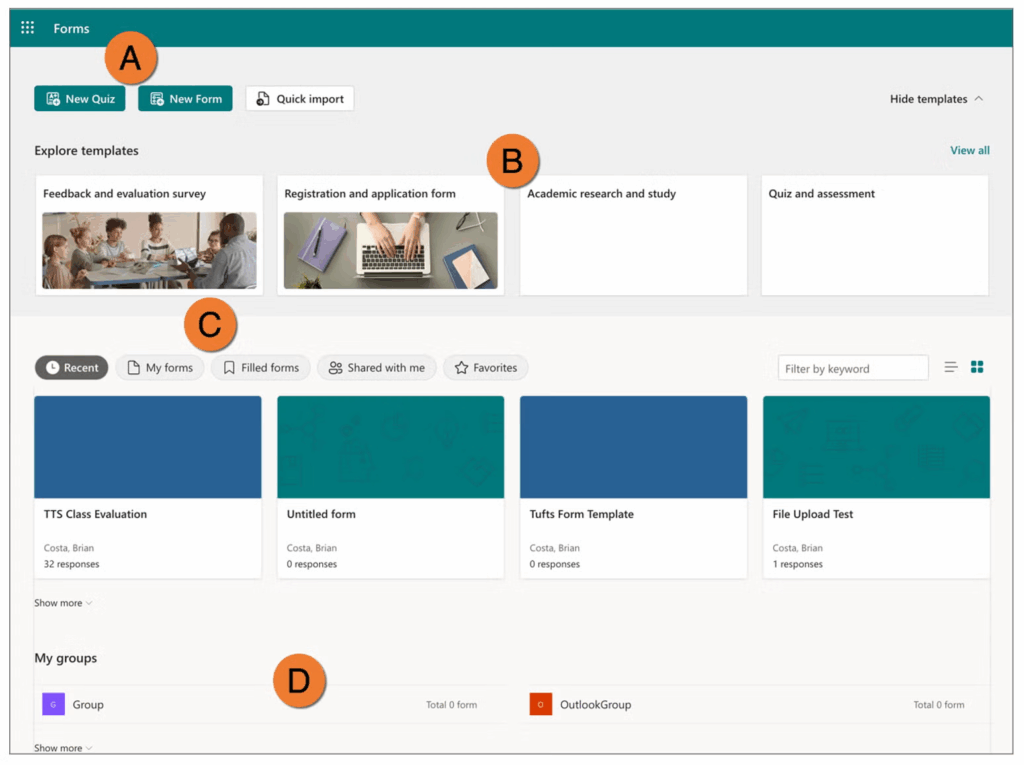
Microsoft Forms is a simple, free form builder that is part of the Microsoft 365 ecosystem. It’s ideal for users who need basic conditional logic and collaborate within Microsoft tools like Teams, SharePoint, and Excel.
Key features
- Microsoft 365 Integration: Works with Teams, SharePoint, OneDrive, and Excel for real-time collaboration.
- Basic Branching Logic: Create simple conditional paths based on user responses.
- Real-Time Collaboration: Multiple team members can work on forms simultaneously.
- Automatic Results Summary: View responses in real-time with charts and graphs.
- Mobile Responsive: Forms work across desktop, tablet, and mobile devices.
Pricing
- Free version: Available for individual use with basic features.
- Microsoft 365 Personal: Starts at $9.99/month and includes full Forms functionality plus Word, Excel, PowerPoint, and more.
- Microsoft 365 Business Standard: Offers Forms alongside the full suite of business apps.
- Free trial: A one-month trial is available for new Microsoft 365 users.
Pros
- Completely free for basic use
- Excellent integration with Microsoft 365 tools
- Real-time collaboration features
- Works well for surveys and quizzes
Cons
- Basic design customization options
- No payment processing capabilities
- Fewer integrations with non-Microsoft tools
Also worth a look: Fillout
Fillout is a lighter-weight builder with branching that is worth a look if the tools above feel heavy. Conditional logic, hidden fields and webhooks are included on every plan, including the free plan with 1,000 responses a month, and paid plans start at $15/month billed yearly (Fillout pricing, checked October 9, 2026).
How to map conditional logic before you build the form
Most conditional logic failures start with bad branch planning, not bad design. A clear logic map before you build reduces broken paths, duplicate questions and fields that do not match what your CRM or lead buyer expects.
A practical workflow has three steps:
- Define the conversion event: decide whether success means any lead, a qualified lead, a verified lead, or a lead accepted by a buyer or sales team.
- Split questions into universal and conditional: keep only must-have fields for everyone, then branch the rest by intent, eligibility, geography, product type or urgency.
- Mark exits and disqualifications: decide where poor-fit traffic should stop, where soft fails should go, and which answers trigger different routing or follow-up.
Map the payload as well as the visible form. If a lead buyer expects injury date only on one branch, document that at the same time you design the user path. Otherwise, the form may look correct while the postback fails quietly. The same goes for hidden fields such as UTMs and click IDs, which need to survive every branch.
Then test every path before launch. If a hidden field stays marked required, or a buyer mapping expects data from a skipped branch, an apparent conversion win turns into rejected leads. When a field appears conditionally, its label and required status should appear with it in plain language. The W3C forms tutorial shows the word "(required)" in the label itself, so users who do not rely on assistive technology see it too.
This planning step is where many teams realize they do not need a longer form. They need a narrower first path and smarter branching later. Our conditional logic how-to guide walks through building the rules themselves, with examples.
Frequently asked questions
Is conditional logic the same as branching logic or skip logic?
Yes. Conditional logic, branching logic and skip logic all describe a form that chooses what to show next based on an earlier answer. Vendors use different names for the same feature, and Typeform calls its version logic jumps.
Can conditional logic hide a whole step, not only a field?
In the better tools, yes. Growform applies rules to fields, whole steps and endings, WPForms skips pages, Cognito Forms branches between pages and Typeform jumps between questions. Step-level rules matter for lead forms because a group of related questions can be skipped in one move.
Can a form builder with conditional logic disqualify a lead?
Growform can. A rule can end the form early for a lead who does not fit, such as a renter on a solar form, and send them to a different ending, so the lead never reaches your CRM or your buyer. Most general form builders show and hide fields but do not have a disqualification step.
How do you test conditional logic before launch?
Walk every path of the form as a respondent would, and submit a test lead down each branch. Check that hidden fields such as UTMs and click IDs arrive on every branch, that no required field is stranded on a hidden step, and that your CRM or lead buyer receives the fields it expects from each path.
Form building just got better with Growform
This guide explored 12 form builders that use conditional logic to improve data collection and user engagement. Each tool has its strengths, and the right one depends on where your forms run and what happens to the lead afterwards.
Growform specializes in conversion-oriented lead capture forms that combine conditional logic on fields, steps and endings with an editor a marketer can run alone.
Every plan starts with a 14-day free trial. Start free trial.
Related articles
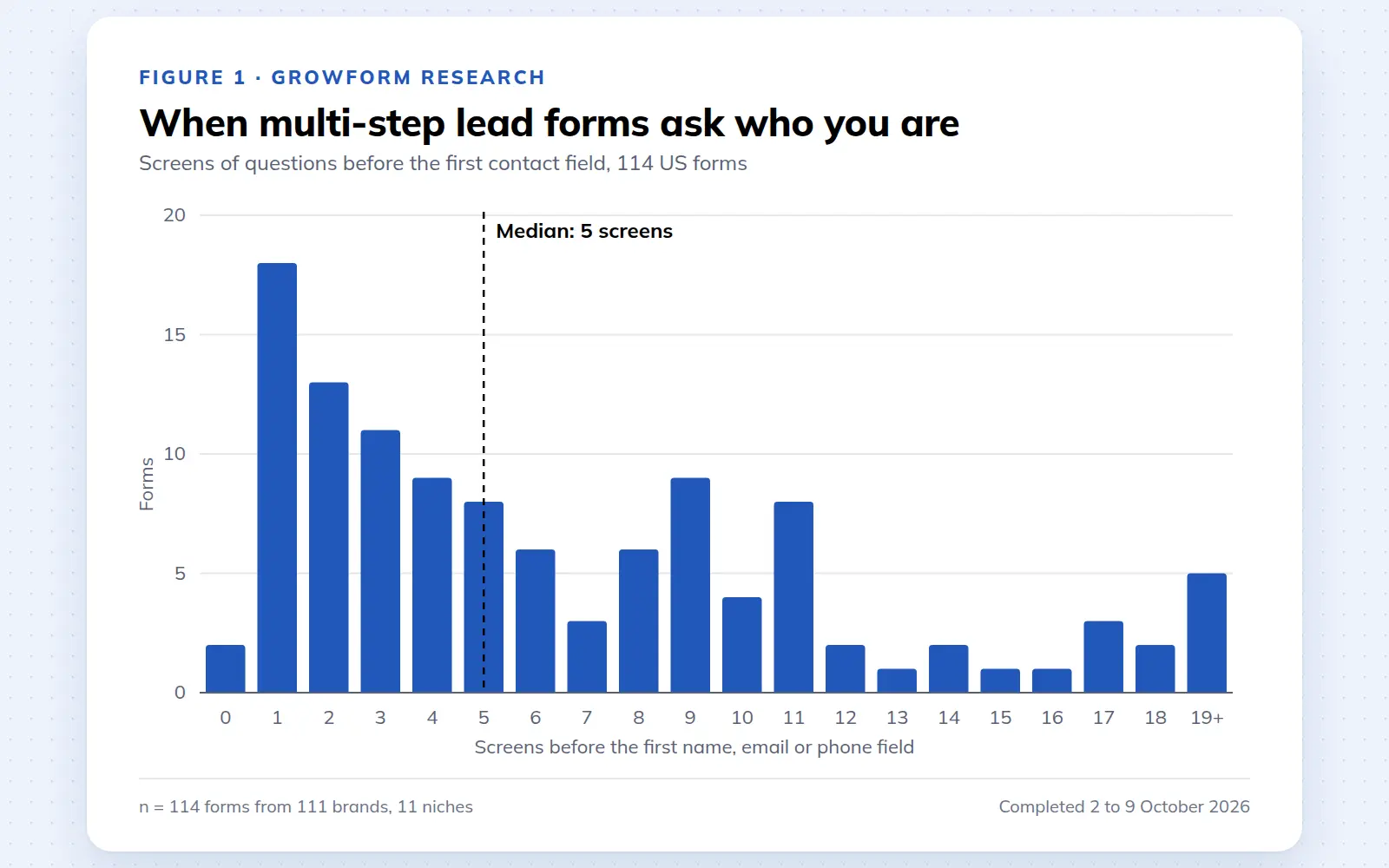
Multi-step lead forms: a 2026 study of 114 forms
We completed 114 US multi-step lead forms screen by screen in October 2026 and counted how long they are, what they ask first, how they show progress, when they ask for contact details and how they ask for consent.
October 9, 2026

25 lead generation form examples to steal in 2026
From one-field newsletters to mortgage forms, we filled out 25 lead generation forms of every type. Here's what works in 2026, and what to learn from them.
October 9, 2026
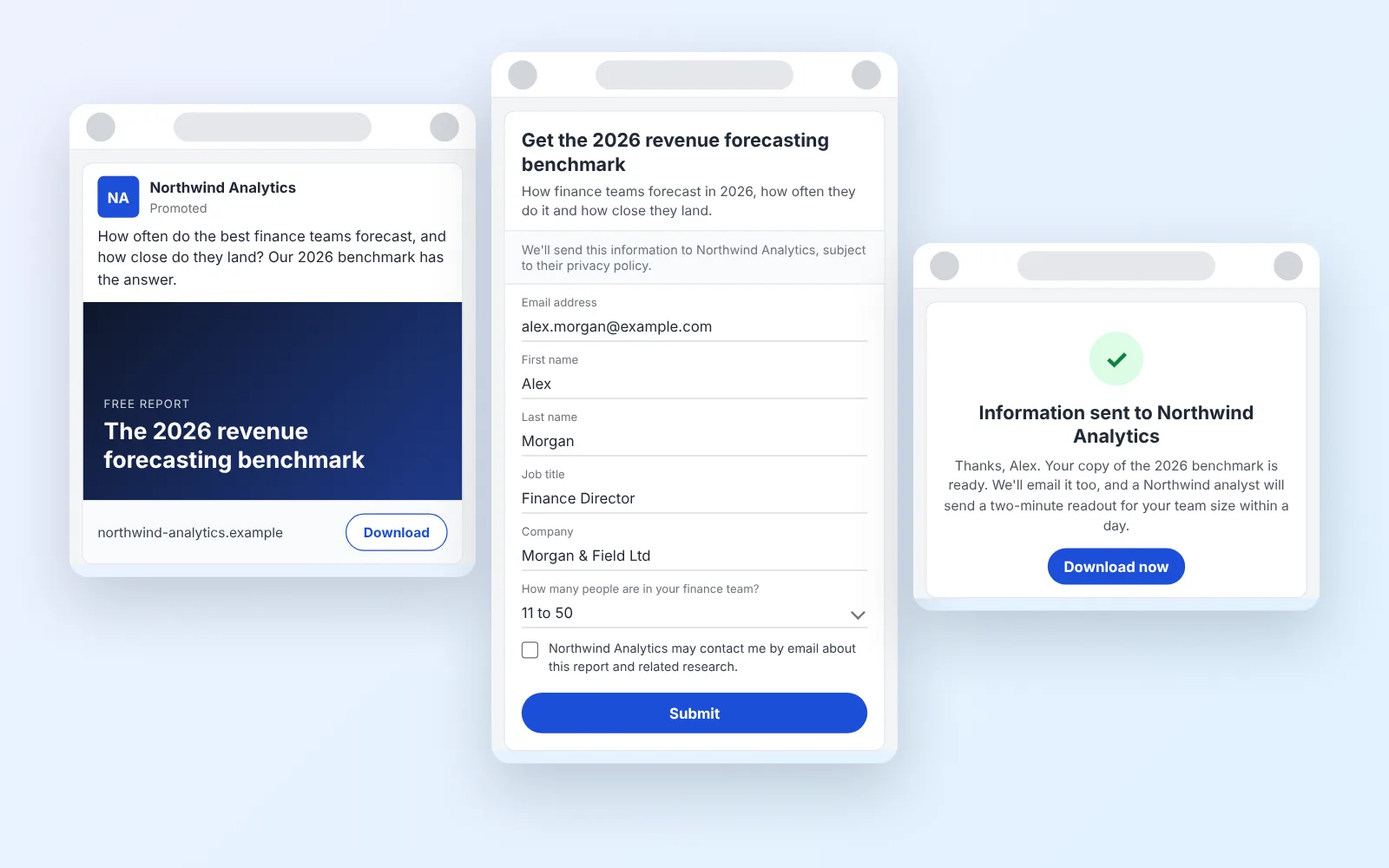
14 LinkedIn lead gen form examples worth stealing in 2026
We painstakingly searched across hundreds of LinkedIn lead gen forms, collated reams of data and worked out what's worth drawing inspiration from in 2026.
October 9, 2026