Bathroom remodel quote form template
This four-step bathroom remodel quote form asks the shower type, the shower head and any extra features, followed by the contact details. You can clone it into your Growform account and add a budget step.
What the form asks, step by step
Every question here is about the bathroom, and each answer button moves the homeowner straight to the next screen.
-
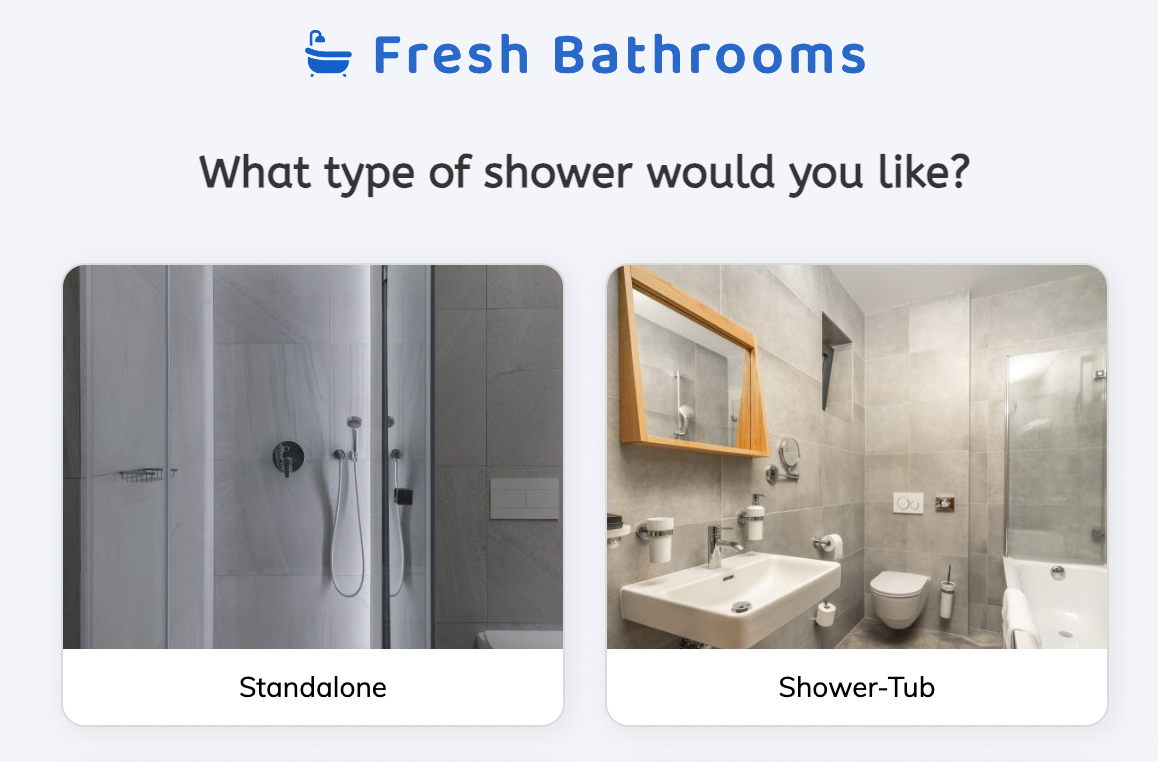
Step 1: “What type of shower would you like?”
Standalone, shower-tub, walk-in or wet room is the choice that most changes the price.
-
Step 2: “What type of shower head would you like?”
The shower head is a small, pleasant choice that hints at the finish level.
-
Step 3: “Would you like any additional features?”
Grab bars and a bench suggest an accessibility remodel, while lighting suggests a bigger budget.
-
Step 4: “How shall we get in touch about your project?”
Name, email and phone come last.
-
After submitting
The customer sees a standard thank-you message, which takes a minute to rewrite.
Who it’s for
This template belongs on a “get a free estimate” page for bathroom work. Remodelers, bath-and-shower replacement franchises and general contractors receive each request with the scope attached, and three project answers are enough to book a site visit with the right salesperson and a rough price band in mind. That is the job of a bathroom remodel estimate form. For work beyond showers, the construction estimate and kitchen remodeling templates follow the same pattern with different questions.
Why this structure converts
- The form has four steps and three of them take a single tap, so a homeowner comparing three remodelers finishes this one.
- The questions are about the bathroom rather than the homeowner, and the contact details are the last thing asked.
- The multi-select features step qualifies quietly, because mood lighting and a bench say budget without a budget question.
14-day free trial, no credit card
Make it yours
-
Add a budget or timing step
Many remodelers add “When would you like to start?” with options such as immediately, one to three months and just planning, so callbacks can be prioritized.
-
Use your own photos
Growform buttons can carry images. Replace the labels with photos of your standalone, walk-in and wet-room installations.
-
Ask for the address
An address step before the contact details lets you decline out-of-area jobs before anyone calls.
Send every lead where your team works
Frequently asked questions
What does the bathroom remodel questionnaire ask?
The bathroom remodel questionnaire asks the shower type (standalone, shower-tub, walk-in or wet room), the shower head (fixed, handheld, dual or rainforest) and any additional features such as a bench, shelves, grab bars or lighting. It then asks for name, email and phone.
Can I add questions about tiling, vanities or the full bathroom?
Yes. Add steps in Growform and each new choice question becomes a button field with your own options. You can also rename the form to a bathroom renovation quote form if that is what your customers call it.
Does the form work embedded on my website?
Yes. Paste the embed snippet into any page builder, including WordPress, Webflow, Squarespace and Unbounce, or share the form as a hosted link.
Where do estimate requests go?
Estimate requests go to your email and, if you connect one, to your CRM or job-management tool through Growform’s integrations.
What happens next?
-
Step 1: Clone this form template
Clone this template into your Growform account (create one first if you don’t already have one). -
Step 2: Edit your form
Get creative and adjust your form's theme options, questions or layout in the Growform form builder. -
Step 3: Share or embed your form
Share a link to your form, or embed it in your existing website. Receive new submissions by email or send them to 7,000+ apps via Zapier.
Start your free trial
Build multi-step forms just like this one. 14-day free trial, no credit card required.