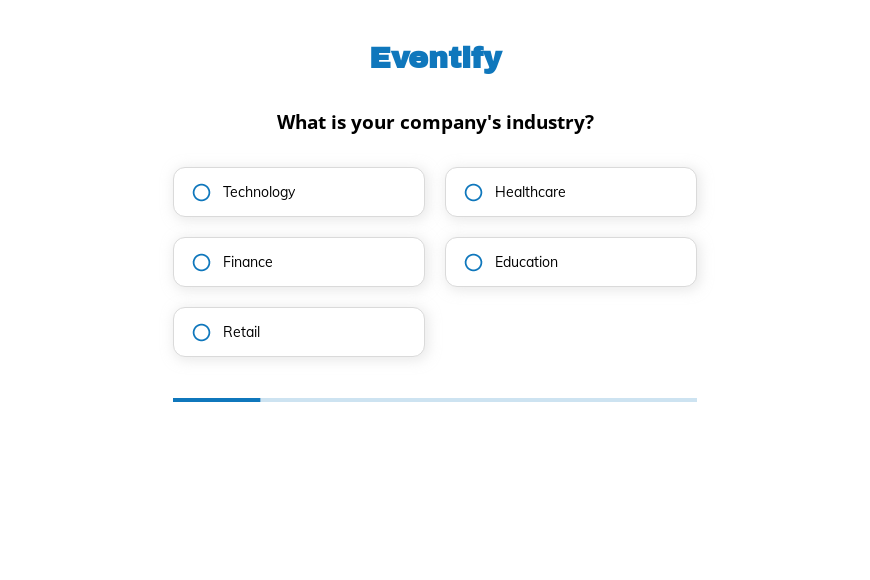
B2B event registration form template
This five-step B2B event registration form asks the attendee’s industry, company size, role and the solutions they are looking for, followed by the contact details. Clone it into your Growform account and add your sessions.
What the form asks, step by step
Registration doubles as lead qualification here, because every question is one your sales team would ask at the booth. Attendees answer in a few taps before they give their details.
-
Step 1: “What is your company’s industry?”
Technology, healthcare, finance, education and retail registrants can be followed up by sector.
-
Step 2: “How many people are in your organization?”
Five size bands, from 1–50 up to 1000+, separate enterprise prospects from small firms.
-
Step 3: “What is your role in the company?”
Executives and managers can be invited to meetings with your account team.
-
Step 4: “Are you looking for any specific solutions?”
Productivity, security, marketing or sales interest shows which demo to offer.
-
Step 5: “How shall we contact you?”
Name, email and phone come last.
-
After submitting
The confirmation screen is the place to add the event date, venue and a calendar link for every registrant.
Who it’s for
Event marketers, conference organizers and B2B sales teams use this template to register attendees for a summit, roadshow or customer day. A plain event registration form collects names. This one also tells you who is an executive at a large company looking for security tools, which is the person your sales team wants to meet on the day. Organizers of exhibitions can adapt the trade show registration form.
Why this structure converts
- The questions read as event personalization, so attendees answer them willingly.
- Company size and role arrive with every registration, which lets you prioritize follow-up without enrichment tools.
- “None” is offered on the solutions step, so attendees are never pushed to claim an interest they do not have.
14-day free trial, no credit card
Make it yours
-
Add session choices
A multi-select step listing your talks and workshops helps you plan room sizes and tailor reminders.
-
Send registrants to your CRM
Connect the form to HubSpot or Salesforce so each registration creates a contact with the industry and role already filled in.
-
Ask for dietary needs
For in-person events, a short step about dietary requirements and accessibility saves emails before the day.
Frequently asked questions
What should a conference registration form ask?
Beyond name and email, ask what helps you plan and follow up, such as industry, company size, role and topics of interest. Keep it short enough to finish on a phone.
Can I use it for virtual events?
Yes. Replace the venue details on the thank-you screen with the joining link, or redirect registrants to a confirmation page.
Does it work with my event platform?
Growform sends registrations to HubSpot, Salesforce, Marketo, Eventhub and thousands of other tools.
What happens next?
-
Step 1: Clone this form template
Clone this template into your Growform account (create one first if you don’t already have one). -
Step 2: Edit your form
Get creative and adjust your form's theme options, questions or layout in the Growform form builder. -
Step 3: Share or embed your form
Share a link to your form, or embed it in your existing website. Receive new submissions by email or send them to 7,000+ apps via Zapier.
Start your free trial
Build multi-step forms just like this one. 14-day free trial, no credit card required.