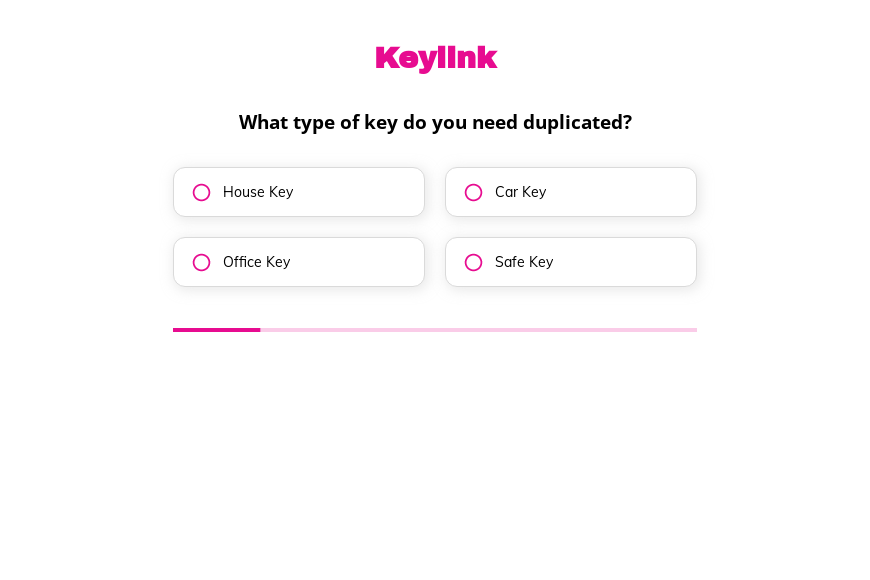
Key duplication request form template
This five-step key duplication form asks the key type, how soon it is needed, how many copies and whether lock work is wanted, followed by the contact details. Clone it into your Growform account and add your prices per key.
What the form asks, step by step
Car keys, safe keys and house keys need different blanks and machines, so the key type comes first. The last question looks for extra locksmith work.
-
Step 1: “What type of key do you need duplicated?”
House, car, office or safe keys each need a different blank and machine.
-
Step 2: “How soon do you need the duplicated key?”
Immediate requests can be offered a walk-in time at the counter.
-
Step 3: “How many duplicates do you need?”
One, two or three copies gives you the price straight away.
-
Step 4: “Are you interested in key-related services?”
Lock installation or repair turns a small order into a service visit.
-
Step 5: “How shall we contact you?”
Name, email and phone come last.
-
After submitting
Key cutting shops can change the thank-you screen to confirm when the copies will be ready to collect.
Who it’s for
Locksmiths, hardware stores and key cutting kiosks can use this template for customers who want to order copies ahead. Each key duplication request states the key type, the quantity and the deadline, so copies can be cut and waiting. The final question also finds customers who need a lock installed or repaired.
Why this structure converts
- The whole order takes four taps, which suits a small, low-cost job.
- The urgency question separates walk-in customers from those who can wait a week.
- Lock services are offered after the order, when the customer is already engaged.
14-day free trial, no credit card
Make it yours
-
Ask for a key photo
Add a file upload so customers can photograph the key. You can check the blank before they arrive.
-
Explain car key programming
Car keys with chips need programming. Add a note or a follow-up question about the make and model.
-
Show prices per copy
Use calculations to show the cost of the copies on the thank-you screen.
Send every lead where your team works
Frequently asked questions
Can customers order car keys with this form?
Yes. Car key is one of the options, and you can add a step for the make, model and year.
Can I charge before cutting the key?
The template takes the order only. Collect payment at pickup or link to your payment page from the thank-you screen.
Where do orders arrive?
Orders arrive by email and can also be sent to Thryv, Google Sheets or Slack.
What happens next?
-
Step 1: Clone this form template
Clone this template into your Growform account (create one first if you don’t already have one). -
Step 2: Edit your form
Get creative and adjust your form's theme options, questions or layout in the Growform form builder. -
Step 3: Share or embed your form
Share a link to your form, or embed it in your existing website. Receive new submissions by email or send them to 7,000+ apps via Zapier.
Start your free trial
Build multi-step forms just like this one. 14-day free trial, no credit card required.