Skip to content
Growform Multi Step Form Builder

Jacket order form template

This five-step jacket order form asks the jacket style, the material, the color and the size, followed by the contact details. You can clone it into your Growform account and add prices to each style.

What the form asks, step by step

Four choices describe the jacket completely, and each one is a single tap. The customer finishes with a specification your workshop can use as written.

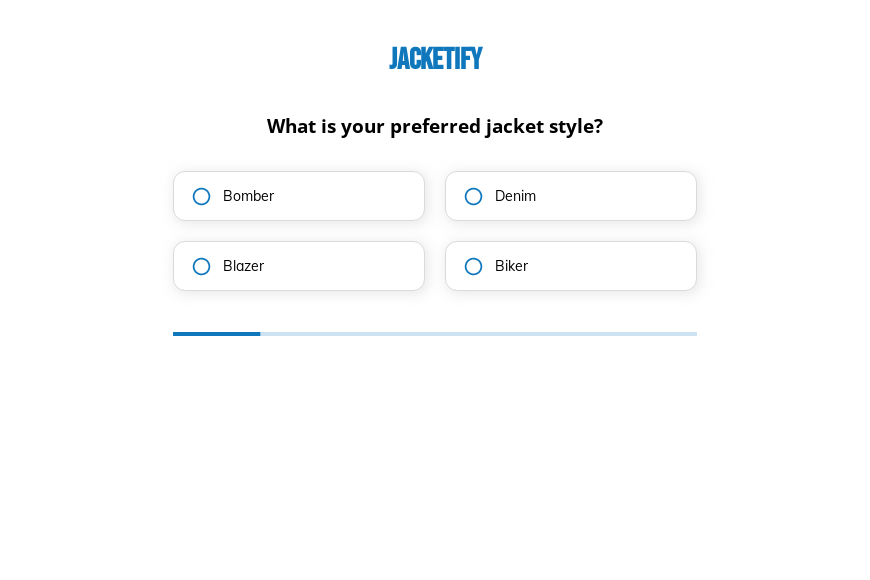
  1. Step 1: “What is your preferred jacket style?”

    Bomber, denim, blazer or biker sets the pattern and the cutting time.

  2. Step 2: “Which material do you prefer?”

    Leather, denim, cotton or wool drives most of the cost of the jacket.

  3. Step 3: “What is your preferred color for the jacket?”

    Four stock colors keep the order within fabrics you already carry.

  4. Step 4: “What is your jacket size?”

    Small through extra large covers standard sizing before any custom measurements.

  5. Step 5: “How shall we contact you?”

    Name, email and phone come last.

  6. After submitting

    Once the order is in, a stock thank-you appears, which you can rewrite to state production and shipping times.

Who it’s for

Independent clothing brands, custom leather workshops and team outfitters use this jacket order form template to take orders before they have a full online store. Each submission is a complete specification, so the order can go straight to production or to a quote. Shops that sell other garments can reuse it as a general clothing order form by changing the style list. Businesses taking bulk orders for sports teams or staff can look at the uniform order form.

Why this structure converts

  • Each decision is shown on its own screen, so choosing a jacket feels like browsing rather than paperwork.
  • Material comes before color, which matches how shoppers usually picture the finished jacket.
  • Size is the final product question, just before the customer gives the details you need to confirm.
Use this template

14-day free trial, no credit card

Make it yours

  • Show each style as a photo

    Answer buttons can display images. A picture of each style helps customers who do not know the difference between a bomber and a biker jacket.

  • Add a quantity step

    A quantity question lets groups order several jackets at once, and you can calculate a total on the thank-you screen.

  • Take payment separately

    Use the thank-you screen to link to your checkout or send an invoice once you have confirmed stock and sizing.

Frequently asked questions

Can I use this as a general clothing order form?

Yes. Replace the jacket styles with your own garments and keep the material, color and size steps, which apply to most clothing.

Can customers give custom measurements?

Add a step with number fields for chest, sleeve and length, or a free-text field, for made-to-measure orders.

Where do the orders go?

Orders are emailed to you and can also be sent to a Google Sheet, Airtable or your email marketing tool for follow-up.

What happens next?

  1. Step 1: Clone this form template

    Clone this template into your Growform account (create one first if you don’t already have one).
  2. Step 2: Edit your form

    Get creative and adjust your form's theme options, questions or layout in the Growform form builder.
  3. Step 3: Share or embed your form

    Share a link to your form, or embed it in your existing website. Receive new submissions by email or send them to 7,000+ apps via Zapier.

Start your free trial

Build multi-step forms just like this one. 14-day free trial, no credit card required.