Skip to content
Growform Multi Step Form Builder

Key release form template

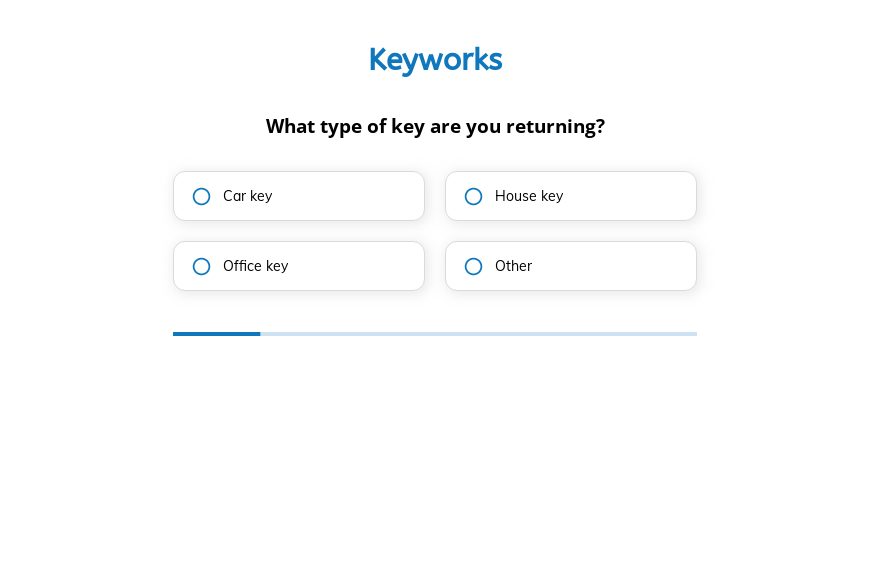
This five-step key release form asks the type of key returned, whether there was a problem, customer satisfaction and whether they would return, followed by the contact details. Clone it into your Growform account and add a date field.

What the form asks, step by step

Despite its name, this template records a key being handed back and asks for feedback on the service. It is not a form that authorizes someone to collect keys.

  1. Step 1: “What type of key are you returning?”

    Car, house and office keys are logged separately so each return is traceable.

  2. Step 2: “Are you returning the key due to a problem?”

    A yes flags a return that needs a follow-up call, not just a log entry.

  3. Step 3: “How satisfied were you with our service?”

    Five ratings, from very satisfied to very dissatisfied, measure the experience.

  4. Step 4: “Would you use our services again in the future?”

    Yes, maybe or no gives a quick measure of loyalty for each customer.

  5. Step 5: “How shall we contact you?”

    Name, email and phone come last.

  6. After submitting

    A short thank-you closes the form, and it can be edited to confirm that the key has been received.

Who it’s for

Car rental desks, property managers, locksmiths and short-term rental hosts can use this template when a customer hands a key back. It works as a key return form with two feedback questions attached, so every return also tells you how the customer felt about the service. If you need a form that authorizes a third party to collect keys, add fields for the collector’s name, ID and signature.

Why this structure converts

  • Two quick logging questions come before the feedback, so customers finish the part you need first.
  • The rating scale has five points, which gives you usable data without asking customers to write anything.
  • The problem question flags returns that need attention while the customer is still on site.
Use this template

14-day free trial, no credit card

Make it yours

  • Add a key reference

    Add a text field for the key tag, unit number or vehicle registration so each return can be matched to your records.

  • Record the return date

    A date field makes the form a proper return log rather than a feedback survey.

  • Follow up on problems

    Use conditional logic to ask what went wrong when the customer answers yes to the problem question.

Frequently asked questions

What is a key release form?

The term covers two things. Some businesses use it to authorize someone else to collect keys, and others use it to record keys being returned. This template does the second and adds customer feedback.

Can I turn it into a key authorization form?

Yes. Add the authorized person’s name, an ID field and a signature step, and remove the feedback questions.

Where are key returns recorded?

Each submission is emailed to you and can be added to a Google Sheet or Airtable base so you keep a running log.

What happens next?

  1. Step 1: Clone this form template

    Clone this template into your Growform account (create one first if you don’t already have one).
  2. Step 2: Edit your form

    Get creative and adjust your form's theme options, questions or layout in the Growform form builder.
  3. Step 3: Share or embed your form

    Share a link to your form, or embed it in your existing website. Receive new submissions by email or send them to 7,000+ apps via Zapier.

Start your free trial

Build multi-step forms just like this one. 14-day free trial, no credit card required.