
Add a Phone field
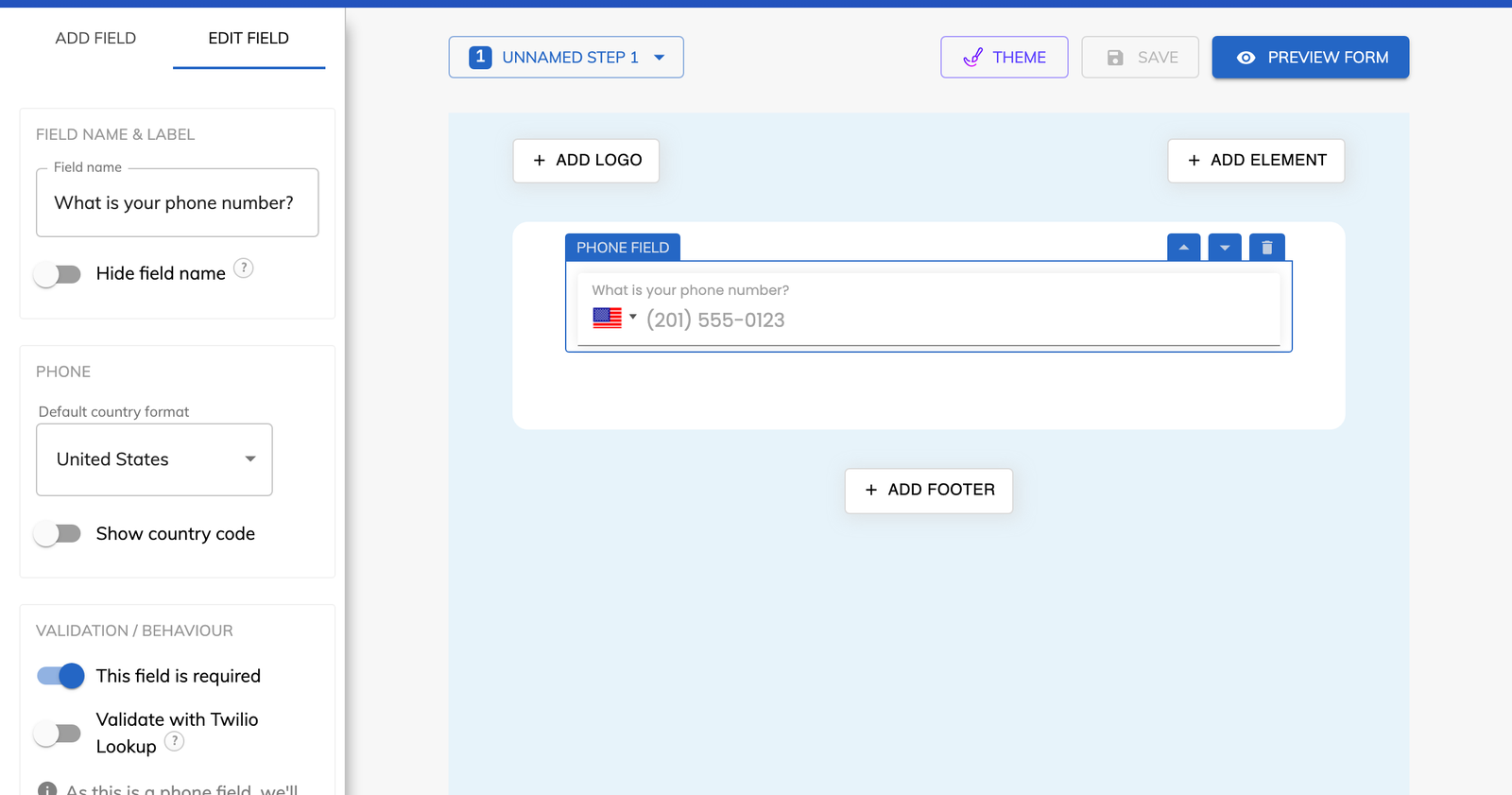
Place a “Phone” field on your contact step and choose its “Default country format”. Switch on “Show country code” if you want the code displayed on the field.

Feature
Growform checks the format of every phone number, and Twilio Lookup can check each one in real time through your own Twilio account. Your sales team receives numbers that the lead has already had the chance to correct.
Phone number validation is a check that a number looks real before your form accepts it. Growform applies it at two levels. Every Phone field compares the number with the format of the country you chose. You can then add real-time phone validation, which sends the number to Twilio Lookup while the lead is still filling in the form.
It sits alongside the other checks described under form validation, and it pairs naturally with email validation on the same contact step.
Growform checks the number in the background as soon as the lead leaves the phone field. A number that appears valid passes without any message. An invalid number produces a prompt to enter a valid one, and the lead cannot continue until they do.
Twilio Lookup examines the dial code, the country code and the area code, which goes further than counting digits or matching a pattern. The outcome is stored with the lead, and you can read the status of each number in “View leads”.
You can for UK numbers. Once the country format is set to the UK, the Phone field offers an “Allow mobiles only” option. It is worth switching on when your first contact with a lead is a text message.
The two are different checks. Validation tells you that a number appears to be valid. It cannot confirm that the number belongs to the lead or that the line is active. Confirming ownership takes a one-time passcode, which is covered under phone verification.
Place a “Phone” field on your contact step and choose its “Default country format”. Switch on “Show country code” if you want the code displayed on the field.
Copy the Account SID and Auth token from your Twilio console into your Growform account settings, then click “Update”.
Select the Phone field, enable “Validate with Twilio Lookup” and save your form.
Submit a test lead and open “View leads” to see the validation status next to the number.
A mistyped number is corrected in the form by the lead, who is the only one able to correct it.
Made-up numbers are stopped at the phone field, so they never reach a buyer who would reject them.
A roofing company that calls every inquiry within minutes stops paying for clicks that end in a dead number.
Valid numbers pass silently, and only an invalid number triggers a message.
The format check comes with every plan, while Twilio Lookup validation starts on Professional.
Yes. Twilio Lookup runs on your own Twilio account, which you connect with your Account SID and Auth token.
The lead sees a prompt asking for a valid number and cannot move to the next step until they enter one.
No. You paste two values from Twilio into your account settings and enable one toggle on the Phone field.
Use phone verification, which sends a one-time passcode by SMS. Validation confirms that the number appears valid, and verification confirms who holds the phone.
Create beautiful multi-step forms that convert, with a 14-day free trial. No credit card required.


