
Start with an address field
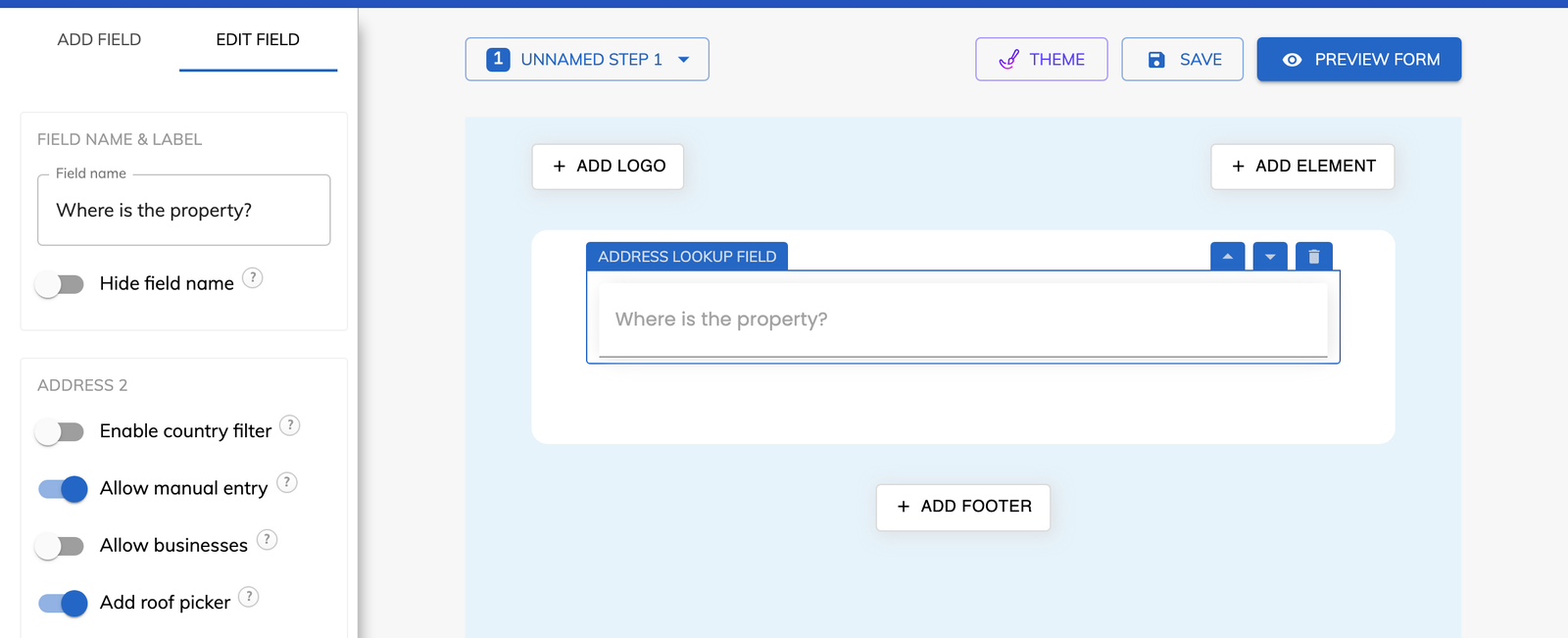
Add an “Address Lookup” field to your form, or select the one you already have.

Feature
The roof picker adds a satellite map to your address field, where a homeowner drags a pin onto their roof. You receive the latitude and longitude with the address, so every estimate starts from the right building.
A roof picker is an interactive satellite map inside a form, on which a homeowner marks the position of their roof with a pin. In Growform it is a setting on the Address Lookup field. It was made for solar installers, roofers and home improvement companies that need the exact coordinates of a roof and not an estimate.
The homeowner finds their address first and then confirms their roof on the map. The whole exchange has four parts.
The field is not marked as complete until the roof has been selected. A lead never reaches you with the address filled in and the coordinates missing.
The roof picker saves the latitude and longitude of the pin alongside the address. Both values travel with the lead through webhooks and Zapier, so they can be passed to your CRM or quoting tool.
The coordinates are also available inside the form. Location-based logic can use them to confirm that the property is in your service area, and callouts can repeat them in the text of a later step.
Yes. Any business that quotes on a roof can use it, and the satellite imagery is available worldwide. A roofer receives the position of the building that needs repair, and a solar installer receives the position of the roof the panels would sit on. The map also gives a homeowner who expects a quote something to do that is plainly connected to it.
Add an “Address Lookup” field to your form, or select the one you already have.
Open the field settings and turn on “Add roof picker”.
Save the form and publish it. The satellite map now appears after an address is chosen.
The pin records a latitude and longitude, which is more precise than a street address alone.
Your team can pass the coordinates to a quoting tool before the first call.
The address field only counts as complete once the homeowner has placed the pin.
The coordinates can drive conditional logic, so the form can respond to where the property is.
The roof picker starts at the Professional plan and is not part of Basic.
Yes. Satellite imagery is available worldwide, and the address field can be limited to the countries you serve.
No. The field is not complete until the roof has been selected, so the map cannot be passed over.
No. It is the “Add roof picker” setting on the Address Lookup field, so the address and the roof position are collected together.
They are stored alongside the address data and are visible through webhooks and Zapier.
Create beautiful multi-step forms that convert, with a 14-day free trial. No credit card required.


