
Copy the endpoint URL
Find the inbound webhook address in the platform that will receive your leads, and copy it.

Feature
Growform posts every lead to the endpoint URL you choose when the form is completed. Failed deliveries are retried and logged, so an outage on the receiving side does not cost you the lead.
A webhook form is a form that sends each submission to a URL you choose when the form is completed. Growform makes an HTTP POST request to your endpoint with the lead in the body. The system on the other side then creates the contact, routes the lead to a buyer or starts the call.
A webhook is the direct route out of Growform, because the lead is pushed to its destination with no third tool in between.
The payload contains the whole lead, including data the person filling in the form never saw. Every webhook carries the following.
The payload keeps a fixed structure, so you map its values to your own fields once in the receiving platform.
Growform retries a failed delivery automatically. Each attempt waits up to 15 seconds for a response. A delivery that fails is sent again after 30 seconds, then after 5 minutes, then after 60 minutes. After four attempts in total, the delivery is marked as failed.
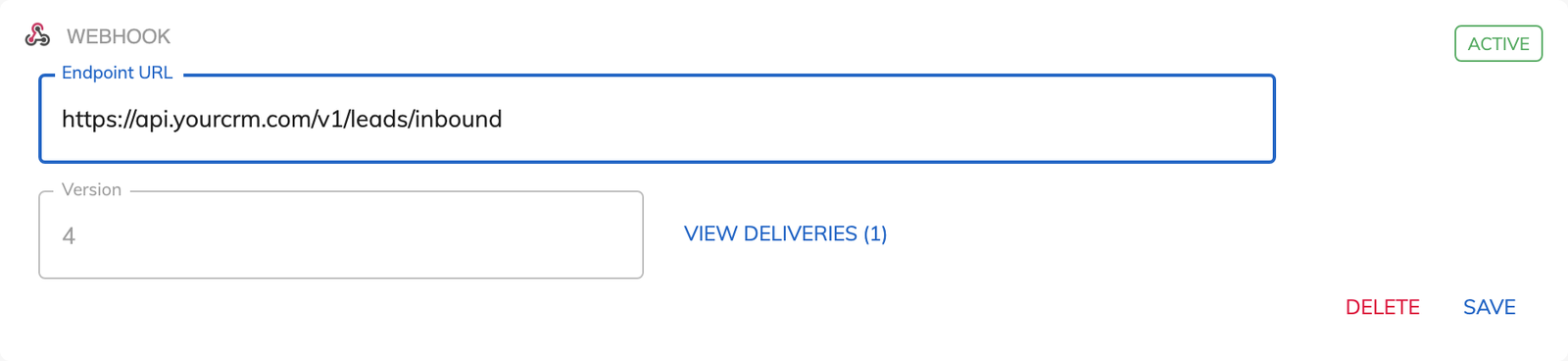
“View deliveries” lists every delivery with its status and the response your endpoint returned. You can retry any of them by hand from that screen once the receiving side is working again.
A webhook integration works with any platform that accepts a POST request to a URL. That includes lead distribution platforms, CRMs that offer an inbound webhook, automation tools such as Make and Pabbly Connect, and your own server. When the destination has no inbound webhook, Zapier is the other route.
Find the inbound webhook address in the platform that will receive your leads, and copy it.
Open “Edit form settings” and go to “Alerts & integrations”. Choose “Add integration”, then select “Webhook”.
Paste the address into “Endpoint URL” and save. Repeat these steps for each extra destination, up to 10 webhooks per form.
Fill in the form once yourself. Then open “View deliveries” to confirm that your endpoint accepted the lead.
Growform pushes the lead to your system when the form is completed, so your team can call while the person is still thinking about the quote.
Three automatic retries over roughly an hour cover a timeout or a restart on the receiving server.
The delivery log shows the status and response for each lead, which settles a dispute about whether a lead arrived.
With “Prevent disqualified leads being sent to Zapier, webhooks and email” switched on, a lead that fails your rules never reaches the endpoint.
Webhooks, the delivery log and automatic retries come with every Growform plan.
A form can have up to 10 webhooks. The same lead can therefore reach a CRM, a lead buyer and a reporting tool at once.
No code is needed in Growform, where you paste an endpoint URL and save. The receiving platform has to accept a POST request, and you map the values to your own fields there.
That is your choice. By default the webhook sends every lead and includes any disqualification reasons. One setting in “Lead Disqualification” keeps disqualified leads inside Growform.
Yes. Open “View deliveries”, find the failed delivery and retry it manually.
Create beautiful multi-step forms that convert, with a 14-day free trial. No credit card required.


