
Add a hidden field
Open your form in the builder and choose “Hidden field” from the list of fields. Add one hidden field for each value you want to keep.

Feature
UTM tracking saves the campaign, click ID and landing page behind each lead in hidden fields. You can then see which campaign produced the customers you closed, because the source reaches your CRM with the lead.
UTM tracking for forms means saving the UTM parameters from the landing page URL, such as utm_source, utm_medium and utm_campaign, on the lead record itself. Your analytics tool can tell you which campaign produced a visit. A lead that carries its own UTM values tells you which campaign produced the HVAC replacement quote your team closed last week.
Growform does this with hidden fields. The lead never sees them, and each one is stored as its own field next to the answers they typed.
Fourteen presets fill themselves in when the form loads, with no URL parameter and no code. The presets are:
Two presets have a fallback. The gclid preset reads a cookie when the parameter is no longer in the URL. The fbc preset is rebuilt from the fbclid in the URL when the _fbc cookie is missing. The timestamp records when the form loaded, not when it was submitted.
On the Professional plan and above, a form setting called “Capture system details (IP address, user-agent)” adds the IP address and user agent to each lead as well.
Yes, UTM tracking works on an embedded form. An embedded form runs inside an iframe, so the page that hosts it passes its URL parameters, cookies and referrer into the form. Hidden fields read the landing page's values in the same way when the form is opened from its own link.
Captured values appear next to the visible answers everywhere the lead goes. You see them in the leads table in Growform, in email alerts, in webhooks, in Zapier and in the CSV export. Your CRM or lead distribution platform receives them as ordinary fields through a webhook or Zapier, ready to store and report on.
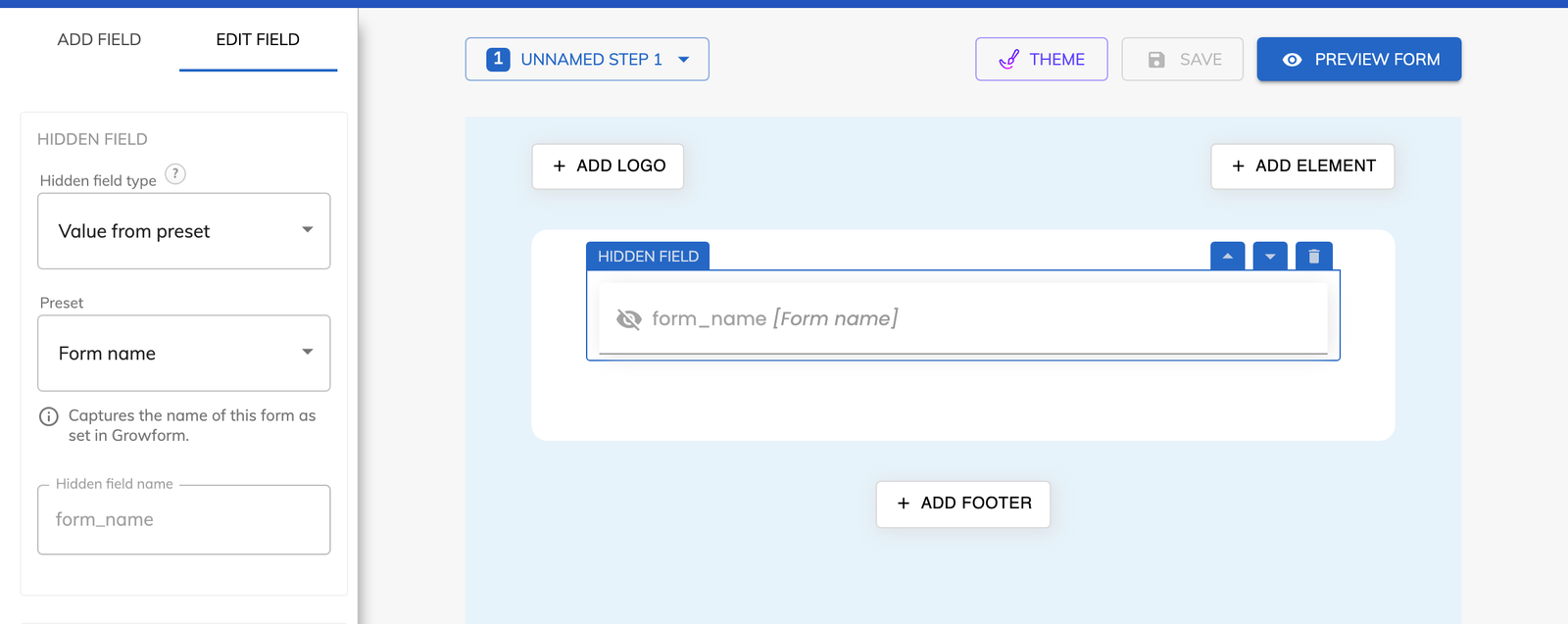
Open your form in the builder and choose “Hidden field” from the list of fields. Add one hidden field for each value you want to keep.
Give the field the same name as the URL parameter, for example utm_source. For a value that fills itself in, set the hidden field type to “Value from preset” and pick a preset.
A default value is saved when the parameter is missing from the URL. Use it to label leads that arrive without campaign tags.
Save the form and open your page with ?utm_campaign=spring_tuneup on the end of the URL. Submit a test lead and check the value in the leads table.
The source is stored on the lead, so your CRM can group won deals by utm_campaign.
The gclid saved on each lead is the value Google Ads asks for when you upload offline conversions.
The page domain and page path presets record which site and page each lead came from.
Default values give every lead a source, even when the URL carried no parameters.
Hidden fields and all 14 presets come with every Growform plan.
No. You add a hidden field and give it the same name as the parameter. Developers who want to set a value from the page can also call growform.setHiddenField() in JavaScript.
The hidden field is saved empty unless you gave it a default value. With a default in place, the lead is saved with that value.
You can create as many as you need. Each hidden field is saved as a separate field on the lead.
Yes, with the “Referrer URL” preset. Most browsers share only the referring domain, and the value is empty when the lead came to your page directly.
Create beautiful multi-step forms that convert, with a 14-day free trial. No credit card required.


