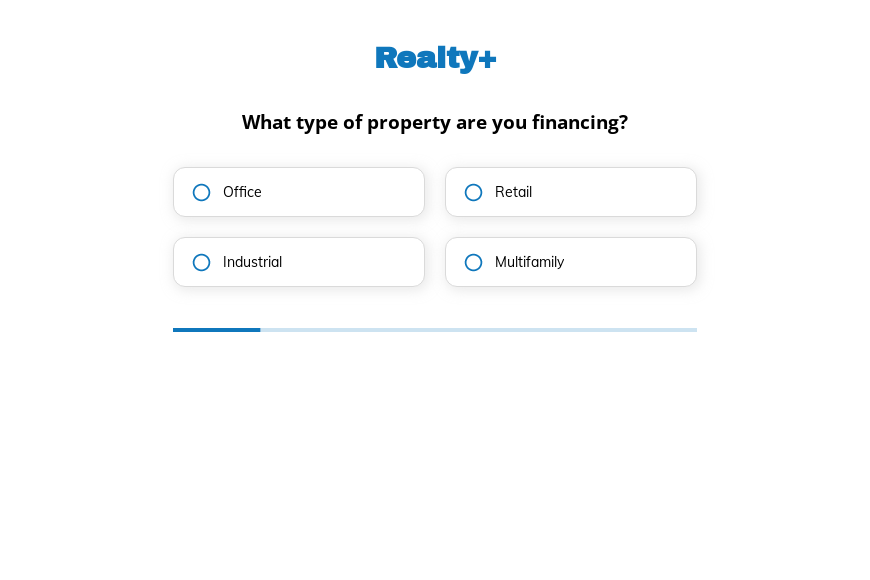
Commercial real estate loan inquiry form template
This five-step commercial real estate loan inquiry form asks the property type, estimated value, loan purpose and when funds are needed, followed by the contact details. Clone it into your Growform account and set your loan bands.
What the form asks, step by step
Lenders screen commercial deals on asset type, value, purpose and deadline. The form asks exactly those four in order.
-
Step 1: “What type of property are you financing?”
Office, retail, industrial and multifamily loans follow different lending criteria.
-
Step 2: “What is the estimated value of the property?”
Value bands show whether the deal fits your lending range.
-
Step 3: “What is the purpose of the loan?”
Purchase, refinance, construction and renovation are different loan products.
-
Step 4: “When do you need the loan by?”
Tight deadlines tell you which deals need attention first.
-
Step 5: “How shall we contact you?”
Name, email and phone come last.
-
After submitting
A lender could change the confirmation to list the documents needed for a term sheet.
Who it’s for
Commercial mortgage brokers, private lenders and bridge lenders use this template to pre-screen borrowers before a call. Each inquiry states the asset, value, purpose and deadline, which is enough to decide whether a deal fits your criteria. It sits before the full commercial loan application form, which collects rent rolls, financials and entity details. Brokers placing smaller business loans can use the business loan template.
Why this structure converts
- Borrowers choose bands rather than entering figures, which keeps the first contact quick.
- The loan purpose step sorts purchases, refinances and construction loans without a phone call.
- A funding deadline arrives with every deal, so urgent closings are spotted early.
14-day free trial, no credit card
Make it yours
-
Add a loan amount step
Loan size and property value differ. Add banded loan amounts so you can estimate leverage.
-
Ask about experience
Construction and renovation lenders often ask how many similar projects the borrower has completed.
-
Add consent to contact
Add a consent checkbox to the contact step if you pass deals to other lenders.
Send every lead where your team works
Frequently asked questions
Is this a commercial loan application form?
No. It is a pre-qualification inquiry. The full application with financial statements and property documents comes after the lender shows interest.
Can I screen out deals below my minimum?
Yes. Conditional logic can show a different thank-you message when the property value is below your threshold.
Which tools does it connect to?
Growform sends inquiries to Salesforce, HubSpot, Close and Google Sheets, and emails each one to your team.
What happens next?
-
Step 1: Clone this form template
Clone this template into your Growform account (create one first if you don’t already have one). -
Step 2: Edit your form
Get creative and adjust your form's theme options, questions or layout in the Growform form builder. -
Step 3: Share or embed your form
Share a link to your form, or embed it in your existing website. Receive new submissions by email or send them to 7,000+ apps via Zapier.
Start your free trial
Build multi-step forms just like this one. 14-day free trial, no credit card required.