Skip to content
Growform Multi Step Form Builder

Fitness class registration form template

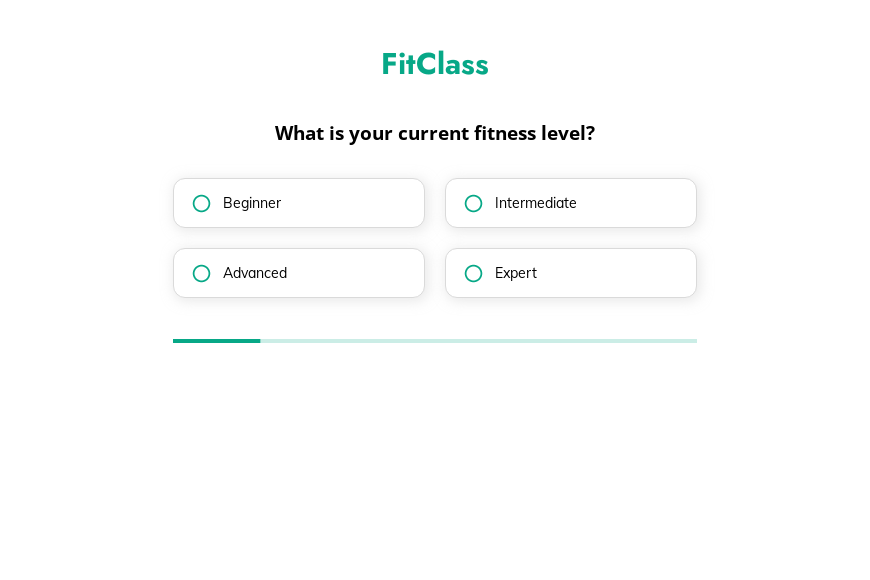
This five-step fitness class registration form asks the member’s fitness level, main goal, days available each week and past training experience, followed by the contact details. Clone it into your Growform account and add your class schedule.

What the form asks, step by step

Instructors need to know who is joining before placing them in a class. Level, goal, commitment and experience cover that in four taps.

  1. Step 1: “What is your current fitness level?”

    Beginner to expert places the member in the right class intensity.

  2. Step 2: “What are your main fitness goals?”

    Weight loss, muscle, stamina or staying active points to a class type.

  3. Step 3: “How many days a week can you commit to working out?”

    Days per week suggests whether a class pack or unlimited plan fits.

  4. Step 4: “Do you have any previous fitness training experience?”

    Members with no experience may need an introductory session first.

  5. Step 5: “How shall we contact you?”

    Name, email and phone come last.

  6. After submitting

    Studios often change the thank-you screen to show the week’s classes and a link to book the first one.

Who it’s for

Group fitness studios, gyms with a class program and outdoor fitness groups can use this template to register new members. Unlike a bare class registration form, it tells the instructor each member’s level and goal before the first session. The commitment answer helps front-desk staff recommend a class pack or a membership.

Why this structure converts

  • Four quick answers feel like a fitness assessment rather than paperwork.
  • The goal question lets the reply recommend a specific class instead of the full schedule.
  • Contact details are the final step, after the member has described their training.
Use this template

14-day free trial, no credit card

Make it yours

  • List your actual classes

    Add a multi-select step with your class names, such as HIIT, spin or Pilates, so members choose what they want to attend.

  • Add a health declaration

    Add a consent checkbox confirming the member has no condition that prevents exercise, or send your full health form after registration.

  • Offer a first class free

    Show a code for a free first class on the thank-you screen to turn registrations into visits.

Frequently asked questions

What should a fitness class registration form ask?

It should ask the member’s level, goals, availability and experience, and then contact details. Health questions can follow in a separate form.

Can members pick specific classes?

Yes. Add a step listing your classes and make it multi-select so members can choose several.

Does it connect to gym software?

Yes. Growform can send registrations to GymMaster, PushPress, Clubworx or Pike13.

What happens next?

  1. Step 1: Clone this form template

    Clone this template into your Growform account (create one first if you don’t already have one).
  2. Step 2: Edit your form

    Get creative and adjust your form's theme options, questions or layout in the Growform form builder.
  3. Step 3: Share or embed your form

    Share a link to your form, or embed it in your existing website. Receive new submissions by email or send them to 7,000+ apps via Zapier.

Start your free trial

Build multi-step forms just like this one. 14-day free trial, no credit card required.