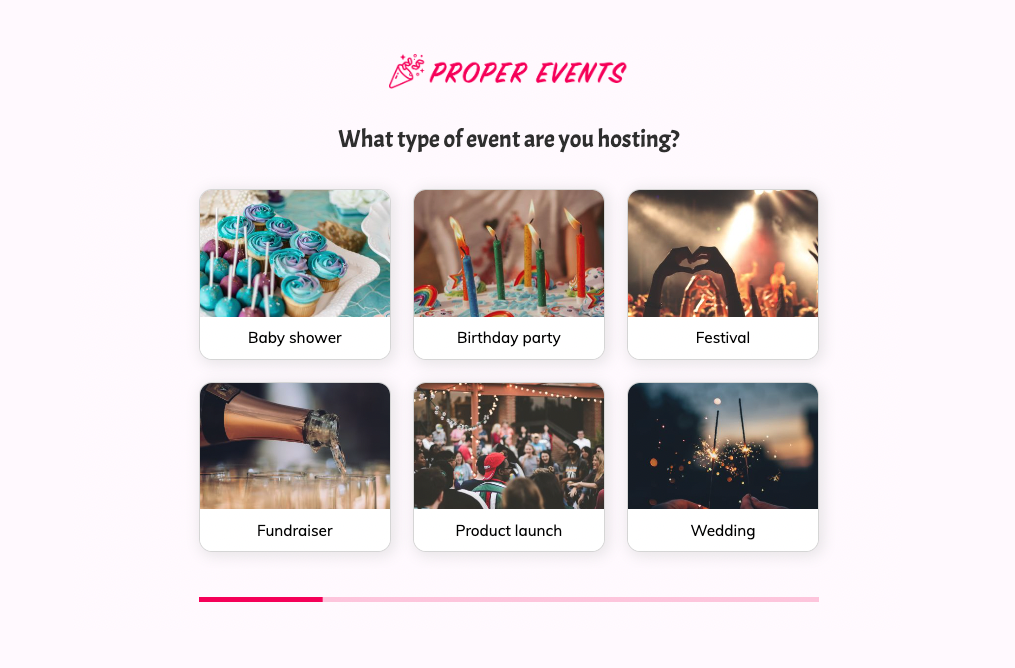
Event planning inquiry form template
This four-step event planning inquiry form asks the type of event, the theme and the date, followed by the contact details. You can clone it into your Growform account and add budget and guest count steps.
What the form asks, step by step
A planner’s first question is whether the date is free, and this form reaches it on the third screen. The event type and theme come first because they are the enjoyable part to answer.
-
Step 1: “What type of event are you hosting?”
Baby showers, festivals and product launches need very different teams and budgets.
-
Step 2: “Do you have a particular theme in mind?”
Vintage, tropical or rustic gives the planner a starting point for ideas.
-
Step 3: “What date are you hosting the event?”
The date is required, so every inquiry can be checked against the calendar.
-
Step 4: “How shall we contact you about your event?”
Name, email and phone come last.
-
After submitting
Pressing “Check availability” shows a thank-you screen, which a planner would reword to say when the date will be confirmed.
Who it’s for
Independent event planners, party planning companies and venues with an events team use this template as the first contact on their website. Every inquiry arrives with the occasion, the style and a date, so you know at once whether you can take the job and which planner suits it. It is shorter than a full event planning questionnaire on purpose, because the detailed brief is easier to gather on a call once the date is confirmed. Weddings, with more suppliers involved, are covered by the wedding planning template.
Why this structure converts
- Theme options such as vintage and rustic make the form feel like the start of the planning rather than admin.
- The date field is required, which means no inquiry reaches you without the one detail that decides availability.
- Three short questions before the contact step keep the form quick for someone comparing several planners.
14-day free trial, no credit card
Make it yours
-
Add guest count and budget
Add button steps for guest numbers and budget bands after the theme. Together they tell you whether the event meets your minimum spend.
-
Adapt it for private parties
For children’s parties, replace the event types with age groups and party styles, and add a step asking whether the party is at home or at a venue.
-
Link to your packages
Use the thank-you screen to link to your packages or portfolio so the customer has something to read while you check the date.
Frequently asked questions
What should an event inquiry form ask?
It should ask what kind of event it is, what style the client has in mind and the date. Those answers tell you whether you are available and whether the event suits you, and the contact details come last.
How is this different from an event planning questionnaire?
A questionnaire gathers the full brief, including guests, budget, suppliers and schedule, once a client has signed. This inquiry form is the first step, and the longer questionnaire can follow the call.
Can I use it as a party planning questionnaire?
Yes. Change the event types to the parties you plan and add steps for age, guest count or venue, and the same structure works for private parties.
Can clients choose a date that is already booked?
Yes, because the date field accepts any date. Confirm availability in your reply, and say on the thank-you screen how soon that will be.
What happens next?
-
Step 1: Clone this form template
Clone this template into your Growform account (create one first if you don’t already have one). -
Step 2: Edit your form
Get creative and adjust your form's theme options, questions or layout in the Growform form builder. -
Step 3: Share or embed your form
Share a link to your form, or embed it in your existing website. Receive new submissions by email or send them to 7,000+ apps via Zapier.
Start your free trial
Build multi-step forms just like this one. 14-day free trial, no credit card required.