Skip to content
Growform Multi Step Form Builder

Eyeglass order form template

This five-step eyeglass order form asks the type of glasses, the frame style, the frame material and any lens coatings, followed by the contact details. You can clone it into your Growform account and add your frame collection.

What the form asks, step by step

An optician fitting a new pair asks about the lenses first and the frames second. This form keeps that order and ends with the coatings that change the final price.

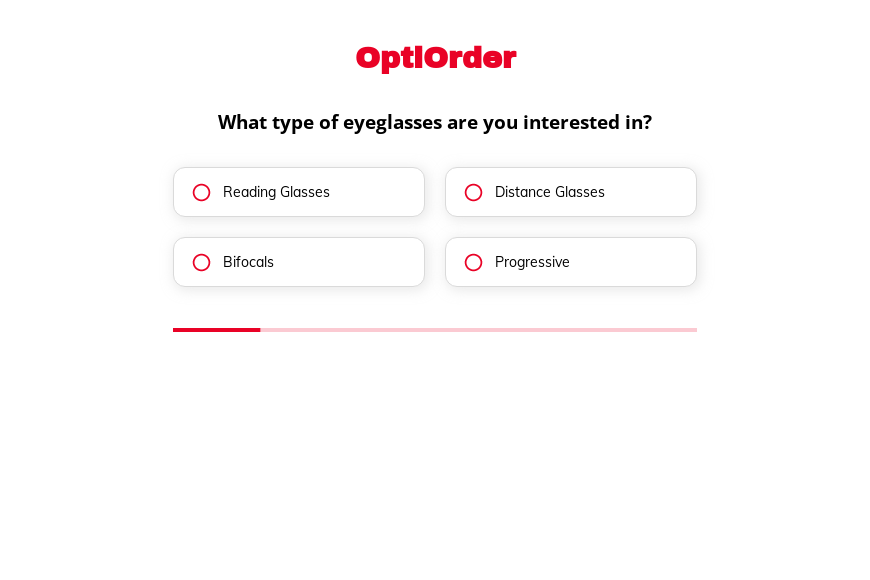
  1. Step 1: “What type of eyeglasses are you interested in?”

    Reading, distance, bifocal or progressive lenses decide the prescription work involved.

  2. Step 2: “What is your preferred frame style?”

    Rimless, full rim or semi-rimless narrows the frames to show the customer.

  3. Step 3: “What frame material do you prefer?”

    Metal, plastic and wood frames sit at different price points.

  4. Step 4: “Do you require any special lens coatings?”

    Anti-reflective, blue light and UV coatings are added to the order total.

  5. Step 5: “How shall we contact you?”

    Name, email and phone come last.

  6. After submitting

    The generic thank-you screen can be replaced with a note that the optician will confirm the prescription before the order is made.

Who it’s for

Independent opticians, optical shops and online eyewear brands use this template to take orders or pre-orders for new glasses. The customer describes the lenses, the frame and the coatings, and the store follows up to confirm the prescription and the fit. It is an eyeglass order form for the selection stage, so no prescription details are collected on the page.

Why this structure converts

  • Each step is a visual choice customers enjoy making, much like browsing frames in the store.
  • “Not sure” on the frame style lets undecided customers continue and ask for advice later.
  • Coatings come last, after the customer has chosen the glasses they want to protect.
Use this template

14-day free trial, no credit card

Make it yours

  • Show frame photos

    Answer buttons can carry images. Replace the style labels with photos of frames from your own range.

  • Collect the prescription securely

    Add a file upload for a copy of the prescription, or ask for it after the order so no health data sits on the public form.

  • Price the coatings

    Put the price next to each coating option so customers see what the upgrade costs before they submit.

Frequently asked questions

What should an eyeglass order form include?

It should cover the lens type, the frame style and material, and any coatings. A prescription and measurements are needed before the glasses are made, and many stores collect them in person.

Can I use this eyeglass order form template for contact lenses?

Yes. Replace the frame steps with lens brand, wear schedule and quantity, and keep the contact step.

Can the form show a price?

Yes. Growform can add up the selected options and show a total on the thank-you screen.

What happens next?

  1. Step 1: Clone this form template

    Clone this template into your Growform account (create one first if you don’t already have one).
  2. Step 2: Edit your form

    Get creative and adjust your form's theme options, questions or layout in the Growform form builder.
  3. Step 3: Share or embed your form

    Share a link to your form, or embed it in your existing website. Receive new submissions by email or send them to 7,000+ apps via Zapier.

Start your free trial

Build multi-step forms just like this one. 14-day free trial, no credit card required.