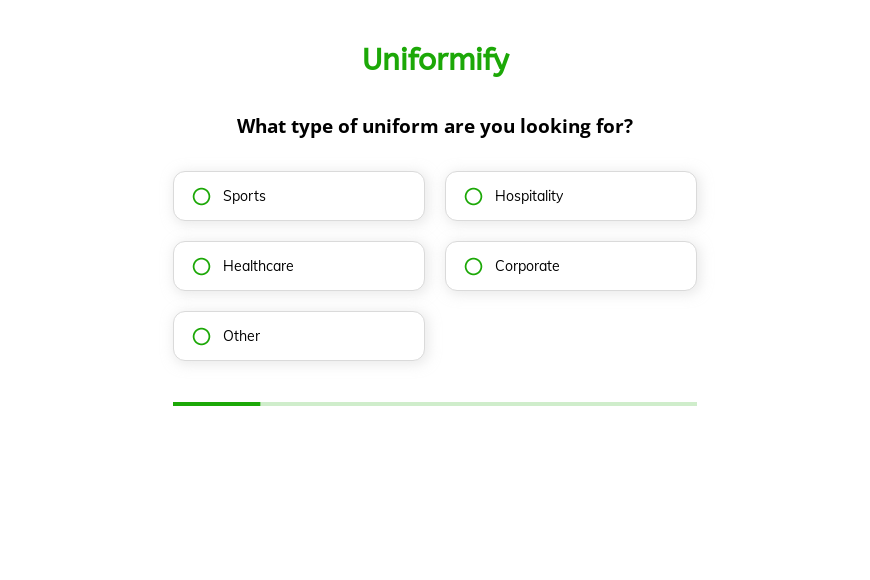
Uniform order form template
This five-step uniform order form asks the type of uniform, the color, the number of units and the delivery deadline, followed by the contact details. You can clone it into your Growform account and add sizes and logo options.
What the form asks, step by step
Bulk uniform orders depend on style, color, volume and a date, and the form asks each in one tap. Sizes and branding can follow once you have quoted.
-
Step 1: “What type of uniform are you looking for?”
Sports, hospitality, healthcare and corporate uniforms come from different ranges.
-
Step 2: “What color would you prefer your uniform to be?”
Six colors plus Other cover most brand and team palettes.
-
Step 3: “How many units do you need?”
Quantity bands up to more than 500 set the price break.
-
Step 4: “When do you need the uniforms by?”
An ASAP answer tells you to check stock before quoting a production run.
-
Step 5: “How shall we contact you?”
Name, email and phone come last.
-
After submitting
The standard thank-you appears after submission, and a supplier might rewrite it to promise a quote within one business day.
Who it’s for
Uniform suppliers, workwear distributors and teamwear printers use this template for bulk inquiries from clubs, restaurants, clinics and offices. Each uniform request form submission arrives with the category, the color, the quantity and the deadline, which is what a price depends on. Your team can quote a range in the first reply and ask for sizes after. For branded apparel in smaller runs, the apparel order form is an alternative.
Why this structure converts
- Quantity is asked as bands, so buyers can answer before they have a final headcount.
- The deadline step tells you which orders need stock items rather than a custom run.
- Buyers describe the order in four taps and only then give their contact details.
14-day free trial, no credit card
Make it yours
-
Collect a size list
Add a text step or a file upload for a size breakdown so the quote reflects the real mix of sizes.
-
Ask about logos
Add a yes-or-no question about embroidery or printing, followed by a file upload for the artwork.
-
Match your product ranges
Replace the categories in this uniform order form template with your own ranges, such as chef whites or scrubs.
Send every lead where your team works
Frequently asked questions
What details does a bulk uniform order need?
The type of uniform, the color, the quantity and the deadline give a first price. Sizes, logos and fabrics complete the order.
Can customers upload a logo with the order?
Yes. Add a file upload field to any step and the artwork arrives with the order.
Where do uniform orders go?
They reach your email and can also create a deal in HubSpot or Pipedrive, or a row in a Google Sheet.
What happens next?
-
Step 1: Clone this form template
Clone this template into your Growform account (create one first if you don’t already have one). -
Step 2: Edit your form
Get creative and adjust your form's theme options, questions or layout in the Growform form builder. -
Step 3: Share or embed your form
Share a link to your form, or embed it in your existing website. Receive new submissions by email or send them to 7,000+ apps via Zapier.
Start your free trial
Build multi-step forms just like this one. 14-day free trial, no credit card required.