Tutoring intake form template
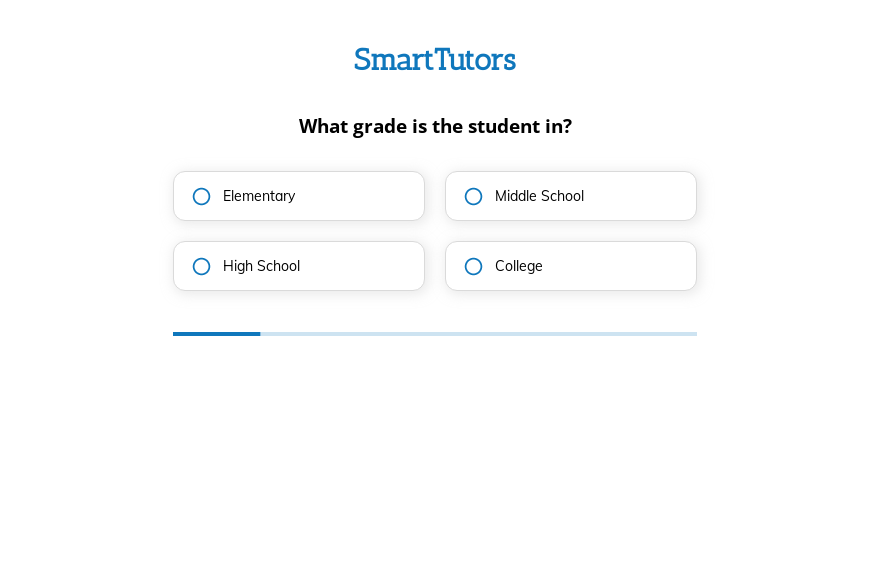
This six-step tutoring intake form asks the student’s grade, the subject, how often tutoring is needed, the preferred format and any notes, followed by the contact details. You can clone it into your Growform account and list your own subjects.
What the form asks, step by step
The first four answers are the facts a tutoring coordinator needs to match a tutor. The notes step leaves room for exams, learning needs or goals.
-
Step 1: “What grade are you in?”
Elementary through college tells you which tutors are qualified to help.
-
Step 2: “What subject do you need help with?”
Math, science, English and history each have their own tutor pool.
-
Step 3: “How often will tutoring be needed?”
Once a week to daily shows the size of the booking straight away.
-
Step 4: “What is the preferred tutoring format?”
In-person, online or both decides whether location matters for the match.
-
Step 5: More information
Parents often mention upcoming exams or learning differences here.
-
Step 6: “How shall we contact you?”
Name, email and phone come last.
-
After submitting
Tell families on the thank-you screen how soon you will suggest a tutor and a first session time.
Who it’s for
Tutoring centers, independent tutors and online tutoring companies use this template in place of a general contact form. Parents and students can complete it in under a minute, and each request arrives with the grade, subject, frequency and format needed for a match. It also works as a tutoring registration form for new families once you add a consent or payment step.
Why this structure converts
- Grade and subject come first, which are the easiest facts for a parent to give.
- The frequency answer shows the value of each inquiry before you reply.
- Online or in-person is settled up front, so you never offer a local tutor to a family who wanted remote lessons.
14-day free trial, no credit card
Make it yours
-
Decide who you are addressing
The first question says “What grade are you in?” while its field label refers to the student. Choose parent or student wording and use it throughout.
-
Allow several subjects
Make the subject step multi-select if families often want help with math and science together.
-
Ask for availability
Add weekday and time-of-day buttons before the contact step so your first reply can offer a session slot.
Frequently asked questions
What should a tutoring intake form include?
It should cover the grade, the subject, how often lessons are needed and the format. Exam dates and learning needs can go in a notes field.
Can parents fill it in for their child?
Yes. Adjust the wording to address parents, for example “What grade is your child in?”, and the rest of the form works unchanged.
How do I send families to a booking page?
Redirect to your scheduling tool after submission, or show a booking link on the thank-you screen.
What happens next?
-
Step 1: Clone this form template
Clone this template into your Growform account (create one first if you don’t already have one). -
Step 2: Edit your form
Get creative and adjust your form's theme options, questions or layout in the Growform form builder. -
Step 3: Share or embed your form
Share a link to your form, or embed it in your existing website. Receive new submissions by email or send them to 7,000+ apps via Zapier.
Start your free trial
Build multi-step forms just like this one. 14-day free trial, no credit card required.