University inquiry form template
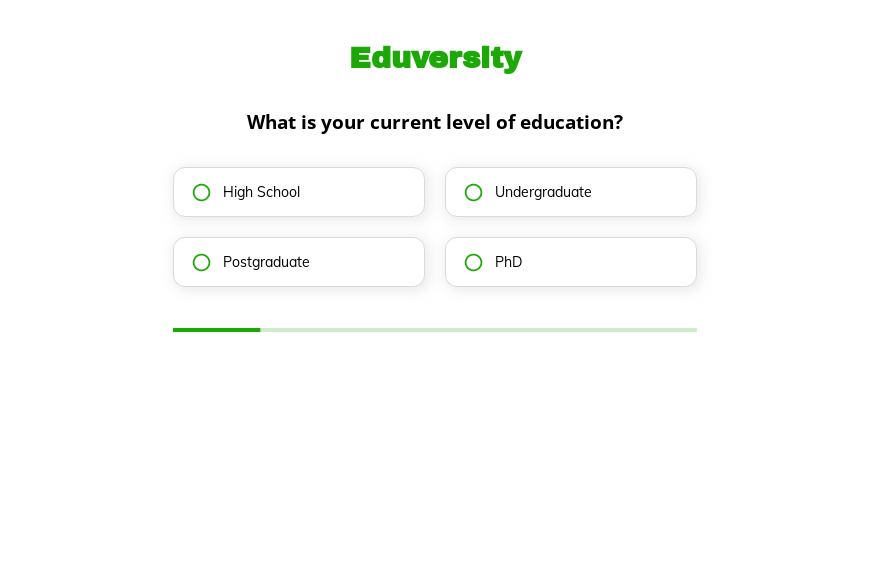
This five-step university inquiry form asks the prospective student’s current education level, online or campus study, field of interest and part-time or full-time preference, followed by the contact details. Clone it into your Growform account and name your degrees.
What the form asks, step by step
Admissions teams route inquiries by level, mode and subject. These three answers plus study pace come before the contact details.
-
Step 1: “What is your current level of education?”
High school to PhD tells you which programs to recommend.
-
Step 2: “Are you interested in online or campus-based studies?”
Online and campus students are often handled by separate recruitment teams.
-
Step 3: “What field of study are you interested in?”
Engineering, arts, sciences, business or healthcare routes the lead to a faculty.
-
Step 4: “Do you prefer part-time or full-time studies?”
Working adults often choose part-time, which changes the programs you suggest.
-
Step 5: “How shall we contact you?”
Name, email and phone come last.
-
After submitting
Point students to a prospectus download or an open-day booking on the thank-you screen.
Who it’s for
Universities, colleges and online degree providers use this template on program pages and paid campaigns aimed at prospective students. Each inquiry tells the admissions team what level, subject and mode the student wants, so the first email can recommend specific programs. It sits before the university application form, which students complete once they have chosen a course.
Why this structure converts
- The questions are about the student’s plans, which feels like guidance rather than admin.
- Online and part-time options are shown early, so working adults see the form is for them.
- Field of study arrives with every lead, which lets you send program information that matches.
14-day free trial, no credit card
Make it yours
-
List your real programs
Replace the five fields with your faculties or specific degrees so leads route directly to program advisors.
-
Ask about start date
Add a question about the intended start term so admissions can prioritize students applying this year.
-
Add international status
A question about country or visa needs helps international admissions teams respond with the right information.
Frequently asked questions
Is this a university application form?
No. It is an inquiry form for prospective students. The application, with transcripts and personal statements, comes later once the student has chosen a program.
Can the form route leads to different departments?
Yes. Use the field of study answer with conditional logic or CRM rules to notify the right faculty or recruiter.
Which CRMs can receive student inquiries?
Growform connects to Salesforce, HubSpot and other CRMs, and each answer can be mapped to its own field.
What happens next?
-
Step 1: Clone this form template
Clone this template into your Growform account (create one first if you don’t already have one). -
Step 2: Edit your form
Get creative and adjust your form's theme options, questions or layout in the Growform form builder. -
Step 3: Share or embed your form
Share a link to your form, or embed it in your existing website. Receive new submissions by email or send them to 7,000+ apps via Zapier.
Start your free trial
Build multi-step forms just like this one. 14-day free trial, no credit card required.