Hotel guest feedback form template
This five-step hotel guest feedback form asks guests to rate their stay, the staff and the room’s cleanliness, and whether they would recommend you, followed by the contact details. Clone it into your Growform account and add a comment step.
What the form asks, step by step
This is a guest satisfaction survey rather than a lead form. Four rating questions cover the parts of a stay that guests mention most in reviews.
-
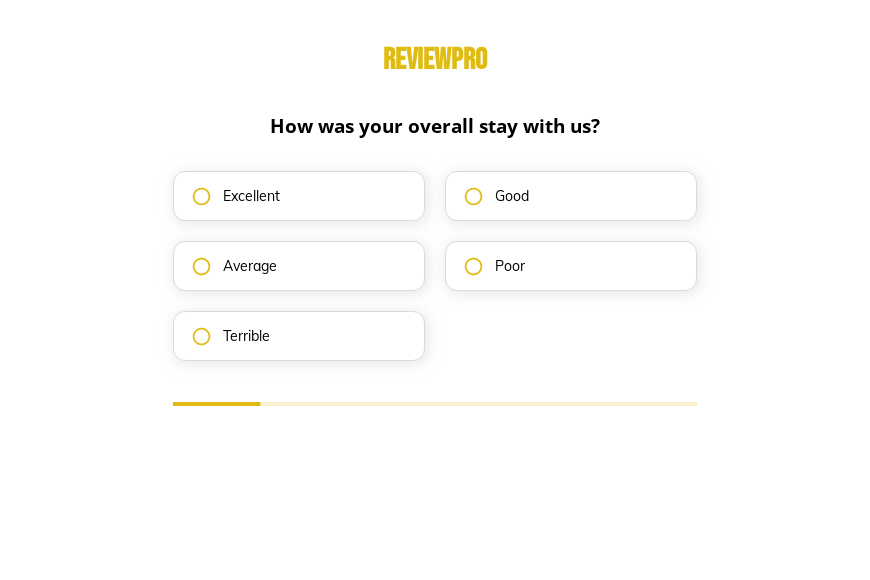
Step 1: “How was your overall stay with us?”
A five-point rating from excellent to terrible gives you one headline score.
-
Step 2: “How would you rate our staff service?”
Service is rated separately so front-desk issues are not hidden in the overall score.
-
Step 3: “How clean was your room?”
Housekeeping gets its own measure, from very clean to very dirty.
-
Step 4: “Would you recommend us to your friends?”
Definitely through definitely not works as a simple loyalty measure.
-
Step 5: “How shall we contact you?”
Guests leave their name, email and phone so you can reply to them.
-
After submitting
Guests reach a thank-you screen, which you can edit to invite happy guests to leave a public review.
Who it’s for
Hotels, inns, resorts and short-stay operators send this survey after checkout or show it on a tablet at the front desk. The four ratings give managers a consistent set of hotel survey questions to track week by week, and the contact step lets you reach out to guests who had a poor stay before they post a review. It is not a lead generation form, and it stays live for businesses that want a short post-stay survey.
Why this structure converts
- Every question is a single tap on a rating, so guests finish the survey on a phone in seconds.
- Separate ratings for staff and cleanliness show which team to thank or coach.
- The recommendation question comes last, after the guest has thought through the details of their stay.
14-day free trial, no credit card
Make it yours
-
Make contact details optional
Some guests prefer to answer anonymously. Mark the name, email and phone fields as optional to collect more honest feedback.
-
Ask for a comment
Add a free-text step after the ratings asking what would have made the stay better.
-
Send unhappy guests to a manager
Use conditional logic to show a “we would like to make this right” message and alert a manager in Slack when the stay is rated poor or terrible.
Send every lead where your team works
Frequently asked questions
What questions should a hotel survey ask?
Keep it to the overall stay, staff, room cleanliness and whether the guest would recommend you, which is what this template asks. Add breakfast, location or check-in questions only if you will act on them.
When should I send the hotel feedback form?
Within a day of checkout, while the stay is fresh. A hosted link works well in the checkout email or on a QR code in the room.
Where do responses go?
Responses are emailed to you and can be collected in a Google Sheet or Airtable base for reporting.
What happens next?
-
Step 1: Clone this form template
Clone this template into your Growform account (create one first if you don’t already have one). -
Step 2: Edit your form
Get creative and adjust your form's theme options, questions or layout in the Growform form builder. -
Step 3: Share or embed your form
Share a link to your form, or embed it in your existing website. Receive new submissions by email or send them to 7,000+ apps via Zapier.
Start your free trial
Build multi-step forms just like this one. 14-day free trial, no credit card required.