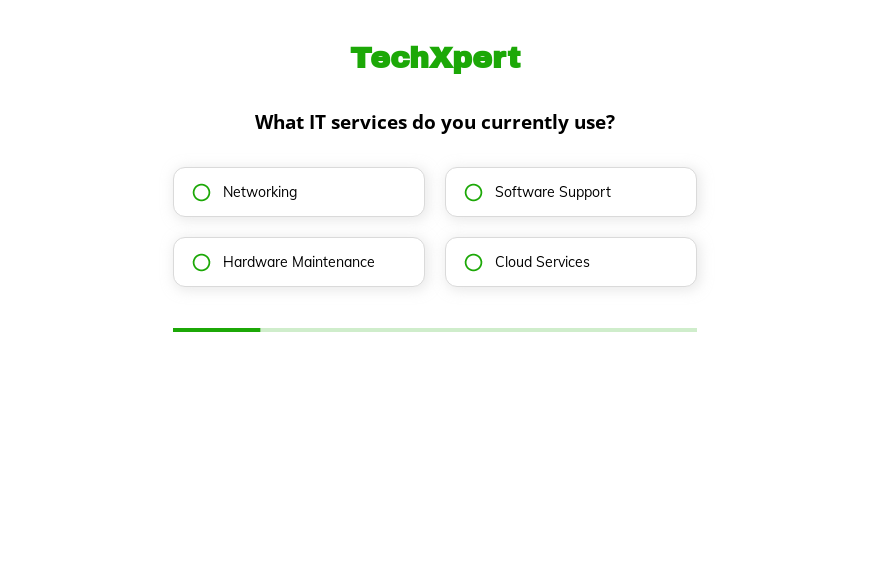
Managed IT services questionnaire template
This five-step managed IT services questionnaire asks the company’s current IT services, its satisfaction with support, how often problems occur and its size, followed by the contact details. Clone it into your Growform account and add your support plans.
What the form asks, step by step
The questions measure how well a company’s current IT is working. Low satisfaction and frequent problems are the clearest signs of a buyer ready to switch provider.
-
Step 1: “What IT services do you currently use?”
Networking, software support, hardware or cloud shows where the managed service starts.
-
Step 2: “How satisfied are you with your current IT support?”
Dissatisfied companies are the most likely to change provider this year.
-
Step 3: “How often do you encounter IT problems?”
Daily or weekly problems make a strong case for proactive support.
-
Step 4: “What’s your company size?”
Employee bands help you estimate seats and a monthly price.
-
Step 5: “How shall we contact you?”
Name, email and phone come last.
-
After submitting
Prospects see the default thank-you, which a managed service provider can rewrite to offer a free IT assessment.
Who it’s for
Managed service providers and outsourced IT firms use this template to qualify small and midsize businesses. It works as a short IT assessment questionnaire that shows how a company feels about its current support and how often things go wrong. Those two answers tell your sales team who is ready to switch and what to emphasize in the first call.
Why this structure converts
- The satisfaction question lets prospects voice their frustration, which is often why they are on your site.
- Problem frequency turns a vague complaint into something your sales team can quantify.
- Company size is asked last, after the prospect has already described their IT situation.
14-day free trial, no credit card
Make it yours
-
Make services multi-select
Most companies use more than one of the listed services. Make the first step multi-select so the answer reflects their real setup.
-
Ask about the current provider
Add a question on whether IT is handled in-house, by a provider or by nobody, since each needs a different pitch.
-
Offer an assessment call
Redirect prospects to your calendar after submission to book a free assessment while the problem is on their mind.
Send every lead where your team works
Frequently asked questions
What does a managed services questionnaire ask?
At the inquiry stage it asks what the company uses, how satisfied it is, how often it has problems and how large it is. The technical audit comes later, during onboarding.
How do I qualify outsourced IT leads?
Low satisfaction, frequent problems and a company size that fits your pricing are the strongest signals, and this form captures all three.
Which PSA tools can receive the leads?
Growform connects to ConnectWise Manage, Autotask and Syncro, as well as to HubSpot and Salesforce.
What happens next?
-
Step 1: Clone this form template
Clone this template into your Growform account (create one first if you don’t already have one). -
Step 2: Edit your form
Get creative and adjust your form's theme options, questions or layout in the Growform form builder. -
Step 3: Share or embed your form
Share a link to your form, or embed it in your existing website. Receive new submissions by email or send them to 7,000+ apps via Zapier.
Start your free trial
Build multi-step forms just like this one. 14-day free trial, no credit card required.