Skip to content
Growform Multi Step Form Builder

Pension advice inquiry form template

This six-step pension advice inquiry form asks the client’s age range, planned retirement date, employment status, savings so far and any notes, followed by the contact details. Clone it into your Growform account and localize the savings bands.

What the form asks, step by step

Retirement planning depends on time and money, and the first four questions measure both. Every answer is a band, so nobody needs a statement to hand.

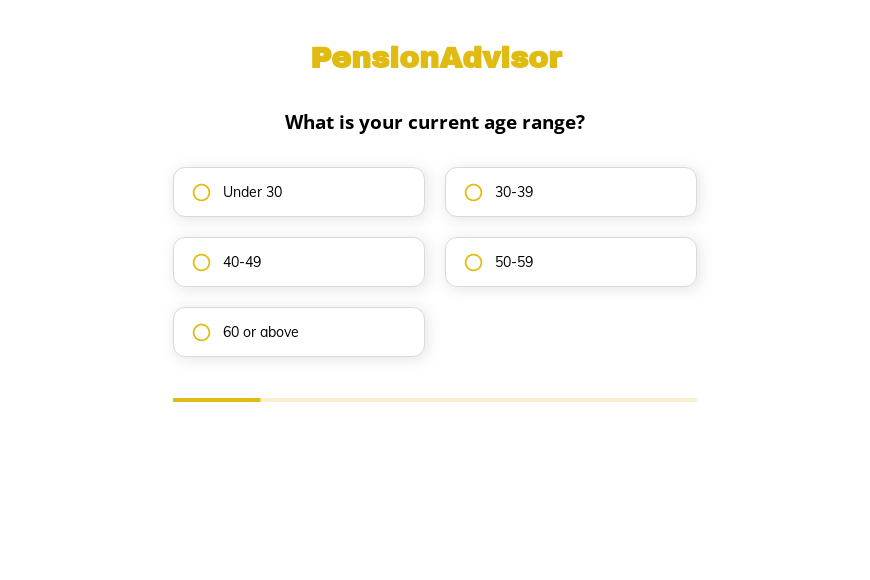
  1. Step 1: “What is your current age range?”

    Age bands from under forty to over sixty set the planning horizon.

  2. Step 2: “When do you plan to retire?”

    Someone retiring within five years needs a different conversation from a long-term saver.

  3. Step 3: “What is your current employment status?”

    Employed and self-employed savers have different pension options to discuss.

  4. Step 4: “How much have you saved for retirement so far?”

    Savings bands show the likely size of the plan without asking for statements.

  5. Step 5: More information

    Clients can mention workplace schemes or old pensions they want reviewed.

  6. Step 6: “How shall we contact you?”

    Name, email and phone come last.

  7. After submitting

    A default thank-you follows submission, which an adviser would reword to explain what the free review covers.

Who it’s for

Independent financial advisers, retirement planners and pension specialists use this template to capture people looking for pension advice. It separates those close to retirement from younger savers and shows the approximate size of their savings, which helps you decide who needs a full review and who needs a starter plan. Firms that handle transfers can pair it with the pension transfer template.

Why this structure converts

  • Four banded questions give the adviser a clear picture without asking for any documents.
  • The retirement date question shows urgency in a way the client does not find intrusive.
  • An optional notes step lets clients mention old pensions that might need consolidating.
Use this template

14-day free trial, no credit card

Make it yours

  • Localize the savings bands

    The savings options are in dollars. Change them to pounds or euros and adjust the ranges to your typical client.

  • Add a scheme type question

    Ask whether savings sit in workplace, personal or defined benefit schemes. The answer affects which specialist should call.

  • Include your compliance wording

    Use the thank-you screen for your regulatory disclosures and a note about how client data is handled.

Frequently asked questions

What does a pension advice form ask?

It asks age, planned retirement date, employment status and savings so far. Those answers tell an adviser how urgent the case is and what kind of review to offer.

Does the form give financial advice?

No. It collects information so an adviser can contact the client. Any advice happens in the consultation that follows.

Can I send inquiries to my CRM?

Yes. Growform sends each inquiry to Wealthbox, Redtail, Salesforce or HubSpot, or to a Google Sheet.

What happens next?

  1. Step 1: Clone this form template

    Clone this template into your Growform account (create one first if you don’t already have one).
  2. Step 2: Edit your form

    Get creative and adjust your form's theme options, questions or layout in the Growform form builder.
  3. Step 3: Share or embed your form

    Share a link to your form, or embed it in your existing website. Receive new submissions by email or send them to 7,000+ apps via Zapier.

Start your free trial

Build multi-step forms just like this one. 14-day free trial, no credit card required.