Skip to content
Growform Multi Step Form Builder

Pediatric dental appointment request form template

This five-step pediatric dental appointment form asks the child’s age, new or returning status, the reason for the visit and a preferred time, followed by the contact details. Clone it into your Growform account and add your visit types.

What the form asks, step by step

Parents book for their children, so every question is one a parent can answer on the spot. The reason for the visit comes third and tells the front desk how urgent the request is.

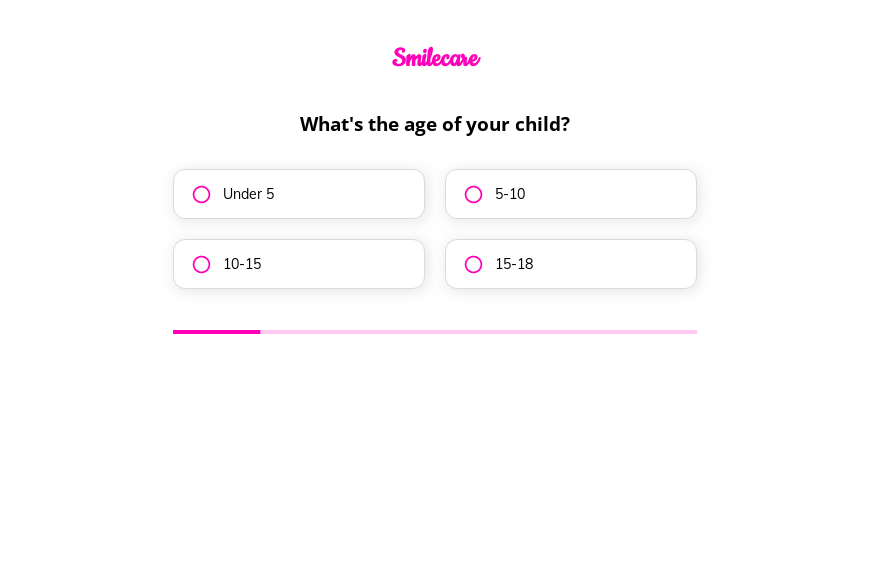
  1. Step 1: “What’s the age of your child?”

    Under five through eighteen decides which dentist and which chair to book.

  2. Step 2: “Are you a new or returning patient?”

    New patients need registration paperwork, while returning families can be booked directly.

  3. Step 3: “What’s the main reason for the visit?”

    A toothache request should be called back before a routine check-up.

  4. Step 4: “Preferred time for appointment?”

    Morning, afternoon or evening fits appointments around the school day.

  5. Step 5: “How shall we contact you?”

    Name, email and phone come last.

  6. After submitting

    Parents see a thank-you message, and a practice can rewrite it to give its number for children in pain.

Who it’s for

Pediatric dental practices and family dentists who see children use this template for appointment requests from parents. Every request states the child’s age, whether the family is new to the practice and why they want a visit, so the front desk can prioritize a toothache over a check-up. New families complete a pediatric dentist new patient form after the appointment is offered, which keeps this step short. Orthodontic questions can go to the orthodontic consultation template.

Why this structure converts

  • Parents answer four quick questions about their child before sharing their own details.
  • The toothache option lets urgent requests stand out without a separate emergency form.
  • Asking for a time of day rather than a date keeps the request flexible for busy families.
Use this template

14-day free trial, no credit card

Make it yours

  • Fix the time question

    The fourth question reads “Preferred time for appointment?” in the template. Rewrite it as a full question, such as “What time of day suits you best?”.

  • Show your emergency line

    Use conditional logic to show your phone number to parents who choose “Toothache”, so a child in pain is not waiting for an email.

  • Add a second child

    Many parents book siblings together. Add a question asking how many children need an appointment.

Frequently asked questions

Does this replace the new patient paperwork?

No. It collects the request and the reason for the visit. Medical history and consent are gathered afterward in your practice management system or your own new patient form.

Can parents choose a specific date?

The template asks for a time of day. Add a date field to the fourth step if your schedule allows parents to pick a day.

Which dental tools does it work with?

Requests can go to DenGro, vcita, HubSpot or a Google Sheet, and Slack can alert the front desk when one arrives.

What happens next?

  1. Step 1: Clone this form template

    Clone this template into your Growform account (create one first if you don’t already have one).
  2. Step 2: Edit your form

    Get creative and adjust your form's theme options, questions or layout in the Growform form builder.
  3. Step 3: Share or embed your form

    Share a link to your form, or embed it in your existing website. Receive new submissions by email or send them to 7,000+ apps via Zapier.

Start your free trial

Build multi-step forms just like this one. 14-day free trial, no credit card required.