Skip to content
Growform Multi Step Form Builder

Private school admissions inquiry form template

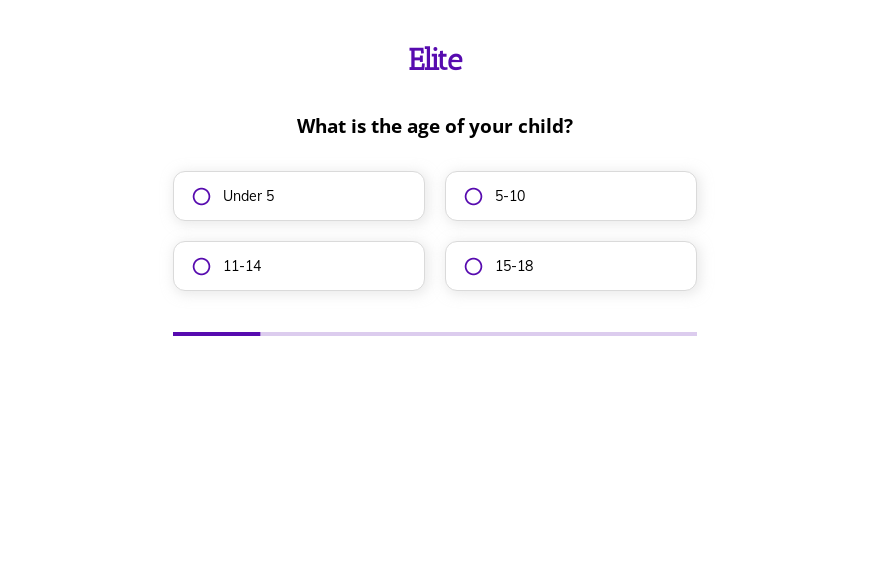
This five-step private school inquiry form asks the child’s age, the parent’s top priority, the preferred mode of learning and when they hope to enroll, followed by the contact details. Clone it into your Growform account and add tour dates.

What the form asks, step by step

Parents researching schools want to register interest without committing. The four questions give an admissions officer enough to personalize the first reply.

  1. Step 1: “What is the age of your child?”

    Age bands point the inquiry to the right school division.

  2. Step 2: “What is the most important aspect of a school for you?”

    Academics, sports, arts or safety tells you what to highlight in your reply.

  3. Step 3: “What is the preferred mode of learning for your child?”

    In-person, online or hybrid shows which program the family is considering.

  4. Step 4: “How soon are you looking to enroll your child?”

    Families enrolling immediately should be offered a tour the same week.

  5. Step 5: “How shall we contact you?”

    Name, email and phone come last.

  6. After submitting

    Parents see a thank-you message, which an admissions team would rewrite to invite them to the next open day.

Who it’s for

Independent schools, private academies and online schools use this template as the first step of admissions. It sits before the formal private school application form and collects the child’s age, the family’s priorities and their timing. Admissions officers can then send a reply that mentions the program the family cares about. The full school admission form, with records and references, follows after a visit.

Why this structure converts

  • The priority question lets parents say what matters to them, which makes the reply feel personal.
  • Enrollment timing separates families ready for a tour from those planning for next year.
  • The form asks nothing about fees or records, so parents can inquire without pressure.
Use this template

14-day free trial, no credit card

Make it yours

  • Offer a tour on submit

    Link to your tour or open day booking page on the thank-you screen so interested families can take the next step immediately.

  • Ask the entry grade

    Replace the age bands with grade levels if your admissions team works by year group.

  • Add a sibling question

    Ask whether any siblings attend the school, since many schools prioritize or discount sibling places.

Frequently asked questions

Is this a school admission form?

It is the inquiry that comes before admission. The full school admission form asks for records, references and fees once the family decides to apply.

Can I send families to a tour booking page?

Yes. Redirect to your booking page after submission or link to it from the thank-you screen.

Where do admissions inquiries go?

They arrive by email and can also be added to HubSpot, Mailchimp or a Google Sheet for follow-up.

What happens next?

  1. Step 1: Clone this form template

    Clone this template into your Growform account (create one first if you don’t already have one).
  2. Step 2: Edit your form

    Get creative and adjust your form's theme options, questions or layout in the Growform form builder.
  3. Step 3: Share or embed your form

    Share a link to your form, or embed it in your existing website. Receive new submissions by email or send them to 7,000+ apps via Zapier.

Start your free trial

Build multi-step forms just like this one. 14-day free trial, no credit card required.