Rental application pre-screening form template
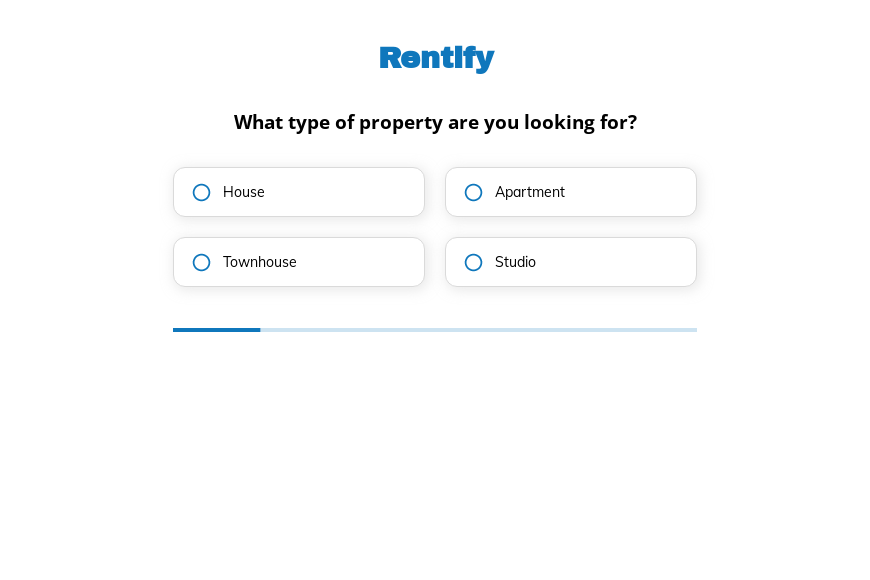
This five-step rental pre-screening form asks the type of property, the number of bedrooms, the preferred lease length and any pets, followed by the contact details. Clone it into your Growform account and add your screening questions.
What the form asks, step by step
The form matches prospective tenants to available units before anyone fills in a full rental application form. Pets are asked last because they often decide which units qualify.
-
Step 1: “What type of property are you looking for?”
House, apartment, townhouse or studio narrows the listings to show.
-
Step 2: “How many bedrooms do you need?”
One to four or more bedrooms matches the renter to vacant units.
-
Step 3: “What is your preferred lease duration?”
Six months to three years shows whether the renter fits your lease terms.
-
Step 4: “Do you have any pets?”
Small and large pets are separated because many buildings allow only one.
-
Step 5: “How shall we contact you?”
Name, email and phone come last.
-
After submitting
Renters reach a thank-you screen that a property manager would rewrite to explain the next step toward a viewing.
Who it’s for
Property managers, letting agents and landlords with several units use this template to pre-screen renters. Each inquiry states the property type, size, lease length and pets, so you can suggest suitable units and invite only qualified renters to apply. It is shorter than a full rental application form, which usually asks for income, references and consent to a credit check once a unit is chosen.
Why this structure converts
- Renters describe what they want to live in, which is a natural first step when searching.
- The pet question distinguishes small from large animals, which saves an awkward conversation later.
- Every answer is a button, so renters browsing on a phone finish the form quickly.
14-day free trial, no credit card
Make it yours
-
Add income and move-in date
Add a monthly income band and a move-in date step if you want to screen renters further before inviting an application.
-
Link to listings
Use conditional logic to show matching listings or a viewing calendar on the thank-you screen based on bedrooms and property type.
-
Send the full application next
Keep sensitive details off this form and send your full application, with consent for background checks, once a unit is agreed.
Send every lead where your team works
Frequently asked questions
Is this a complete rental application form?
No. It is a pre-screening step that matches renters to units. A complete application also collects income, employment, references and consent for checks.
Can I use it as a rental application form template?
Yes. Add steps for employment, income and references, and the same multi-step structure becomes a full application.
Where do renter inquiries go?
Growform sends them to LeadSimple, Follow Up Boss, HubSpot or a Google Sheet, as well as to your email.
What happens next?
-
Step 1: Clone this form template
Clone this template into your Growform account (create one first if you don’t already have one). -
Step 2: Edit your form
Get creative and adjust your form's theme options, questions or layout in the Growform form builder. -
Step 3: Share or embed your form
Share a link to your form, or embed it in your existing website. Receive new submissions by email or send them to 7,000+ apps via Zapier.
Start your free trial
Build multi-step forms just like this one. 14-day free trial, no credit card required.