Skip to content
Growform Multi Step Form Builder

Device repair request form template

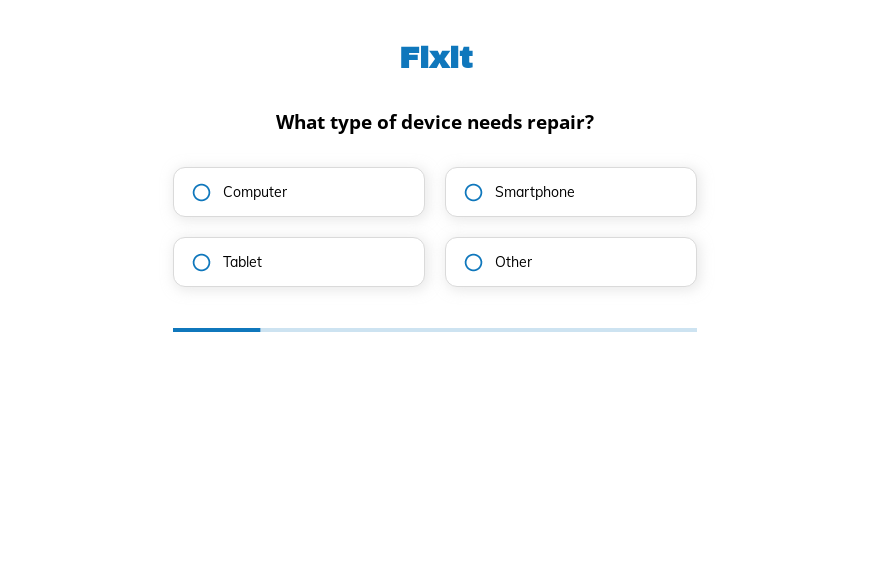
This five-step device repair request form asks the device type, the main fault, any earlier fix attempts and the deadline, followed by the contact details. Clone it into your Growform account and list your repair services.

What the form asks, step by step

Repair shops quote faster when they know the device and the symptom. This form gathers both, along with the customer’s deadline, in four taps.

  1. Step 1: “What type of device needs repair?”

    Computer, smartphone or tablet tells the shop which technician takes the job.

  2. Step 2: “What’s the main issue with the device?”

    A broken screen and a device that will not turn on are priced very differently.

  3. Step 3: “Have you tried fixing it yourself?”

    An earlier repair attempt can change the diagnosis, so it is asked upfront.

  4. Step 4: “When do you need the device to be ready?”

    Customers who need their phone back today can be offered an express service.

  5. Step 5: “How shall we contact you?”

    Name, email and phone come last.

  6. After submitting

    The default thank-you can be rewritten with your drop-off hours and the address of the shop.

Who it’s for

Phone and computer repair shops, mobile repair technicians and IT service desks use this template as their online booking or quote request page. It replaces a repair form that asks only for a description, which usually leaves the technician guessing. Each request carries the device, the fault and the deadline, so you can reply with a price range and a slot for drop-off.

Why this structure converts

  • Symptoms are offered as buttons, so customers do not need technical words to describe the fault.
  • The self-repair question is asked neutrally, which makes customers more likely to answer honestly.
  • Deadline options let the shop sell faster turnaround to the customers who value it.
Use this template

14-day free trial, no credit card

Make it yours

  • Add a brand and model step

    A dropdown or short text field for the brand and model lets you check parts availability before you quote.

  • Ask about data backups

    Add a yes-or-no question about whether the data is backed up, which helps set expectations for repairs that may wipe the device.

  • Connect your repair software

    Send each request to RepairDesk so it opens as a ticket with the customer’s answers attached.

Frequently asked questions

Which details make a device repair request useful?

It should ask the device, the symptom, any earlier repair attempts and the deadline, then the customer’s contact details. That is enough for a price range and a drop-off time.

Is this a repair order form for the workshop?

It is the customer’s request. Your repair order form, with serial numbers, parts and technician notes, is created when the device arrives.

Can requests create tickets automatically?

Yes. Growform connects to RepairDesk, Syncro and Zendesk, among other tools, so each submission can open a ticket.

What happens next?

  1. Step 1: Clone this form template

    Clone this template into your Growform account (create one first if you don’t already have one).
  2. Step 2: Edit your form

    Get creative and adjust your form's theme options, questions or layout in the Growform form builder.
  3. Step 3: Share or embed your form

    Share a link to your form, or embed it in your existing website. Receive new submissions by email or send them to 7,000+ apps via Zapier.

Start your free trial

Build multi-step forms just like this one. 14-day free trial, no credit card required.