Skip to content
Growform Multi Step Form Builder

Sandwich order form template

This five-step sandwich order form asks the bread, the filling, the cheese and any extras, followed by the contact details. You can clone it into your Growform account and add your own menu and prices.

What the form asks, step by step

The form builds a sandwich one layer at a time, the way a counter order works. The kitchen receives a complete ticket without reading a note.

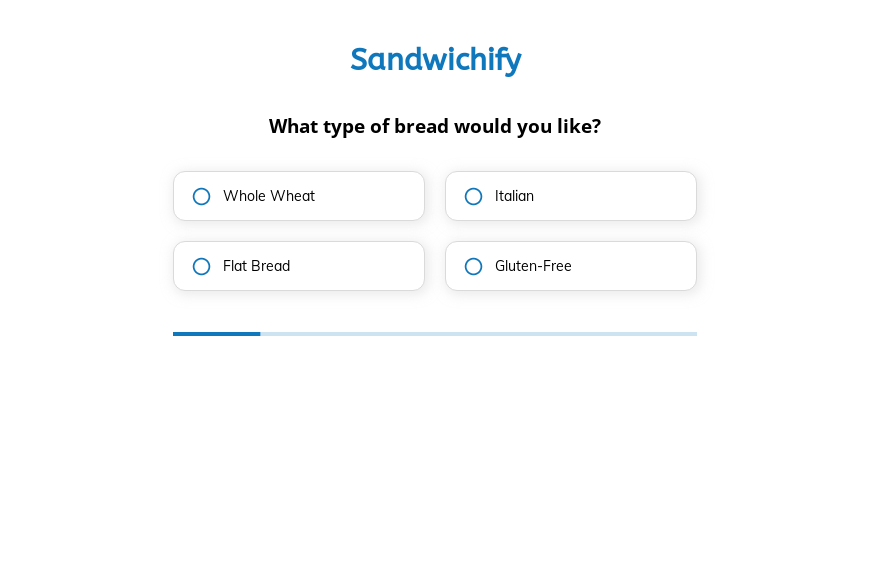
  1. Step 1: “What type of bread would you like?”

    Whole wheat, Italian, flatbread or gluten-free starts every ticket the same way.

  2. Step 2: “Which filling would you prefer?”

    Chicken, beef, veggie or tuna tells the kitchen what to prepare.

  3. Step 3: “What’s your preferred cheese?”

    American, cheddar, Swiss or no cheese covers the common requests.

  4. Step 4: “Would you like any extras?”

    Avocado, bacon and extra cheese are small upsells on every order.

  5. Step 5: “How shall we contact you?”

    Name, email and phone come last.

  6. After submitting

    A plain confirmation follows each order, and a deli would change it to state the pickup time.

Who it’s for

Delis, cafés, lunch delivery services and office caterers use this sandwich order form template to take orders online without a full ordering system. Each ticket lists the bread, filling, cheese and extras in a fixed order, so the kitchen can work straight from it. It suits preorders for office lunches and pickup at busy times. Caterers who handle larger events can look at the catering order form.

Why this structure converts

  • Each layer of the sandwich is its own tap, so ordering on a phone is quick.
  • The gluten-free bread option lets customers with dietary needs order without a phone call.
  • Extras come last, where they add value to an order that is already complete.
Use this template

14-day free trial, no credit card

Make it yours

  • Allow several extras

    The extras question takes one answer. Make it multi-select so a customer can add avocado and bacon to the same sandwich.

  • Add pickup time

    A time question before the contact step lets the kitchen plan preparation around the lunch rush.

  • Show the order total

    Add prices to each option and calculate the total on the thank-you screen so customers know what to pay at pickup.

Frequently asked questions

Can customers order more than one sandwich?

Add a quantity step or duplicate the steps for a second sandwich. For group orders, a free-text step for names works well.

Can I take payment in the form?

The template does not take payment. Link to your checkout from the thank-you screen or collect payment at pickup.

Where do sandwich orders arrive?

Orders arrive by email and can be added to a Google Sheet, Airtable or a Slack channel the kitchen watches.

What happens next?

  1. Step 1: Clone this form template

    Clone this template into your Growform account (create one first if you don’t already have one).
  2. Step 2: Edit your form

    Get creative and adjust your form's theme options, questions or layout in the Growform form builder.
  3. Step 3: Share or embed your form

    Share a link to your form, or embed it in your existing website. Receive new submissions by email or send them to 7,000+ apps via Zapier.

Start your free trial

Build multi-step forms just like this one. 14-day free trial, no credit card required.