
Macro Conversions
This article explores macro conversions, key actions like purchases or form submissions that drive business success. It explains the importance of optimizing macro conversions to boost revenue, improve lead quality, and enhance user experience. Learn actionable strategies to identify barriers, optimize forms, and strengthen CTAs. For more tips, visit our blog and start maximizing your macro conversions with Growform.
Why Macro Conversions Matter for Your Business
Driving traffic to your website is only half the battle. If visitors aren’t completing the key actions that generate revenue such as making a purchase, requesting a quote, or booking a consultation, you’re leaving money on the table.
Many businesses struggle with optimizing their macro conversions, often focusing on traffic generation while overlooking friction points that prevent users from converting.
In this Growform guide, we’ll break down what macro conversions are, how they work, and how to increase them.
What Is a Macro Conversion?
A macro conversion is a significant user action that directly contributes to a business’s primary objectives. They are typically the end result of a successful user journey, where users take the most important actions that directly align with the business’s objectives.
Examples of Macro Conversions vary depending on business type, and they include:
- E-commerce: Completing a purchase.
- Lead Generation Websites: Submitting a contact form or requesting a quote.
- SaaS & Subscription Services: Signing up for a free trial or paid subscription.
- Event Registration: Completing a sign-up for a webinar or live event.
- Community-Based Platforms: Creating an account or subscribing to a membership.
Businesses must identify, track, and optimize their macro conversions to improve revenue, customer acquisition, and long-term engagement. And businesses that focus on optimizing macro conversions see real results. Albert, the founder of Heyzine Flipbooks, shared his experience with Growform:
“The product works incredibly well, zero issues, easy to use, fast, clean interface, full of features. I tried many of the templates and they are perfect. It’s clear they know what we need to do to get leads.“
By refining your approach to macro conversions with tools like Growform, you can streamline the process and capture more high-quality leads that lead to measurable business success.
Macro Conversions vs. Micro Conversions
Macro conversions don’t happen in isolation, they are the result of micro conversions, smaller actions that indicate user intent and engagement.
Key Differences:
| Aspect | Macro Conversions | Micro Conversions |
|---|---|---|
| Definition | Primary action that aligns with business goals | Smaller actions that lead up to a macro conversion |
| Examples | Purchase, form submission, event sign-up | Adding a product to cart, clicking a CTA, spending time on a page |
| Impact | Directly affects revenue and business success | Helps track user engagement and optimize conversion paths |
| Tracking | Measured through sales, form submissions, or sign-ups | Measured through engagement metrics, scroll depth, clicks |
By understanding both macro and micro conversions, businesses can analyze the entire customer journey and pinpoint areas for improvement.
Benefits of Optimizing Macro Conversions
Higher Revenue & ROI
Improving macro conversions directly impacts revenue growth. Whether you’re an e-commerce brand selling products or a service provider generating leads, increasing the percentage of users who convert means more profit without increasing traffic costs.
- A higher conversion rate lowers your customer acquisition cost (CAC).
- Businesses that optimize their macro conversions see higher return on ad spend (ROAS).
- Streamlining the conversion process prevents drop-offs and lost opportunities.
Focusing on macro conversions ensures that marketing and advertising efforts translate into real business results.
Better Lead Quality & Sales Alignment
For businesses relying on lead generation, macro conversions are only valuable if they bring in high-quality leads. Optimizing for better macro conversions means:
- Qualifying leads more effectively by using multi-step forms that collect useful data.
- Filtering out low-intent users by asking relevant questions early in the form.
- Improving sales efficiency by ensuring leads are engaged and ready to convert.
With tools like Growform, businesses can create forms that improve lead quality while reducing friction, ensuring that sales teams focus on the most promising prospects.
Improved User Experience & Lower Drop-Off Rates
Many businesses lose potential customers due to confusing forms, complex checkout processes, or unnecessary friction. Optimizing macro conversions means:
- Shortening the path to conversion by removing unnecessary steps.
- Using conditional logic to personalize forms based on user input.
- Ensuring mobile-friendliness so users can convert seamlessly on any device.
By making the conversion process as smooth and intuitive as possible, businesses can reduce abandonment rates and improve overall customer experience.
How to Improve Mobile Experience to Maximize Macro Conversions
Step 1: Use a Mobile-Responsive Form Builder
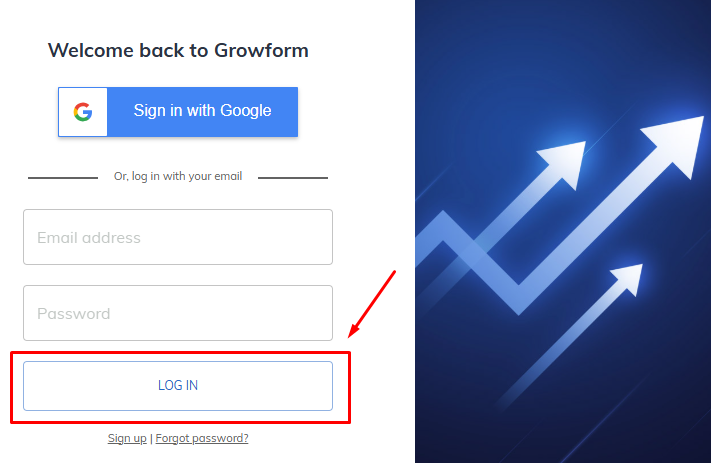
- Log into Growform and ensure your form is designed with mobile users in mind.
- Create or Select a form template that automatically adjusts to any screen size, ensuring that your form will look good and function well on all devices, from smartphones to tablets.
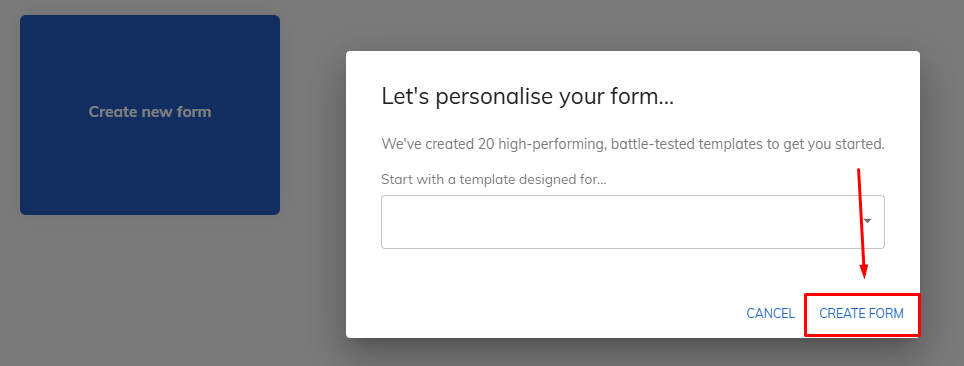
Mobile-responsive designs are necessary for providing a seamless experience for users and can significantly reduce abandonment rates.
Step 2: Simplify Your Forms for Smaller Screens
Mobile users often abandon long and complicated forms due to limited screen space and the effort required to fill them out.
- Keep your forms short and to the point. Focus on essential fields only, and consider removing non-critical ones.
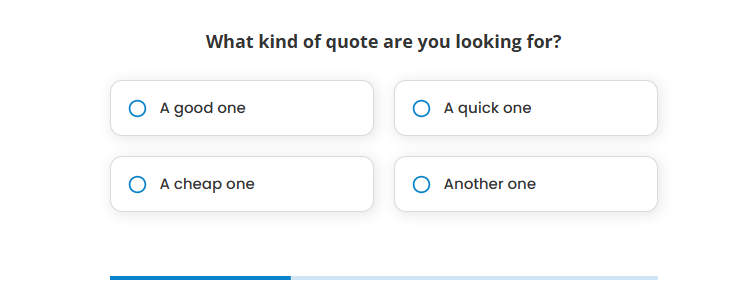
- Use multi-step forms to break up the experience into smaller, digestible parts, which makes the form seem less overwhelming and more user-friendly.
Growform’s multi-step forms help businesses capture more leads with fewer drop-offs, improving macro conversions without sacrificing data quality.
Step 3: Optimize Button Size & Placement
For mobile users, make sure your buttons (especially CTAs) are large enough to tap comfortably. Small buttons can frustrate users, leading them to abandon the form altogether.
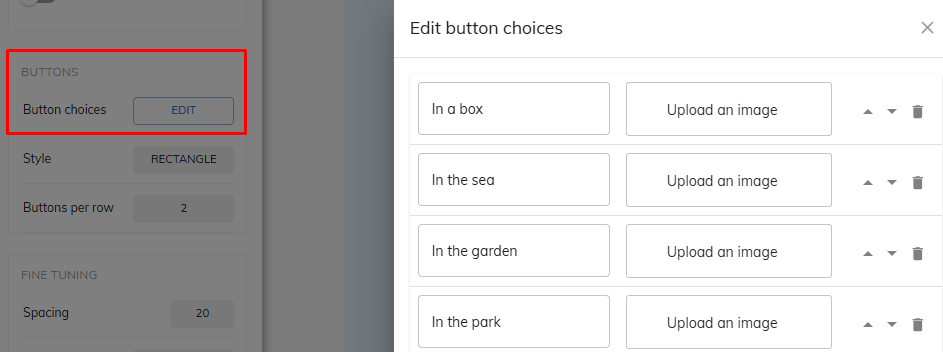
- Ensure the buttons are also strategically placed where users can easily reach them, such as the top or bottom of the screen.

- A good rule of thumb is to position them where thumbs naturally fall during one-handed use.
Step 4: Test Mobile Speed and Performance
- Mobile users have little patience for slow-loading pages. Slow load times can drastically increase your form’s abandonment rate.
- Ensure your form loads quickly by optimizing images, minimizing scripts, and reducing the size of files where possible.
- Use tools like Google PageSpeed Insights to test and improve your form’s loading speed across mobile devices.
Step 5: Regularly Test and Optimize for Mobile Users
Regularly test your form on different mobile devices to check user experience and ensure there are no issues. Adjust based on feedback and test results. Growform’s A/B testing features can help you experiment with different form designs and CTA placements, giving you insights into what works best for your audience and maximizing mobile conversion rates.

Maximize Your Business Success with Optimized Macro Conversions
Macro conversions are the lifeblood of business success, whether in e-commerce, lead generation, or SaaS. By optimizing forms, improving user experience, and reducing friction, businesses can increase conversion rates and revenue.
With Growform’s advanced form-building tools, businesses can capture more high-quality leads, reduce abandonment, and maximize macro conversions.
Start optimizing your macro conversions with Growform today!