
Growform CRM Forms With Hidden Field Pass-Through Built In

Updated Published 3 min read

If your CRM forms are collecting names and phone numbers but dropping UTMs, click IDs, or buyer reference numbers on the way in, the problem is not your CRM. It is the capture layer in front of it. Growform is a no-code, multi-step form builder built for lead generation teams that need CRM forms to convert on mobile and pass hidden-field data through cleanly.
Growform helps paid traffic operators, in-house performance teams, and GoHighLevel agencies capture lead data and the metadata that makes a lead usable. You can pull query-string values such as utm_campaign, utm_keyword, gclid, fbclid, source IDs, sub-IDs, or a CRM reference number into hidden fields, save them with each submission, and send them in real time to HubSpot, Salesforce (through Zapier), GoHighLevel, or lead routing platforms.
Growform CRM forms keep hidden-field pass-through attached to every submission
On the web, query strings are the key/value parameters that appear in a URL after the question mark. Growform CRM forms are built to capture those values with hidden fields, so the ad click context that created the lead can travel with the lead itself instead of disappearing between the landing page and your CRM.
Growform matches each hidden field by name to the query parameter with the same name. That makes it practical to pass campaign data, source tags, or a unique customer ID straight into your form results, your email alerts, and your Zapier-driven CRM workflows without asking a developer to write custom parsing logic.
When your sales team opens a record, or when a buyer receives a payload, the useful context is already attached. That means cleaner attribution, fewer routing mistakes, and less time spent reconciling where a lead came from.
Worked example: from ad URL to HubSpot contact property
Say a roofing campaign on Meta sends traffic to this landing page URL:
https://example.com/roof-quote/?utm_source=facebook&utm_campaign=roof-replacement-tx&fbclid=IwAR0abc&ref=A1042
Here is how each value reaches the contact record in HubSpot.
- Add one hidden field per parameter. In the Growform editor, add hidden fields named
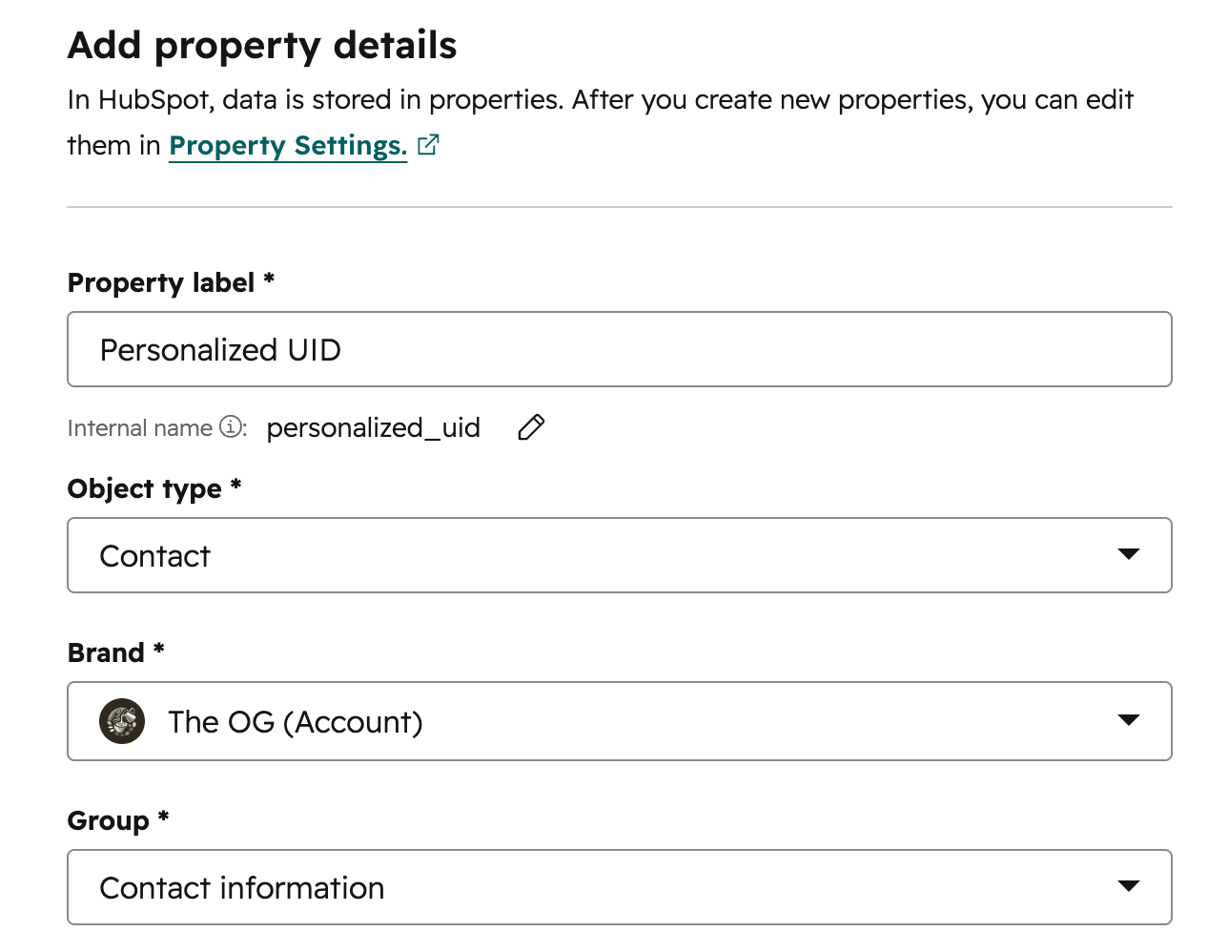
utm_source,utm_campaign,fbclidandref, each set to “Parameter from URL”. Giveutm_sourcea default such as “direct” so a lead without the parameter still carries a value. - Create matching properties in HubSpot. Add custom contact properties for the values HubSpot does not already store, for example “Lead campaign”, “Facebook click ID” and “Partner reference”.
- Connect the form through Zapier. Create a Zap with Growform as the trigger and HubSpot’s “Create or Update Contact” as the action. Growform lists each hidden field next to the visible answers, so you map
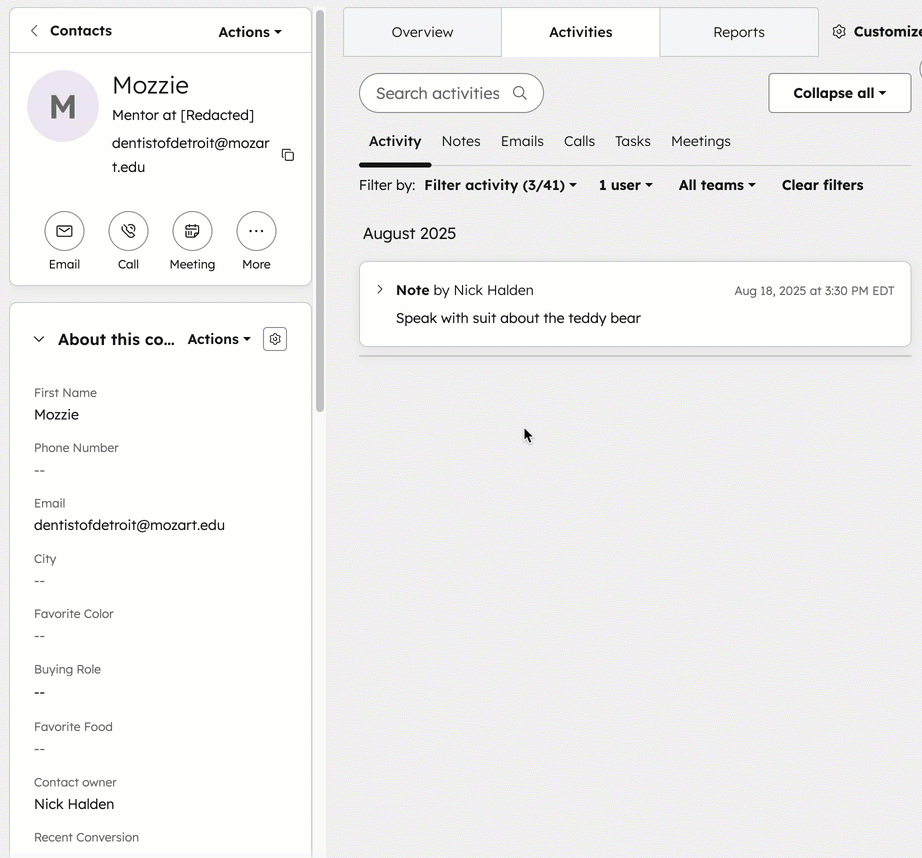
utm_campaignto “Lead campaign”,fbclidto “Facebook click ID” andrefto “Partner reference”. - Submit a test lead from the real URL. Open the landing page with the parameters above, complete the form and check the new contact in HubSpot. “Lead campaign” should read roof-replacement-tx and “Partner reference” should read A1042.
The same fields travel in a webhook payload to Boberdoo, Phonexa, LeadsPedia or any other distribution platform, so a buyer receives the source and reference number with the lead. Hidden fields are included on every Growform plan.
Put Growform between your traffic and your CRM
If your current CRM forms are losing hidden-field data or forcing manual cleanup after every campaign, Growform gives you a cleaner way to capture, qualify, and deliver leads. You keep the data your sales team, CRM, and buyers actually need, from UTMs and click IDs to consent evidence and verification status.
Start a free trial, map hidden fields to your query parameters, and send a live test submission through your CRM or routing stack before the next campaign launches.
Related articles

Growform Mass Tort Intake Forms for Better Screening
Growform helps mass tort marketers and intake teams turn paid traffic into better-screened claimant leads.
September 30, 2026

Growform Debt Relief Forms for Qualified Lead Intake
Debt relief lead forms have to do more than convert.
September 30, 2026

Growform Multi-Step Forms for Paid Lead Generation
Growform is a no-code multi-step form builder built for one job: turning paid traffic into qualified leads.
September 30, 2026