
Twilio Phone Verification: Lead Form Setup Guide
 Harvey Carpenter Updated 11 min read
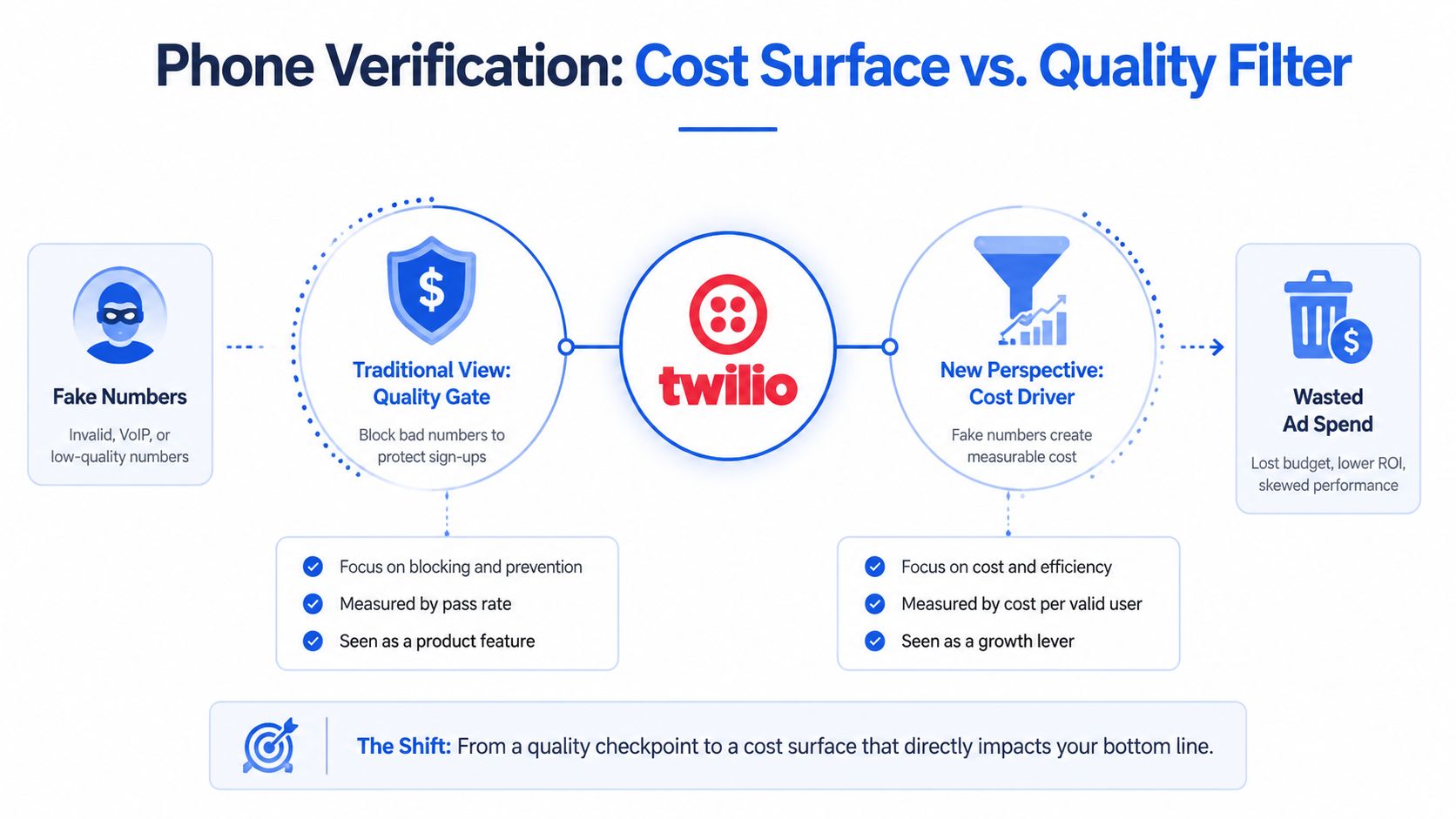
The popular advice is simple: add an OTP to your lead form, block fake numbers, and watch lead quality improve. That advice misses the expensive part. Twilio phone verification creates a new cost surface, because every bot or fraudulent submission that reaches the send-code action can trigger messaging spend before your sales team ever sees a lead.
A durable implementation treats verification as both a quality signal and an abuse-control workflow. The form needs sensible retry limits, geographic controls, fraud monitoring, clean event handling, and a reliable path into your CRM. Without those controls, higher verification activity can mean higher costs rather than better acquisition economics.
Why phone verification is a cost surface, not just a quality filter
Phone verification doesn't automatically make a lead legitimate. A user can receive and enter an OTP, yet still be a bot operator, a fraudulent submitter, or someone exploiting your funnel. Twilio's fraud guidance specifically warns that advanced automated workflows can complete full OTP flows and convert successfully, which makes approval alone an incomplete measure of intent. Twilio's fraud-response guidance recommends looking at patterns around attempts, approvals, geography, and blocked traffic instead of treating every approved code as a good lead.
SMS pumping fraud makes this distinction commercially important. Attackers target phone-number fields, submit numbers repeatedly, and create messaging charges through traffic that may look just credible enough to pass a basic form check. In a paid lead funnel, the cost isn't limited to the message. You may also pay for the ad click, consume buyer capacity, and pollute campaign data with submissions that never produce revenue.
Measure the economics before adding friction
The useful question isn't “How many numbers did we verify?” It's “Did verification improve the value of accepted leads more than it added to acquisition cost?” Track the relationship between:
- Verification attempts: Every request that reaches the delivery stage, including repeated requests from the same visitor.
- Approvals: Codes that pass the verification check.
- Verified lead acceptance: Leads accepted by a buyer or routed successfully to sales.
- Verification conversion rate: The ratio of attempts to approvals, segmented by country, source, and network type.
- Cost per verified lead: Messaging and verification spend divided by leads that pass your commercial quality rules.
A low approval rate can indicate poor UX, invalid traffic, carrier delivery issues, or an attack. A high approval rate can still conceal abuse if automated users complete the OTP flow. That's why performance marketers should pair verification data with downstream acceptance, contact outcomes, and consent records.
Phone verification also belongs beside acquisition controls, not after them. Tighter ad targeting reduces irrelevant traffic before it reaches the form. For implementation patterns specific to lead forms, see this guide to lead generation form phone verification.
Setting up Twilio Verify V2 for lead generation
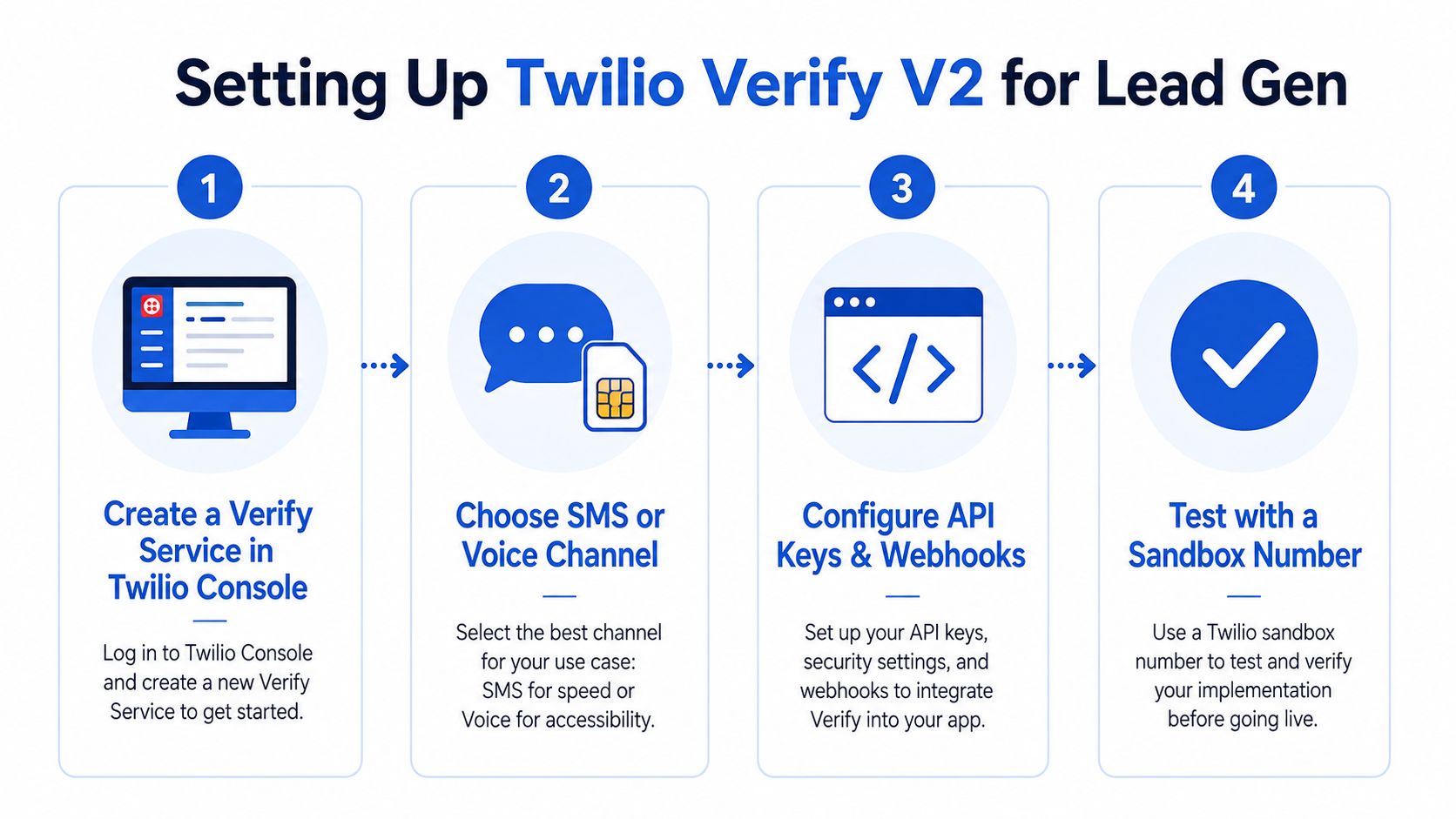
Twilio Verify is a dedicated verification product rather than a basic SMS wrapper. Twilio identifies the current product version as Verify V2, using the endpoint family verify.twilio.com/v2/ in its product documentation. Twilio's Verify product page provides the product context and endpoint reference.
Create the service and choose the delivery channel
Start in the Twilio Console by creating a Verify Service for the lead funnel. Give it a clear friendly name that identifies the campaign or environment. Keeping development and production services distinct makes logs easier to interpret and reduces the risk of testing against live acquisition traffic.
SMS is usually the default channel for lead forms because users understand the interaction and can complete it without leaving the page. Voice can serve as a fallback for users who can't receive text messages, but it introduces a different experience and should be offered deliberately rather than triggered by every delivery delay.
Before sending anything, validate and normalize the submitted phone number. Show the complete contact identifier back to the user and add a confirmation step. This catches transposed digits and wrong country selections before Twilio sends a code, which protects both conversion and messaging spend.
Keep the API flow server-side
Your application should expose a controlled server endpoint to initiate verification, not place Twilio credentials in browser JavaScript. The server receives the normalized number, checks eligibility and campaign rules, then calls Verify V2 to send the code.
The second server endpoint checks the submitted code against the same verification service. A simplified flow looks like this:
- Collect and validate: Accept the number, country context, consent state, campaign identifiers, and form session.
- Confirm before delivery: Display the full number and ask the user to confirm it.
- Start verification: Send the OTP through the server-side Verify client.
- Check the code: Submit the user-entered code to the server and record the resulting status.
- Release the lead: Only pass the lead downstream after your application receives an approved result and has preserved the relevant evidence.
Handle failures as states, not generic errors. “Number invalid,” “code expired,” “too many requests,” “delivery delayed,” and “verification rejected” require different user messages and different operational responses. Store a verification identifier and status with the lead record, while keeping secrets and sensitive credentials outside the browser and downstream buyer payloads.
Rate limits and fraud prevention controls
Phone verification can become a direct acquisition cost when every request reaches the SMS provider. Apply throttling at both the Verify layer and your application layer. Twilio's Verify API stops sending after five verification attempts to the same entity within 10 minutes and returns error 60203. Twilio's operational guidance recommends limiting requests to one request per 30 seconds per phone number and applying exponential backoff after repeated attempts. See the Twilio Verify developer best practices for implementation guidance.
The service limit protects the API workflow. Your cooldown protects funnel economics. A resend button that accepts every tap can send duplicate messages, confuse legitimate users, and turn a short delivery delay into an expensive resend burst.
| Control | Limit or setting | Purpose |
|---|---|---|
| Verify API entity limit | Five attempts to the same entity within 10 minutes | Limits repeated verification activity and helps contain OTP abuse. |
| Application resend cooldown | One request per 30 seconds per phone number | Reduces accidental resends, SMS pumping exposure, and user confusion. |
| Retry behavior | Exponential backoff | Slows repeated requests after failures or delays. |
| Geographic controls | Geo Permissions | Blocks traffic from countries your campaign doesn't serve. |
| Fraud screening | Verify Fraud Guard | Helps identify and block suspicious verification activity. |
| Number intelligence | Line-type filtering | Lets teams reject unsuitable number types when the campaign requires it. |
Put controls before the message action
Run low-cost checks before calling Verify. Validate formatting, campaign eligibility, country permission, duplicate-session rules, and any line-type policy first. If the campaign serves selected markets, configure Geo Permissions to match them rather than accepting every country and filtering afterward.
Use Fraud Guard, Geo Permissions, and line-type filtering to reduce SMS pumping and suspicious traffic. Each control has a conversion trade-off. A country rule that is too broad can route paid SMS traffic to markets your buyers do not accept. A rule that is too narrow can reject legitimate prospects. Review blocked and rejected attempts by geography and status so an incorrect configuration is not mistaken for an attack.
Rate limits should also cover the signals around the phone number. Apply session, IP, device, and campaign-level checks where your application can support them. A phone-number cooldown alone may leave an attacker free to rotate numbers, sessions, or acquisition paths.
Approval isn't the end of the check
An approved OTP does not prove that the lead is valuable or acceptable to a buyer. Track the attempt-to-approval ratio, failed authentications, blocked verifications, SMS delivery outcomes, and downstream lead results. Segment those measures by country, carrier or network type where available, acquisition source, and landing-page variant.
Set alerts when failed authentications rise suddenly, approval patterns change, or verification volume increases without corresponding accepted leads. Blocked-verification records can help separate an attack from a bad country rule, an integration defect, or a delivery problem. Retain the verification status with the lead, then require the usual qualification, consent, and buyer-acceptance checks before paying for or routing the submission.
Embedding verification in multi-step lead forms
The best placement depends on what the form asks before the phone number. Asking for a phone number at the very first interaction can expose the verification endpoint to low-intent traffic. Asking too late can force you to collect expensive qualification data before discovering that the lead can't be contacted.
For many quiz-style funnels, a practical pattern is to collect basic intent first, request the phone number before the final qualification stage, and verify it before releasing the completed lead. That arrangement gives the user context and progress while preventing your sales or buyer systems from receiving uncontactable submissions.
Design the phone step around correction
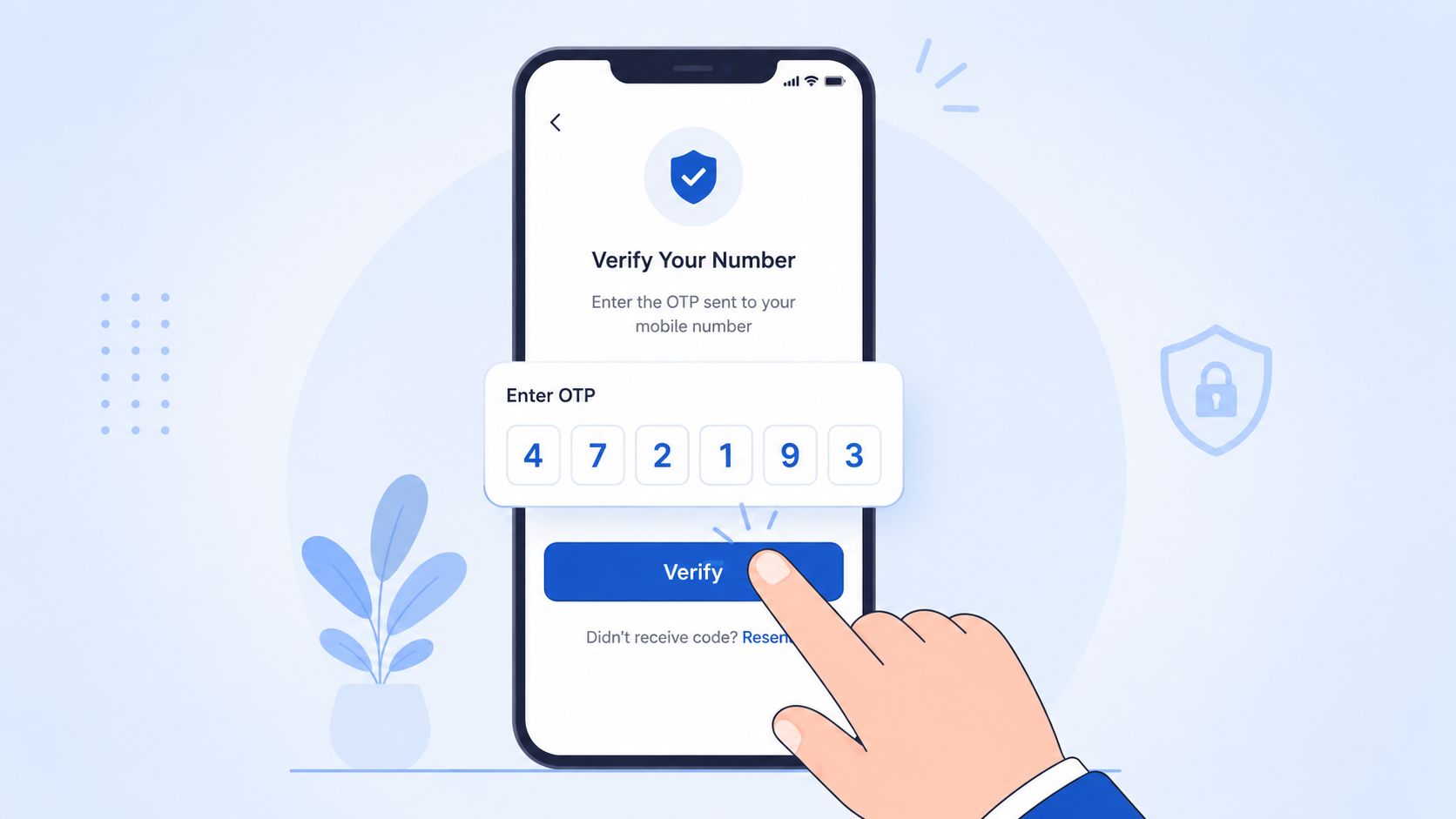
Inline validation should catch malformed input before the user submits. Debounce validation requests so every keystroke doesn't produce a server call, and normalize the number consistently before creating a verification attempt. Once the user submits, show the full formatted number with a clear edit option.
The confirmation screen should answer three questions immediately:
- Which number will receive the code? Display the complete identifier, not a masked version that prevents typo detection.
- What happens next? Explain that the user will receive a one-time code and where to enter it.
- What if delivery fails? Provide a controlled resend action and a separate support path or voice option where appropriate.
Don't reset the entire multi-step form when verification fails. Preserve answers, UTMs, click IDs, consent selections, and the verification session. Users should be able to correct a number or enter a new code without repeating the qualification flow.
Make resend behavior visible
The resend control should show a cooldown and disable itself while the request is unavailable. After a failed attempt, give a specific explanation rather than “Something went wrong.” A wrong code, an expired code, an invalid number, and a blocked attempt aren't interchangeable.
Verification can happen before expensive questions in a lead funnel, but that choice should follow testing. If the phone step causes major abandonment, move some low-cost, high-intent questions earlier or explain the value of completion more clearly. The correct design balances verified lead quality, user effort, and messaging exposure. More gates aren't automatically better. Each gate needs to earn its place through downstream outcomes.
Wiring verified numbers into Growform and downstream systems
A verified number is useful only if its status survives the handoff. Treat phone verification as a structured field set, not a yes-or-no decoration attached to a lead after submission.
At minimum, preserve the normalized phone number, verification status, verification identifier, timestamp, channel, failure reason when applicable, and the form session identifier. Keep acquisition data, including UTMs and click IDs, in the same payload so analysts can compare verification behavior with campaign performance. If a lead fails or times out, don't submit it as verified without notice. Route it to a controlled exception state or retain it for review according to your business rules.
Define the downstream contract
CRMs and lead routers should receive explicit values that sales and buyers can interpret consistently:
- Phone number: The normalized value used for the verification request.
- Verification status: For example, approved, failed, expired, blocked, or not attempted.
- Verification event time: When the status was created, useful for troubleshooting and audit history.
- Consent evidence reference: The identifier or URL connected to the captured consent record.
- Attribution fields: UTMs, click IDs, source identifiers, and sub-IDs.
- Routing metadata: Campaign, vertical, market, buyer, and qualification outcome.
Webhooks can then deliver the record to HubSpot, Salesforce, GoHighLevel, or distribution systems such as Boberdoo and Phonexa. A platform such as Growform can provide the multi-step capture layer, conditional qualification, real-time webhook delivery, and phone validation through Twilio Lookup within that broader stack. The CRM remains the system of record for sales activity, while the lead router applies buyer and campaign rules.
Preserve compliance evidence with the lead
Phone verification doesn't prove consent. A verified number shows that someone completed the verification interaction, but it doesn't replace the evidence required for the offer, disclosures, or contact permission. Store consent language, timestamp, page context, and TrustedForm or Jornaya references alongside the verification status where your workflow requires them.
Before selecting an automation path, review how to integrate Growform with destinations via Zapier. The important design decision is ownership. One system should control verification state, one should define whether the lead is releasable, and every downstream destination should receive the same canonical values.
Monitoring verification as a production workflow
A successful API response does not confirm that the funnel is economically healthy. Twilio Verify Events expose OTP delivery, approval, failure, and suspicious activity in real time, so teams can connect verification behavior with lead quality and messaging spend. Without that visibility, SMS pumping can turn a rising approval count into a growing liability.
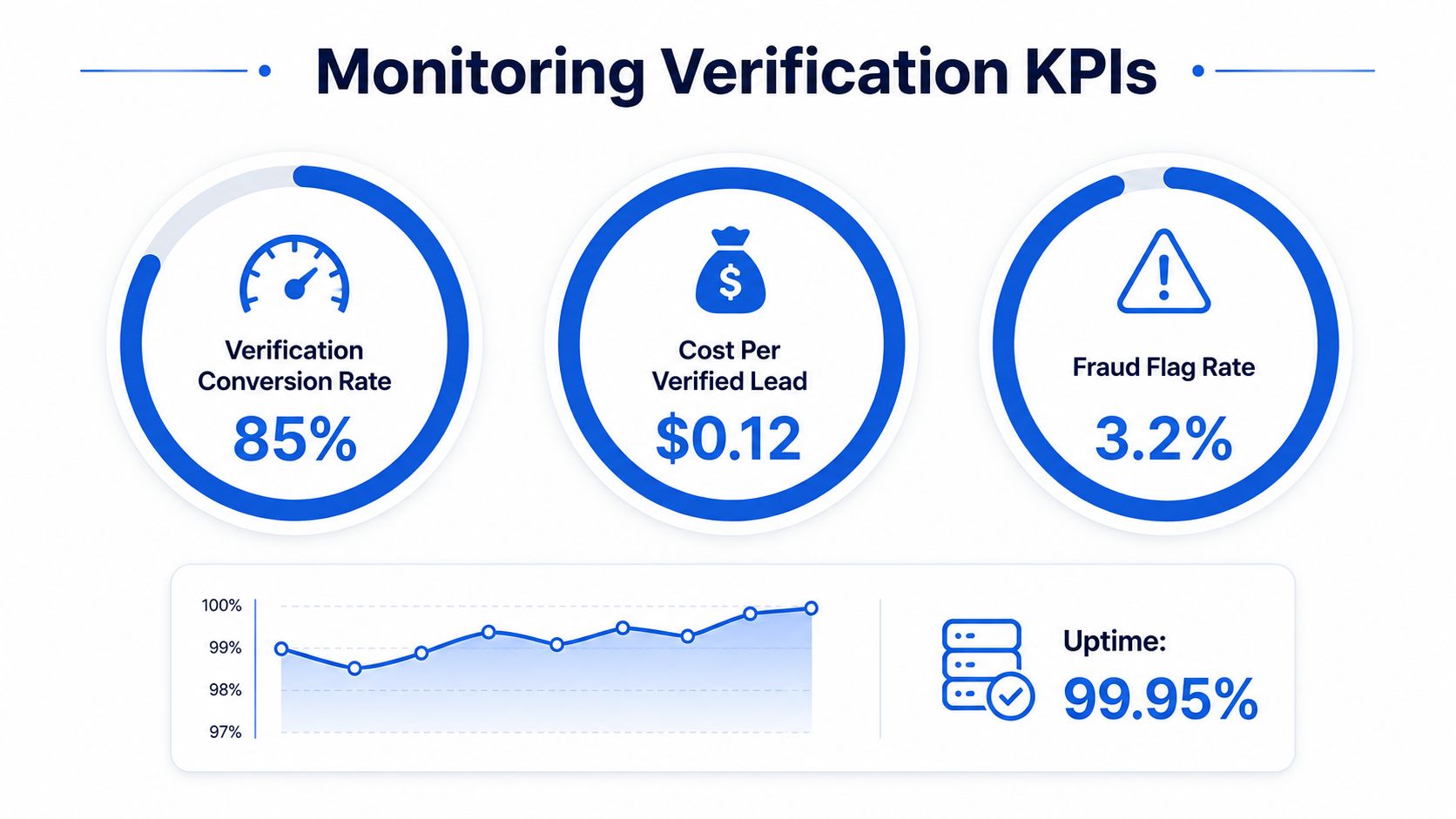
Track metrics that tie Verify activity to commercial outcomes:
- Verification conversion rate: Compare attempts with approvals by country, source, and status.
- Cost per verified lead: Divide verification spend by leads that pass release rules.
- Fraud attempt rate: Review blocked or suspicious activity by geography and network type.
- Delivery and completion: Separate delivered codes, completed checks, and failure reasons.
- Buyer acceptance: Measure verified leads accepted downstream, not only approvals inside Verify.
Run production traffic for at least four weeks before judging implementation success. Use that baseline to compare markets and campaign sources, then alert on a worsening attempt-to-approval ratio, sudden failure increases, or higher verification costs without better buyer acceptance.
Review the controls when a metric moves. Tighten Geo Permissions if unsupported markets generate suspicious volume. Reassess line-type filtering if it rejects a legitimate segment. Fix confirmation UX when users repeatedly submit mistyped numbers. Rate limits also need monitoring because a permissive threshold can make abuse expensive before a fraud rule catches it.
Report verification performance beside CPL, lead acceptance, and revenue. A lead is not cheaper if its number generates messaging abuse or fails buyer review.
Growform provides a multi-step capture layer for conditional qualification, Twilio phone validation, attribution pass-through, consent evidence, and webhook delivery into CRMs and lead distribution systems. Passcode phone verification through Twilio is launching soon. Configure the funnel to check numbers before release and preserve the fields buyers need. Start free trial to see how it fits an existing lead stack.
Related articles

7 Form Builders With Hidden Fields for Attribution
September 30, 2026

Zapier Webhook to Google Sheet How to Connect Fast
You've paid for the click, a prospect has completed a multi-step form, and the sales team is waiting for the lead.
September 30, 2026
8 API Integration Examples for Lead Capture
A lead stack can lose more value after the form is completed than before it.
September 30, 2026