
How To Add A Growform Multi Step Form To Elementor

Harvey Carpenter
Updated Published 2 min read
Did you know nearly 40% of all websites on the Internet are powered by WordPress?
Elementor is one of the most popular theme builders on WordPress, so we had to support it!
Learn how to easily integrate a powerful Elementor multi-step form into your website and enhance user experience today.
1 – Create a form on Growform
It almost goes without saying that you’ll need to set up a form on Growform. We have a 14 day free trial (with no credit card required) – you can sign up.
The first step will look something like this:

Follow our getting started guide if you need help creating your first form.
2 – Work out which embed option is right for you
There are 3 ways to share your Growform:
1.) Embed Growform directly on your website (most popular) 2.) Show Growform as an overlay when users click something on your website 3.) Link to your Growform from an email, social post or website
For the purpose of this guide, we’ll assume you want to embed your form with option 1 – directly in your website, like this (on our website) –

3 – Get your Growform embed code
To get your Growform share code, open Growform and navigate to your form.
Then, navigate to “Share form” in the top blue bar.
Choose the first option – “Embed Growform directly onto your website with an HTML snippet”.
Click the code and copy it to your clipboard:

4 – Find your page or template element
Now, find where you’d like to embed your code.
Typically, you’ll want to navigate to “Pages” in your WordPress admin area, then find the page you wish to embed Growform on.
Hover over the post and click “Edit with Elementor”:

5 – Find the “HTML” widget
Now, find the HTML widget and drag it onto your page:
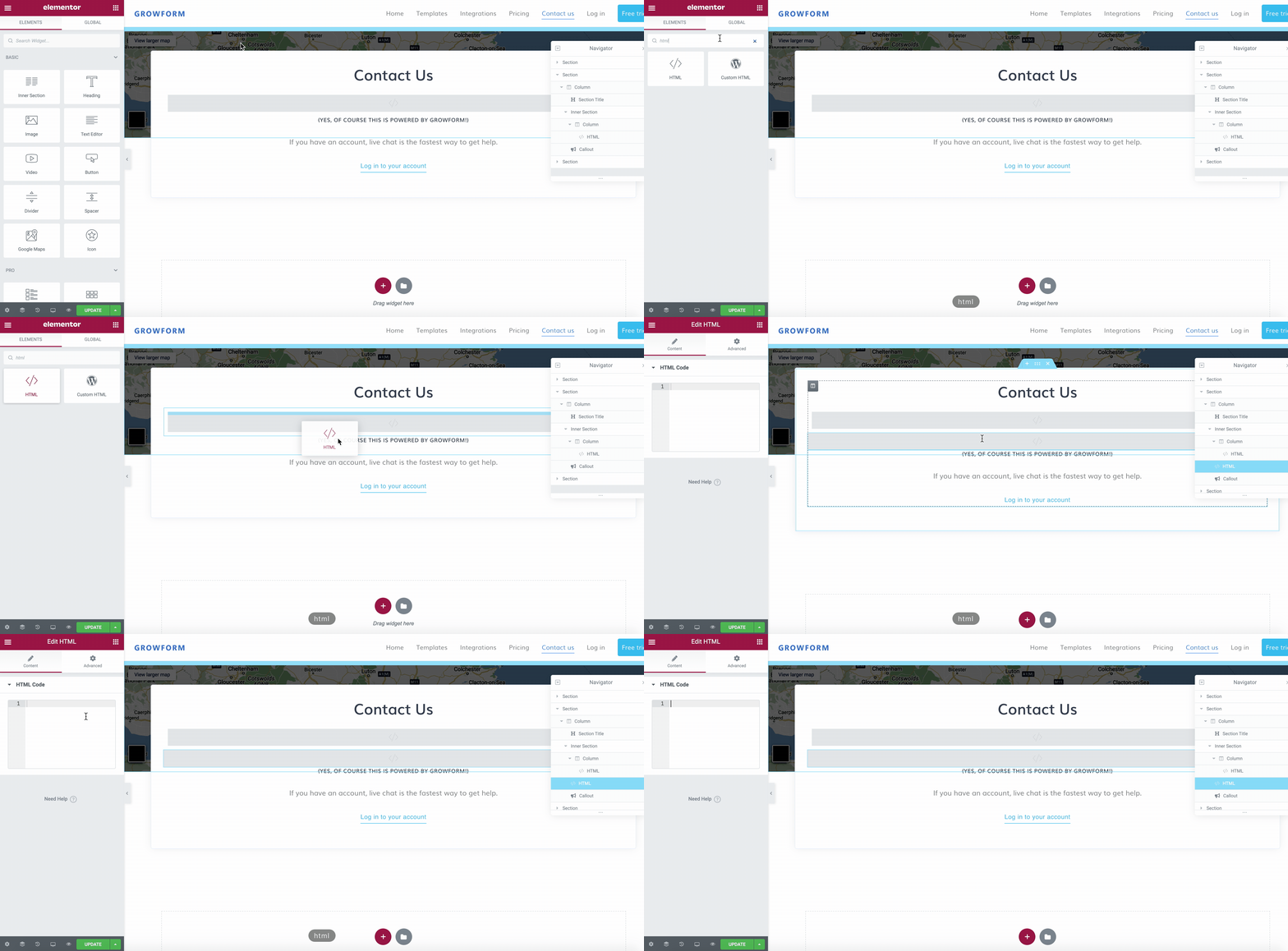
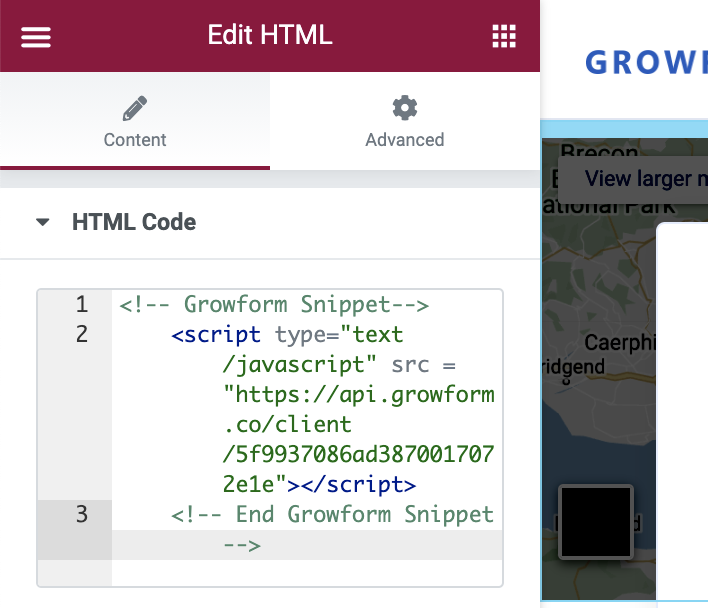
5 – Paste your embed code into the HTML code area
Finally, just paste the embed code you copied in step 3:
… then save and publish your post
Need more? We’re always working on our WordPress offering.
Please get in touch with us to provide feedback and help us shape the roadmap.
Related articles

Growform Mass Tort Intake Forms for Better Screening
Growform helps mass tort marketers and intake teams turn paid traffic into better-screened claimant leads.
September 30, 2026

Growform Debt Relief Forms for Qualified Lead Intake
Debt relief lead forms have to do more than convert.
September 30, 2026

Growform CRM Forms With Hidden Field Pass-Through Built In
September 30, 2026