
Webflow Form Integration: A Practical Guide for Marketers
Most Webflow form advice starts in the wrong place. It assumes the form element is the system, when the actual job is moving a lead from ad click to CRM without losing attribution, consent, or the submission itself. If the plumbing is brittle, the form can look fine in Webflow and still fail where it matters.
Webflow's own docs and community guidance make the limitation clear, if you read them as an operator instead of a designer. When Webflow handles the submission, there's no API to access those submissions, which means routing, replay, auditing, and recovery get harder the moment you need the form to do real lead-gen work (Webflow form submission API discussion). That's why webflow form integration should be treated as a submission-layer decision, not just an embed task.
Table of Contents
Table of Contents
- Why Native Webflow Forms Are Not Always the Right Submission Layer
- Connecting Webflow Forms to Email, Sheets and Native CRM Integrations
- Routing Submissions to Zapier and Make for No-Code Automation
- Direct API and Webhook Delivery for Production Lead Stacks
- Embedding a Conversion-Tuned Form Backend Like Growform in Webflow
- Attribution, Validation and Compliance Plumbing for Lead Forms
- Troubleshooting, Best Practices and Picking the Right Method
Why Native Webflow Forms Are Not Always the Right Submission Layer
The limitation is the handoff
The mistake I see most often is treating Webflow as both the page builder and the lead system of record. It can collect a form cleanly, but once a submission has to be replayed, enriched, audited, or routed elsewhere, the lack of a public submission API becomes a practical constraint, not a minor gap. That matters most when a lead has paid-traffic value and every missing record can distort attribution or sales follow-up.
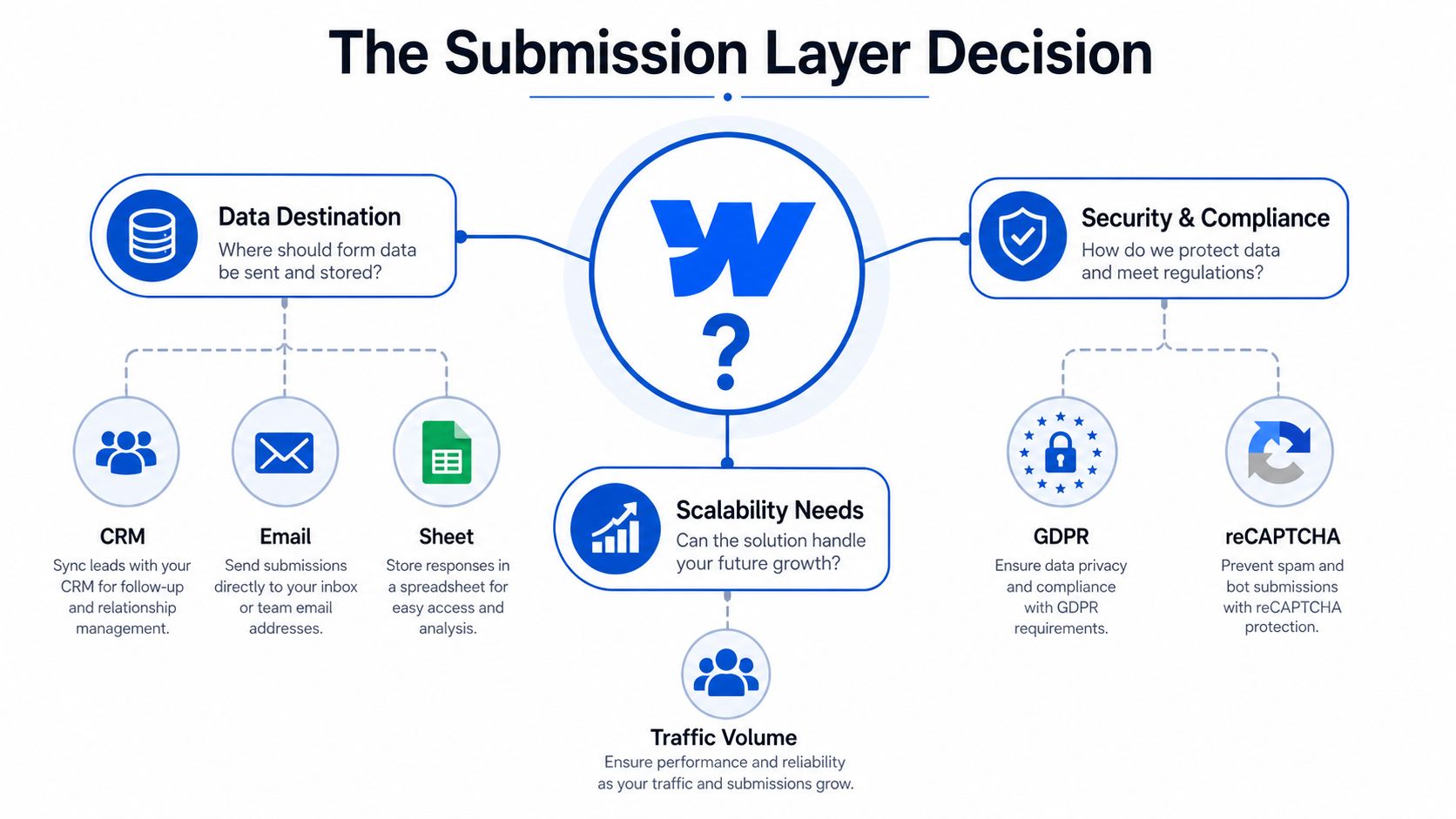
A native form is usually fine when the destination is simple. If you just need a notification, a thank-you page, and a basic record in Webflow's own submission area, the built-in path is low-friction. If the destination is a CRM, a lead buyer, or a backend workflow that must not drop records, that simplicity starts to work against you.
Practical rule: if you'd be annoyed losing one submission, native Webflow handling is probably enough. If you'd be exposed by losing one submission, move the submission layer out of Webflow.
The signals that say “don't keep this native”
Paid acquisition changes the answer quickly. Once traffic volume rises, lead routing needs deterministic write-back, and compliance evidence has to travel with the record, the form cannot just send an email to sales and stop there. Multi-step qualification, conditional branching, and disqualification also matter more than a single contact form.
The decision is straightforward. If the form feeds a CRM and there is no tolerance for replay gaps, use an external backend or API path. If the form mainly captures contact requests, a native setup is still rational. For teams trying to turn Webflow into a more deliberate lead capture system, a dedicated builder such as a dedicated builder such as Growform for Webflow form building can sit in front of the site while the Webflow page stays the presentation layer.
The limitation is the workflow behind it
Native forms usually break after the browser submit, not before it. A republishing change, a field rename, or a disconnected automation can leave the form looking correct while the delivery path fails. That is why the form layer choice has to account for delivery, not just display.
If your team needs retries, ownership tracking, or proof of delivery, native Webflow becomes the wrong place to stop. If your team only needs a clean inbox notification, it is still a reasonable starting point.
Connecting Webflow Forms to Email, Sheets and Native CRM Integrations
Start with the lightest workable setup
For simple lead capture, Webflow's native path is still the easiest place to begin. A form can send a team notification, redirect to a thank-you page, and store the submission in Webflow's own submissions area, which is enough for low-friction contact forms and straightforward newsletter capture. That baseline helps you ship quickly without overbuilding the workflow on day one.
The simplest setup is: build the form in Webflow, set the success redirect, publish the site, and verify that the live submission lands where you expect. The live publish step matters because the tracking and submission handling only work on the published site, not just inside the designer (community tracking guidance). If the form appears in preview but never gets tested on the live URL, you haven't tested anything.
Native integrations are enough until routing matters
Webflow's integration page for Google Analytics shows the broader pattern clearly, as the platform expects form events to be measured through external tools like GA4 and GTM rather than as a closed analytics system (Webflow GA4 integration guide). The same logic applies to delivery into email tools, Sheets, and CRMs. Webflow can hand off the submission, but the downstream system handles the work of segmentation, routing, and reporting.
A basic native setup works when:
- Volume is low, and a human can still sanity-check submissions.
- Routing is simple, with one inbox or one CRM destination.
- Attribution is secondary, because the lead source is already obvious.
- Failure recovery is manual, since the team can spot and fix problems quickly.
It stops being enough when you need form data to move into several places at once, or when a sales team expects real-time leads in a CRM rather than email.
What the baseline does not solve
Native handling does not solve lead distribution logic, failover, or replayable delivery. It also doesn't give you a strong answer when the form submission has to reach more than one system with the same data integrity. In other words, the built-in path is fine for sending the lead somewhere, but not for managing the lead as an operational asset.
If the project is still small, keep it simple. If the project is already part of a paid funnel, start planning for a backend that can do more than notify someone's inbox.
Routing Submissions to Zapier and Make for No-Code Automation
Use webhooks when you want speed without custom code
Zapier and Make are usually the first stop for Webflow teams that need form data to move fast without building a backend. You publish the form, attach a webhook or trigger, and send the submission into a CRM, spreadsheet, Slack channel, or email workflow. The trade-off is simple, you get speed and flexibility, but you also inherit another layer that can fail if the form structure changes.
That failure usually shows up after a republish, a field rename, or a small edit that looks harmless in Webflow but breaks the payload downstream. A form can still render correctly and still stop delivering usable data. That is why a live test submission from the published page matters before any production lead hits the route.
The sequence that prevents common failures
Set up the webhook or automation first, then map every field against the destination before you send real traffic. The documented Make flow for Webflow forms uses a published site, a registered webhook, and a test submission so the automation can read the fields correctly before it goes live. Form detection depends on the live page structure, not just the visual editor, so the test needs to happen on the actual page people will use (Make and Webflow form workflow).
A dependable no-code setup usually looks like this:
- Create the form in Webflow and publish the page.
- Connect the webhook trigger in Zapier or Make.
- Map the fields to the CRM or destination app.
- Run a live test submission from a non-production record.
- Confirm the downstream action before sending real traffic.
If you want a more technical way to inspect submission payloads before routing them, the Growform API guide for accessing form submission data programmatically is useful as a reference point.
Webhooks work well until you assume they are fire-and-forget. They need testing after every structural change.
Where Zapier helps and where it starts to strain
Zapier and Make fit cleanly when the funnel is simple and the destination count stays low. They become harder to defend when the lead flow is business-critical, because the automation layer turns into another place where latency, task usage, or field mapping errors can slow down routing. That is not a reason to avoid them. It is a reason to keep their role narrow and well defined.
If you are comparing tools for a smaller company, the top automation solutions for SMEs can help you sort through the options without pretending every workflow needs a custom build. The useful question is not whether the tool can move a form submission. It is whether it can keep doing that reliably when the page changes, the destination changes, or the sales team expects every lead to show up where it should.
Direct API and Webhook Delivery for Production Lead Stacks
Use the API when the record has to be deterministic
The API route is what you use when a submission cannot just usually get through. Webflow's documented API pattern for creating items is built for server-side development, and create-item operations return HTTP 202 while bulk item creation supports up to 100 items per request (Webflow form data integration docs). That matters when a lead submission has to become a CMS record or a structured workflow entry, because you are dealing with batching and record creation, not just message passing.
At that point, the form stops being a notification tool. A server-side endpoint can receive the submission, validate it, write it to the destination system, and fan it out to other tools from one controlled place. That gives marketing one failure point to inspect instead of guessing whether the form, the webhook, or the CRM caused the break.
The workflow that scales better than pure no-code
Before posting anything, inspect the target collection schema and make sure the payload matches the field structure. That avoids the common failure where the form looks fine in one layer but the destination rejects the data because the field names do not line up. The API route is the right one when you need deterministic creation and batching, not a best-effort embed path.
A production-grade pattern usually looks like this:
- Collect the submission on the site.
- Send it to a server endpoint you control.
- Validate the field structure before writing anything.
- Push to CRM or CMS destinations from that server.
- Log the result so failures can be replayed.
That pattern is worth the engineering cost when the submission sits inside a paid lead stack, a client handoff, or any workflow where a missed row becomes a missed sale.
The middle ground is server-side webhook delivery
You do not always need a full custom app. A lightweight endpoint can receive the submission, store it, and distribute it to multiple systems with retry logic you can observe. That is the cleanest compromise when the team wants reliability without building a full integration layer around the form.
If you need a deeper example of programmatic access patterns, the internal guide on programmatic access patterns for Webflow form submission data is a useful companion. The engineering question is never whether this can be done, it is how much failure the funnel can tolerate before the submission path needs to change.
Embedding a Conversion-Tuned Form Backend Like Growform in Webflow
The embed becomes the form layer, not just a widget
There's a clean reason teams move away from native Webflow forms on serious lead pages. They want multi-step flows, conditional logic, and cleaner handoff into downstream systems without fighting the platform's built-in form limits. In practice, that means embedding a dedicated form backend into Webflow and letting Webflow do layout and content while the form tool handles qualification and delivery.
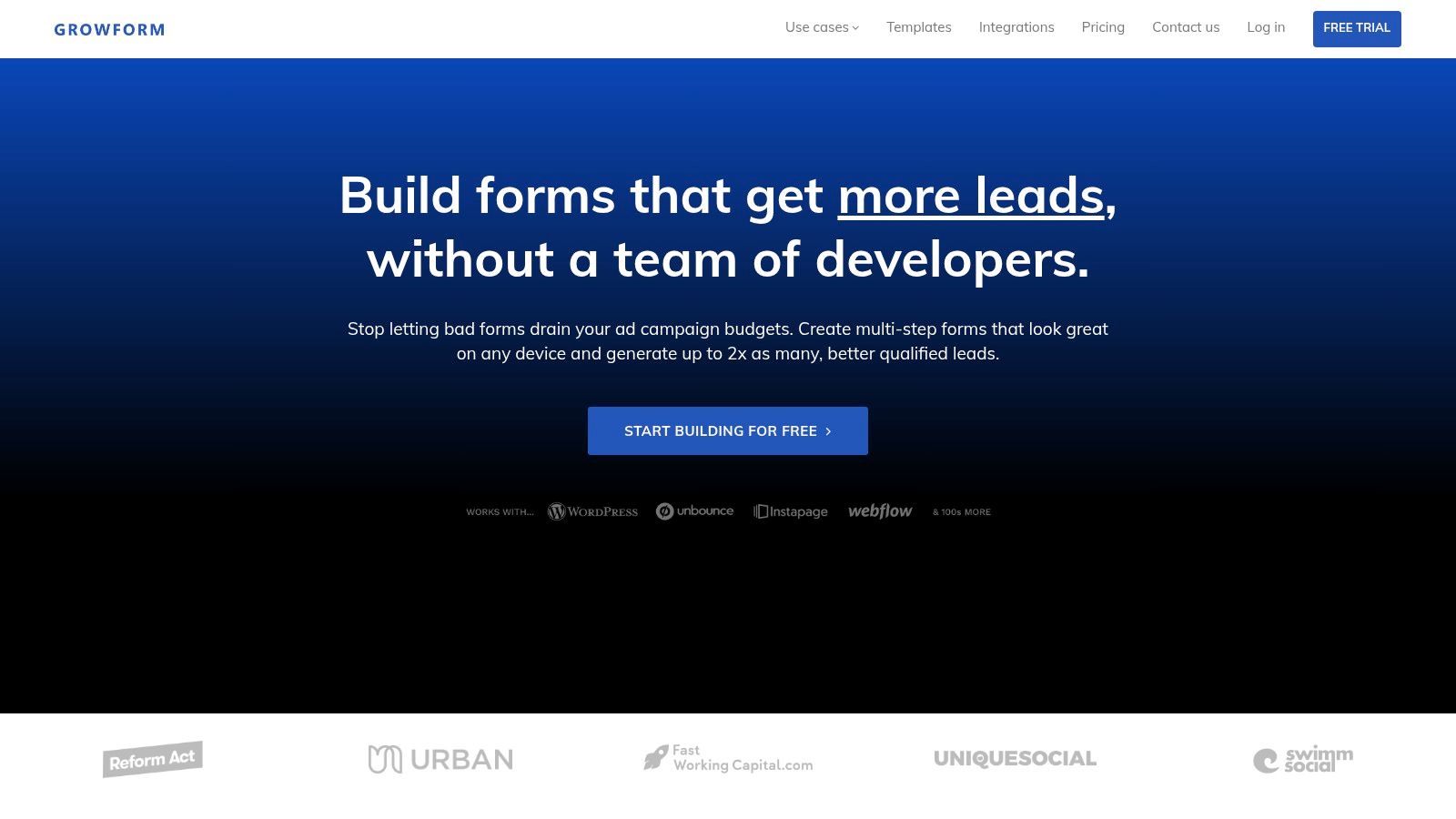
The setup is straightforward. Copy the embed snippet, drop it into a Webflow Embed component or custom code block, then publish the page so the live site loads the form correctly. The embed path is what makes the separation useful, because the site stays in Webflow and the form logic lives in the external backend.
Why marketers use this route for lead funnels
The reason this approach wins in lead gen is not just visual polish. It's the operational behavior around the form. Multi-step qualification, disqualification logic, hidden field capture, and field-level routing are all easier to manage when the backend is designed for lead capture rather than general-purpose collection. That matters on mobile too, where a long single-page form is often the fastest way to lose someone before submission.
A comparison makes the trade-off obvious.
| Capability | Native Webflow Form | Growform Embedded in Webflow |
|---|---|---|
| Multi-step lead qualification | Limited, usually handled outside the core form | Built for multi-step and quiz-style flows |
| Conditional logic | Not the main strength | Core feature for qualification and disqualification |
| Hidden field capture | Basic setup only | Designed for UTMs, click IDs, and source tracking |
| CRM handoff | Works for simple routing | Built for real-time delivery into downstream systems |
| Branding control | Good for the page, basic for the form experience | Full styling control with custom CSS and fonts |
| Lead-gen focus | General-purpose | Purpose-built for conversion and qualification |
The practical upside is that the form layer can behave like a lead engine instead of a contact box. That's exactly why teams running paid traffic or qualification-heavy funnels keep choosing an external backend when the native option starts feeling fragile.
What to look for before you embed anything
The best embeds don't just look on-brand, they preserve tracking and delivery signals end to end. Hidden fields for campaign data need to survive the flow, pixel and tag manager support should be in place, and the submission should arrive in the CRM with enough context to be useful. For a walkthrough focused on embedding and setup, the guide on adding a Growform multi-step form to Webflow is the relevant companion.
If you're shipping a lead page that must qualify, not just collect, the embedded backend is often the cleaner choice.
Attribution, Validation and Compliance Plumbing for Lead Forms
Attribution has to survive the whole form, not just the first page
The biggest lead-gen failure I see is broken attribution. A visitor clicks an ad, lands on the page, fills the form, and the CRM record arrives with no usable source data because the hidden fields didn't survive the flow. Growform's product positioning around hidden field capture and pass-through is exactly aimed at that problem, because UTMs and click IDs need to stay intact from page load to submission.
That same logic applies to any serious webflow form integration. If the lead loses its source tags, your CRM reporting turns noisy fast. If the lead keeps them, you can still see which channel and campaign created the opportunity.
Validation is about protecting the downstream team
Email and phone checks shouldn't be an afterthought. When the submission reaches sales or a buyer without validation, the team wastes time on bad records and bot traffic. The operational upside of real-time verification is simple, fewer uncontactable leads get passed forward and the sales queue stays cleaner.
Practical rule: validate before routing. If the record is bad, stop it at capture, don't let the CRM become the filter.
Compliance has to travel with the lead
Consent evidence matters as much as source data in lead-gen workflows. Growform documents native TrustedForm and Jornaya integrations, which means every lead can carry the consent proof needed for buyers and regulated industries. That's a much stronger posture than hoping a checkbox in the form UI will be enough once the lead gets distributed.
For teams building conversion pages with consent-sensitive lead capture, the architecture should support:
- Attribution pass-through, so UTMs, referrers, and click IDs stay attached.
- Server-side validation, so invalid email or phone data gets blocked early.
- Consent capture, so the record carries evidence that survives handoff.
- Real-time delivery, so the lead doesn't sit in a queue waiting for someone to notice it.
A useful design reference for lead-generation pages is the Arch guide on website design for lead generation, especially if the page has to convert while staying readable and compliant.
When these three pieces work together, the submission becomes usable by marketing, sales, and compliance at the same time. If one of them fails, the whole funnel feels broken even if the form technically “submitted.”
Troubleshooting, Best Practices and Picking the Right Method
Match the method to the job
The right approach depends on what the form has to do. Native Webflow handling is fine for simple notifications and low-stakes contact capture. Zapier or Make is a good middle ground for straightforward automation, while API or server-side delivery is better when the submission has to be deterministic, replayable, and auditable. An embedded backend is the strongest fit when qualification, attribution, and conversion performance all matter at once.
The failures that show up in production
Three problems repeat across most Webflow lead funnels. First, webhooks break after a republish or field edit, and nobody notices until a sales rep says the inbox went quiet. Second, the mapping looks right in the automation tool but the CRM record is missing data because the destination schema doesn't match the payload. Third, a successful campaign creates a burst of submissions that overwhelms a simple automation path.
The fixes are boring, which is good. Test on the live page, verify the destination schema before launch, and keep a backup path for the data if the primary route drops a record.
A practical decision checklist
Use this when a client or campaign needs a form live fast:
- Choose native Webflow when the lead can go to one place, and a missed submission would be annoying but not damaging.
- Choose Zapier or Make when the workflow is simple, non-mission-critical, and a quick no-code handoff is enough.
- Choose API or server-side delivery when the record must be written cleanly and you need retries or batching.
- Choose an embedded backend when the form has to qualify, disqualify, preserve attribution, and feed a real lead stack.
If the form is part of a paid funnel, reliability beats convenience. If the form is part of an internal contact page, convenience can win.
The safest default is to start with the lightest method that survives production traffic, then escalate the moment the workflow starts showing cracks. That's how you keep webflow form integration from turning into a maintenance problem.
If you're building lead funnels in Webflow and want the form layer to handle multi-step qualification, hidden attribution fields, and clean CRM handoff, Growform gives you that front end without forcing the site into a fragile native workflow. Visit Growform to see how it fits alongside your Webflow stack and decide whether your next form should stay native or move to a dedicated lead backend.