

You open the CRM before the morning sales stand-up and find a mess. The campaign is spending normally, form volume looks healthy, and yet the sales team is calling people with impossible names, disposable inboxes, unreachable phone numbers, and consent records nobody can defend. By the time the pattern is obvious, those submissions have already affected routing, reporting, buyer relationships, and cost-per-lead decisions.
That's why form spam prevention shouldn't be treated as a narrow security task. The practical question is whether a submission deserves to enter the pipeline, consume sales capacity, influence optimization, or reach a lead buyer. The best protection combines invisible controls, risk scoring, contact verification, consent evidence, and measurement that keeps conversion in view.
Why form spam is really a lead quality problem
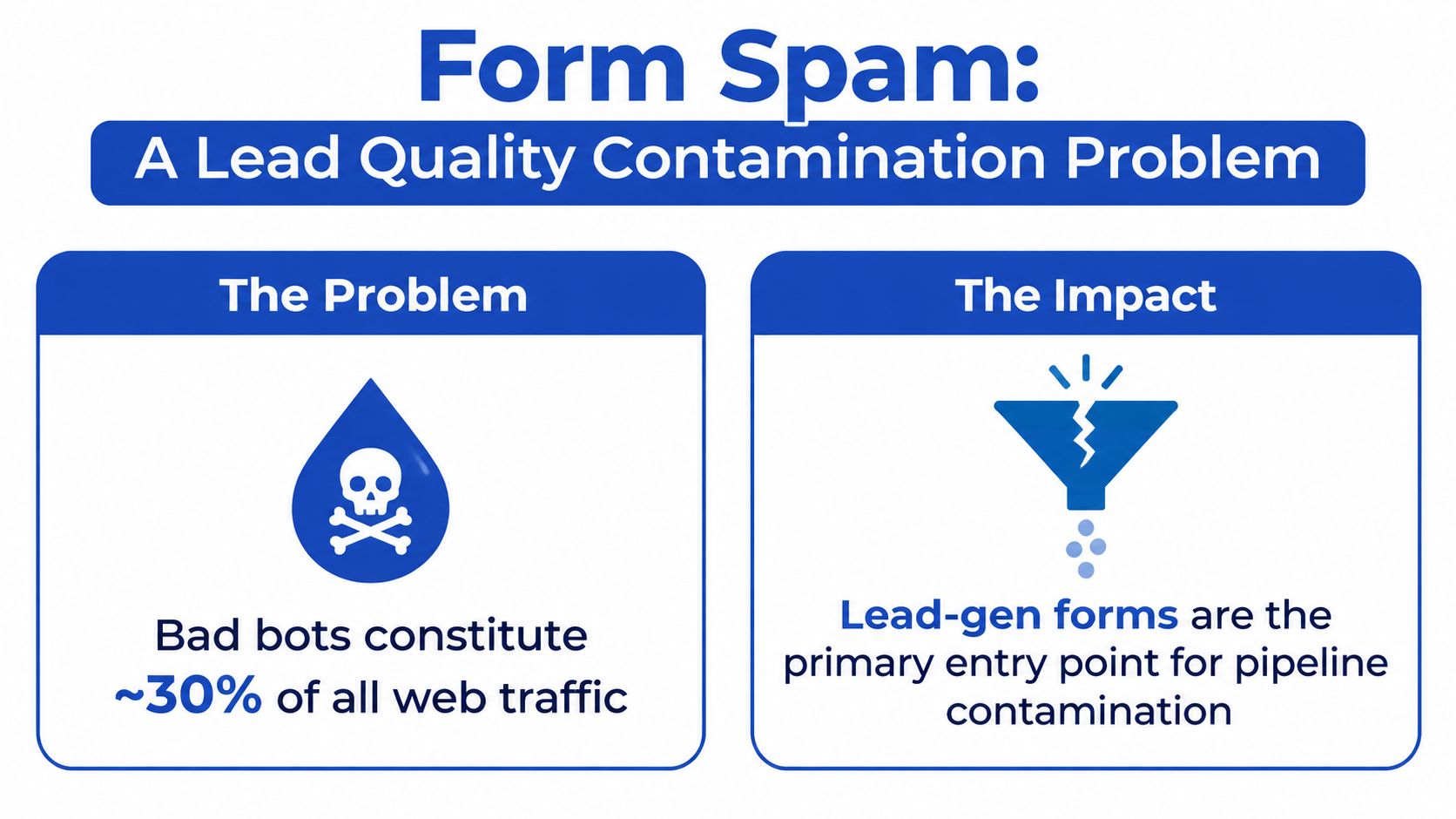
Form spam starts at the capture layer, but its consequences spread through the entire revenue system. Bad bots now represent 37% of all internet traffic, according to Imperva's 2025 Bad Bot Report. Lead-generation forms are attractive targets because one automated submission can trigger CRM creation, buyer delivery, SMS alerts, retargeting audiences, and sales follow-up.
The damage isn't limited to wasted server resources. Junk submissions inflate reported lead volume while lowering the proportion of leads that can be contacted, qualified, or sold. They can also distort campaign optimization, because ad platforms and internal dashboards may treat contaminated conversions as evidence that a traffic source is working.
CAPTCHA alone is a weak operating model for high-volume funnels. In research covering 2,587 websites using only CAPTCHA, fewer than 5% detected and blocked all bots, while 77.2% failed to stop even a single bot. The same DataDome analysis found that 85% of fake Chrome bots and 83% of simple curl-based bots went undetected. Those figures don't mean CAPTCHA has no value. They mean it works better as one signal inside a broader decision system.
For performance marketers, the downstream risks are concrete:
- Higher apparent CPL: The campaign pays for traffic that produces submissions nobody can monetize.
- Sales-hour waste: Reps spend time calling invalid numbers and investigating nonsensical records.
- Compliance exposure: Unclear consent and questionable contact details can contribute to TCPA, DNC, or buyer complaints.
- Dirty optimization data: Paid-media decisions learn from entries that were never genuine opportunities.
- Buyer rejection: Aggregators and buyers lose confidence when accepted leads repeatedly fail contact or consent checks.
The form is therefore a quality gate, not just a user interface. A useful framework begins with why lead intelligence should start at the form layer, then evaluates each safeguard against conversion impact, false positives, and the cost of allowing bad data downstream.
The invisible frontline of backend defenses
Start with controls the visitor never sees. They're inexpensive, fast, and often remove obvious automation before you introduce a checkbox or challenge.
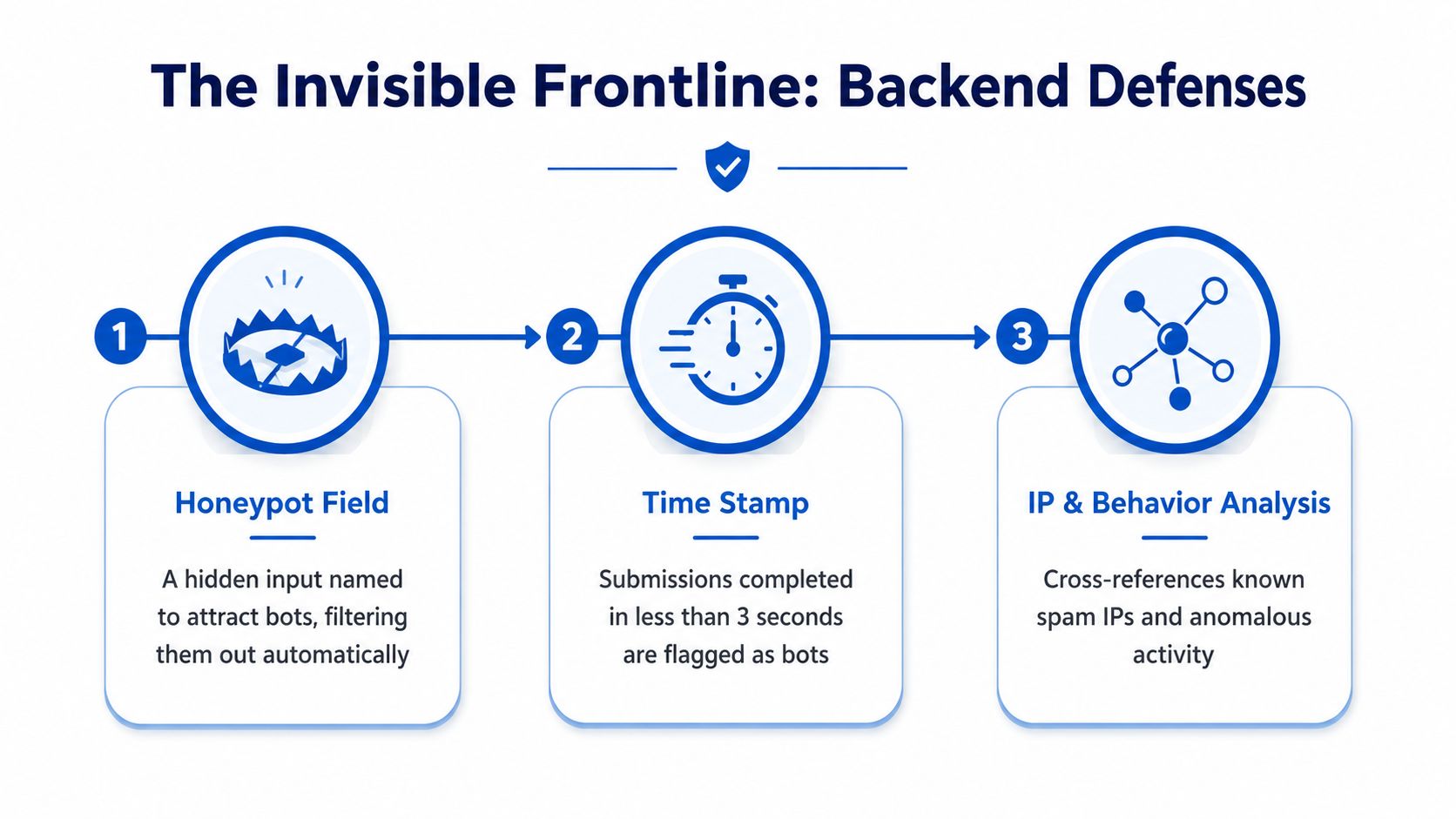
A honeypot is a hidden input that ordinary users won't complete. Name it something a basic bot may recognize as a normal field, such as email_address_confirm or company_url, then reject or quarantine submissions where it contains a value. Don't rely on CSS alone. Keep the field out of the accessible user experience and test it with screen readers and keyboard navigation so the defense doesn't create an accessibility trap.
Next, record when the form renders. A server-trusted timestamp gives you a rough completion-speed signal. Submissions arriving in milliseconds deserve suspicion, while a simple form completed in a few seconds may be plausible. One developer's published comparison of layered public-form protections reports about 90% overall spam reduction with false positives under 1% for a stack combining honeypots, rate limiting, content filtering, and input validation. It also reports approximate standalone effectiveness of 95% for rate limiting, 80% for honeypots, 70% for content filtering, and 85% for input validation.
Process controls in the right order
Run the checks from cheapest and least disruptive to more expensive or intrusive:
- Validate the request shape. Check required fields, expected content types, nonce validity, and reasonable payload structure.
- Inspect the honeypot. A populated trap field is a strong automation signal.
- Evaluate elapsed time. Flag submissions that arrive too quickly for the form complexity.
- Apply rate limits. Track IP, session, and device or browser signals where your privacy model permits it.
- Filter content. Look for gibberish, repeated payloads, suspicious URLs, and patterns associated with automated abuse.
- Quarantine borderline entries. Don't automatically delete every uncertain lead. Hold it for review or route it through stronger verification.
A CDN or web application firewall can enforce rate limits close to the edge, before your application and CRM spend resources processing the request.
Whatever tooling you use, preserve rejected payloads, reason codes, and timestamps. Without that audit trail, you can't distinguish a successful block from an unnoticed conversion leak.
Choosing the right CAPTCHA strategy for your funnel
CAPTCHA should match the traffic source and the value of a completed form. A warm returning visitor, a mobile user arriving from a paid social ad, and a high-risk anonymous session shouldn't necessarily face the same experience.
The historical progression explains the current options. AltaVista deployed the first known CAPTCHA system in 1997 to stop bots spamming its URL submission form, and reports say it reduced spam by 95%. Carnegie Mellon researchers formalized the concept in 2000, reCAPTCHA launched in 2007, Google acquired it in 2009, reCAPTCHA v2 arrived in 2014, and v3 followed in 2018, as documented by this CAPTCHA history overview. The direction has been consistent, from visible puzzles toward behavioral and risk signals.
| CAPTCHA Tier | Bot-Stopping Power | False-Positive Risk | Conversion Impact | Best For |
|---|---|---|---|---|
| Traditional image or checkbox CAPTCHA, such as reCAPTCHA v2 or hCaptcha | Useful against basic automation, weaker against sophisticated abuse | Medium to high | Noticeable friction, especially on mobile and cold traffic | High-risk actions where review is cheaper than abandonment |
| Invisible risk scoring, such as reCAPTCHA v3, Cloudflare Turnstile, or hCaptcha Enterprise | Better as a signal inside layered protection | Medium, depending on threshold tuning | Usually low because most users aren't interrupted | Paid funnels that need protection without a default challenge |
| Friction-free signals, including device reputation and behavioral analysis | Strong when combined with other signals | Variable, especially with shared devices or privacy limits | Minimal direct interruption | High-volume acquisition where preserving completion matters |
Traditional challenges are easy to deploy but costly when every prospect must interact with them. Invisible scoring reduces that friction, but it shifts responsibility to your team. You need to inspect scores against accepted and rejected traffic, then tune thresholds rather than copying a competitor's setting.
Advanced automation is the reason no single widget should carry the whole burden. The IvyForms summary cites advanced bots solving 70.78% of reCAPTCHA challenges, bots accounting for about 50% of passed challenges, and AI tools reaching reported success rates of 99.8% in bypassing reCAPTCHA in some studies. Those findings support a risk-based approach. Let low-risk traffic proceed, challenge or verify borderline traffic, and quarantine suspicious submissions instead of treating the widget as a final verdict.
Adding verification and consent evidence at the source
A technically valid submission can still be commercially useless. The phone may be unreachable, the email may be disposable, or the person may have no defensible record of agreeing to contact. Verification belongs close to the form because that's where you can stop bad records before they spread.
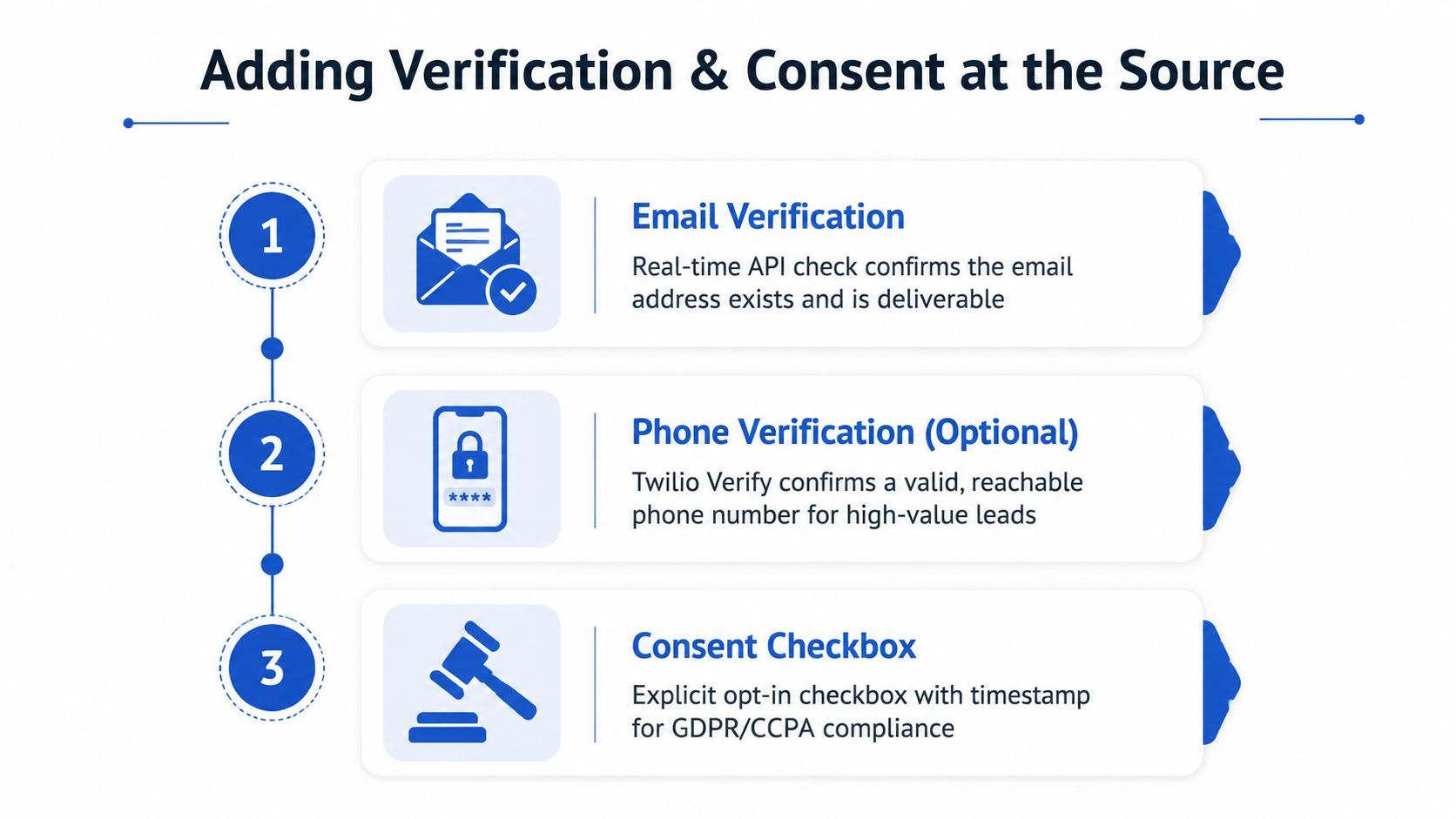
Use Twilio Lookup to inspect submitted phone numbers and identify attributes relevant to routing, such as reachability, line type, or suspicious number patterns. Use Twilio Verify when you need an additional confirmation step for a higher-value flow. Don't force a phone challenge on every visitor by default. The right choice depends on lead value, buyer requirements, geography, and the conversion cost of adding another step.
For email, services such as ZeroBounce or NeverBounce can classify addresses before CRM insertion. Treat results as decisions, not binary truth. A clearly invalid or disposable address can be hard-failed, while an uncertain result can be accepted with a verification flag or routed to a lower-priority workflow.
Separate synchronous checks from evidence capture
Keep synchronous checks limited to decisions that must happen before delivery. A phone or email response may determine whether the lead enters the CRM, receives an immediate buyer ping, or moves into quarantine. A slow third-party dependency shouldn't make the form appear broken, so define timeouts and fallback states before launch.
Consent evidence follows a different path. TrustedForm and Jornaya can attach proof such as certificate references, timestamps, landing-page context, and the creative or source path associated with the submission. Store the evidence identifier and verification results as custom fields, then expose them to sales and buyers. A rep should know whether a lead has verified contact details and consent documentation without opening several systems.
A practical routing model looks like this:
- Hard fail: Invalid phone, clearly undeliverable email, or missing mandatory consent evidence. Don't sell or distribute it.
- Soft fail: Ambiguous line type, uncertain email classification, or delayed vendor response. Hold it, label it, and review the business rule.
- Pass with metadata: Deliverable contact details and captured consent evidence. Send it onward with the verification fields attached.
For teams rebuilding capture and qualification logic, phone verification for lead-generation forms offers a useful implementation lens. The important design choice is to avoid using verification as a blunt wall. Preserve legitimate prospects whenever the risk is uncertain, and make the uncertainty visible to downstream teams.
A lead-gen scenario stopping spam without killing conversion
Consider a paid Meta campaign for auto-insurance quotes. A creative starts spreading quickly, junk entries climb within hours, and buyers start threatening chargebacks. This is an illustrative scenario, so the stack needs to be judged by its decisions rather than by a promised result.
The first wave hits the honeypot. Naive scripts populate the hidden field and are rejected without showing a challenge to genuine visitors. The next group submits within a few seconds, which doesn't automatically prove fraud, but it raises the risk score for a multi-field quote flow and sends those records to the next control instead of delivering them immediately.
Invisible hCaptcha risk scoring handles the uncertain middle. Low-risk submissions continue without an interruption. Borderline traffic receives stronger scrutiny, while high-risk entries are quarantined with a reason code. This sequence matters because a visible challenge at the top of every paid-social funnel would make the campaign pay for its own defensive friction.
Verification decides what reaches the CRM
The remaining records pass through contact checks. Twilio flags submitted numbers that appear to be VOIP or otherwise unsuitable for the campaign's contact rules. ZeroBounce identifies disposable inboxes and questionable addresses before they become CRM contacts. Neither result should be treated as a universal rejection rule without checking the campaign's commercial model. A VOIP number may be unacceptable for a buyer requiring live calls, but it may not carry the same meaning in a different workflow.
TrustedForm attaches consent certificates before the lead is delivered. The CRM receives the original source data, verification outcomes, consent reference, and a lead-quality score. Sales can prioritize records with verified contactability instead of treating every accepted submission as equally valuable.
The operational lesson is to put cheap invisible filters first, reserve challenges for residual risk, verify the fields buyers care about, and preserve evidence for every decision.
Metrics that prove your defenses are working
A falling spam count can hide a falling conversion rate. Track the system as a funnel, with enough detail to identify whether you removed bad traffic or blocked everyone.
Acceptance rate is the share of submissions that pass the configured checks and reach the CRM or buyer route. Calculate it by source, campaign, device class, geography, and form version. A sudden drop after changing a threshold may indicate a false-positive problem rather than a successful defense.
Speed-to-lead measures the time between submission and live transfer or first sales action. A rise can mean a verification vendor is slowing delivery, a queue is backing up, or a new bot wave is forcing more records into review. It matters commercially because a clean lead that arrives too late can still lose value.
False-positive rate requires sampling rejected or quarantined submissions and manually checking whether legitimate prospects were blocked. Don't estimate it from intuition. Use a review sample, record the reason code, and separate obvious automation from ambiguous cases that deserve a policy change.
CPL drift compares the cost per accepted, usable lead against the campaign baseline. Removing junk can make raw volume look worse while improving the economics of the leads that sales can work.
| Metric | How to Calculate | Healthy Range | Warning Sign |
|---|---|---|---|
| Acceptance rate | Accepted submissions divided by total submissions | Stable relative to the campaign baseline | Sudden movement after a rule change |
| Speed-to-lead | Time from submission to transfer or first action | Consistent with the delivery SLA | Delays concentrated in verification or review |
| False-positive rate | Legitimate submissions found in a reviewed rejected sample divided by reviewed rejections | Low and stable, with documented reasons | Valid prospects repeatedly blocked by one control |
| CPL drift | Spend divided by accepted, usable leads, compared with the baseline | Improving or stable after filtering | Raw CPL rises because a rule removes valuable traffic |
Use an hourly check on acceptance rate while an active campaign is scaling or experiencing a spike. Review rejection reasons daily, analyze phone and email failure distributions weekly, and review buyer rejection feedback monthly. A source such as HubSpot's form spam guidance also reinforces the value of filtering or reviewing suspicious submissions without allowing them to distort normal CRM and analytics workflows.
Your form spam prevention playbook and next steps
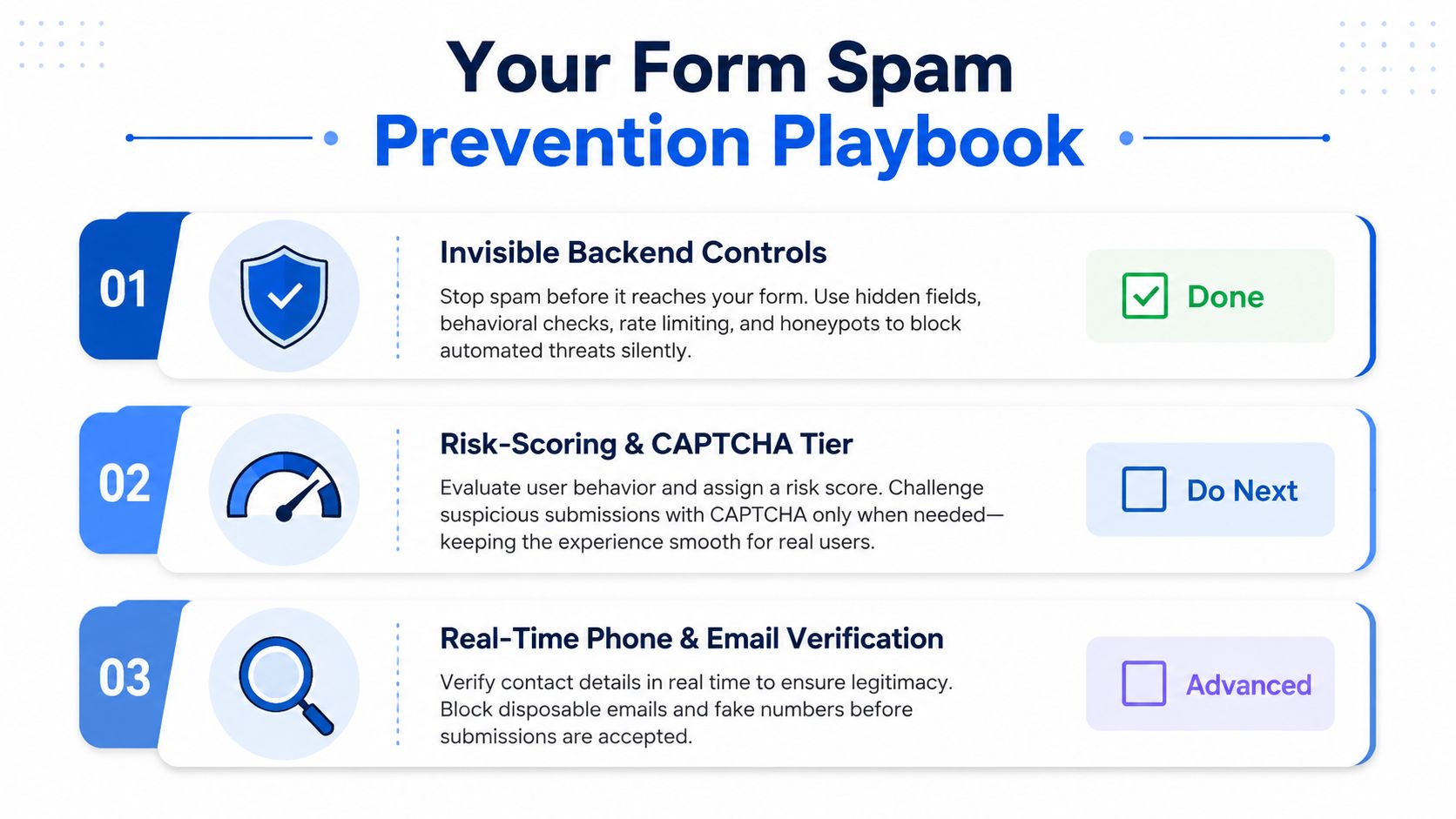
The rollout should follow risk and cost, not tool popularity. Start with controls that don't interrupt legitimate users, then spend friction only where the data shows it's needed.
Build the first protection layer
Deploy the honeypot, server-side request validation, timestamp checks, and rate limits first. Log every decision with a reason code, form identifier, campaign source, and timestamp. If the team can't see why a submission was blocked, it can't calibrate the system safely.
Next, add content and payload checks. Look for gibberish, repeated values, suspicious URL patterns, missing fields, and abnormal request shapes. Quarantine uncertain records instead of deleting them, because review data helps you identify new bot signatures and recover legitimate leads.
Add verification where it pays back
Use email verification early when disposable or undeliverable addresses are contaminating the CRM. Add phone verification when contactability affects buyer acceptance, sales capacity, or lead value. Capture TrustedForm or Jornaya evidence at the point of submission when buyers or compliance teams require an audit trail.
Reserve visible CAPTCHA for residual abuse. For most paid funnels, invisible risk scoring is a better starting point, but it still needs calibration against acceptance rate and false-positive reviews. A multi-step form can also collect qualification details progressively, allowing you to ask useful questions without exposing every prospect to the same defensive friction.
Growform fits this capture-layer model as a no-code multi-step form builder for lead generation. It supports conditional qualification, hidden-field capture, real-time delivery, and TrustedForm or Jornaya integrations, so teams can manage conversion and lead quality in the same funnel rather than stitching every decision together after submission. Phone numbers can be checked with Twilio Lookup and email addresses with ZeroBounce while the lead is still on the form. Every submission is logged with its IP address, the forms are built to be hard for spam scripts to complete, and they are served behind Cloudflare, which screens automated traffic before it reaches the form.
Assign one owner for form rules, one for verification vendors, and one for buyer or sales feedback. Set a 30-day review cadence, but don't wait that long to react to an active traffic spike. Retest honeypot field names when bot behavior changes, document the failure mode for every control, and keep the last working configuration available so a broken rule can be reversed quickly.
The target isn't the lowest submission count. It's a clean, contactable, consented lead delivered quickly enough to monetize, with enough evidence to explain every rejection and every acceptance.
If your current funnel is sending junk into sales or buyers, start a free trial to build a conversion-focused lead form with qualification logic, verification, real-time delivery, and consent evidence at the capture layer. Start by mapping your present rejection reasons and CPL drift, then use the form experience to remove bad leads without making genuine prospects fight your security controls.
Related articles
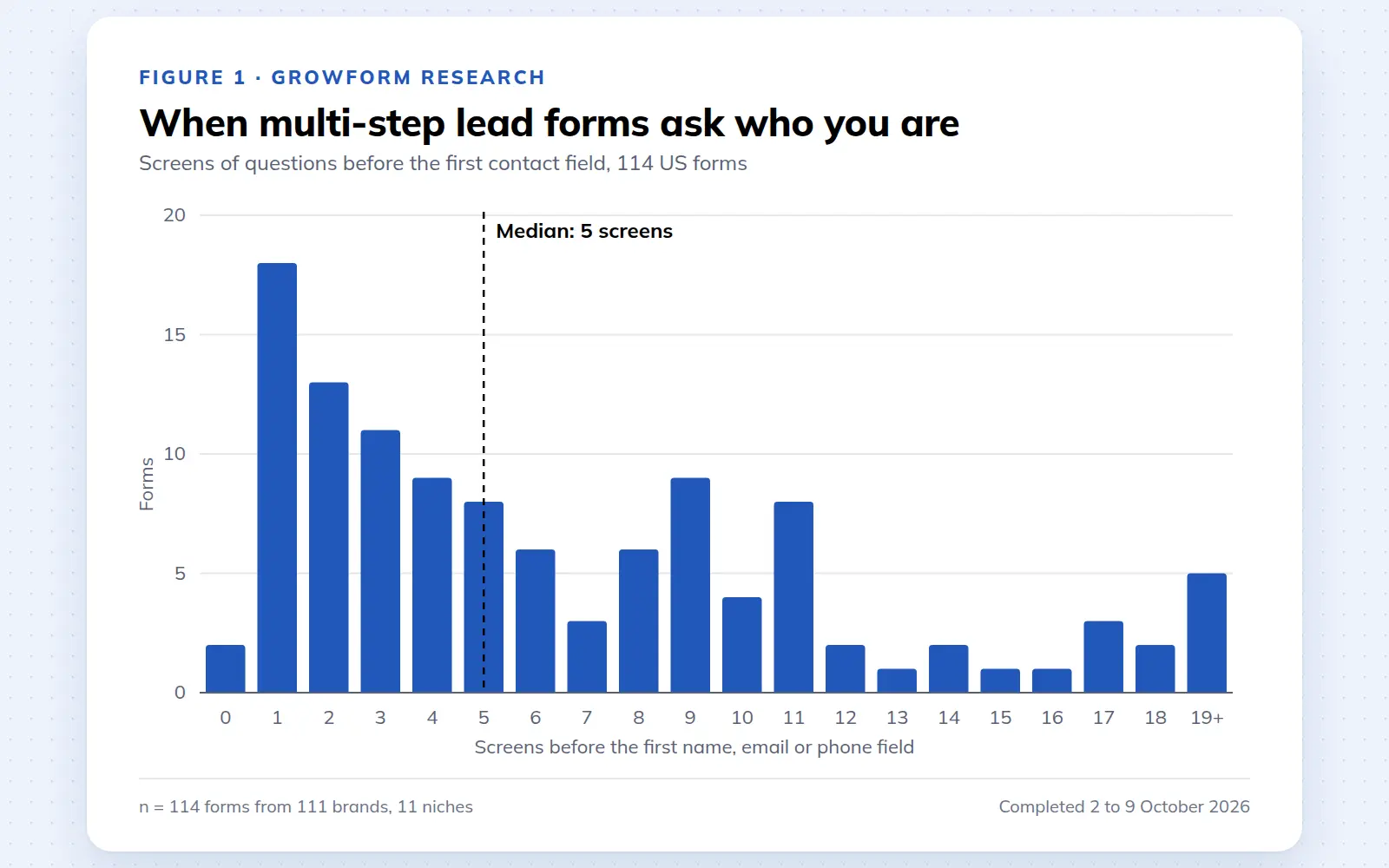
Multi-step lead forms: a 2026 study of 114 forms
We completed 114 US multi-step lead forms screen by screen in October 2026 and counted how long they are, what they ask first, how they show progress, when they ask for contact details and how they ask for consent.
October 9, 2026
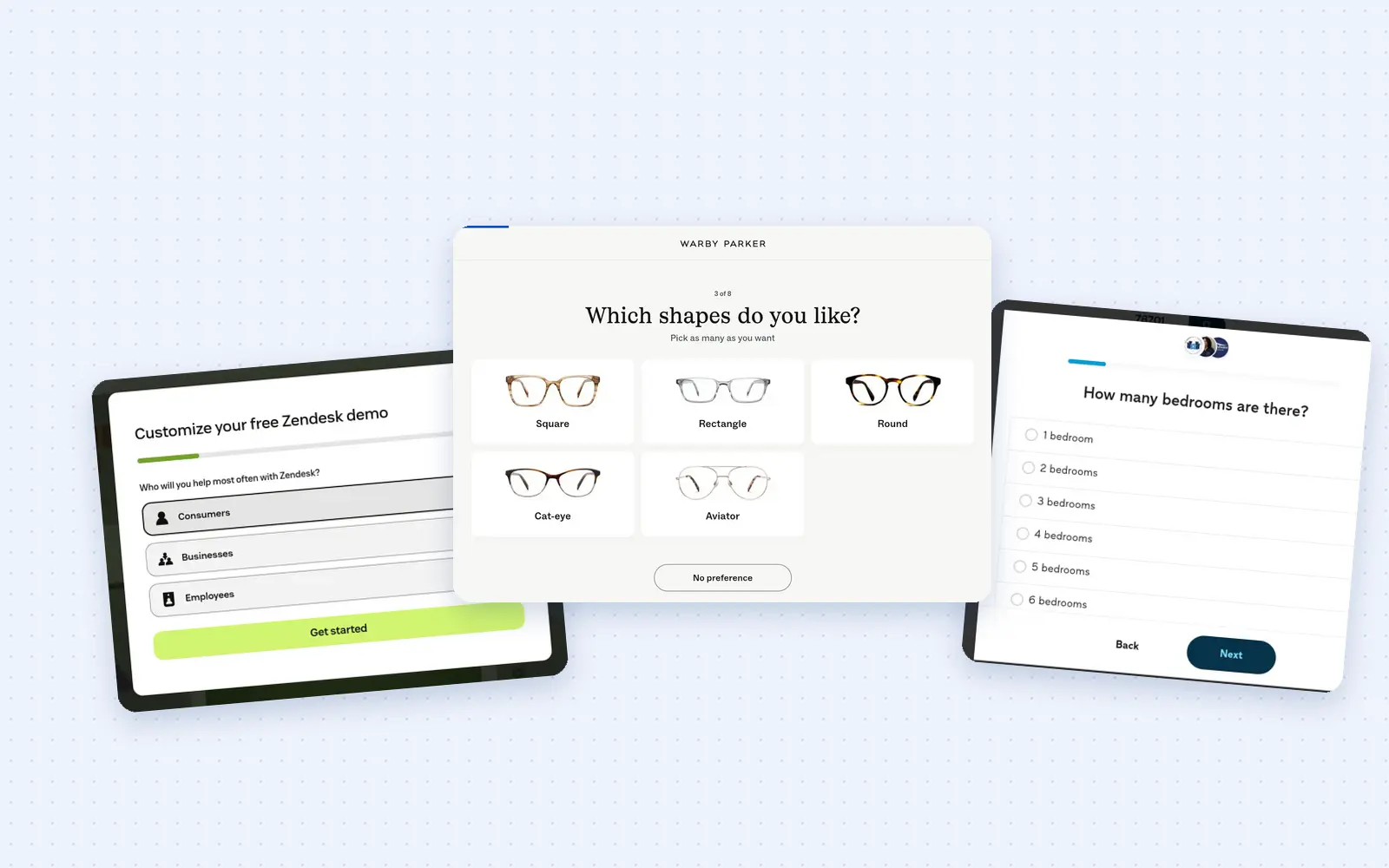
25 lead generation form examples to steal in 2026
From one-field newsletters to mortgage forms, we filled out 25 lead generation forms of every type. Here's what works in 2026, and what to learn from them.
October 9, 2026
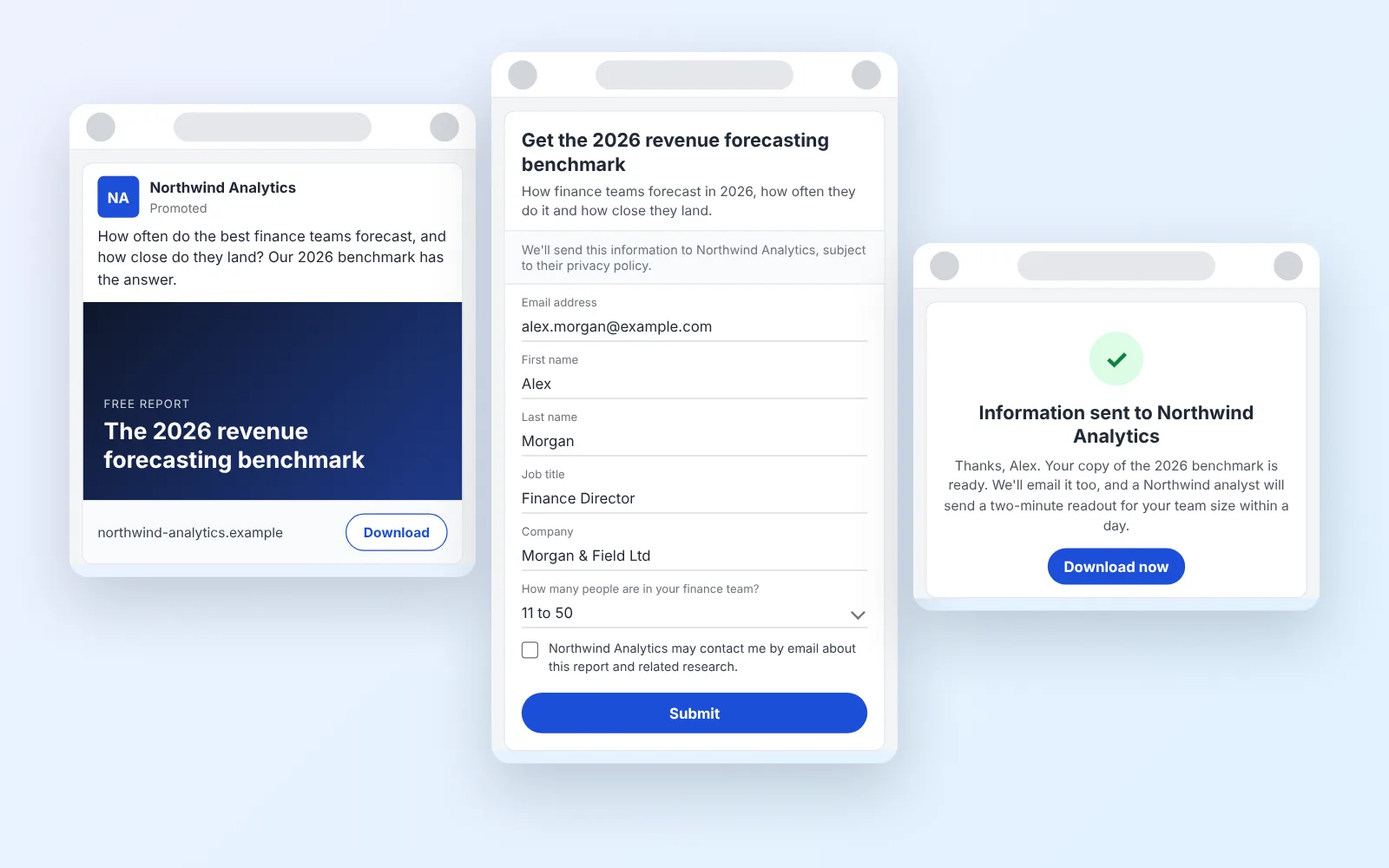
14 LinkedIn lead gen form examples worth stealing in 2026
We painstakingly searched across hundreds of LinkedIn lead gen forms, collated reams of data and worked out what's worth drawing inspiration from in 2026.
October 9, 2026