
Multi Step Form Validation Patterns That Actually Convert

Updated Published 14 min read

More validation doesn't automatically produce better leads. On a paid funnel, every rule is an economic decision: it may remove an unusable submission, or it may stop a qualified prospect who has already cost you a click.
That trade-off becomes sharper on mobile. A long form already asks users to manage attention across several screens, and validation that fires too early, blocks subjective answers, or rejects legitimate phone and email formats can turn acquisition spend into abandonment. The right question isn't whether a field is technically valid. It's whether the rule protects downstream lead quality enough to justify the conversion friction it creates.
Why Most Multi Step Form Validation Quietly Kills Conversion
The popular advice is straightforward: validate everything as soon as possible. In practice, that approach often makes the first screen feel like a gatekeeper instead of an invitation. A visitor who mistypes an email can recover easily. A visitor who's told their phone number, name, or job title is unacceptable before they understand the offer may leave.
A widely cited 2009 inline validation study by Luke Wroblewski found that adding real-time feedback produced a 31% increase in satisfaction ratings and a 42% decrease in completion times. That history matters, but it doesn't justify showing an error on every keystroke. The same research tradition supports a more careful rule, validate early enough to prevent cascading mistakes, but not so aggressively that feedback interrupts the user while they're typing.
Every gate has a lead cost
A 2018 survey by The Manifest found that 81% of people had recently abandoned an online form after starting it, and 27% of them quit because the form was too long. The Wroblewski study also measured a 22% increase in success rates when errors were shown inline rather than after submission.
Those figures don't mean every funnel should remove required fields. They mean you need to distinguish useful friction from decorative strictness. A paid lead funnel should reject information that makes a lead impossible to route, contact, sell, or legally process. It shouldn't reject a prospect because a builder preferred one formatting convention.
Regex-heavy email rules are a common example. Blocking disposable domains may protect lead quality at submission. Blocking an unfamiliar but deliverable domain on blur can send a valuable prospect to a competitor. Phone validation has the same problem when a rule rejects country codes, spaces, extensions, or regional formats that your sales or buyer system could normalize later.
Friction also compounds across steps. If a funnel has three to five screens, each hard stop creates another opportunity for a mobile user to quit. Form benchmarks commonly quote abandonment around 67.8% for forms with seven or more fields, while splitting longer forms into steps can improve completion. But splitting the form doesn't fix validation that blocks the wrong fields. It only distributes the friction.
The Four Core Validation Patterns Every Lead Funnel Needs
A reliable multi step form validation system uses different checks for different jobs. Client-side validation protects the interaction, server-side validation protects the data, inline feedback explains the problem, and step-blocking rules control navigation.
Client-side checks
Client-side checks run in the browser before a request reaches your server or webhook. They're ideal for fast, objective rules such as required fields, character shape, numeric ranges, and basic email or phone patterns.
They provide immediate feedback without a network round trip, but they're not a trust boundary. Anyone can bypass browser logic, alter a request, or submit directly to an endpoint. Use client-side checks to make completion easier, never as the only defense against junk or manipulated data.
Server-side verification
Server-side checks run after submission reaches your application, form platform, webhook, or verification provider. They're the right place for checks that depend on external data, such as whether an email appears deliverable, whether a phone number can be reached, or whether a submission meets buyer-specific routing requirements.
This layer can be slower, so reserve it for high-value checks. Don't make a user wait for server verification after every ordinary field when the same decision can happen at final submission.
Inline validation
Inline validation places a clear message near the field that needs attention. Trigger it after the user finishes the field, usually on blur or when they attempt to continue, rather than while they're still typing. A classic usability study involving 77 participants found that premature live validation increased frustration and error rates, and recommended reloading the form with erroneous fields highlighted instead of showing immediate errors.
The message should explain the correction, not merely announce failure. “Enter a 10-digit phone number” helps. “Invalid input” doesn't.
Step-blocking rules
Step-blocking validation prevents progression when a required field is objectively unusable or essential to the next interaction. A missing consent choice, an empty required answer, or an unreadable routing value may justify blocking. A subjective qualification answer usually deserves a softer treatment unless it determines whether the next step can function.
The four patterns work together rather than competing:
| Pattern | When It Runs | Job | Best Use |
|---|---|---|---|
| Client-side checks | During field completion or step exit | Give fast format feedback | Required fields, basic patterns, simple ranges |
| Server-side verification | Submission or a deliberate verification point | Confirm external or business data | Email deliverability, phone verification, routing |
| Inline validation | After blur or Continue | Explain what needs correction | Field-level guidance without interruption |
| Step-blocking rules | On Continue or final submit | Prevent unusable progression | Essential fields, consent, critical routing data |
Progressive disclosure, field order, and navigation affect the perceived burden of completion. The builder can make the sequence feel simple, but the validation lane still determines whether users move forward.
Fail Fast or Fail Late Designing the Right Validation Lane Per Field
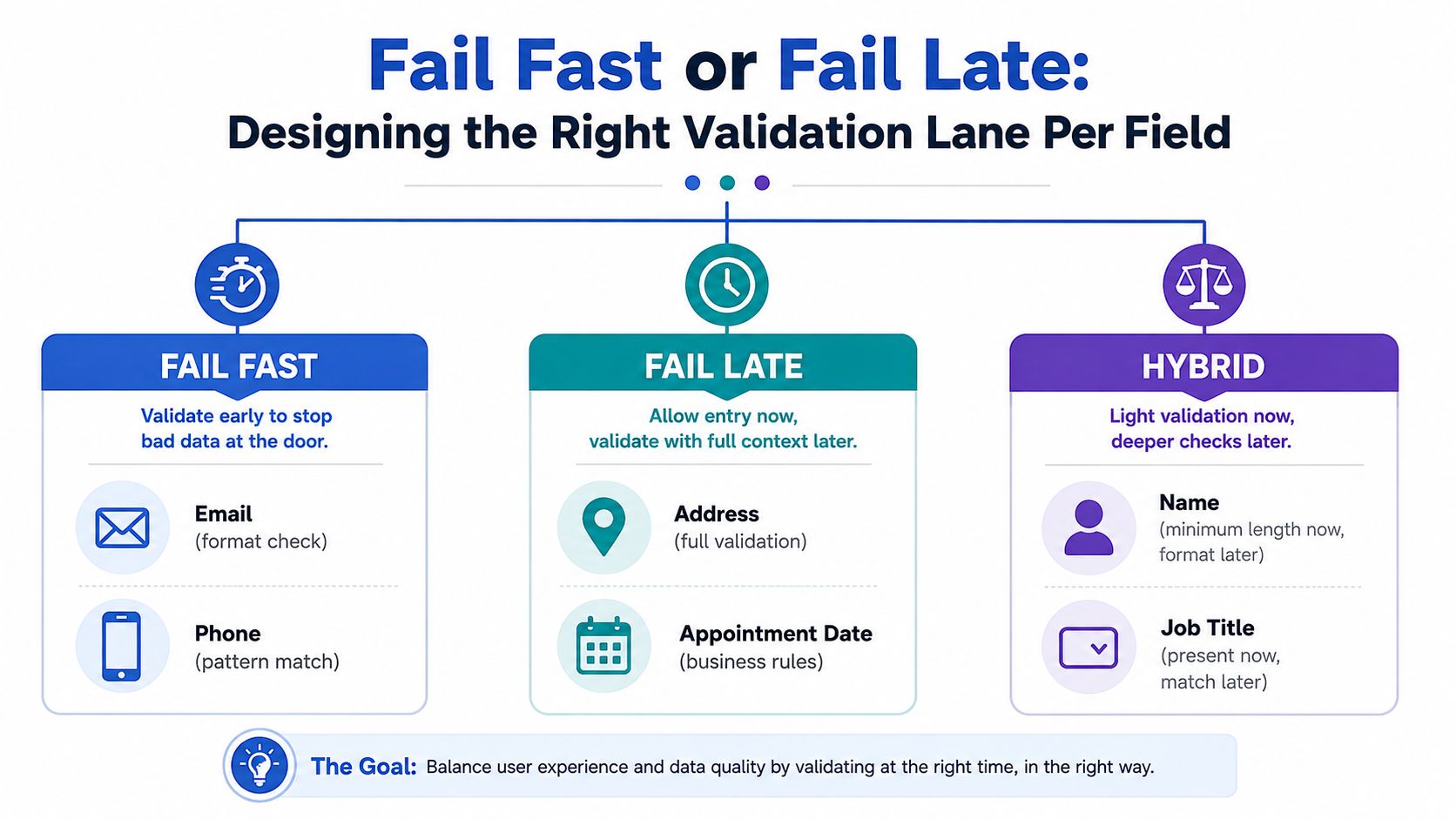
The most useful design decision is assigning each field to a validation lane. Fail fast means catch an objective formatting problem as soon as the user finishes the field. Fail late means allow progress while collecting enough context, then enforce the business rule at step exit or final submission. Hybrid means apply a light client-side check early and reserve the consequential decision for later.
A practical field matrix
| Field | Lane | Early check | Later check |
|---|---|---|---|
| Hybrid | Required value and basic format | Deliverability or disposable-domain decision on submit | |
| Full name | Fail late | Presence and sensible minimum input | Normalize or flag unusual formats downstream |
| Phone | Hybrid | Pattern and country-aware formatting | Verification before routing or sale |
| Company size | Fail fast | Required selection | Apply buyer or qualification logic after the answer is known |
| Country | Fail fast | Required selection | Apply regional eligibility or routing rules later |
| Qualifying questions | Fail late | Confirm an answer exists where required | Apply disqualification and buyer rules after the step |
Format checks belong early because the user can fix them immediately. Business rules belong later because they often depend on other answers, location, consent, or buyer requirements. A mobile visitor may accept a message explaining how to correct a phone pattern. They're less likely to appreciate being stopped because a free-text job title doesn't match a rigid list before they've seen the value of continuing.
A useful implementation sequence looks like this:
- Run client-side format checks when the user leaves a field.
- Show an inline message without clearing the value.
- Block Continue only when the field is required and objectively unusable.
- Run cross-field and business logic on step exit or final submission.
- Send critical verification results to the CRM or buyer payload.
Fail fast on shape. Fail late on meaning. Verify externally when the answer affects delivery, acceptance, or monetization.
Phone verification deserves its own decision because it can improve contactability while creating noticeable friction. The Growform guide to phone verification is useful when deciding whether a phone rule should block the step, trigger a separate verification interaction, or run only after the form is otherwise complete.
The lane can also change by funnel position. Keep early screens forgiving, especially when paid traffic has just arrived. Concentrate harder gates near the point where a lead is about to enter a sales queue, buyer marketplace, or paid verification workflow.
Persisting Validation State Across Steps Without Losing Leads
A multi-step form should remember more than field values. It should remember the current step, which fields passed local checks, which errors were resolved, and whether the user is returning to edit an earlier answer. Without that state, a refresh or back-button visit can turn a nearly completed lead into a blank form.
Split persistence by sensitivity
Use sessionStorage for short-lived interaction state, such as completed step indexes and answers already validated during the current session. Use localStorage for a draft that should survive a browser revisit, a return link, or a longer pause, but only for data your privacy and compliance model permits.
The client shouldn't hold everything because it can. Avoid caching sensitive qualification data, payment fields, or personally identifiable information before the user has opted in. For higher-risk workflows, use an encrypted server-side draft or a short-lived token instead of treating browser storage as a secure database.
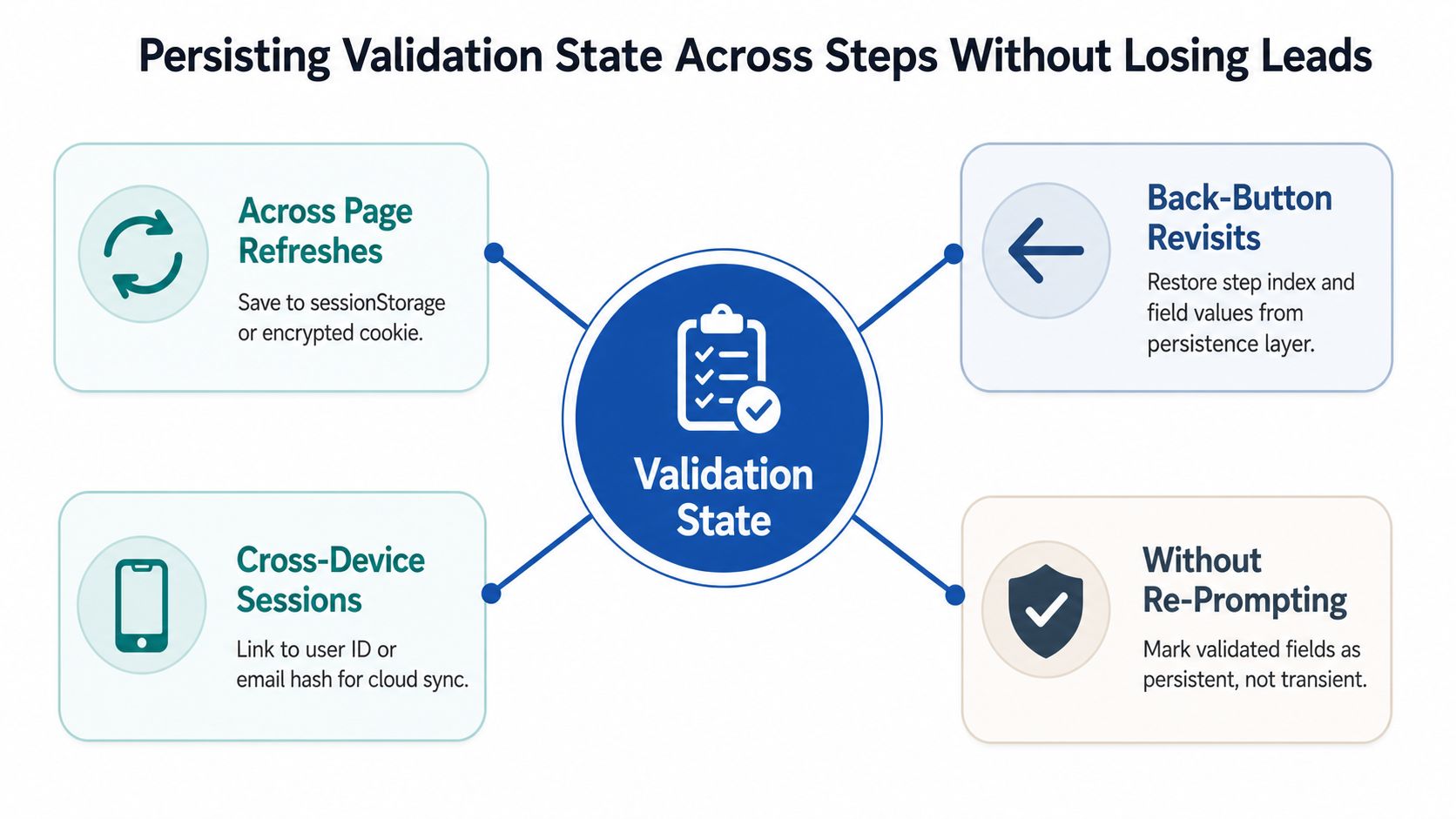
A resume flow should rehydrate deliberately:
- Restore position: Return the user to the last incomplete step, not automatically to the first screen.
- Restore values: Populate fields that the user previously saved, while preserving their ability to edit them.
- Restore status: Keep successful checks as informational state, but rerun checks that depend on time, external systems, or changed answers.
- Restore errors carefully: Don't resurrect stale error messages for values the user already corrected.
- Clear after success: Wipe the draft and validation state immediately after a confirmed submission.
The last item prevents accidental resubmission loops and stale data from being sent into a CRM or buyer endpoint. Draft expiration should be explicit in your product requirements. Choose a time-to-live based on the buying cycle and data sensitivity, then delete the draft when it expires rather than reverting to an old qualification path.
Cross-device resume needs an authenticated or consented identity strategy. A browser key won't follow a user from a phone to a laptop, and using raw email or phone data as an identifier can create privacy problems. If cross-device recovery matters, link a server-side draft to a user-controlled identifier or a privacy-reviewed hash, and make the recovery action clear.
For teams chaining capture flows, this guide to capturing incomplete submissions by chaining two forms together offers a practical pattern, but the same consent, retention, and deletion rules still apply.
The implementation should also preserve accessibility. On resume, place focus predictably, announce the current step, associate errors with their fields, and let users move backward without losing data. The W3C's multi-page forms tutorial treats focus management, error announcements, visible focus states, and resume behavior as core form functionality, not optional polish.
No Code Builder Hooks Versus Custom Validation Logic
The choice between no-code and custom validation isn't about technical sophistication. It's about how quickly the funnel must ship, how complicated the rules are, and where the team needs ownership.
A solo marketer running paid traffic usually benefits from builder hooks. Required fields, inline messages, conditional steps, and common format checks can go live without waiting for a developer or deployment window. A growth team with engineering support may need custom logic when qualification answers branch into different schemas, when verification is asynchronous, or when the final payload must be transformed before it reaches a CRM.
What each path gives up
| Capability | No-Code Builder Hooks | Custom Validation Logic |
|---|---|---|
| Launch speed | Fast configuration and iteration | Requires development and deployment |
| Basic field rules | Strong for required and common formats | Fully configurable |
| Cross-step conditions | Can become difficult as branches grow | Natural to model in code |
| Async verification | Often available through integrations, with platform limits | Direct control over requests and fallbacks |
| Analytics detail | May expose standard events | Can instrument every rule and state change |
| Maintenance | Marketer-owned for ordinary changes | Developer review reduces accidental regressions |
| Data transformation | Limited to supported actions | Full control before CRM or webhook delivery |
Builder hooks can cap regex complexity, make conditional rules awkward, and expose limited per-field analytics. Custom code introduces a developer dependency, review cycle, testing burden, and deploy pipeline. It also enables schema validation, server-side checks, branching logic, and detailed event instrumentation.
A hybrid usually fits paid funnels
Use the builder for the first part of the experience, where speed and iteration matter most. Put final submission verification in a webhook or server-side layer that can check contactability, enforce buyer requirements, normalize values, attach consent evidence, and reject an unusable payload before delivery.
For example, a marketer can configure required answers and step navigation in Growform, then use downstream verification and routing logic to decide whether the completed lead belongs in a sales queue, a buyer delivery path, or a disqualified segment. That separation keeps ordinary funnel changes out of engineering while preserving a controlled final quality gate.
The mistake is owning custom code merely to reproduce basic required-field behavior. The opposite mistake is forcing a no-code rule engine to manage complex qualification economics that belong in a versioned, testable service.
Instrumenting Validation Events to Find the Real Drop Off Step
You can't optimize validation from the final conversion rate alone. A lower completion rate may come from a broken step, a confusing message, a slow verification request, or one rule that blocks legitimate users. Capture enough event detail to separate those causes.
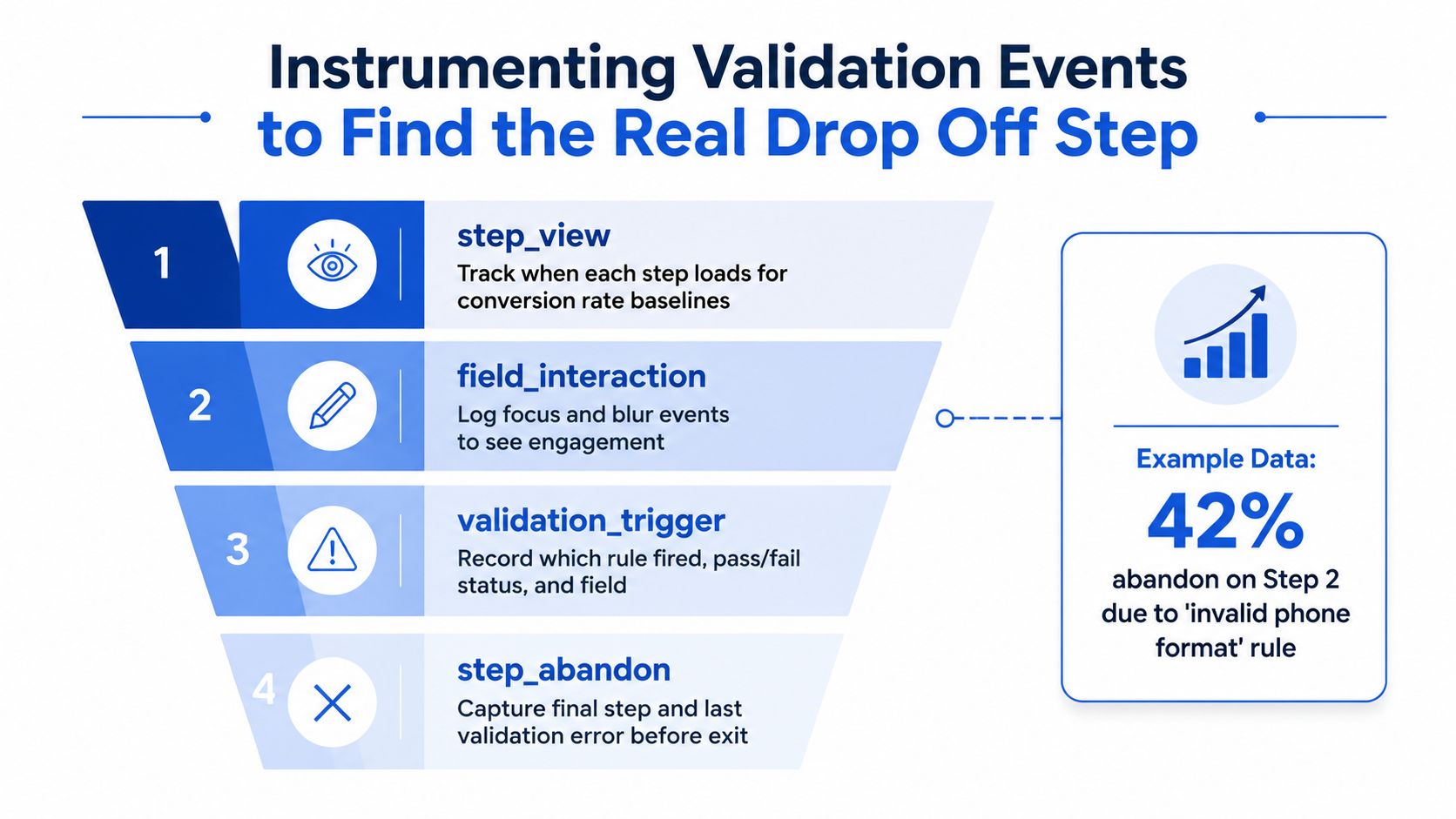
The minimum useful event set
Track the step and form version on every event.
- step_view: Fires when a step loads. Use it as the denominator for progression analysis.
- step_completed: Fires when validation passes and the user advances.
- validation_error: Includes field name, rule type, step, and whether the message was shown on blur or Continue.
- step_blocked: Fires when the user attempts to advance but a hard rule prevents progression.
Add an abandonment signal where possible, including the last active step and most recent validation error. You don't need to label every interaction as a conversion problem. You need enough context to answer whether users quit after a specific message or stop engaging.
A dataLayer implementation might look like this:
dataLayer.push({ event: 'validation_error', form_id: 'solar_quote', step: 2, field: 'phone', rule: 'phone_format', trigger: 'continue' });
The exact schema can vary. Consistency matters more than the platform. In Google Tag Manager, map the event fields into analytics events and preserve the form version so a rule change doesn't contaminate comparisons. In a warehouse or product analytics tool, build a step funnel from step_view to step_completed, then rank validation_error by field and rule.
Turn errors into a test queue
Suppose phone-format errors cluster on one step while users frequently return to that step and never complete it. That's a stronger testing signal than a general feeling that “the form has friction.” Test a more tolerant pattern, move verification to submit, or change the message while leaving unrelated rules unchanged.
Use the same discipline for email typos, required answers, address formats, and conditional disqualifications. The diagnostic question is: which rule, on which step, costs the most leads per thousand sessions? Once you identify it, loosen or relocate that rule in a controlled experiment instead of weakening the entire funnel.
The Growform guide to firing a GTM tag when a user changes step or completes a form can help connect navigation events to the measurement layer. Keep validation events separate from final conversion events so a user who sees an error isn't counted as a completed lead.
Your Multi Step Validation Launch Checklist
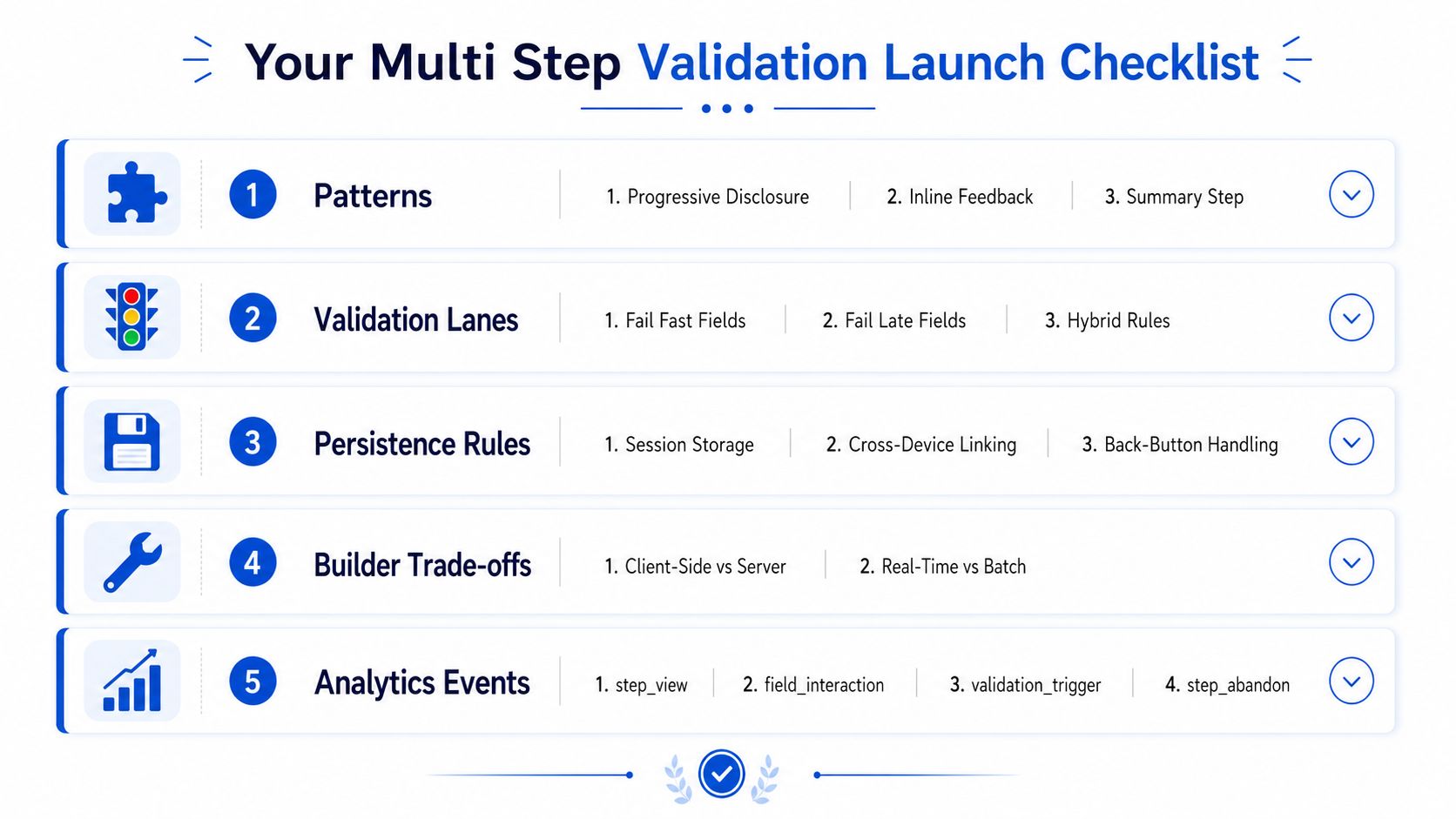
A launch-ready validation spec should be testable by a marketer, QA specialist, or developer. Don't approve the funnel because every field has a rule. Approve it because each rule has a clear job, a known trigger, and a measurable effect on progression or lead quality.
Accessibility and navigation
- Keyboard path: Test tab order, visible focus, Enter behavior, and backward navigation on every step.
- Error association: Confirm each message is programmatically associated with its field and understandable without color alone.
- Step announcement: Make the current step and progress status clear to keyboard and screen-reader users.
- Mobile behavior: Test blur, Continue, keyboard dismissal, and error placement on mobile Safari and Chrome.
- No dead ends: Let users return to earlier steps, edit answers, and continue without losing completed data.
Resume and persistence
- Refresh recovery: Refresh during each step and confirm the correct values and step index return.
- Back-button handling: Use the browser back button and verify that the form doesn't reset or duplicate navigation.
- Error reset: Correct a field, leave the step, return later, and confirm stale errors don't reappear.
- Sensitive data policy: Confirm that prohibited PII, payment information, and high-risk qualification data aren't stored in browser persistence.
- Expiration and cleanup: Test draft expiry and verify that successful submission wipes stored state.
Final verification and delivery
- Client-side fallback: Disable browser scripting and confirm the server still rejects invalid payloads.
- Critical checks: Run email, phone, consent, and routing verification at the appropriate final stage.
- Normalization: Confirm that phone, country, address, and name values arrive in the format downstream systems expect.
- Failure handling: Simulate a verification timeout and define whether the lead retries, enters review, or receives a clear recovery message.
- Duplicate prevention: Submit twice and confirm the CRM or buyer endpoint doesn't receive accidental duplicate leads.
Analytics and optimization
- Step views: Fire
step_viewonce per genuine step load. - Progression: Fire
step_completedonly after the step passes its blocking rules. - Rule metadata: Include step, field, rule, trigger, and form version on
validation_error. - Blocked attempts: Record
step_blockedseparately from ordinary field errors. - Drop-off diagnosis: Preserve the last step and last validation error where privacy policy permits.
- Test plan: Choose one high-frequency or high-cost rule to test first, rather than changing every validation rule at once.
A form isn't ready when it rejects bad data. It's ready when it rejects the right bad data without making good prospects fight the interface.
Use this checklist before launching a new paid campaign, changing a qualification step, or moving a form into a new vertical. Validation should protect acceptance, routing, compliance, and sales capacity while keeping the early experience forgiving enough for mobile visitors to continue.
In Growform, form validation checks required fields, email addresses, phone numbers, URLs and ZIP codes inside the form on every plan. Phone numbers can also be checked in real time with Twilio Lookup and email addresses with ZeroBounce, so a lead corrects a typo before the submission reaches your CRM or buyer. Start free trial to test a validation flow that separates conversion-friendly field checks from the verification rules that belong at submission.
Related articles
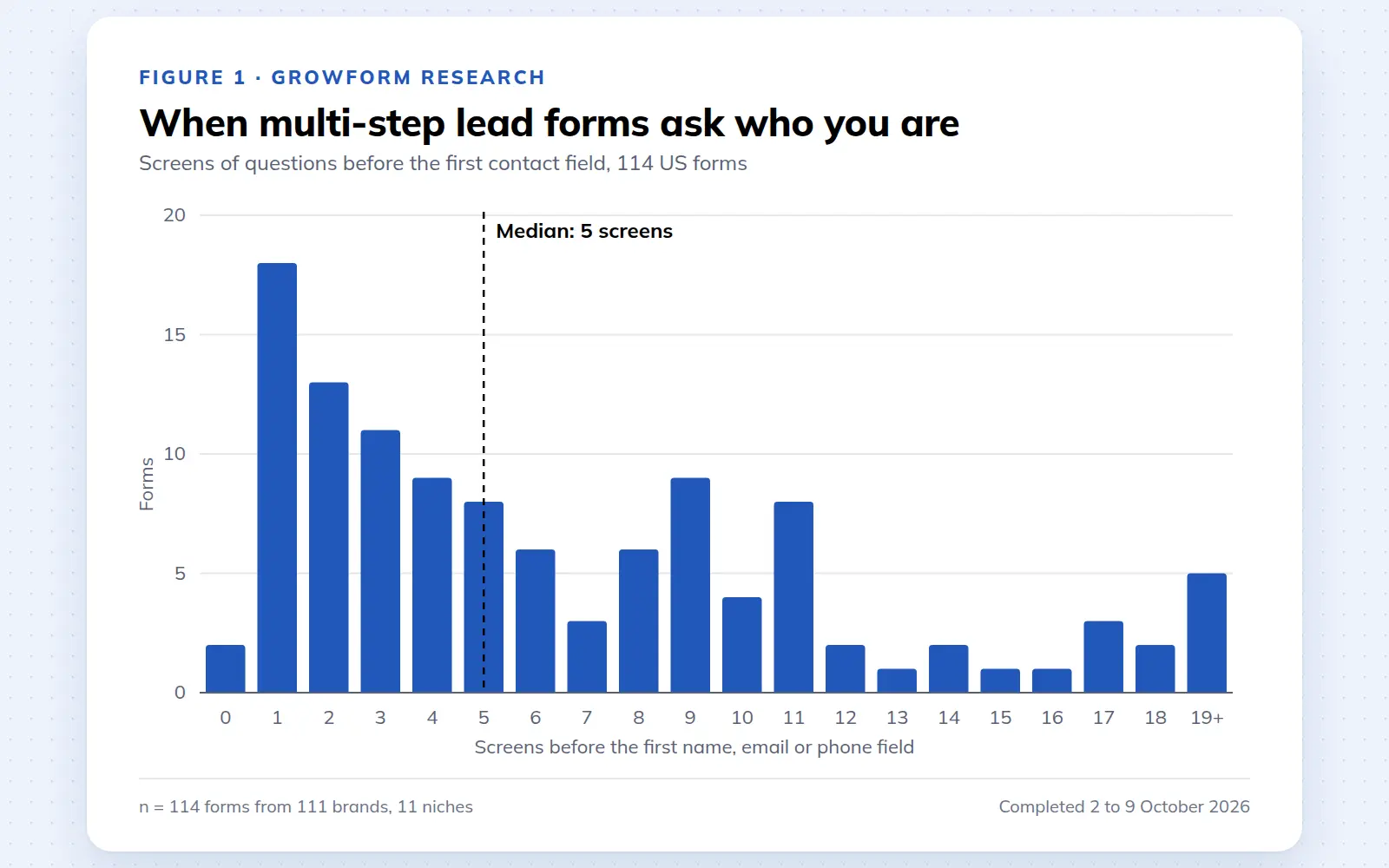
Multi-step lead forms: a 2026 study of 114 forms
We completed 114 US multi-step lead forms screen by screen in October 2026 and counted how long they are, what they ask first, how they show progress, when they ask for contact details and how they ask for consent.
October 9, 2026
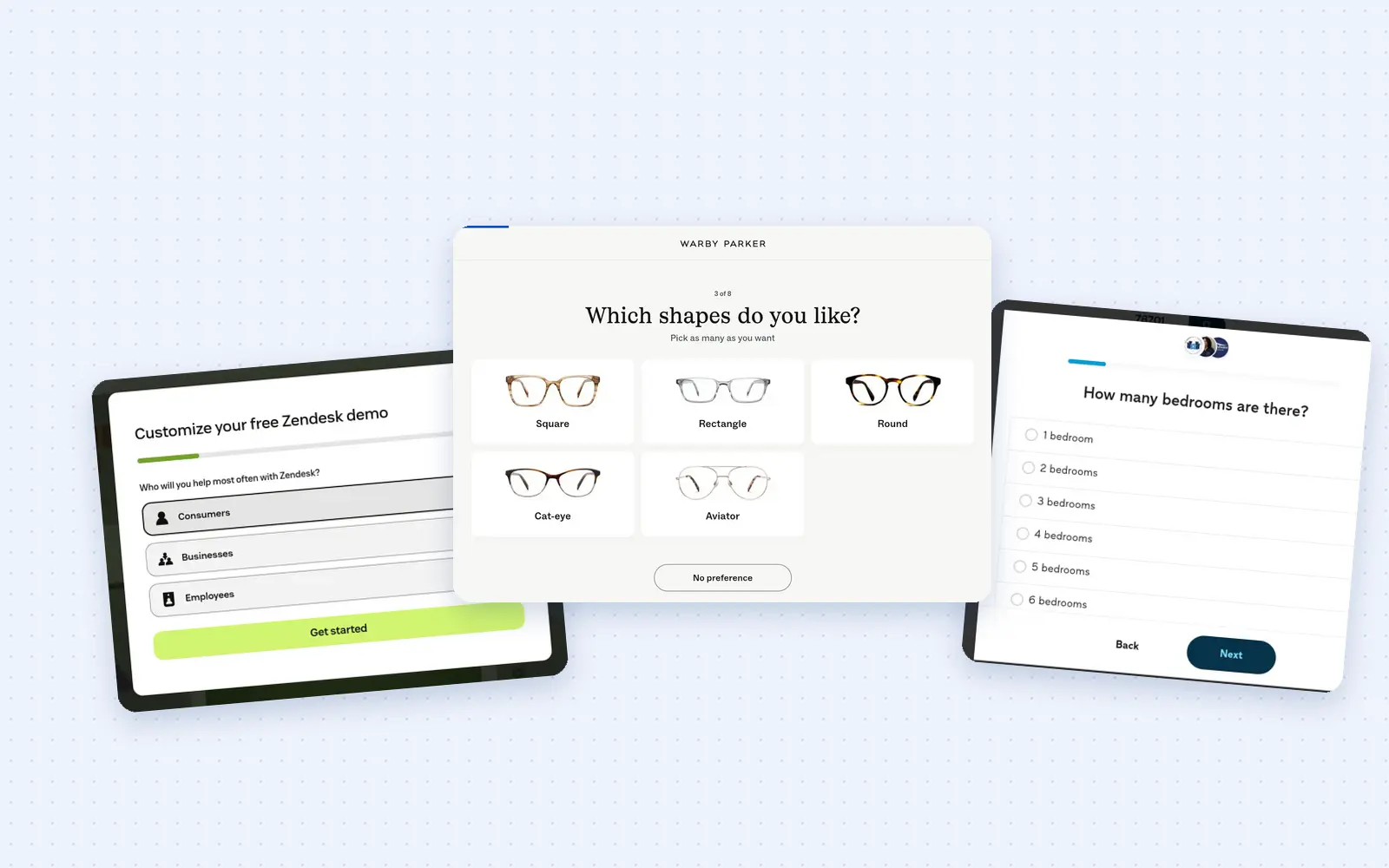
25 lead generation form examples to steal in 2026
From one-field newsletters to mortgage forms, we filled out 25 lead generation forms of every type. Here's what works in 2026, and what to learn from them.
October 9, 2026
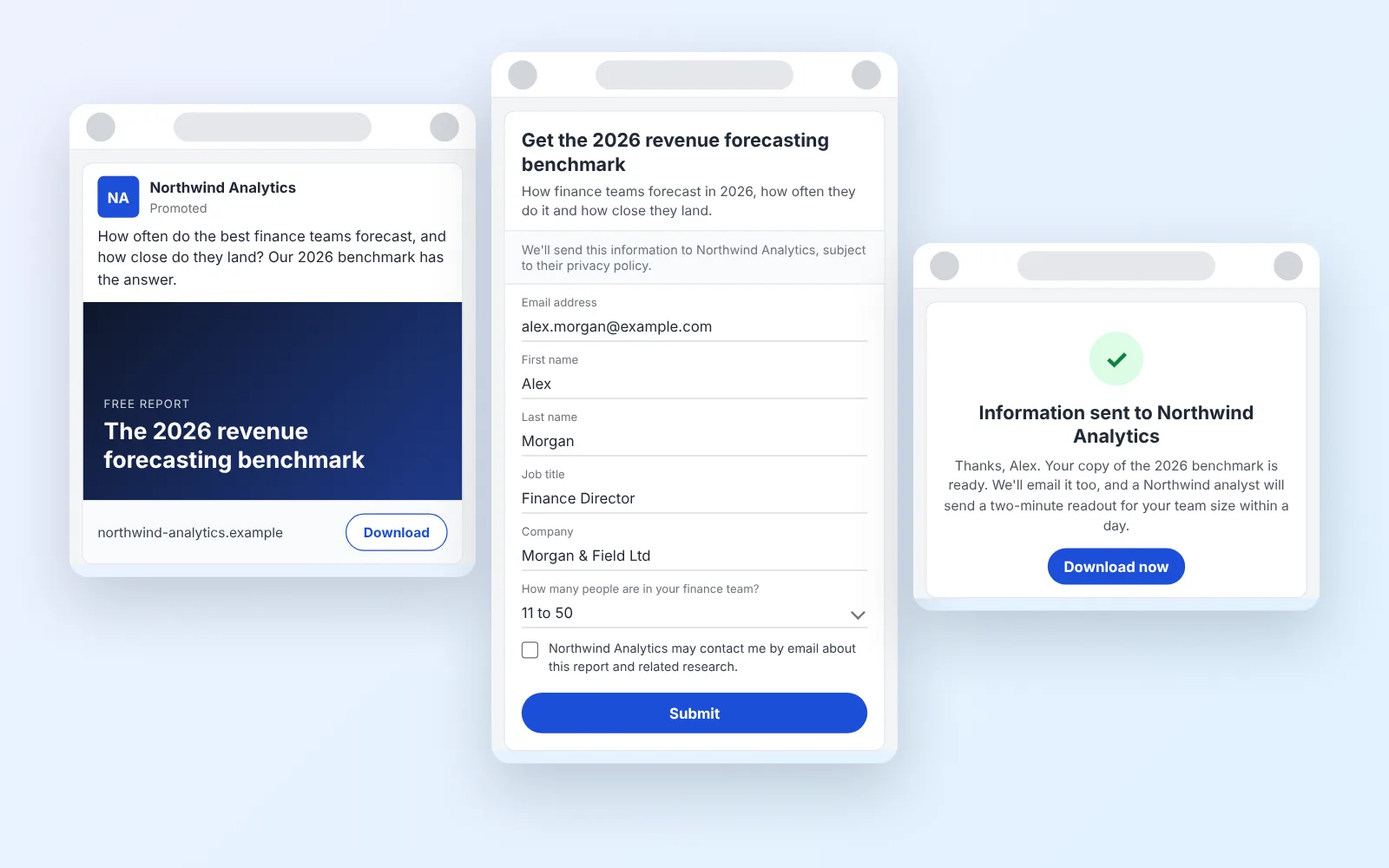
14 LinkedIn lead gen form examples worth stealing in 2026
We painstakingly searched across hundreds of LinkedIn lead gen forms, collated reams of data and worked out what's worth drawing inspiration from in 2026.
October 9, 2026