
Sales Funnel Optimization: A Playbook for Paid Lead Gen

Updated Published 15 min read
You're paying for clicks, the landing page is still generating form fills, and the dashboard says CPL is under control. Yet buyers are rejecting more leads, sales is calling fewer prospects, and EPC keeps sliding. That's the paid lead-gen version of a healthy-looking funnel with a broken revenue engine.
Sales funnel optimization isn't about squeezing more submissions out of the same page. It's about connecting every conversion decision to cost per lead, acceptance rate, and earnings per click. A shorter form can improve volume while lowering buyer acceptance. A new ad can reduce CPL while sending traffic that never becomes a qualified opportunity. The work only counts when downstream economics improve.
The real job behind sales funnel optimization
Say a solar lead-gen operator spends $42 per lead, delivers 600 leads a month and earns $90 for each lead a buyer accepts. At 71% acceptance each delivered lead earns $63.90, a margin of $21.90. If acceptance falls to 38%, each lead earns $34.20 and the operator loses $7.80 on every one, about $4,680 a month, with CPL unchanged. Cutting traffic at that point treats the symptom as the cause. The leak may sit in qualification, routing, verification, or follow-up rather than in the ad account.
Three numbers keep paid lead generation honest:
| Metric | Formula | Healthy Signal | Warning Sign |
|---|---|---|---|
| CPL | Media spend ÷ leads generated | Acquisition cost fits buyer payout | Cost falls only because low-intent volume rises |
| Acceptance rate | Accepted leads ÷ delivered leads | Buyers accept the leads you send | Rejections rise after a form or targeting change |
| EPC | Revenue ÷ clicks | Each paid click produces enough downstream value | Form conversion rises while revenue per click falls |
CPL tells you what acquisition costs. It doesn't tell you whether the lead is contactable or saleable. Acceptance rate exposes the quality and delivery layer, while EPC forces the entire funnel into one commercial view.
A funnel can improve its front-end conversion rate and still damage EPC. That happens when the form captures more people who lack the required property status, intent, location, eligibility, or decision authority. Buyers don't pay for attractive completion rates. They pay for leads their teams can contact, qualify, and close.
Measure the accepted lead, not the raw lead
Lead generation ROI is the revenue produced by accepted leads, after the cost of buying and qualifying every lead that was delivered, divided by that cost. The unit that matters is the accepted lead, the record that meets the buyer's or sales team's definition of usable. Three formulas keep the calculation honest:
- Expected revenue per delivered lead = revenue per accepted lead × acceptance rate
- Cost per accepted lead = (CPL + qualification cost per lead) ÷ acceptance rate
- Accepted-lead ROI = (expected revenue per delivered lead − CPL − qualification cost per lead) ÷ (CPL + qualification cost per lead)
Run the solar example with $3 of verification and call-center cost per lead. At 71% acceptance, each lead costs $45 and returns $63.90, an ROI of 42%, and each accepted lead costs $63.38. At 38% acceptance the ROI is −24% and each accepted lead costs $118.42.
The same arithmetic explains why a higher CPL can be the better campaign. A campaign at $65 CPL and 45% acceptance pays $144.44 per accepted lead. Tighten the form and routing so CPL rises to $72 but acceptance reaches 68%, and the accepted lead costs $105.88. CPL went up by 11% while the cost of each usable lead fell by 27%. The lead value calculator works out the break-even CPL from your own sale value and close rate.
Stage-level diagnosis matters because a blended rate hides this. Across industries the average landing page converts at 2.35%, while the top quarter reaches 5.31% or higher, according to WordStream's analysis of Google Ads accounts. Those averages aren't a target for every insurance, solar, legal, or trades campaign, and they say nothing about how many of the resulting leads a buyer will accept.
The audit needs five layers: UX, qualification, plumbing, delivery, and economics.
Running a stage-by-stage funnel audit before you touch anything
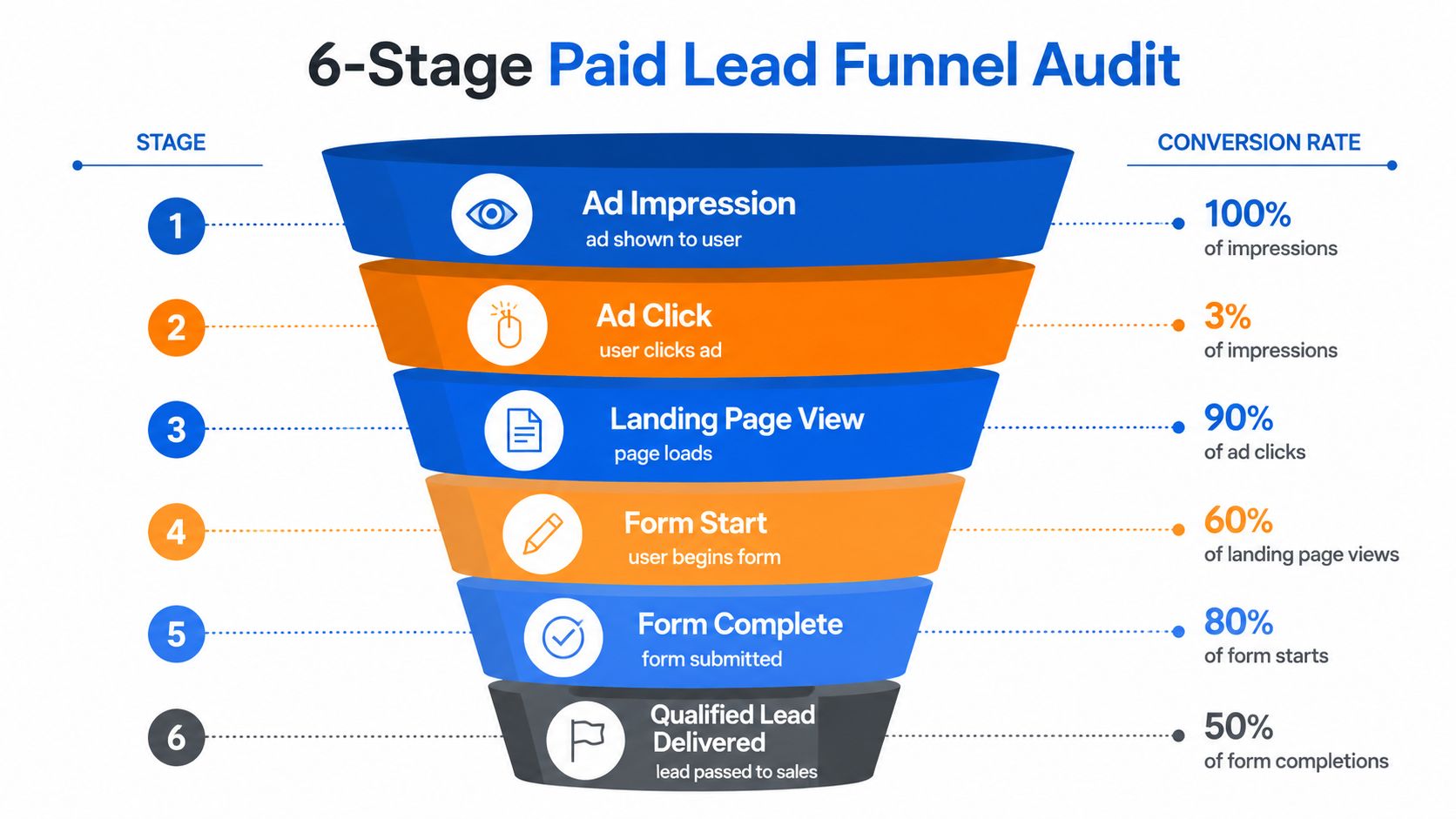
Don't rewrite the page first. Export the raw event data, define each stage, and calculate the transition rate between consecutive events. A paid lead funnel usually needs six checkpoints:
- Ad impression: the platform serves the ad.
- Ad click: a user clicks through.
- Landing-page view: the destination page loads successfully.
- Form start: the visitor interacts with the first field or question.
- Form complete: the visitor submits the form.
- Qualified lead delivered: the lead passes your rules, verification, consent checks, and routing process.
The formula is simple:
Stage conversion = next-stage completions ÷ current-stage entrants
Use the same date range, campaign grouping, and attribution window for every stage. Separate insurance, solar, legal, and home-services traffic because intent, qualification rules, and buyer acceptance differ. Don't compare a branded search campaign with a broad social campaign and call the difference a landing-page problem.
Find the expensive leak, not the ugliest percentage
Suppose a campaign has a weak landing-page-view rate because the page loads poorly, but nearly everyone who reaches the form completes it. Another campaign has strong page engagement yet loses many users between form start and qualified delivery. The first leak looks more visible, but the second may cost more because it affects users who have already demonstrated intent.
Size each issue in commercial terms:
Estimated loss = lost leads × EPC × scale
Use the calculation directionally when comparing fixes. It helps the team prioritize a routing failure that affects valuable leads over a cosmetic headline change that only improves an early interaction.
Tag every finding before sequencing work
Create an audit register with one row per issue:
- Stage: identify the exact transition affected.
- Evidence: record the event count, source, device, vertical, and buyer.
- EPC impact: estimate the revenue exposure using your current economics.
- Fix effort: label the change as tracking, UX, logic, delivery, or buyer-side work.
- Test design: state the single variable you'll change.
- Success event: name the qualified or revenue event that decides the result.
The practical workflow is to benchmark each stage, isolate the largest leakage point, and test one variable at a time. Don't chase raw lead volume or change several stages simultaneously, because neither approach lets you attribute causality cleanly.
Fixing landing page and form UX for mobile lead capture
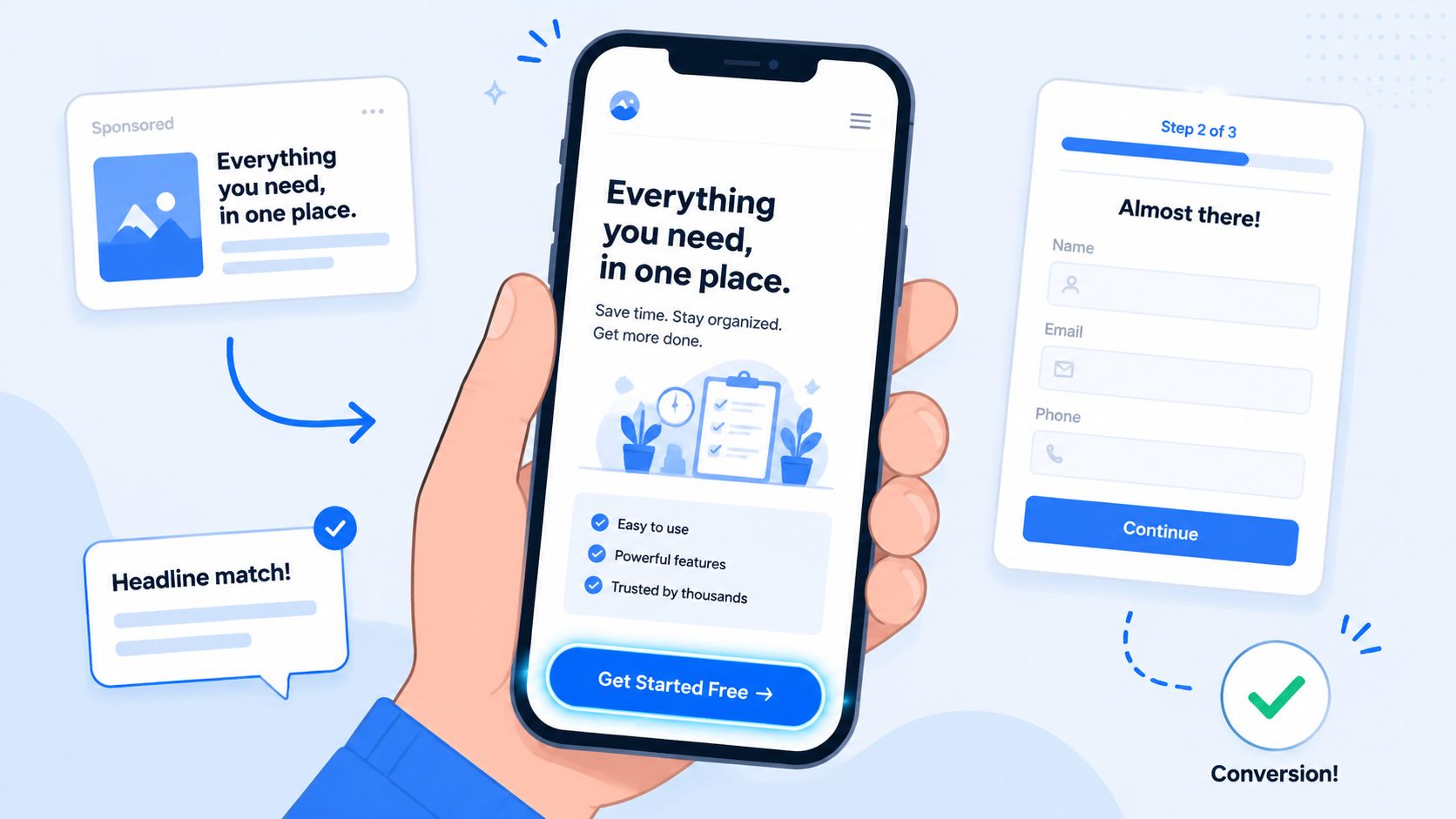
A paid click should recognize its destination immediately. A solar ad promising an estimate, an insurance ad offering a comparison, or a legal ad offering a consultation must meet that expectation above the fold. If the headline changes the offer, the visitor has to reconsider the click before reaching the form, lowering the chance of an accepted lead and eventual EPC.
Remove friction without removing intent
Use one primary CTA with a specific next action. A sticky mobile button can say “Check solar eligibility” instead of “Get started.” For legal traffic, “See if your case qualifies” sets a clearer expectation than “Submit.” The button should open the first question or scroll directly to the form, not send visitors searching.
Match the page to the ad's promise. Place qualification context beside the form, add brief reassurance near sensitive fields, and remove generic company history that pushes the CTA down. Compress media and remove scripts that do not support the decision. Unbounce reports a median conversion rate of 6.6% across more than 41,000 landing pages in its Conversion Benchmark Report. Use that figure as context, then judge the page by accepted leads and EPC for the traffic source.
The form should collect only what the current step requires:
- Smart defaults: use location or device data carefully, and let visitors correct it.
- Mobile input types: trigger numeric keyboards for phone fields and email keyboards for email fields.
- Inline validation: show each error beside the field while the visitor can still fix it.
- Phone formatting: standardize the number without requiring visitors to understand the format.
- Progress indicators: show the visitor's position in a longer flow.
- Conditional reveals: hide questions that do not apply to the selected service or situation.
Choose the right form pattern
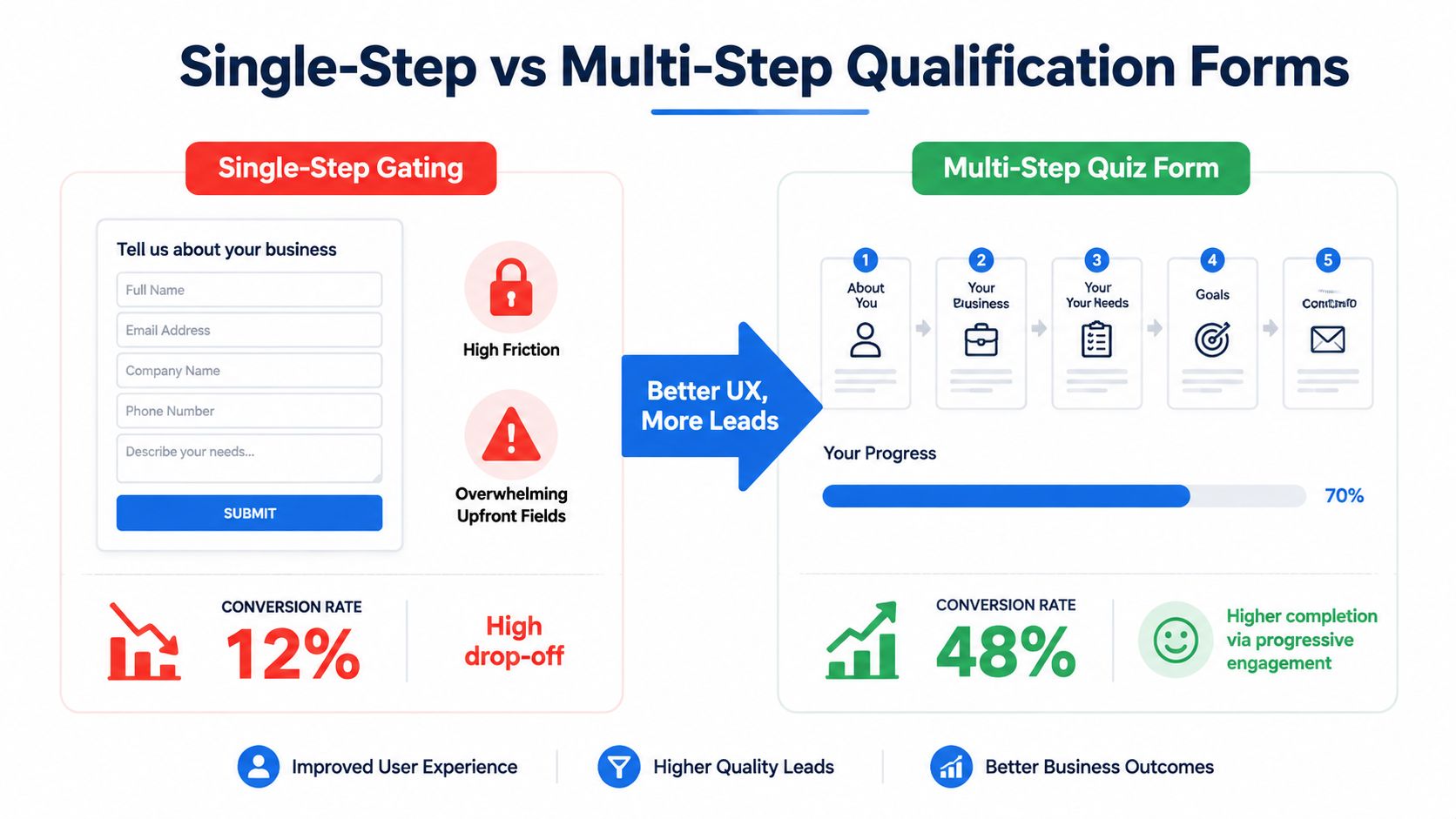
A single-step form fits a simple request with limited qualification. Use a multi-step flow when the first screen feels intimidating, the questions require branching, or buyer acceptance depends on several fields. Let the opening screen feel easy to start, then collect more detail after the visitor has shown intent.
A quiz-style flow earns its place only when the questions help produce a relevant result. If it merely disguises a long form, it adds screens without improving lead quality. Track abandonment by question so you can identify where intent drops.
For implementation ideas, review multi-step form UI patterns that reduce mobile drop-off. Ask one clear question at a time, preserve the visitor's context, and disclose the final commercial requirement before the user has invested too much effort.
Here's a short walkthrough of how a multi-step capture experience can be structured:
Judge the change by qualified lead rate, buyer acceptance, and EPC, not completion alone. A form that produces more submissions but more rejected or unreachable leads can lower revenue even when its front-end conversion rate rises. Also check that the new flow preserves source and campaign data through every step, so the apparent UX win can be tied to the leads buyers accept.
Qualifying harder without killing form completion
Qualification works best as a sequence, not a wall. A single long form asks every visitor for every detail before they've received enough value to justify the effort. A multi-step quiz can establish basic fit first, then ask for contact information after the visitor has answered relevant questions and understands the next step.
Put disqualifying logic early
The first three questions should usually be binary or single-tap. For solar, that might be homeowner status, property type, and whether the person controls the decision. For insurance, it could be coverage type, state, and the relevant eligibility condition. For legal, the opening questions might identify matter type, location, and whether the person is seeking representation.
Branch instead of interrogate. A renter shouldn't see homeowner financing questions. A commercial property owner shouldn't receive a residential installation path. A visitor selecting the wrong legal matter should receive an appropriate alternate outcome rather than several irrelevant screens.
Do not ask for an email before the visitor understands what happens next. The first interaction should earn the right to request personal information. Then collect phone and email alongside a clear explanation of contact expectations and consent.
Preserve filtered demand
Disqualification isn't the same as deletion. Store the reason, campaign identifiers, and permitted audience signals so you can build a separate nurture or retargeting path. Someone who fails a current buyer's criteria may fit another offer, another geography, a different service, or a later campaign.
The qualification stack should answer four questions:
- Fit: does the lead meet the buyer's service, location, and eligibility rules?
- Authority: can the person make or influence the decision?
- Intent: is there a current problem or request rather than casual research?
- Deliverability: can sales reach the person through valid contact details?
Use conditional routing to skip irrelevant questions and send different lead types to different buyers. A form can generate volume while the handoff destroys value.
A practical qualification checklist looks like this:
- Start with low-effort, high-signal questions.
- Front-load hard disqualifiers.
- Use logic jumps by vertical, geography, and property status.
- Delay sensitive contact fields until the offer is clear.
- Save the disqualification reason.
- Route accepted leads with all original tracking and consent data.
- Measure buyer acceptance and EPC after each logic change.
Attribution and tracking plumbing for paid lead funnels
Paid lead economics depend on the handoff between platforms. Meta records a click, the quiz tool starts a new session, a redirect drops the query string, and the CRM receives a lead without campaign context. The form submission still appears in a dashboard, yet the marketer cannot connect qualified revenue to the audience or creative that produced it.
Keep four identity layers attached to every lead:
| Event Layer | What It Captures | Most Common Break | Fix |
|---|---|---|---|
| UTMs | Source, campaign, ad set, creative, and landing-page context | Redirects overwrite or drop parameters | Capture once and pass through every step |
| Click IDs | Platform-level click identity, such as fbclid or gclid | Browser changes, redirects, or missing hidden fields | Store them at entry and include them in the lead payload |
| Browser events | Page views, form starts, and client-side submissions | Consent limits, blockers, and browser restrictions | Define events clearly and test them against server events |
| Server events and webhooks | Delivery, qualification, and downstream conversion | Event fires on submission instead of qualified delivery | Trigger the revenue event after verification and routing |
Meta's Conversions API and Google's server-side conversion options matter because the commercially meaningful event often occurs after the browser session ends. A browser pixel can record a form submission, while the webhook confirms validation and buyer delivery. Those events serve different purposes. Use the Facebook Conversions API implementation guide to configure the server-side handoff, then define which downstream event should affect campaign optimization.
A workable naming convention might use:
source, campaign, adset, creative, landing_page
Keep values stable, readable, and consistent across platforms. Preserve click IDs, sub-IDs, and UTMs through quiz steps, confirmation pages, CRM syncs, ping trees, and buyer delivery. A referral redirect should never replace the original source.
Test the event path with one lead
Submit a controlled lead and record the exact timestamp, click ID, UTM set, form version, qualification outcome, webhook payload, CRM record, and ad-platform event. Confirm that the platform receives the intended event once, with the correct lead identity and value.
A CAPI token that expires, a webhook that retries without deduplication, or a form that fires conversion on every step can distort optimization quickly. Paid lead-gen operators need to define their own revenue event, such as accepted delivery or a later sales outcome, rather than optimizing for form fills alone.
Treat attribution as part of delivery. If UTMs disappear before the CRM, CAPI reports submissions instead of accepted leads, or buyer outcomes never return to the ad platform, CPL may look efficient while EPC falls. Test the plumbing before changing bids, creative, or form design.
Speed to lead, verification, and compliance evidence
A submitted form isn't a finished lead. It becomes commercially useful only when the right buyer receives it quickly, can contact the person, and has the evidence needed to accept it. Slow delivery, invalid phone numbers, missing consent, and absent certificates all reduce the value of an otherwise complete submission.
Speed has been measured. In an audit of 2,241 US companies published in Harvard Business Review, firms that tried to contact a web lead within an hour were nearly seven times as likely to qualify it as firms that waited even an hour longer. Validate your own delivery target against buyer and call-center data before it becomes a contractual SLA.
A typical path is:
Form → webhook → ping tree → buyer → first call or SMS
Use Twilio or a dialer for immediate outreach, then log the first attempt, connection, disposition, and buyer response. Verification can happen before delivery. Twilio can validate phone details, while ZeroBounce or NeverBounce can check email quality. Don't let verification discard records without storing the reason.
Consent evidence needs to be attached to the record, including the consent language shown, timestamp, IP, user agent, and the relevant certificate. TrustedForm and Jornaya are common evidence layers for insurance and financial lead flows. Generate the certificate during capture and attach its URL to the outbound payload before the buyer receives the lead. Your legal and buyer requirements determine validity and retention, so document those rules instead of relying on an undocumented default.
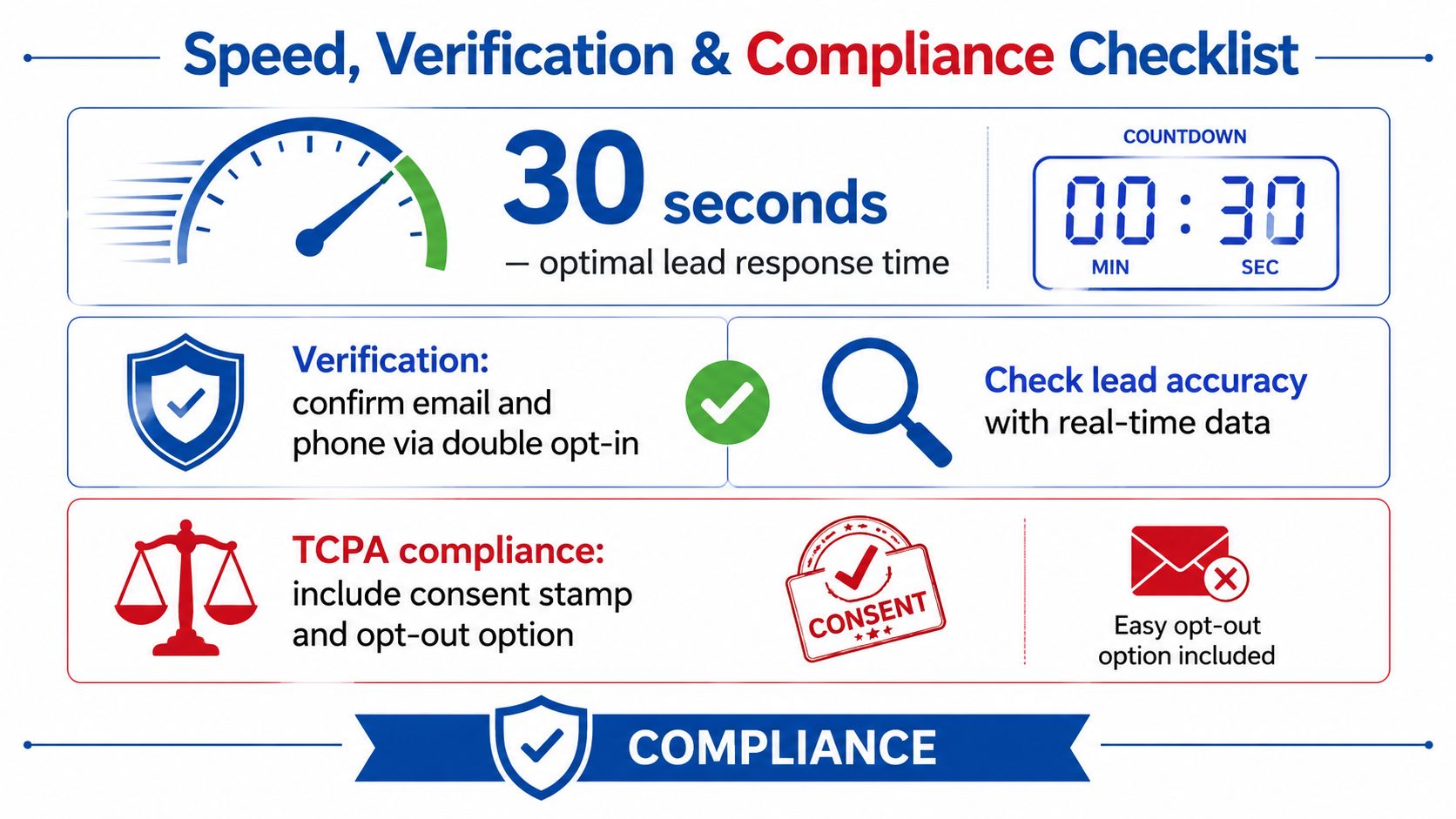
Use time-to-lead benchmarks that improve contact rates as a starting point for operational review. Every delivered record should include:
- Contact data: verified email and phone where the campaign requires them.
- Consent proof: language, timestamp, IP, user agent, and opt-out handling.
- Certificate evidence: TrustedForm or Jornaya URL when required by the buyer.
- Attribution: original UTMs, click IDs, source values, and sub-IDs.
- Routing context: buyer, campaign, form version, qualification outcome, and delivery timestamp.
A 30 day optimization plan and what to measure
A useful 30-day plan starts with instrumentation, not a redesign. Tie each week to EPC, acceptance rate, and CPL, and use form completion as a diagnostic metric. Stage conversion matters because a cheaper lead can still produce less revenue when qualification or buyer acceptance declines. The commercial question is whether each change moves the record into the next profitable stage.
Week 1, make the funnel observable
Export a baseline for every defined stage. Audit UTM persistence, fbclid, gclid, CAPI events, webhook timing, TrustedForm or Jornaya certificate URLs, verification outcomes, and buyer acceptance. Fix missing identifiers and duplicate events before changing copy or traffic.
Log speed-to-lead from form completion to buyer receipt, then from receipt to the first contact attempt. Segment results by vertical, source, device, buyer, and form version. This separates a real funnel problem from a routing or sales follow-up problem.
Week 2, remove mobile friction
Ship one controlled UX change. Options include clearer ad-to-page message match, a shorter first step, a progress indicator, inline validation, or conditional field reveals. Keep the headline, offer, form logic, and traffic audience stable enough to identify what caused the result.
Check whether added submissions retain the same qualification and acceptance profile. If completion rises while accepted-lead EPC falls, the form became easier at the expense of downstream value.
Week 3, harden qualification and delivery
Review disqualification rules with buyers and sales. Confirm that accepted leads route to the correct buyer, rejected records retain a reason, and consent evidence travels with the payload. Split buyer acceptance by source and form version so one rejection pattern does not conceal another.
Measure delivery latency, contactability, duplicate rate, certificate availability, and accepted-lead EPC. A lower CPL is not a win when acceptance drops enough to reduce revenue.
Week 4, test one hypothesis at a time
Run structured A/B tests on the weakest stage identified in the audit. Keep traffic quality and routing conditions as steady as possible, define the primary success event, and avoid calling a winner from form completion alone. Review results on a consistent cadence, recording the change, launch date, audience, buyer, and downstream event that moved.
Track these dashboard groups:
- Stage rates: impression to click, click to page view, page view to form start, form start to complete, and complete to qualified delivery.
- Economics: CPL, acceptance rate, EPC, and the relationship between CPL and EPC.
- Operations: speed-to-lead, verification outcomes, buyer rejection reasons, duplicate rate, and compliance evidence availability.
- Test log: hypothesis, variable, launch date, audience, buyer, and qualified outcome.
Use the earlier funnel benchmark discussion as context, but judge improvements by post-submit quality and buyer economics. Reduce friction only when the resulting records remain qualified, accepted, and contactable.
Growform is the form layer at the front of that funnel. Its multi-step forms put disqualifying questions first with lead qualification logic, verify phone numbers through Twilio and email addresses through ZeroBounce, attach a TrustedForm or Jornaya certificate, and carry UTMs and click IDs through every step to the webhook that delivers the lead. The solar eligibility checker template is a working example of the eligibility-first flow described above. Every plan starts with a 14-day free trial, so you can start a free trial and measure the change against acceptance rate and EPC.
Related articles
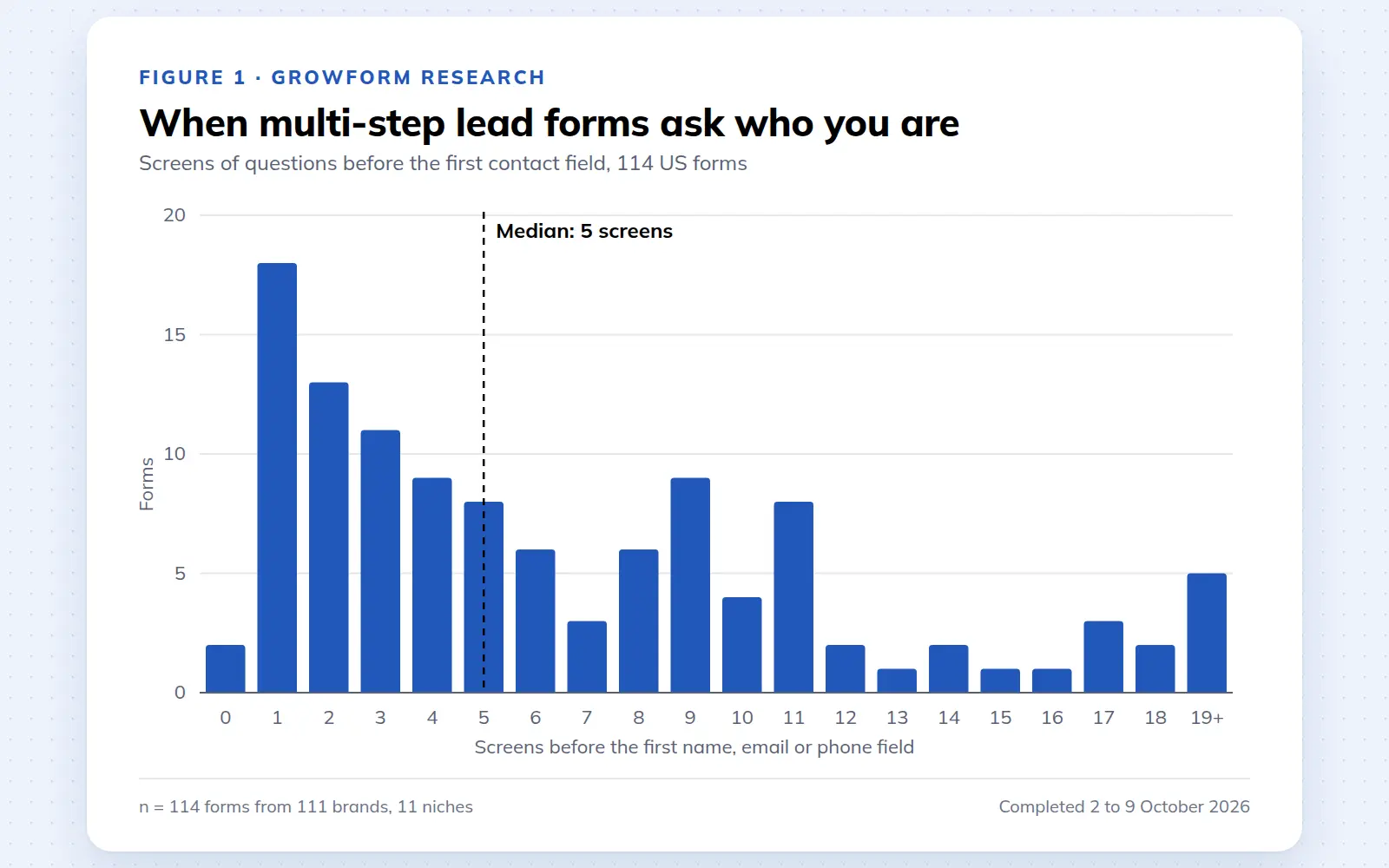
Multi-step lead forms: a 2026 study of 114 forms
We completed 114 US multi-step lead forms screen by screen in October 2026 and counted how long they are, what they ask first, how they show progress, when they ask for contact details and how they ask for consent.
October 9, 2026
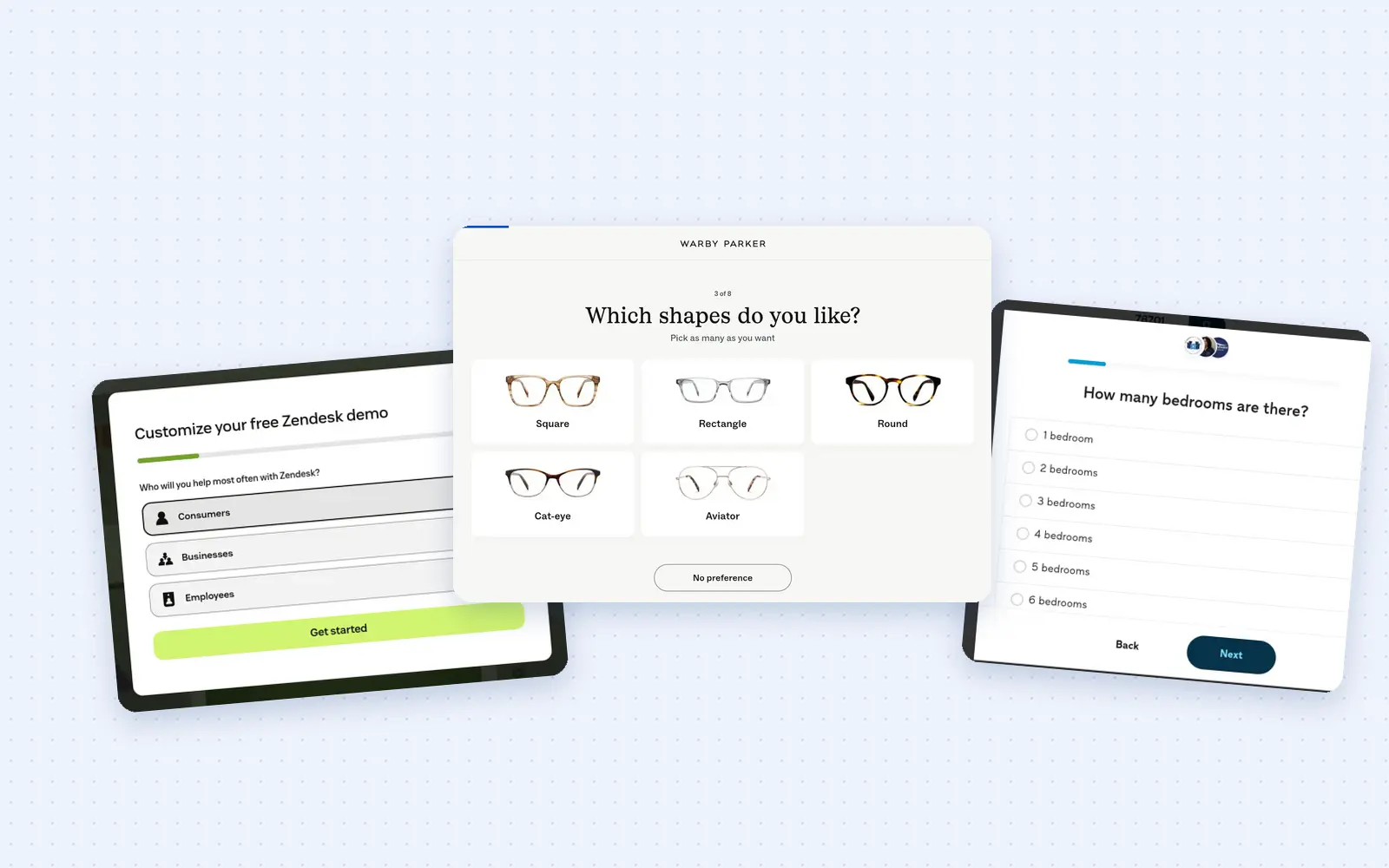
25 lead generation form examples to steal in 2026
From one-field newsletters to mortgage forms, we filled out 25 lead generation forms of every type. Here's what works in 2026, and what to learn from them.
October 9, 2026
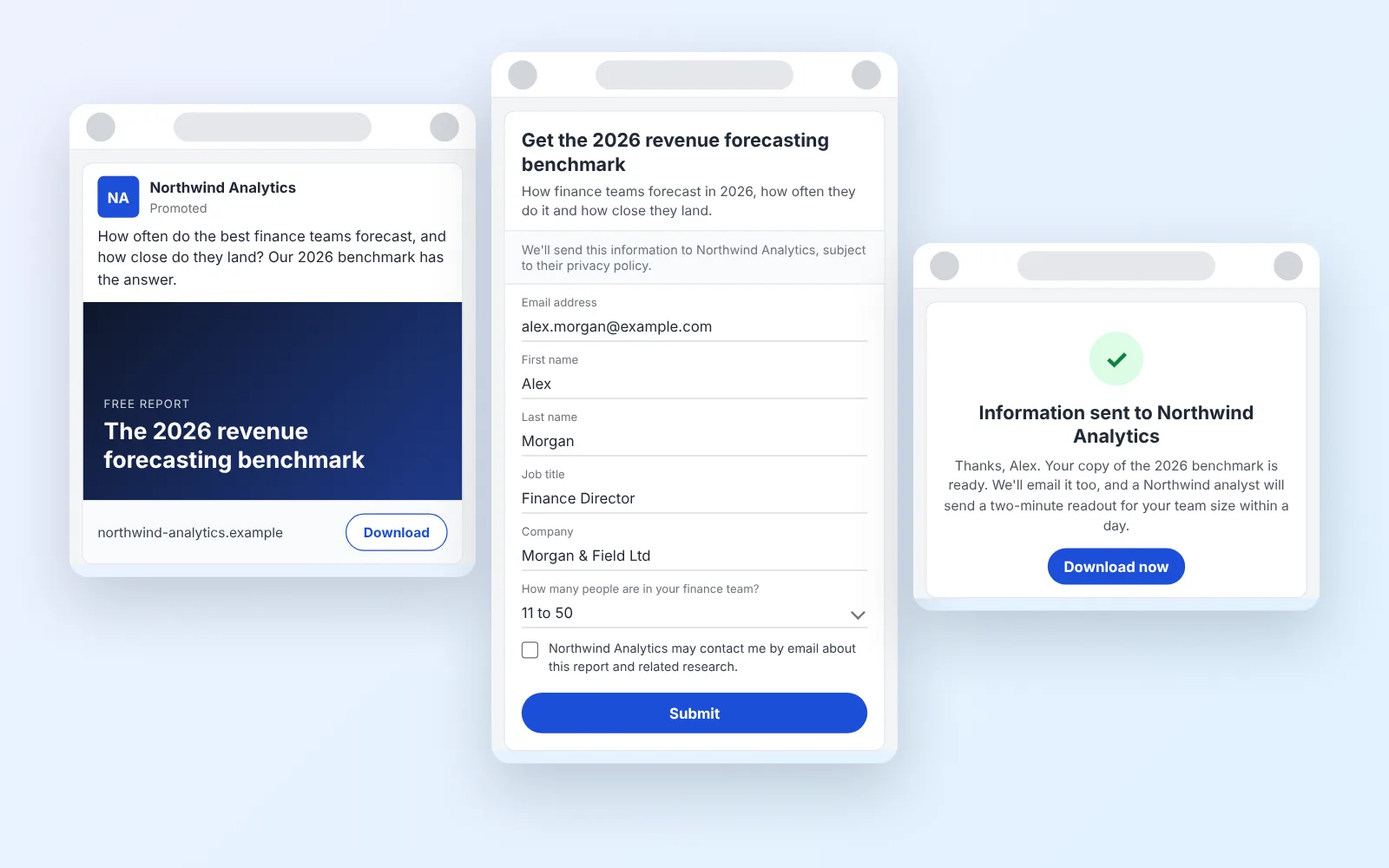
14 LinkedIn lead gen form examples worth stealing in 2026
We painstakingly searched across hundreds of LinkedIn lead gen forms, collated reams of data and worked out what's worth drawing inspiration from in 2026.
October 9, 2026