Skip to content
Growform Multi Step Form Builder

Wreath order form template

This five-step wreath order form asks the occasion, the size, the color scheme and delivery or pickup, followed by the contact details. You can clone it into your Growform account and add photos of your wreaths.

What the form asks, step by step

Florists need the occasion before anything else, because a funeral wreath and a Christmas wreath are made differently. Size, colors and delivery follow.

  1. Step 1: “What occasion is the wreath for?”

    Christmas, wedding or funeral sets the style and often the deadline.

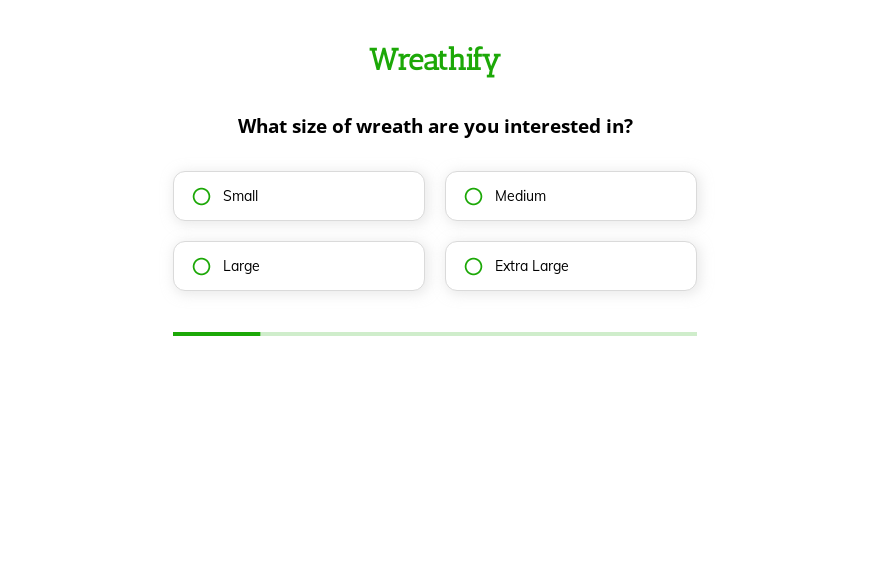
  2. Step 2: “What size of wreath are you interested in?”

    Four sizes, from small to extra large, set the price range.

  3. Step 3: “Which color scheme do you prefer?”

    Traditional, modern, bright or neutral gives the florist a clear palette.

  4. Step 4: “Would you like the wreath delivered or picked up?”

    Delivery or pickup tells you whether an address and time are needed.

  5. Step 5: “How shall we contact you?”

    Name, email and phone come last.

  6. After submitting

    Change the confirmation to state your last order date for the Christmas season.

Who it’s for

Florists, wreath makers and garden centers use this template for seasonal and sympathy orders. It works as a Christmas wreath order form in December and handles wedding and funeral requests the rest of the year. Each order arrives with the occasion, the size and a color direction, which is enough to confirm a price and a date. Florists who sell arrangements as well as wreaths can use the flower order template.

Why this structure converts

  • The occasion comes first, which lets sympathy orders be handled with the right tone from the first reply.
  • Color schemes are described in plain words, so customers choose without knowing flower names.
  • The delivery question tells you before you reply whether the order needs a driver.
Use this template

14-day free trial, no credit card

Make it yours

  • Show each size

    Use image buttons to show the four sizes side by side, so customers see the difference before choosing.

  • Add a date needed

    Funerals and weddings have fixed dates. Add a date field after the delivery question so no order arrives without one.

  • Offer a card message

    Add a short text step for a card message, which sympathy and wedding customers expect to write.

Frequently asked questions

What should a wreath order form ask?

It should ask the occasion, size, colors and how the wreath will be collected, plus the date it is needed. Add the date field if you take funeral orders.

Can I show prices for each size?

Yes. Put the price in each size option, or calculate a total on the thank-you screen from the size and delivery choice.

Where do wreath orders go?

Orders reach your inbox by default, and you can send them to a Google Sheet, Airtable or a Slack channel for the workshop.

What happens next?

  1. Step 1: Clone this form template

    Clone this template into your Growform account (create one first if you don’t already have one).
  2. Step 2: Edit your form

    Get creative and adjust your form's theme options, questions or layout in the Growform form builder.
  3. Step 3: Share or embed your form

    Share a link to your form, or embed it in your existing website. Receive new submissions by email or send them to 7,000+ apps via Zapier.

Start your free trial

Build multi-step forms just like this one. 14-day free trial, no credit card required.