
Lead verification: how to verify leads in real time or in bulk

Updated Published 9 min read
Your form is converting, the leads are rolling in, and then your call center starts reporting dead numbers. Lead verification is where you stop paying for those leads.
Lead verification is the process of confirming that a lead's contact details are real, reachable and belong to the person who submitted them, either at the moment the lead is captured (real-time verification) or afterwards across a whole list (bulk verification).
Update (October 2026): Meta's instant forms now offer an SMS verification step on lead ads, Growform's own one-time passcode verification is launching soon, and Twilio's basic phone lookup is still free.
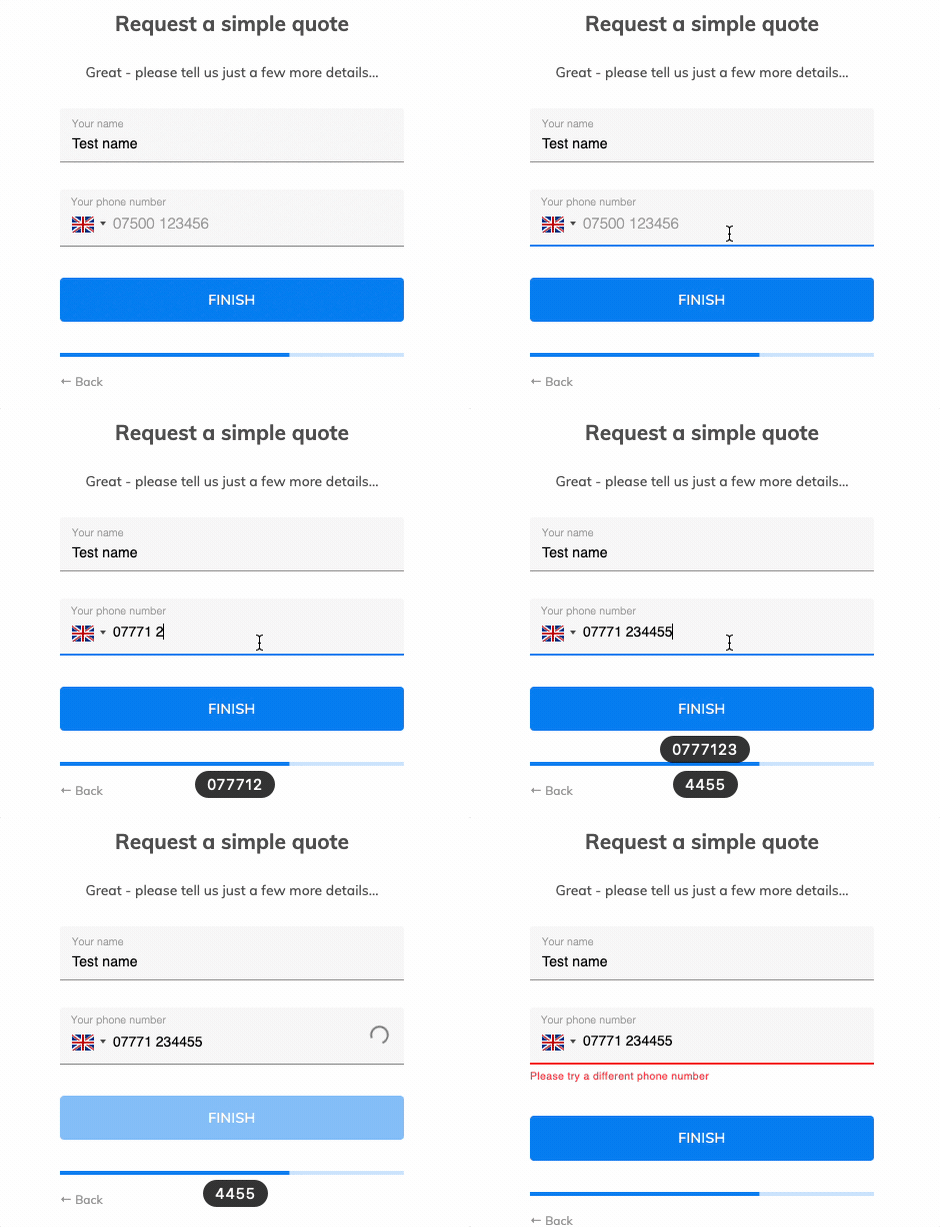
This guide covers the three ways to verify leads in real time, when bulk verification still earns its place, and the checks lead buyers now expect on top of a valid phone number and email address.
What is lead verification and why is it important?
Lead verification confirms that the details a lead gave you are accurate before anyone spends time or money following them up. For most teams that means two fields, the phone number and the email address. For anyone who sells leads, it also means proof that the lead filled in the form and agreed to be contacted.
An unverified lead costs you three times. Your sales team dials a number that does not connect, your email platform bounces an address that never existed, and if you sell leads, the buyer returns the lead and trusts the next batch a little less. Bounced email also hurts your sender reputation, so the next campaign lands in fewer inboxes.
Verifying leads raises your contact rate, cuts returns from buyers and keeps your follow-up sequences away from spam traps. It also costs far less than the click that produced the lead.
Lead validation vs lead verification
Lead validation and lead verification are two separate checks, and most teams need both.
Lead validation checks that the data is in the correct format and looks plausible. "email@email" fails because it has no domain ending, and a US phone number with nine digits fails because it is one short. Validation stops typos and obvious junk.
Lead verification goes a step further and confirms the details against an outside source: a phone carrier database, a live mail server, or a passcode the lead has to read off their own phone. A number can pass validation and still belong to nobody. Verification is what catches it.
What lead verification covers in lead generation
In lead generation, a verified lead usually means four things, and each one is checked a different way.
| Check | The question it answers | How it is checked |
|---|---|---|
| Phone number | Is this a real number that can be called? | Format check, then a carrier lookup such as Twilio Lookup |
| Email address | Will an email to this address arrive? | Format check, then a mailbox test such as ZeroBounce |
| Ownership | Does the number belong to the person who filled in the form? | A one-time passcode sent by SMS |
| Consent proof | Can you show how and when the lead agreed to be contacted? | A TrustedForm certificate or a Jornaya LeadiD |
The first two catch mistakes and made-up details. The last two matter most when leads are sold, because a buyer who calls under the TCPA wants evidence that the consumer gave permission. TrustedForm and Jornaya both record that evidence from the form itself, and buyers often require one of them before they accept a lead.
Different types of lead verification
There are two primary methods: bulk verification and real-time verification. Each has its place, so it is worth knowing when to use which.
Bulk verification
Bulk verification checks a large batch of leads at once.
It suits leads that already sit in a list: an export from an old CRM, a trade show scan, a webinar registration sheet or a database you have not mailed in months. Contact details decay as people change jobs and phone numbers, so a list that was clean a year ago will not be clean today.
Bulk verification is usually done by uploading a CSV to a verification service, or by connecting the service to your CRM and running a list through it. Well-known bulk email verification services include:
Each one returns a report that sorts your list into valid, invalid and uncertain addresses. Here is what a Bulkemailchecker report looks like:
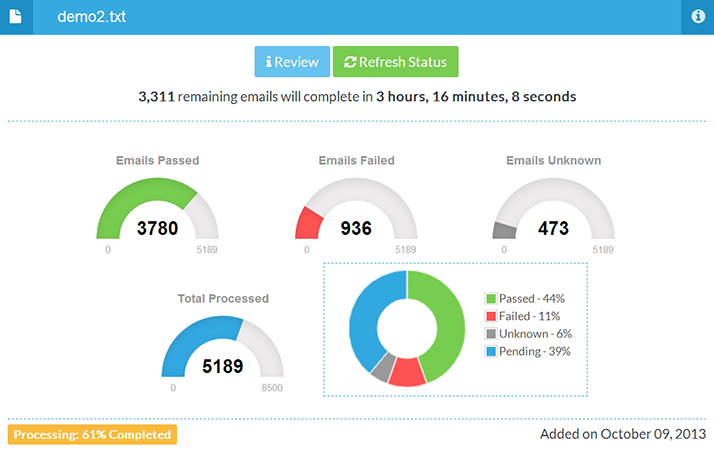
The drawback is timing. A bulk check tells you a lead was bad after you have paid for it, and the lead is long gone by then.
Real-time verification
Real-time verification checks each lead as it comes in.
It is the right method for any business that generates leads continuously, through website forms or paid campaigns. A lead that is checked on arrival never reaches your sales team or your buyer in a bad state.
There are three ways to verify leads in real time:
- As the lead fills in your form, through an API check (validation)
- As the lead fills in your form, through a one-time passcode (OTP verification)
- As the lead enters your CRM or database
How to verify leads as they fill in your form (API method)
By connecting your form to a data provider such as Twilio Lookup for phone numbers or ZeroBounce for email addresses, you can check each detail while the lead is still on the page.
Here is how it works:
- The lead types an email address or phone number
- The form sends it to the provider in the background
- If the provider reports it as invalid, the lead is asked to correct it before moving on
This method has one big advantage over the others. It is invisible to anyone who enters valid details, so it should have no effect on your conversion rate, and it gives a genuine lead with a typo the chance to fix it. A bulk check can only throw that lead away.
The checks are cheap. Twilio's basic formatting and validation lookup is free, and its line type intelligence add-on costs $0.008 per request in the US, according to Twilio's Lookup pricing (checked October 9, 2026). ZeroBounce charges one credit per address checked.
The hard part is the build. Calling these APIs from your own form means handling their error codes, timeouts and the addresses that come back as "unknown", which is a job for a developer. In Growform it is a setting on the field. You connect your own Twilio or ZeroBounce account in your account settings and switch on validation on the Phone or Email field. Both are included on the Professional plan and above, and every plan checks phone and email formats.
How to verify leads as they fill in your form (one-time passcode method)
The second real-time method sends a one-time passcode, often called an OTP. The process looks like this:
- The lead enters a phone number or email address
- A short code is sent to that number or address
- The lead must type the correct code to continue
A lead who does not have the phone or the inbox cannot finish the form. That makes OTP the only real-time method that proves ownership, not only validity.
There is one significant drawback. Some genuine leads will drop out at the passcode step, people who would have given you correct details anyway. Advocates argue that the benefit (every lead verified) outweighs the cost (some leads lost), but we have seen this method significantly reduce volume, so we would not recommend it for every form.
It is worth it when your form promises something valuable, such as a detailed quote, an appraisal or a personalized report. A lead who wants the result will wait ten seconds for a text. It also suits leads you sell at a high price, where a single returned lead costs more than the volume you lose.
Meta has added the same idea to its lead ads. Instant forms can require SMS verification before a lead is submitted, which needs a required phone number field. On your own landing page, Growform's phone verification will send the passcode through Twilio once it launches.
How to verify leads as they reach your CRM or database
Verifying a lead as it reaches your database is real time in the sense that it runs the moment the lead arrives, but it happens after the lead has left your form.
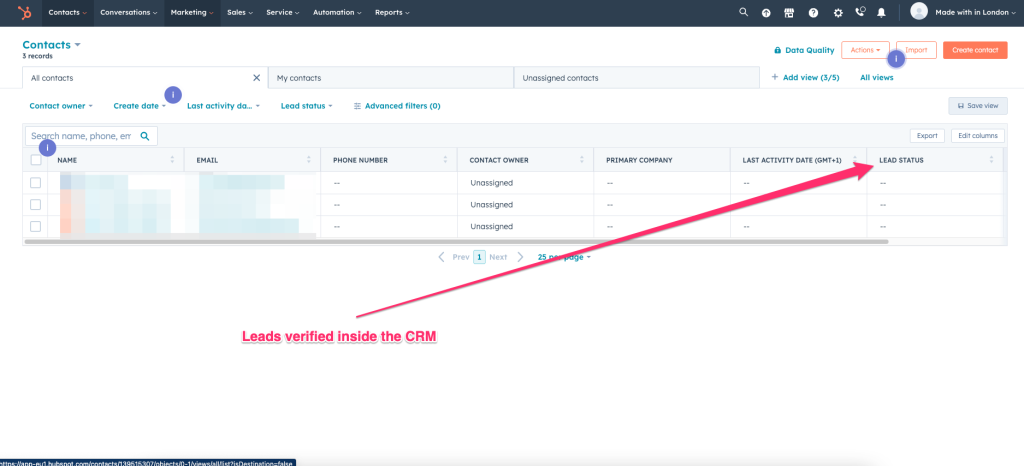
Compared with bulk verification, the advantage is that it runs all the time without anyone remembering to do it. Compared with the two in-form methods, the disadvantage is that a lead with an invalid detail has no chance to correct it.
Here is how the process looks:
- The lead fills in your form
- The form sends the lead to your CRM, for example HubSpot or Salesforce
- The CRM passes the new contact to a verification provider through an integration
- The result is written back to the lead record
ZeroBounce has a native HubSpot integration with an auto-validation switch that checks new contacts as they are added, which is described in its HubSpot documentation. For other CRMs, a Zapier step between your form and the CRM can call NeverBounce or ZeroBounce before the record is created. Growform sends leads to more than 7,000 apps through Zapier, so the same route works from a Growform form.
Which lead verification method should you use?
The answer depends on where your leads come from and what happens to them next.
| Situation | Method |
|---|---|
| Leads from your own forms and paid traffic | Real-time API validation in the form |
| High-value leads, or leads you sell at a high price | Real-time validation plus a one-time passcode |
| Leads you sell to buyers who call under the TCPA | Validation plus a TrustedForm certificate or Jornaya LeadiD |
| An old list, an event export or a purchased list | Bulk verification before the first send |
| Leads arriving from many sources into one CRM | Verification in the CRM as each lead arrives |
Most lead generation teams end up with two of these: real-time checks on new leads, and a bulk pass on anything that has been sitting in the CRM for a few months.
Build forms with real-time lead verification in Growform
If you are looking for a form builder that verifies leads in real time, Growform is built for it.
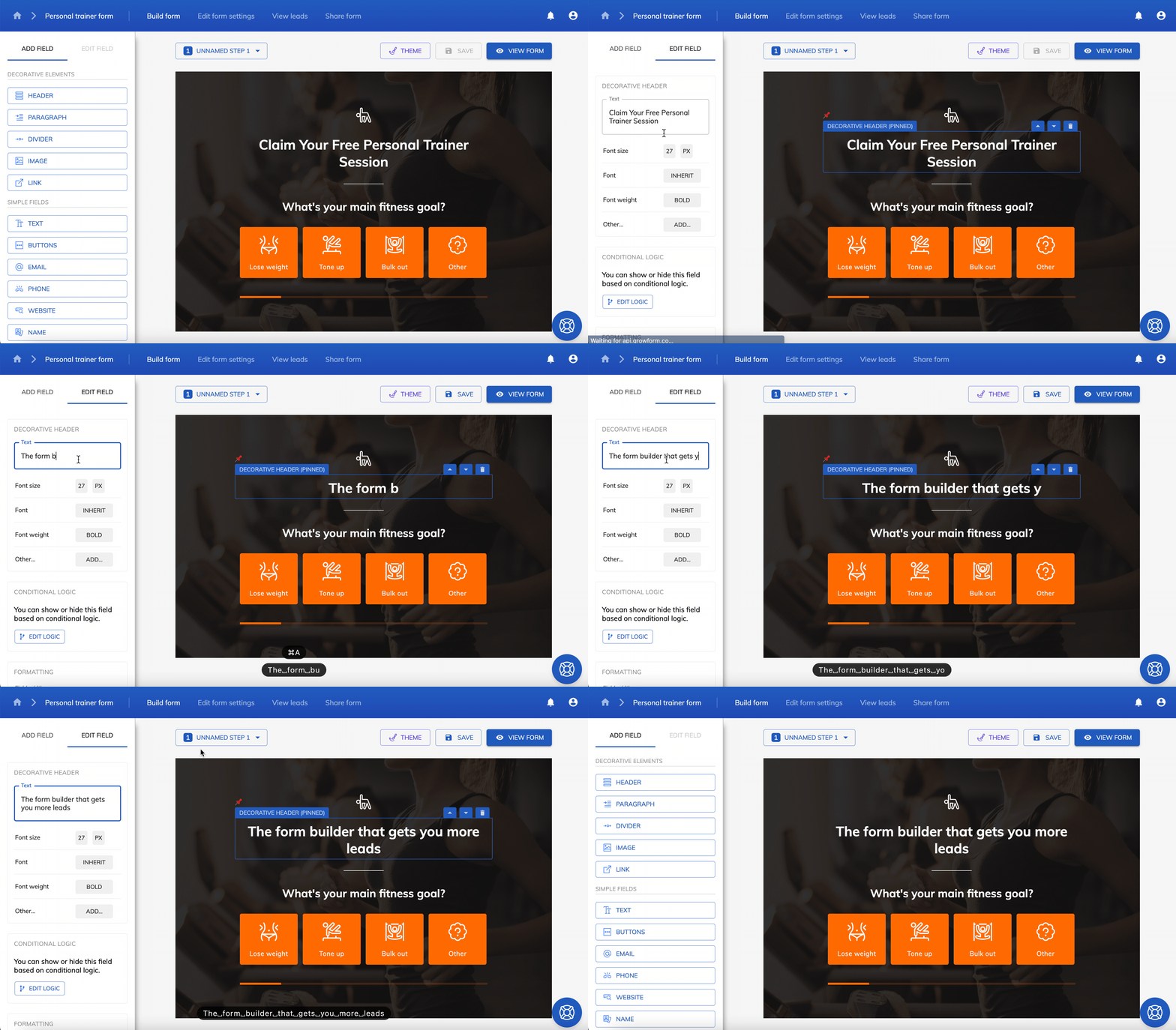
On the Professional plan and above, Growform forms can check phone numbers with the Twilio Lookup API for bad formatting, invalid area codes and known bad numbers, and check email addresses with ZeroBounce to confirm the mailbox is live. The same plans add TrustedForm and Jornaya, so every lead you send a buyer carries proof of consent. The checks sit on the contact step of a multi-step form, after the lead has already answered your qualifying questions and has a reason to finish.
Or, if you prefer, you can use Growform to capture the lead and connect your CRM to a verification provider. Every plan starts with a 14-day free trial. Start free trial.
Frequently asked questions
How do you verify leads?
Check each phone number and email address against an outside source. In real time, that means an API check in the form, such as Twilio Lookup or ZeroBounce, or a one-time passcode sent to the lead's phone. Afterwards, it means uploading the list to a bulk verification service or connecting one to your CRM.
What is the difference between lead validation and lead verification?
Lead validation checks that a phone number or email address is in a valid format. Lead verification confirms that it actually works, by asking a carrier database or mail server, or by sending the lead a passcode.
Does real-time lead verification lower conversion rates?
API validation should not, because a lead with valid details never sees it. One-time passcode verification adds a step, so some genuine leads will leave at that point.
Is bulk or real-time lead verification better?
Real-time verification is better for new leads, because a lead with a typo can still correct it. Bulk verification is better for lists that already exist, such as an old CRM export or an event list.
Related articles

7 Best Lead Routing Tools for Real-Time Lead Handoffs
October 13, 2026

Quiz Funnels vs Multi-Step Forms for Lead Generation
Paid traffic operators usually ask the wrong first question here.
September 30, 2026